Introducció
Welcome to the user manual for your new Steelplay HP45 Wired Stereo Headset. This manual provides essential information on setting up, operating, maintaining, and troubleshooting your headset to ensure optimal performance and longevity. Please read this manual thoroughly before using the product.
Producte acabatview
The Steelplay HP45 is a high-quality wired stereo headset designed for an immersive audio experience. It features a comfortable design and clear sound reproduction, making it suitable for various gaming and audio needs.

Imatge: Frontal view of the Steelplay HP45 Wired Stereo Headset, showcasing its black and green design with the microphone extended.
Característiques principals:
- Wired connectivity for stable audio transmission.
- Stereo sound for clear audio.
- Integrated microphone for communication.
- Durable Polycarbonate (PC) material construction.
- Compatible with Xbox Series X, Xbox Series S, PS5, PS4, Nintendo Switch, and PC.
Contingut del paquet
Si us plau, reviseu el paquet amb cura per assegurar-vos que hi hagi tots els elements:
- Steelplay HP45 Wired Stereo Headset
- Manual d'usuari (aquest document)
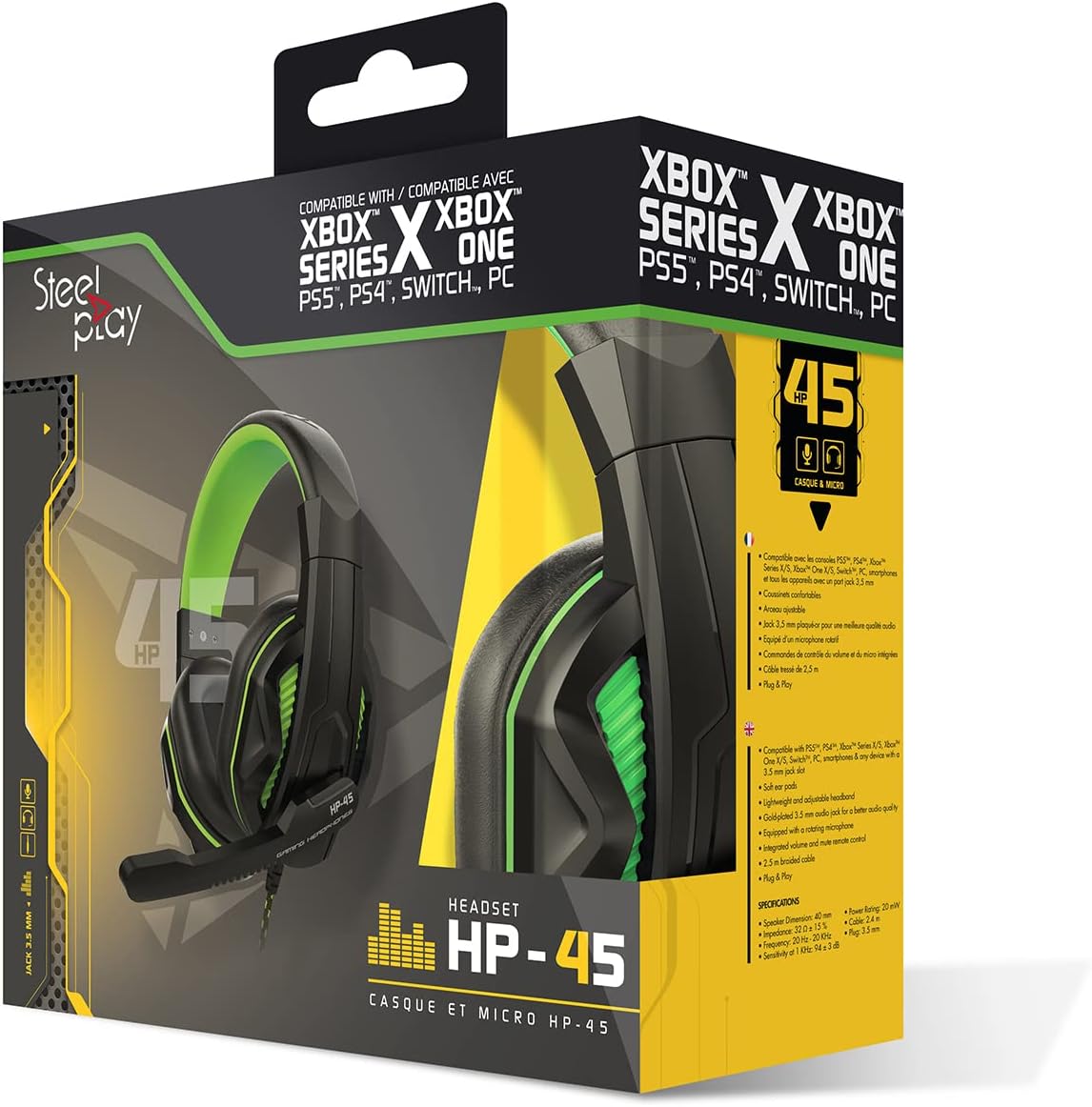
Image: The Steelplay HP45 Wired Stereo Headset shown within its retail packaging, highlighting compatibility with various gaming platforms.
Configuració
Follow these steps to set up your Steelplay HP45 headset:
- Identifica el connector d'àudio: The HP45 headset uses a standard 3.5mm audio jack for connection.
- Connecteu-vos al vostre dispositiu:
- For Game Consoles (Xbox Series X/S, PS5, PS4, Nintendo Switch): Plug the 3.5mm jack directly into the controller's headset port.
- Per a PC: If your PC has a combined audio/microphone jack, plug the 3.5mm jack directly. If your PC has separate audio (green) and microphone (pink) jacks, you may need a Y-splitter adapter (not included) to use both functions.
- Ajustar l'ajust dels auriculars: Gently extend or retract the headband to ensure a comfortable and secure fit over your ears. The earcups should fully cover your ears.
- Posició del micròfon: Adjust the flexible microphone boom so that the microphone is positioned near your mouth for clear voice pickup.

Imatge: Lateral view of the Steelplay HP45 headset, illustrating the wired connection point and the adjustable microphone.
Instruccions de funcionament
Once connected, your Steelplay HP45 headset is ready for use. Here are some general operating tips:
- Control de volum: Adjust the audio volume using the volume controls on your connected device (console, PC, or mobile device). The HP45 headset does not feature inline volume controls.
- Ús del micròfon: Ensure the microphone is positioned correctly for clear communication. Microphone settings (e.g., sensitivity, mute) are typically managed through your connected device's audio settings.
- Selecció de sortida d'àudio: On some devices, you may need to manually select the headset as the primary audio output and input device in the system's sound settings.
Manteniment
Proper care will extend the life of your Steelplay HP45 headset:
- Neteja: Feu servir un drap suau i sec per netejar els auriculars i la diadema. Per a la brutícia persistent, netegeu lleugerament.amp es pot fer servir un drap, però assegureu-vos que no entri humitat a les reixetes de l'altaveu ni al micròfon. No utilitzeu productes químics agressius ni netejadors abrasius.
- Emmagatzematge: When not in use, store the headset in a clean, dry place away from direct sunlight and extreme temperatures. Avoid tangling the cable.
- Cura del cable: Do not pull on the cable to disconnect the headset. Always grasp the plug firmly. Avoid sharp bends or kinks in the cable.
Resolució de problemes
If you encounter issues with your Steelplay HP45 headset, try the following solutions:
- Sense so dels auriculars:
- Ensure the 3.5mm jack is fully inserted into the device's port.
- Check the volume settings on your connected device and ensure it is not muted.
- Verify that the headset is selected as the audio output device in your device's sound settings.
- Prova els auriculars amb un altre dispositiu per descartar un problema específic del dispositiu.
- El micròfon no funciona:
- Assegureu-vos que el braç del micròfon estigui col·locat correctament.
- Check the microphone settings on your connected device; ensure it is not muted and the input level is adequate.
- Verify that the headset microphone is selected as the input device in your device's sound settings.
- If using a PC with separate jacks, ensure you have a compatible Y-splitter if needed.
- Sound Distortion or Poor Quality:
- Reduce the volume on your device if the sound is distorted at high levels.
- Assegureu-vos que el connector d'àudio estigui net i lliure de brutícia.
- Prova amb una altra font o dispositiu d'àudio.
Especificacions
| Marca | Steelplay |
| Model | HP45 |
| Tecnologia de connectivitat | Amb cable |
| Material | Policarbonat (PC) |
| Interval d'edat (descripció) | Adult |
| ASIN | B0727XSXDM |
| Fabricant | Steelplay |
| Data de primera disponibilitat | 19 de maig de 2022 |
Garantia i Suport
Informació de la garantia:
The Steelplay HP45 Wired Stereo Headset comes with a 2 any de garantia des de la data de compra. Aquesta garantia cobreix els defectes de fabricació en condicions d'ús normal. Si us plau, conserveu el comprovant de compra per a reclamacions de garantia.
Note: Information regarding spare parts availability and software updates is not available.
Atenció al client:
For further assistance, technical support, or warranty claims, please contact Steelplay customer service through their official website or the retailer from whom you purchased the product. Refer to the product packaging for specific contact details.


