1. Introducció
Thank you for choosing the HTC USB Type-C Hi-Res Earphones, Model 99H20317-00. These earphones are designed to provide a high-quality audio experience with their advanced features and ergonomic design. This manual provides essential information for the proper setup, operation, maintenance, and troubleshooting of your new earphones.
Les característiques clau inclouen:
- Concert hall design for unparalleled sound.
- Larger 13mm speakers for a fuller sound profile.
- Enhanced port optimization for improved bass reproduction.
- Lighter and thinner aerospace polymer diaphragm to increase sound frequency response.
- Ergonomic design for maximum comfort during extended use.
2. Informació de seguretat
Please read and follow these safety guidelines to ensure safe and optimal use of your earphones:
- Protecció auditiva: Eviteu escoltar a nivells de volum alts durant períodes prolongats per evitar danys auditius.
- Consciència ambiental: Do not use earphones in situations where the inability to hear ambient sounds could be dangerous, such as while driving, cycling, or walking in traffic.
- Neteja: Clean the earphones regularly with a soft, dry cloth. Do not use liquid cleaners or solvents.
- Exposició a l'aigua: Aquests auriculars no són impermeables. Eviteu l'exposició a l'aigua o a la humitat excessiva.
- Nens: Mantenir fora de l'abast dels nens petits a causa de les peces petites que podrien suposar un perill d'asfíxia.
3. Contingut del paquet
Verifiqueu que tots els elements siguin presents al vostre paquet:
- HTC USB Type-C Hi-Res Earphones (Model: 99H20317-00)
- Additional ear tips (if included)
- Manual d'usuari (aquest document)
4. Configuració
These earphones are designed for simple plug-and-play operation.
- Connectar: Insert the USB Type-C connector of the earphones into the USB Type-C port of your compatible device (Smartphone, Laptop, Tablet).
- Reconeixement del dispositiu: Your device should automatically recognize the earphones. If prompted, select the earphones as the audio output device.
- Ajustar el volum: Begin playback at a low volume and gradually increase to a comfortable listening level.
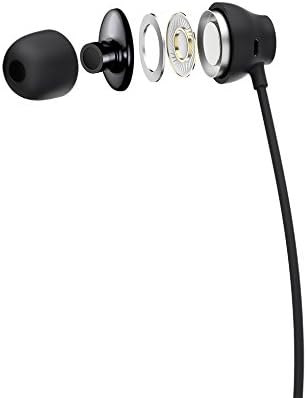
Figure 1: HTC USB Type-C Hi-Res Earphones connected to a device.
5. Instruccions de funcionament
Once connected, your earphones are ready for use.
- Reproducció d'àudio: Play audio from your connected device. The sound will be routed through the earphones.
- Gestió de trucades: For devices supporting call functions, you can typically answer/end calls using the device's interface.
- Control de l'aplicació: This model supports control via an application. Refer to your device's app store for any official HTC audio control applications that may offer additional features or sound customization.
6. Manteniment i cura
Proper care extends the lifespan of your earphones:
- Consells per netejar les orelles: Gently remove ear tips and clean them with a mild soap solution and water. Ensure they are completely dry before reattaching.
- Neteja del cos dels auriculars: Wipe the earphone body and cable with a soft, dry, lint-free cloth. Do not use abrasive materials or harsh chemicals.
- Emmagatzematge: Quan no els feu servir, guardeu els auriculars en un lloc net i sec, preferiblement en una funda protectora per evitar que s'enredin i s'espatllin.
- Gestió de cables: Avoid tightly winding the cable or subjecting it to sharp bends, which can damage internal wires.
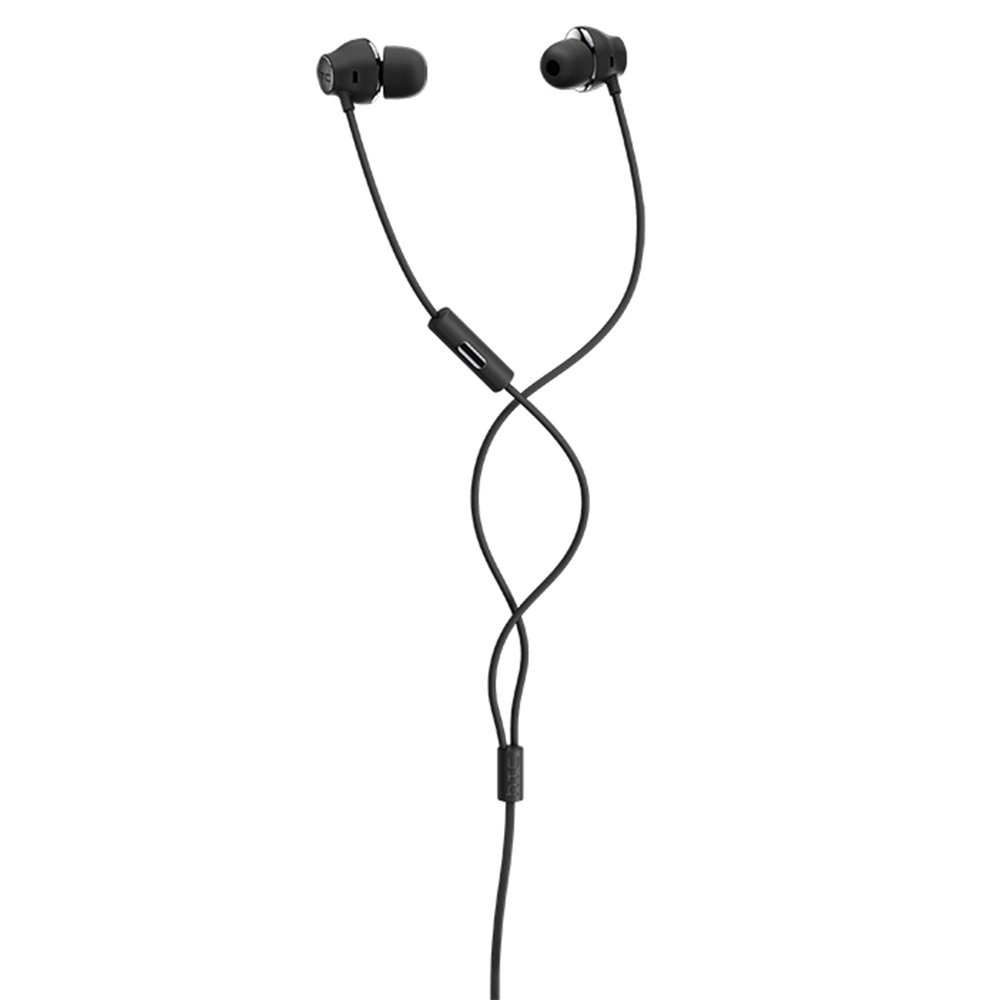
Figura 2: Explotat view of earphone components, highlighting the 13mm speaker and aerospace polymer diaphragm.
7. Solució De Problemes
Si teniu problemes, consulteu els següents problemes i solucions habituals:
| Problema | Causa possible | Solució |
|---|---|---|
| Sense so | Earphones not properly connected; device volume too low; incorrect audio output selected on device. | Ensure the USB Type-C connector is fully inserted. Increase device volume. Check device audio settings to confirm earphones are selected as output. |
| Mala qualitat del so | Dirty ear tips; damaged cable; low-quality audio source. | Clean ear tips. Inspect the cable for visible damage. Try a different audio source or file. |
| Earphones uncomfortable or fall out | Mida incorrecta de la punta de l'orella. | Try different sized ear tips (if provided) to find the best fit for your ears. |
8. Especificacions
| Característica | Detall |
|---|---|
| Marca | HTC |
| Número de model | 99H20317-00 |
| Tecnologia de connectivitat | Amb cable (USB tipus C) |
| Mida de l'altaveu | 13 mm |
| Material | Synthetic leather (ear tips/housing accents) |
| Pes | 50 grams |
| Dimensions del producte | 0.1 x 0.1 x 0.1 cm (packaging/shipping dimensions, actual earphone size is compact) |
| Mètode de control | App |
| Suport Bluetooth | No |
| Piles necessàries | No |
| Dispositius compatibles | Smartphone, Laptop, Tablet with USB Type-C audio output |
| Color | Gris fosc |
| Col·locació de l'orella | A l'orella |
9. Garantia i Suport
For warranty information and technical support, please refer to the documentation provided with your purchase or visit the official HTC support weblloc web. Conserveu el comprovant de compra per a reclamacions de garantia.


