1. Introducció
This manual provides essential instructions for the safe and effective use of your Accessory USA 5V AC DC Adapter. This power supply is designed to provide reliable power to the XtremeMac IPU-MDK-11 Charging Audio Dock. Please read this manual thoroughly before using the product.
2. Informació de seguretat
La vostra seguretat és primordial. Si us plau, observeu les següents precaucions:
- Compatibilitat: Ensure this adapter is compatible with your device (XtremeMac IPU-MDK-11 Charging Audio Dock) before connecting. Incorrect voltagel corrent elèctric pot fer malbé el dispositiu.
- Característiques de protecció: This adapter is equipped with Over VoltagProtecció contra sobrecorrent (OVP), protecció contra sobrecorrent (OCP) i protecció contra curtcircuits (SCP) per protegir els vostres dispositius.
- Medi ambient: Use the adapter in a dry, indoor environment. Avoid exposure to moisture, extreme temperatures, or direct sunlight.
- Manipulació: Do not drop, disassemble, or attempt to repair the adapter. Refer servicing to qualified personnel.
- cables: Ensure cables are not pinched, walked on, or otherwise damaged. Replace damaged cables immediately.
- Ventilació: Do not cover the adapter during use, as this may lead to overheating.
3. Contingut del paquet
Verifiqueu que el vostre paquet conté el següent article:
- 1 x Accessory USA 5V AC DC Adapter
4. Configuració
Follow these steps to set up your AC DC adapter:
- Inspeccioneu l'adaptador: Before use, visually inspect the adapter and its cable for any signs of damage. Do not use if damaged.
- Connecta't al dispositiu: Plug the DC output connector of the adapter into the power input port of your XtremeMac IPU-MDK-11 Charging Audio Dock. Ensure a secure connection.
- Connecteu-vos a la presa de corrent: Plug the AC input plug of the adapter into a standard wall power outlet.
- Verifica l'alimentació: Once connected, your XtremeMac IPU-MDK-11 Charging Audio Dock should receive power. Check for any indicator lights on your dock to confirm.
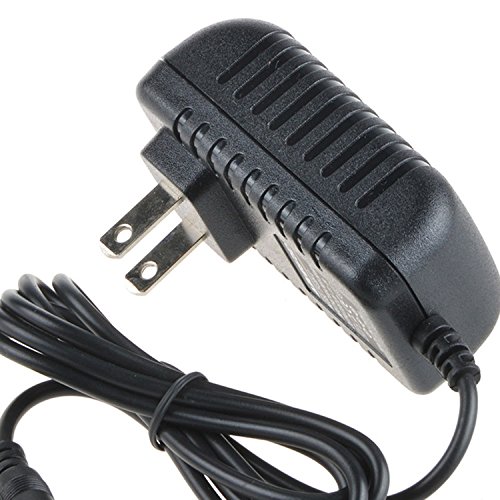
Image 1: The Accessory USA 5V AC DC Adapter. The adapter features a standard AC plug for wall outlets and a DC connector for the device.
5. Funcionament
The adapter operates automatically once connected. It converts the AC power from your wall outlet to the required 5V DC power for your XtremeMac IPU-MDK-11 Charging Audio Dock. No user intervention is required during operation.
- Ensure the adapter is always plugged into a functional power outlet.
- Desconnecteu l'adaptador de la presa de corrent quan no l'utilitzeu durant períodes prolongats.
6. Manteniment
Un manteniment adequat garanteix la longevitat i el funcionament segur del vostre adaptador:
- Neteja: Disconnect the adapter from both the power outlet and your device before cleaning. Use a soft, dry cloth to wipe the exterior. Do not use liquid cleaners or aerosols.
- Emmagatzematge: Store the adapter in a cool, dry place away from direct sunlight and moisture when not in use. Avoid wrapping the cable too tightly around the adapter.
- Inspecció: Periodically check the adapter and its cable for any signs of wear, cuts, or damage. If damage is found, discontinue use and replace the adapter.
7. Solució De Problemes
If you encounter issues with your adapter, try the following steps:
- Sense alimentació al dispositiu:
- Ensure the adapter is securely plugged into both the wall outlet and the XtremeMac IPU-MDK-11 dock.
- Proveu la presa de corrent amb un altre dispositiu per confirmar que funciona.
- Check the adapter cable for any visible damage.
- El dispositiu no es carrega:
- Confirm that the XtremeMac IPU-MDK-11 dock itself is functioning correctly.
- Verify that the adapter's specifications (5V DC output) match the requirements of your dock.
- Sobreescalfament:
- Assegureu-vos que l'adaptador tingui una ventilació adequada i que no estigui cobert.
- Si el sobreescalfament persisteix, interrompeu l'ús i contacteu amb el servei d'assistència.
Si aquests passos no resolen el problema, poseu-vos en contacte amb l'atenció al client.
8. Especificacions
| Característica | Especificació |
|---|---|
| Tipus de producte | Adaptador de corrent altern |
| Entrada Voltage | AC 100-240V |
| Vol. De sortidatage | DC 5V |
| Compatibilitat | XtremeMac IPU-MDK-11 Charging Audio Dock |
| Certificacions | CE / FCC / RoHS |
| Protecció | OVP, OCP, SCP |
| ASIN | B072J3QBVS |
| UPC | 650234670083 |
9. Garantia i Suport
Accessory USA products are manufactured to high quality standards. For warranty information or technical support, please refer to the documentation provided with your purchase or contact your retailer. Keep your purchase receipt as proof of purchase.


