Introducció
The House of Marley Smile Jamaica Wireless earphones combine FSC Certified Wood and recyclable aluminum housings for a unique and sustainable design. Featuring a noise-isolating design and 9mm dynamic drivers, these earphones deliver rich and full sound. Designed for comfort and convenience, they offer Bluetooth connectivity and up to 8 hours of playtime.

Image: House of Marley Smile Jamaica Wireless Earphones, showcasing their design with wood accents and neckband.
Què hi ha a la caixa
- Llibre d'instruccions
- Eartips (1xM, 2xM)
- Cable de càrrega micro USB
- Funda protectora
Configuració
Càrrega dels auriculars
Before first use, fully charge your Smile Jamaica Wireless earphones. Connect the supplied Micro USB charging cable to the charging port on the neckband. Plug the other end into a USB power source (not included). The LED indicator will show charging status.

Image: Micro USB charging cable connected to the earphones, ready for charging.
Emparellament Bluetooth
- Assegureu-vos que els auriculars estiguin apagats.
- Premeu i manteniu premut el botó d'engegada fins que l'indicador LED parpellegi en blau i vermell, cosa que indica el mode d'emparellament.
- Al dispositiu (telèfon intel·ligent, tauleta, etc.), activeu el Bluetooth i cerqueu els dispositius disponibles.
- Select "Smile Jamaica Wireless" from the list.
- Un cop connectat, l'indicador LED es tornarà blau continu.
Ajust òptim
The Smile Jamaica Wireless earphones come with 2 sizes of eco-friendly REGRIND silicone ear tips. Experiment with different sizes to find the most comfortable and secure fit for optimal sound isolation and audio performance. The lightweight and flexible neckband is designed to rest comfortably around your collar.
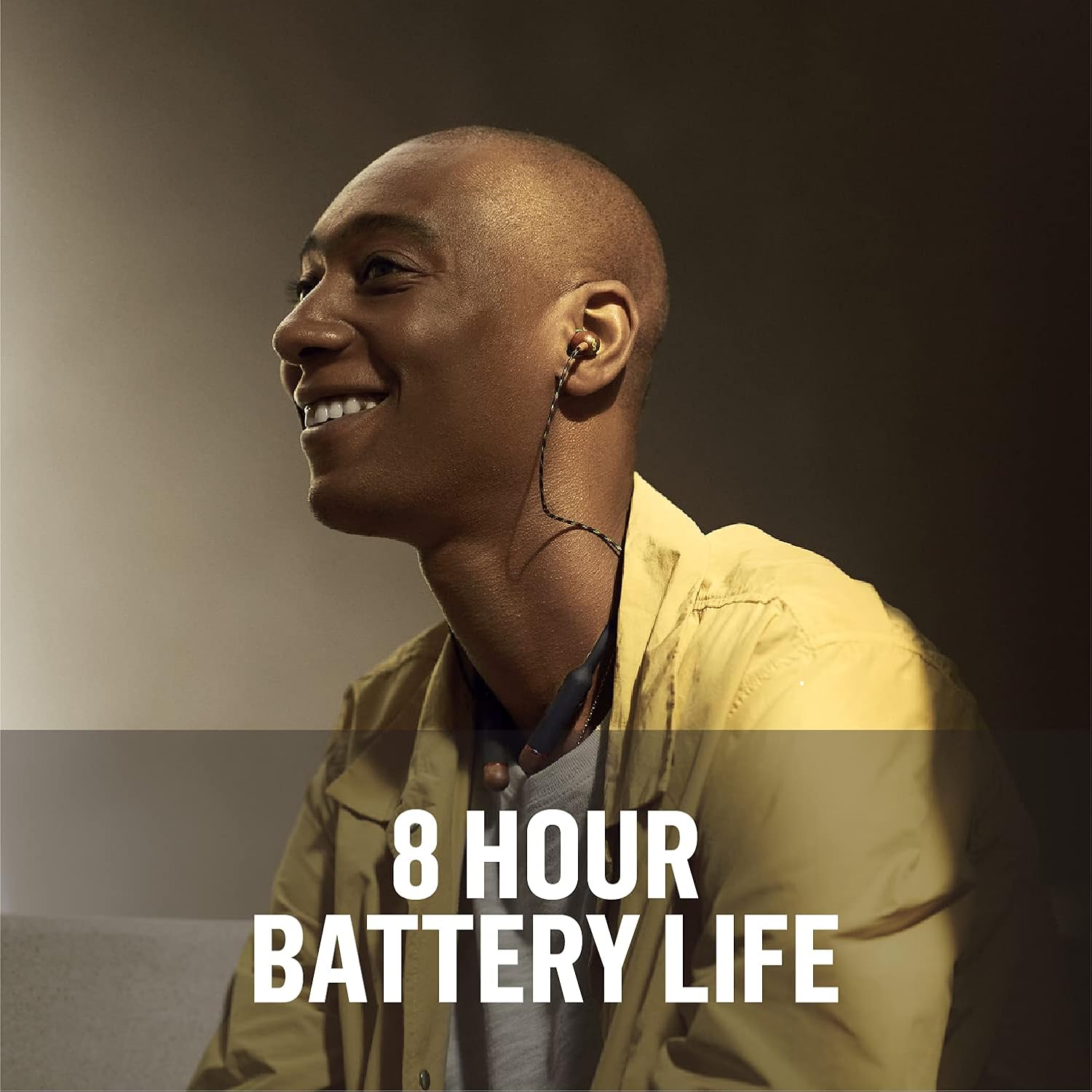
Image: A person wearing the Smile Jamaica Wireless earphones, demonstrating the comfortable and secure fit of the ear tips and neckband.
Funcionament dels auriculars
3-Button Controls
The neckband features intuitive 3-button controls for managing your audio and calls:
- Puja el volum (+): Premeu per augmentar el volum.
- Baixar el volum (-): Premeu per reduir el volum.
- Botó multifunció (centre):
- Premeu una vegada per reproduir/pausar la música.
- Premeu una vegada per respondre/finalitzar trucades.
- Premeu i manteniu premut per encendre/apagar.
- Double-press for Next Track.
- Triple-press for Previous Track.

Imatge: Detallada view of the 3-button controls on the neckband, highlighting the volume and multi-function buttons.
Fer i rebre trucades
The Smile Jamaica Wireless earphones include an onboard microphone for hands-free calling. Use the multi-function button to answer or end calls as described above.
Durada de la bateria
Enjoy up to 8 hours of continuous playtime on a full charge, allowing for all-day listening. Actual battery life may vary based on volume level and audio content.

Image: A person enjoying music with the earphones, emphasizing the 8-hour battery life.
Manteniment i cura
To ensure the longevity of your Smile Jamaica Wireless earphones, follow these care guidelines:
- Netegeu les puntes de les orelles regularment amb un drap suauamp tela.
- Wipe the neckband and earbud housings with a dry, soft cloth.
- Avoid exposing the earphones to extreme temperatures or direct sunlight for prolonged periods.
- While sweatproof with an IPX4 rating, avoid submerging the earphones in water.
- Store the earphones in the provided protective case when not in use to prevent tangling and damage.
Resolució de problemes
| Problema | Solució |
|---|---|
| Els auriculars no s'encenen | Ensure the earphones are fully charged. Press and hold the power button for several seconds. |
| No es pot emparellar amb el dispositiu | Ensure earphones are in pairing mode (flashing blue/red LED). Turn off and on Bluetooth on your device. Move earphones closer to your device. |
| Sense so ni volum baix | Check volume levels on both earphones and your device. Ensure earphones are properly connected. Try re-pairing. |
| Connexió intermitent | Move closer to your device. Avoid obstacles between earphones and device. Ensure no other strong wireless signals are interfering. |
| El micròfon no funciona | Ensure the earphones are selected as the audio input device on your phone. Check for any obstructions near the microphone. |
Especificacions tècniques
| Característica | Detall |
|---|---|
| Nom del model | Somriu Jamaica |
| Tecnologia de connectivitat | Bluetooth |
| Tecnologia de comunicació sense fils | Bluetooth |
| Tipus de control | Control de volum, tàctil |
| Pes de l'article | 0.15 quilograms (5.1 unces) |
| Nivell de resistència a l'aigua | Resistent a l'aigua (IPX4) |
| Interval de freqüència | 20 Hz - 20,000 Hz |
| Durada de la bateria | 8 hores |
| Tipus de controlador d'àudio | Conductor dinàmic |
| Versió Bluetooth | 5.0 |
| Control de soroll | Aïllament acústic |
| Material | Kunststof, Hout (FSC Certified Wood) |
| Dimensions del producte | 8 x 6 x 1.38 polzades |
Garantia i Suport
House of Marley products are manufactured with a commitment to quality. For detailed warranty information and customer support, please refer to the warranty card included in your product packaging or visit the official House of Marley website. You can also find FAQs and additional support resources online.
For direct assistance, please contact House of Marley customer service through their official channels.


