Introducció
The Levenhuk M800 PLUS Digital Camera is designed for use with microscopes, functioning as a digital eyepiece. It enables users to capture high-resolution photos and videos of microscopic samples. This manual provides detailed instructions for setting up, operating, and maintaining your Levenhuk M800 PLUS Digital Camera, along with troubleshooting tips and product specifications.
Contingut del paquet
Before proceeding with the installation, please verify that all components listed below are present in your package:
- Levenhuk Digital Camera for Microscopes (M800 PLUS)
- Adapter (23.2mm)
- 2 Adapters for microscopes with different eyepiece tube diameters (23.2-30mm and 23.2-30.5mm)
- USB cable for PC/laptop connection and power supply
- Installation CD with Levenhuk image editing software and required drivers
- Manual d'usuari
- Lifetime warranty information

Image: The Levenhuk M800 PLUS Digital Camera, its packaging, and included accessories such as the USB cable, software CD, and eyepiece adapters.

Imatge: Una imatge detallada view of the Levenhuk M800 PLUS Digital Camera's accessories, including the software disc, user manual, USB cable, and two eyepiece adapters.
Configuració
Software and Driver Installation:
Insert the provided Installation CD into your computer's CD-ROM drive. Follow the on-screen instructions to install the Levenhuk image editing software and the necessary drivers. Ensure your operating system meets the minimum requirements: Windows XP (32-bit), Windows Vista/7/8/10/11 (32-bit or 64-bit), Mac OS X, or Linux. A CPU Intel Core 2 or above, 2GB RAM, and a USB 2.0 port are also required.
Camera Installation on Microscope:
The Levenhuk M800 PLUS Digital Camera is designed to fit into a 23.2mm diameter eyepiece tube. Remove the existing eyepiece from your microscope. Insert the camera directly into the eyepiece tube. If your microscope has a different eyepiece tube diameter (30mm or 30.5mm), use the appropriate adapter included in the kit before inserting the camera.

Image: The Levenhuk M800 PLUS Digital Camera shown installed into the eyepiece tube of a microscope, ready for observation.
Connexió a l'ordinador:
Connect the camera to your PC or laptop using the provided USB 2.0 cable. The camera draws power directly from the USB connection. Once connected, your computer should recognize the device, and you can launch the Levenhuk software.
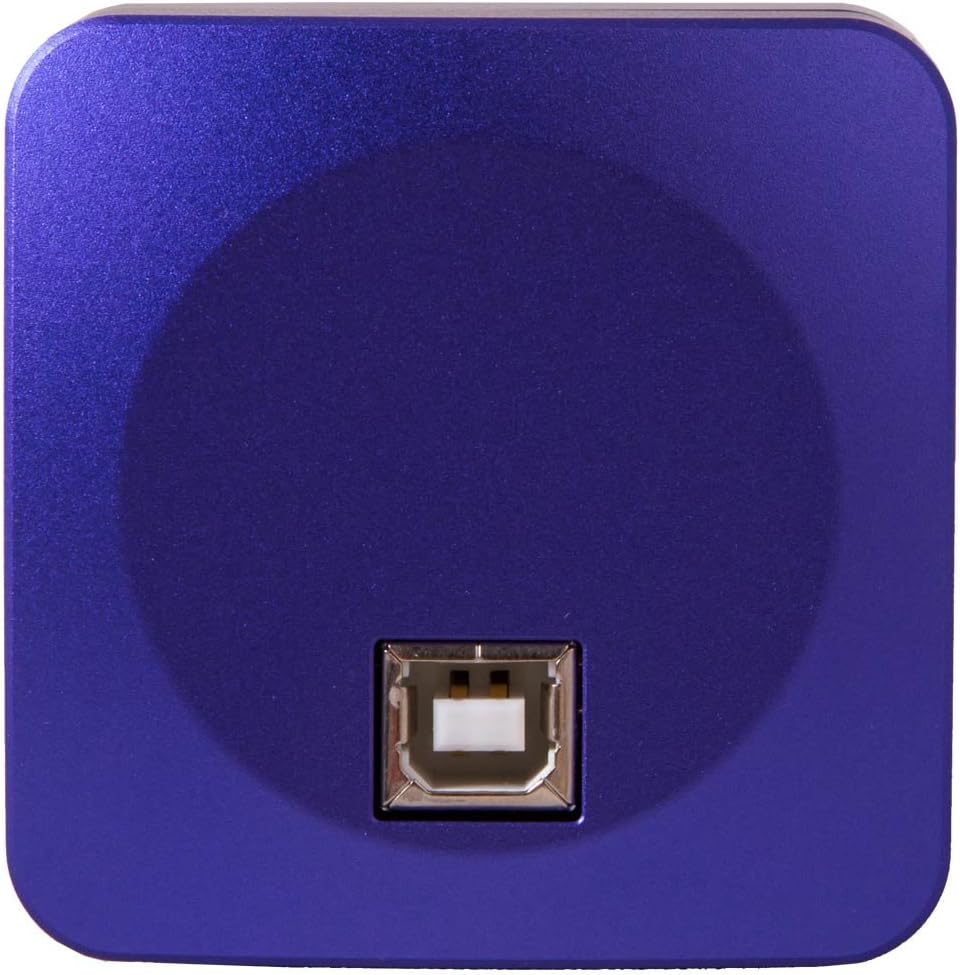
Image: The rear of the Levenhuk M800 PLUS Digital Camera, highlighting the USB port for computer connection and power.
Instruccions de funcionament
Once the camera is installed and connected, and the software is running, you can begin capturing images and videos.
Viu View and Focusing:
Open the Levenhuk software. You should see a live feed from the microscope camera. Adjust the microscope's focus knobs to achieve a clear and sharp image on your computer screen.
Capturing Still Images:
Within the software interface, locate the "Capture" or "Photo" button. Click it to take a still image of the current view. Images are typically saved in formats such as *.jpg, *.bmp, *.png, or *.tif.
Gravació de vídeos:
To record video, find the "Record" or "Video" button in the software. Click once to start recording and again to stop. Video recordings are saved in formats like *.wmv, *.avi, *.h264 (Win 8 or later), or *.h265 (Win 10 or later).
Image Editing and Software Features:
The Levenhuk software provides various tools for post-processing your captured images and videos. These features include:
- Zoom: Magnify specific areas of your image.
- Retalla: Select and save only a portion of the image.
- Brillantor/Contrast: Adjust the overall brightness and contrast levels for better visibility.
- Control de l'exposició: Manual or automatic adjustment of exposure time.
- Balanç de blancs: Automatic or manual adjustment to ensure accurate color representation.
Refer to the software's built-in help or the user manual on the CD for detailed instructions on using these features.
Manteniment
Proper care and maintenance will ensure the longevity and optimal performance of your Levenhuk M800 PLUS Digital Camera.
- Neteja: Use a soft, lint-free cloth to gently wipe the camera body. For the lens and sensor, use specialized optical cleaning solutions and cloths to avoid scratches or damage. Do not use abrasive cleaners or solvents.
- Emmagatzematge: When not in use, store the camera in a dry, dust-free environment, preferably in its original packaging or a protective case. Avoid extreme temperatures and high humidity.
- Manipulació: Handle the camera with care. Avoid dropping it or subjecting it to strong impacts, as this can damage internal components.
- Actualitzacions de programari: Periodically check the Levenhuk official website for any software or driver updates to ensure compatibility and access to the latest features.
Resolució de problemes
| Problema | Causa possible | Solució |
|---|---|---|
| No image or black screen in software. |
|
|
| La imatge està borrosa o desenfocada. |
|
|
| Software crashes or freezes. |
|
|
| Poor image quality (noise, incorrect colors). |
|
|
Especificacions
| Característica | Detall |
|---|---|
| Resolució màxima | 3264 x 2448 |
| Megapíxels | 8 Mpx |
| Sensor | 1/2.5'' CMOS |
| Mida de píxels | 1.55x1.55 µm |
| Sensitivity (v/lux.sec @ 550 nm) | 0.31 |
| Temps d'exposició | 0.4–2000 ms |
| Gravació de vídeo | Sí |
| Frame Rate (fps at resolution) | 4@3264x2448, 15@1600x1200, 62@800x600 |
| Rang actiu | 71.2 dB |
| Aplicació | Eyepiece tube of 23.2mm diameter (with adapters for 30mm and 30.5mm) |
| Format d'imatge | *.jpg, *.bmp, *.png, *.tif |
| Format de vídeo | *.wmv, *.avi, *.h264 (Win 8+), *.h265 (Win 10+) |
| Interval espectral | 380–650nm (built-in infrared filter) |
| Method of Exposure | ERS (Electronic Rolling Shutter) |
| Balanç de blancs | Automàtic/Manual |
| Control de l'exposició | Automàtic/Manual |
| Funcions USB | USB 2.0, 480 Mb/sec. |
| Requisits del sistema | Windows XP (32-bit), Vista/7/8/10/11 (32/64-bit), Mac OS X, Linux; Intel Core 2+ CPU; 2GB RAM; USB 2.0 port; CD-ROM |
| Programari | Levenhuk |
| Casing | Metall |
| Font d'alimentació | Via USB 2.0 cable |
| Número de model | 70357 |
| UPC | 611901505558 |
Garantia i Suport
The Levenhuk M800 PLUS Digital Camera comes with a garantia de per vida. This warranty covers defects in materials and workmanship under normal use. For warranty claims or technical support, please refer to the contact information provided in the warranty documentation included with your product or visit the official Levenhuk weblloc.
For additional assistance, you may also consult the Levenhuk image editing software's help section or frequently asked questions on the manufacturer's support page.


