1. Introducció
Thank you for choosing the HMF 49702-02 Compact Safe. This safe is designed to provide secure storage for your valuables, featuring advanced fingerprint and electronic passcode locking mechanisms, along with a traditional key override. Its compact design makes it ideal for discreet placement in various environments. Please read this manual carefully before operating the safe to ensure proper use and maximum security.

Figure 1: HMF 49702-02 Compact Safe (Closed)
2. Instruccions de seguretat
Per garantir un funcionament segur i evitar danys, si us plau, seguiu les següents pautes de seguretat:
- Keep Emergency Keys Secure: Store the emergency override keys in a safe place, away from the safe itself, and not inside the safe.
- Seguretat de la bateria: Use only the specified battery type (4x AA batteries, not included). Do not mix old and new batteries, or different types of batteries. Remove batteries if the safe will not be used for an extended period.
- Eviteu la humitat: Do not expose the safe to water or high humidity.
- Col·locació adequada: Place the safe on a stable, level surface. For added security, consider mounting it as described in Section 3.3.
- No Flammable Materials: Do not store flammable liquids or other hazardous materials inside the safe.
3. Configuració
3.1 Contingut del paquet
Si us plau, comproveu el paquet per veure si hi ha els elements següents:
- HMF 49702-02 Compact Safe Unit
- Claus d'emergència (2x)
- Mounting Hardware (Screws and Wall Plugs)
- Manual d'usuari (Aquest document)
3.2 Instal·lació de la bateria
The safe requires 4x AA batteries (not included) for the electronic lock and fingerprint scanner. The battery compartment is located inside the safe.
- Open the safe using one of the emergency keys (refer to Section 4.4 for key operation).
- Locate the battery compartment cover on the inside of the door or back panel.
- Remove the cover and insert 4x AA batteries, ensuring correct polarity (+/-).
- Substituïu la tapa del compartiment de la bateria.
3.3 Obertura inicial
Upon first use, the safe must be opened with the emergency key.
- Insert one of the emergency keys into the keyhole on the control panel.
- Turn the key clockwise to unlock.
- Lift the lid to open the safe.

Figure 2: Emergency Key Operation
3.4 Muntatge de la caixa forta
The HMF 49702-02 safe features pre-drilled holes for secure mounting to a wall or floor, enhancing its security against theft.
- Open the safe and locate the pre-drilled mounting holes on the bottom or back panel.
- Position the safe in the desired location and mark the drilling points through the holes.
- Drill pilot holes into the wall or floor using an appropriate drill bit for your surface type.
- Align the safe with the drilled holes and secure it using the provided mounting hardware (screws and wall plugs).
- Ensure the safe is firmly attached before closing and locking it.
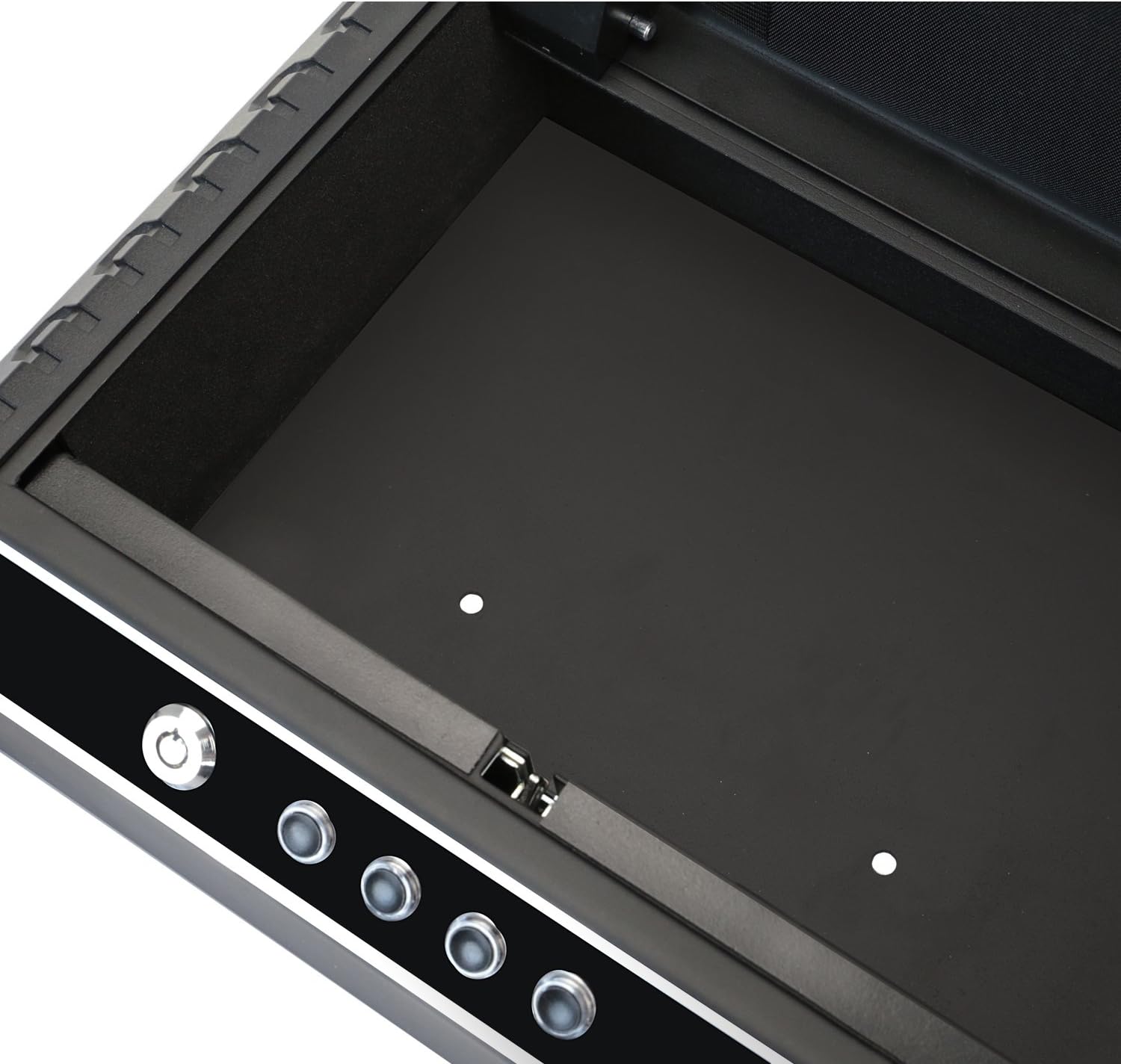
Figure 3: Interior with Mounting Holes
4. Funcionament de la caixa forta
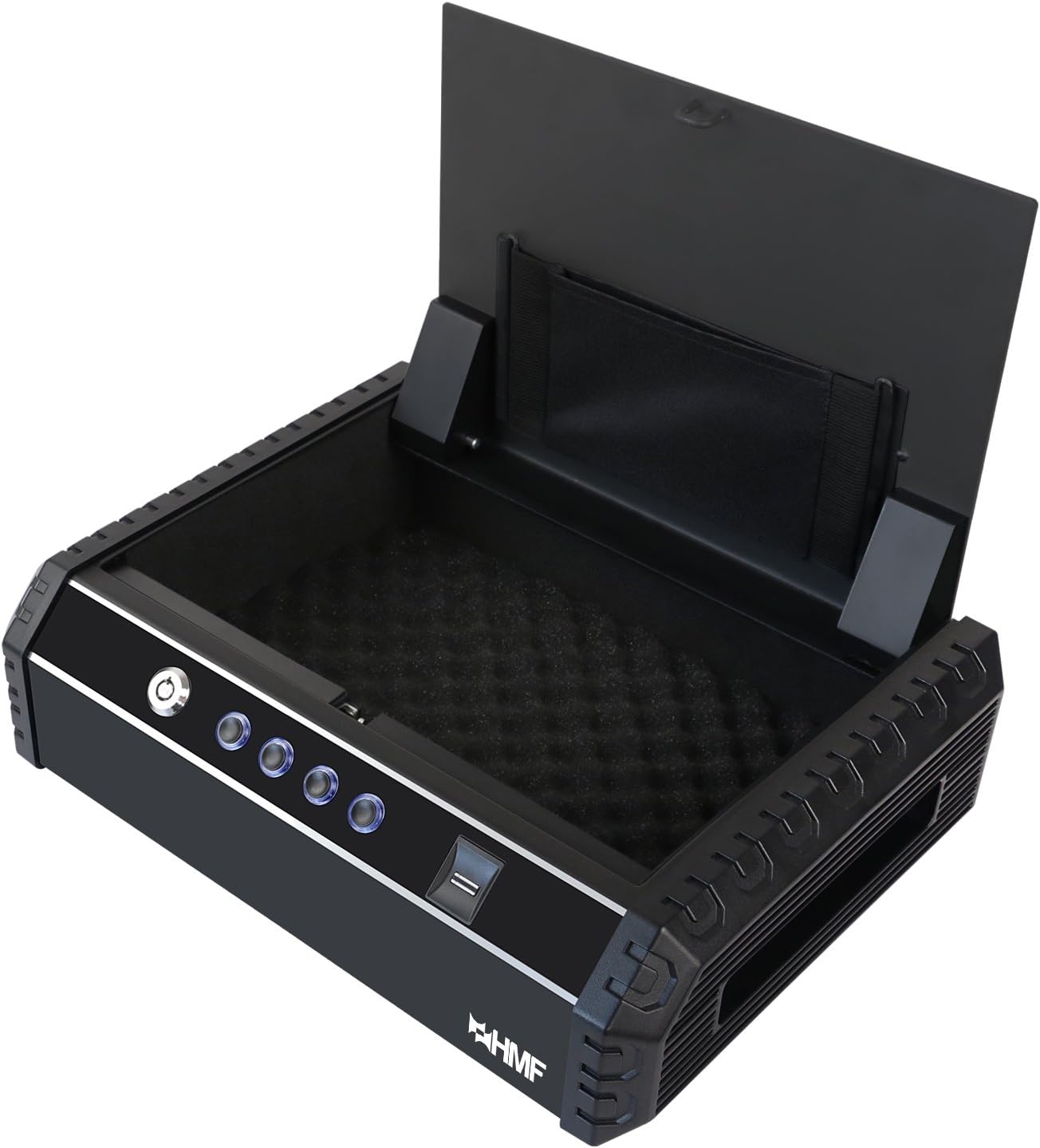
Figure 4: HMF 49702-02 Compact Safe (Open, Empty)

Figure 5: HMF 49702-02 Compact Safe (Open, with Contents)
4.1 Programming Fingerprints
The safe can store up to 20 unique fingerprints.
- With the safe open, press the programming button (usually located inside the battery compartment or near it). The indicator light will flash.
- Place the finger you wish to register on the fingerprint scanner. Lift and repeat several times until the indicator light confirms successful registration (e.g., a green light or beep).
- Repetiu el procés per a més dits o usuaris.

Figure 6: Using the Fingerprint Sensor
4.2 Programming the Passcode
The safe supports a single electronic passcode.
- Amb la caixa forta oberta, premeu el botó de programació.
- Enter your desired passcode (typically 4-8 digits) using the numeric buttons on the control panel.
- Press the '#' or 'ENTER' button to confirm. The indicator light will confirm successful programming.
4.3 Obertura amb empremta digital
- Place a registered finger firmly on the fingerprint scanner.
- If the fingerprint is recognized, the safe will unlock, and the lid will pop open.
4.4 Opening with Passcode
- Enter your programmed passcode using the numeric buttons.
- Press the '#' or 'ENTER' button.
- If the passcode is correct, the safe will unlock, and the lid will pop open.
4.5 Obertura amb clau d'emergència
Use the emergency key if batteries are dead or if you forget your passcode/fingerprint.
- Insert one of the emergency keys into the keyhole on the control panel.
- Turn the key clockwise to unlock.
- Lift the lid to open the safe.
4.6 Funció d'alarma
The safe is equipped with an alarm that will sound if an incorrect passcode or unregistered fingerprint is entered multiple times (typically 3-5 consecutive incorrect attempts). The alarm will sound for approximately 1 minute. To deactivate the alarm, enter the correct passcode or use a registered fingerprint/emergency key.
4.7 Muting Tones
The safe may have an option to mute keypress sounds and/or the alarm sound. Refer to the specific instructions provided with your safe for the exact button sequence to enable or disable these tones.
5. Manteniment
- Substitució de la bateria: Replace batteries when the low battery indicator light appears or if the safe fails to open electronically. Always replace all 4 batteries simultaneously.
- Neteja: Netegeu l'exterior de la caixa forta amb un drap suau iamp cloth. Do not use abrasive cleaners or solvents. Keep the fingerprint scanner clean and free of dust or debris.
- Atenció clau: Keep emergency keys clean and dry. Do not force them into the lock.
6. Solució De Problemes
| Problema | Causa possible | Solució |
|---|---|---|
| La caixa forta no s'obre amb l'empremta digital. | Finger not properly placed; unregistered finger; low batteries. | Ensure finger covers the sensor completely; register your fingerprint; replace batteries. |
| La caixa forta no s'obre amb el codi d'accés. | Incorrect passcode entered; low batteries. | Re-enter correct passcode; replace batteries. |
| L'alarma sona amb freqüència. | Multiple incorrect attempts. | Ensure correct passcode/fingerprint is used. |
| Cap resposta del panell de control. | Bateries esgotades. | Replace batteries immediately. Use emergency key to open. |
7. Especificacions
- Número de model: 49702-02
- Dimensions exteriors (L x A x A): 37.0 x 27.5 x 10.0 cm (14.57 x 10.83 x 3.94 polzades)
- Pes: 5 quilos (11.02 lliures)
- Mecanisme de bloqueig: Fingerprint, Electronic Passcode, Emergency Key
- Font d'alimentació: 4x piles AA (no incloses)
- Capacitat d'empremta digital: Fins a 20 empremtes dactilars
- Longitud del codi d'accés: 4-8 dígits
- Material: Acer

Figura 7: lateral View of the Safe
8. Garantia i Suport
Per obtenir informació sobre la garantia o assistència tècnica, consulteu el lloc web oficial del fabricant. weblloc web o poseu-vos en contacte amb el seu departament d'atenció al client. Conserveu el rebut de compra com a comprovant de compra.


