1. Introducció
The SYMA X22W Mini Drone is a compact quadcopter designed for beginners and enthusiasts. It features a built-in camera for live video streaming, altitude hold for stable flight, and various control modes for an engaging flying experience. This manual provides essential information for safe operation and maintenance of your drone.
2. Contingut del paquet
Assegureu-vos que tots els elements estiguin presents al vostre paquet:
- SYMA X22W Mini Drone
- Control remot
- Rechargeable LiPo Battery (2 included)
- Cable de càrrega USB
- Hèlixs de recanvi (4 peces)
- Tornavís
- Manual d'usuari
3. Guia de configuració
3.1. Càrrega de la bateria del dron
The drone is powered by a rechargeable LiPo battery. Before first use, fully charge the battery.
- Connecteu el cable de càrrega USB a la bateria.
- Plug the USB end into a compatible USB power source (e.g., computer USB port, USB wall adapter).
- The indicator light on the charging cable will show the charging status. Refer to the charging cable's specific instructions for light indications (usually red for charging, off or green for fully charged).
- Charging typically takes approximately 90 minutes. Do not overcharge.
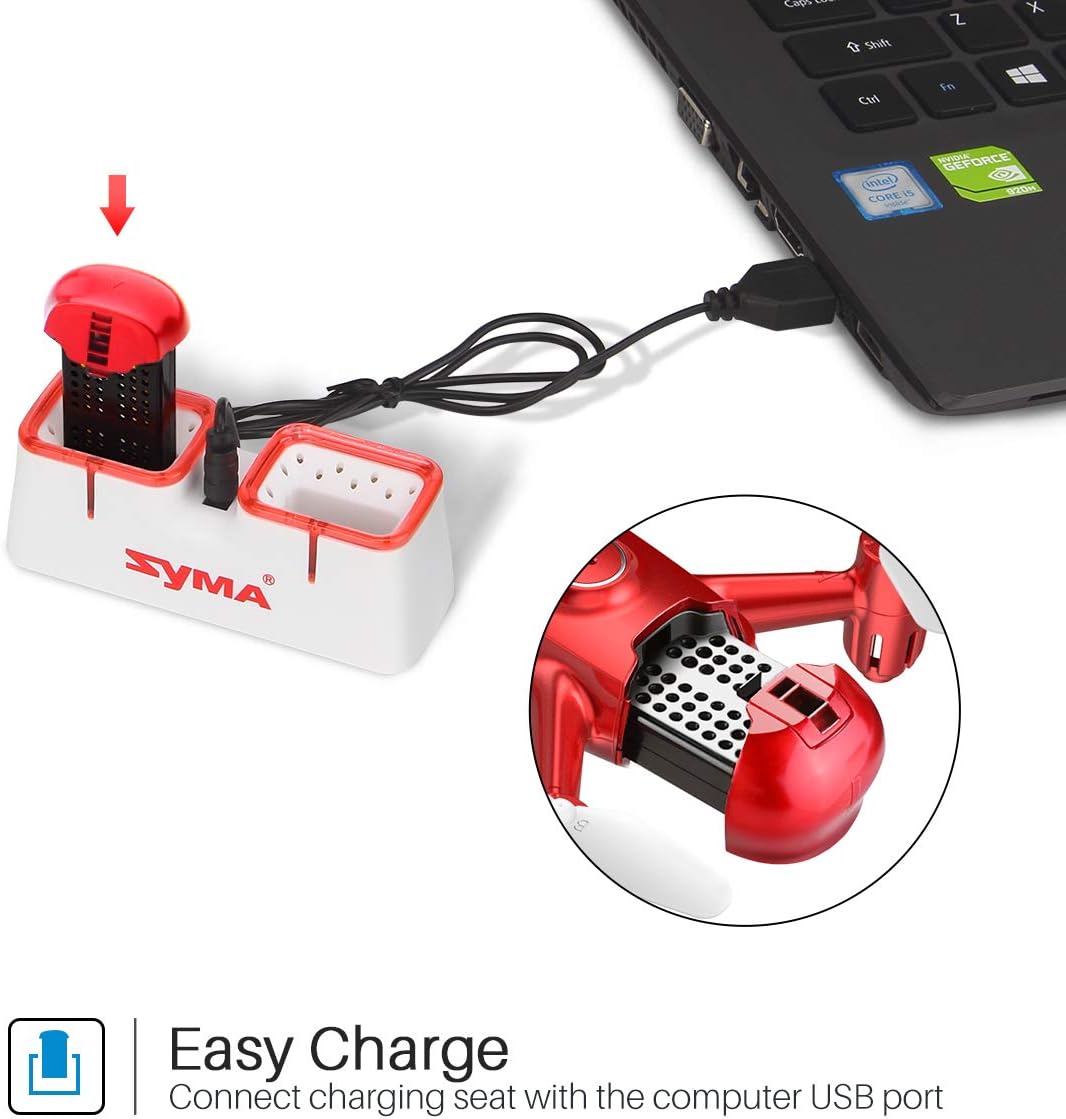
Figure 1: Drone battery charging via USB.
3.2. Instal·lació de la bateria del dron
Once charged, install the battery into the drone.
- Localitzeu el compartiment de la bateria del drone.
- Carefully insert the charged battery into the compartment.
- Assegureu la tapa del compartiment de la bateria.
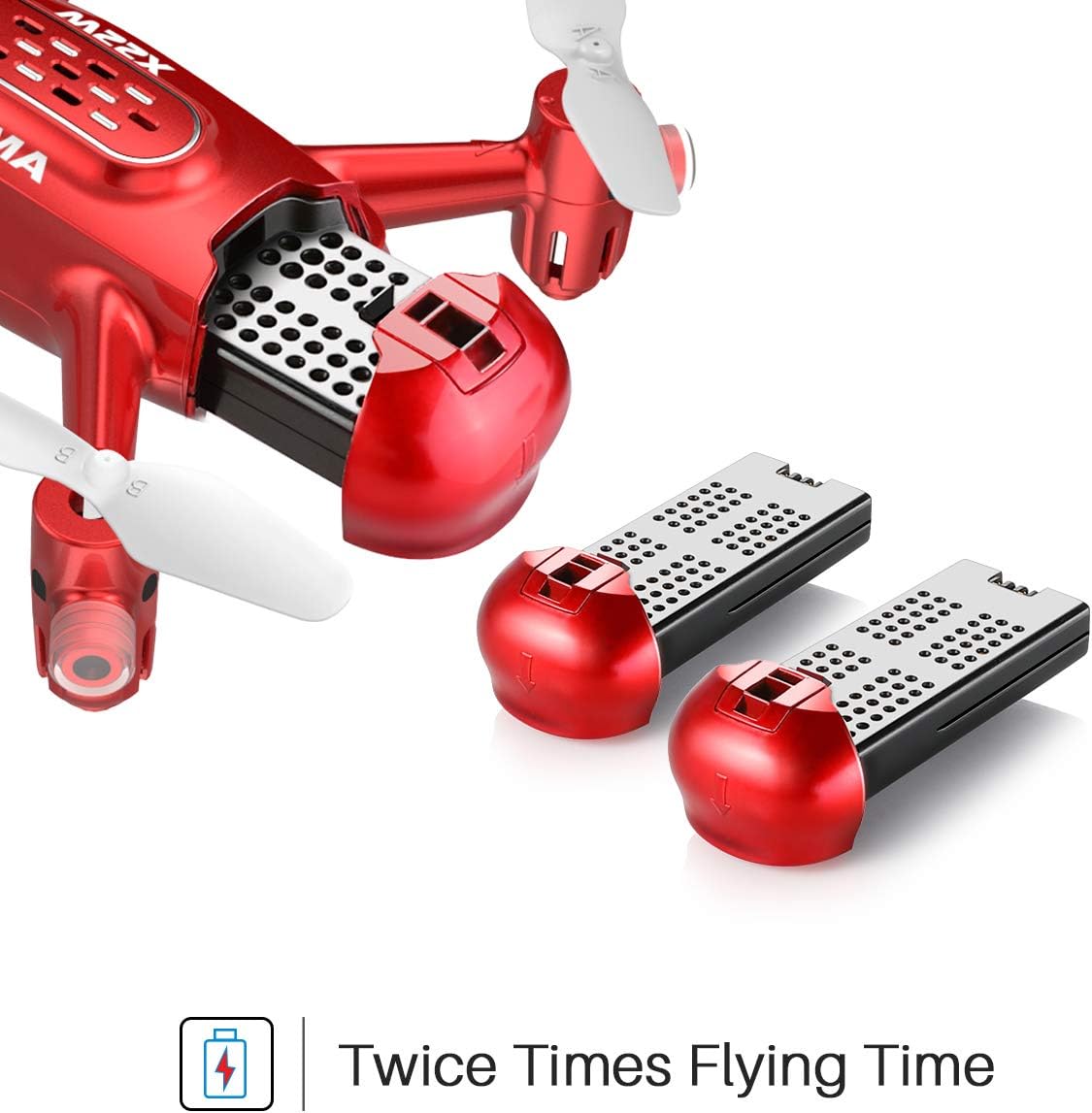
Figure 2: Drone battery installation. The drone comes with two batteries for extended flight time.
3.3. Configuració del comandament a distància
The remote controller requires 4 AA batteries (not included).
- Obriu el compartiment de la bateria a la part posterior del comandament a distància.
- Inseriu 4 piles AA, assegurant la polaritat correcta.
- Tanqueu el compartiment de la bateria.
3.4. Propeller Installation/Replacement
If propellers need to be replaced, ensure they are installed correctly.
- Each propeller is marked with 'A' or 'B'. Match the propeller type to the corresponding motor shaft on the drone.
- Gently push the propeller onto the motor shaft until it is secure.
4. Instruccions de funcionament
4.1. Emparellar el dron i el comandament a distància
- Col·loqueu el drone sobre una superfície plana i plana.
- Engegueu l'interruptor d'encesa del dron. Els llums indicadors del dron parpellejaran.
- Enceneu el comandament a distància.
- Empenyeu el joystick esquerre (accelerador) completament amunt i després completament avall. Els llums del dron deixaran de parpellejar i romandran fixos, cosa que indica que l'aparellament s'ha realitzat correctament.
4.2. One-Key Take-off and Landing
This feature allows for simplified take-off and landing.
- After pairing, press the One-Key Take-off button on the remote controller. The drone will automatically ascend to a stable hovering height.
- To land, press the One-Key Landing button. The drone will slowly descend and land automatically.
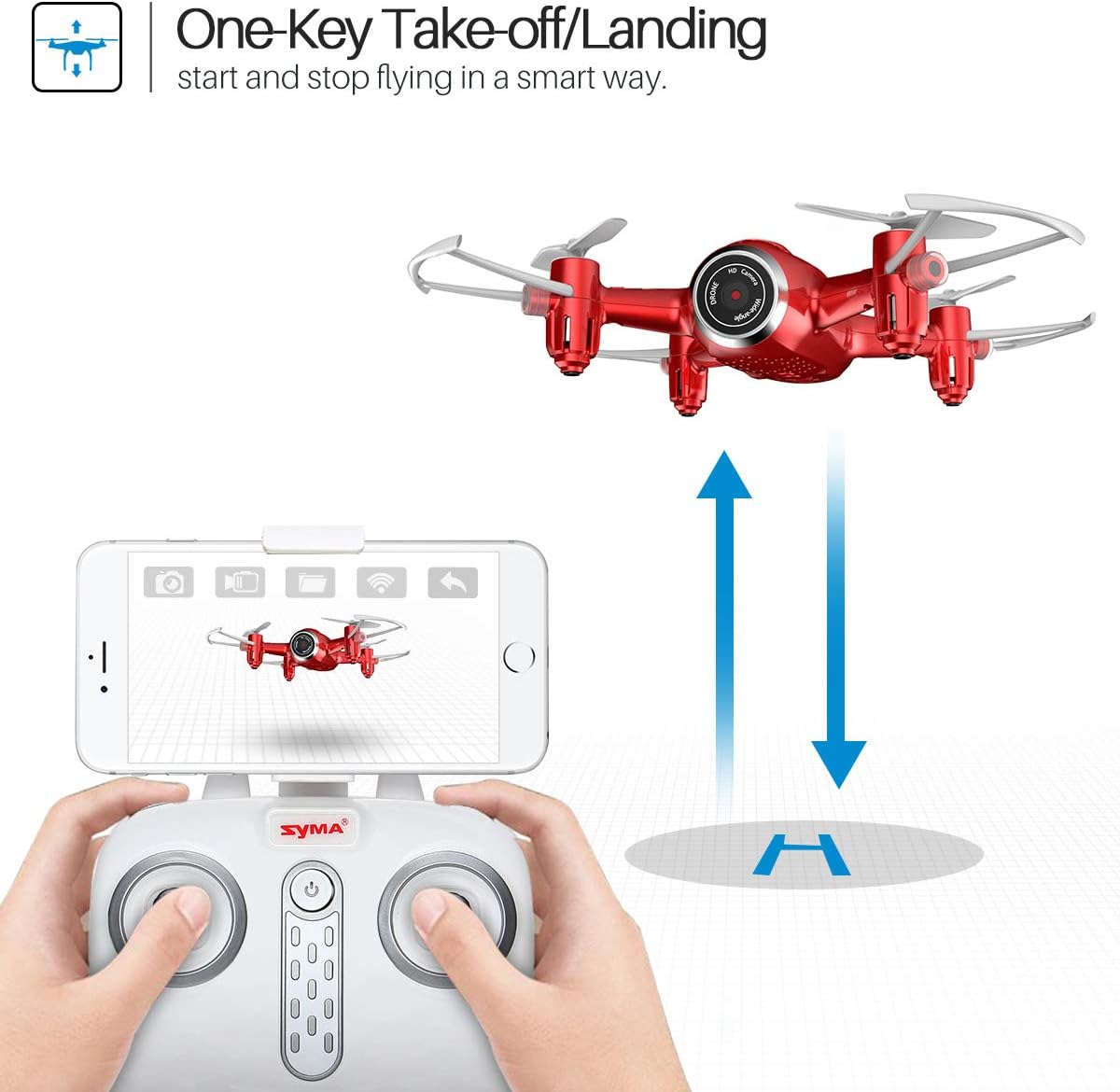
Figure 3: One-Key Take-off/Landing functionality.
4.3. Altitude Hold Function
The Altitude Hold feature allows the drone to maintain a consistent altitude, making it easier to control and capture stable photos/videos.
- Once the drone is airborne, release the throttle joystick. The drone will automatically hold its current altitude.
- Use the throttle joystick to adjust the altitude as needed.

Figure 4: Altitude Hold for stable flight and photography.
4.4. Mode sense cap
Headless Mode simplifies flying by eliminating the need to distinguish the drone's front from its rear. The drone's orientation will be relative to the pilot.
- Before taking off, ensure the drone is facing forward relative to the pilot.
- Press the Headless Mode button on the remote controller. The drone's lights will flash to confirm activation.
- In Headless Mode, pushing the right joystick forward will always make the drone fly away from the pilot, regardless of the drone's actual orientation.
- Press the Headless Mode button again to exit this mode.

Figure 5: Headless Mode for easier drone control.
4.5. 3D Flips
Perform exciting aerial stunts with the 3D Flip function.
- Fly the drone to a height of at least 3 meters (10 feet).
- Press the 3D Flip button on the remote controller.
- Immediately push the right joystick in any direction (forward, backward, left, or right). The drone will perform a 360-degree flip in that direction.
4.6. App Control and FPV Live Video
Download the SYMA GO app to your smartphone for advanced control and live video streaming.
- Download and install the SYMA GO app from your smartphone's app store.
- Turn on the drone and connect your smartphone to the drone's Wi-Fi network (usually named 'SYMA-X22W-XXXX').
- Open the SYMA GO app. You should see the live video feed from the drone's camera.
- The app allows for touch control, gravity control, and flight-track drawing.
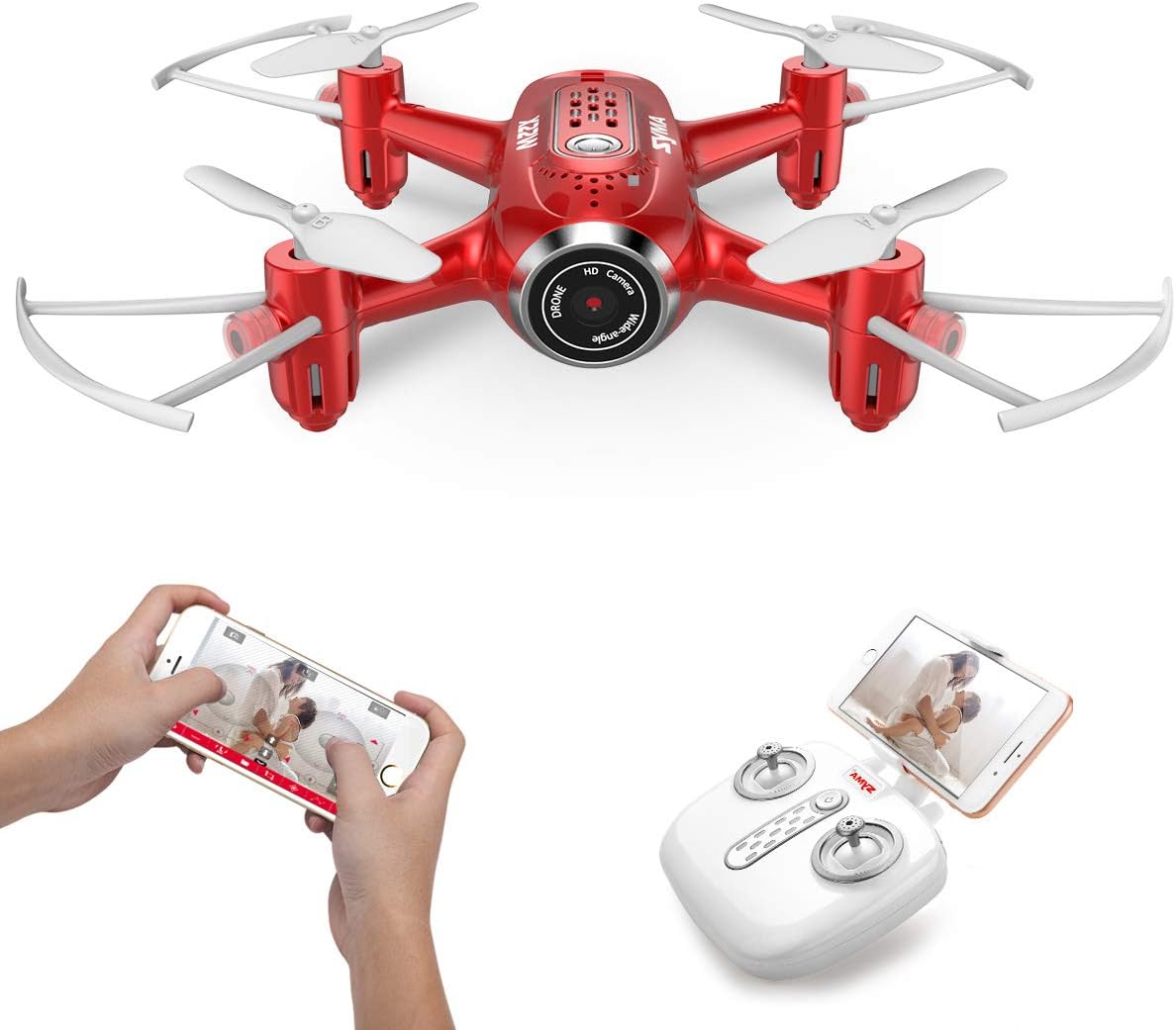
Figure 6: App control and FPV live video functionality.

Figure 7: Drone with finger flight path control via app.
4.7. Càmera HD
The drone is equipped with a 720p HD camera for capturing photos and videos directly to your smartphone via the SYMA GO app.

Figure 8: Drone's HD camera.
5. Manteniment
- Neteja: Use a soft, dry cloth to clean the drone. Do not use solvents or harsh chemicals.
- Hèlixs: Regularly check propellers for damage. Replace any bent or broken propellers immediately.
- Cura de la bateria: Store batteries in a cool, dry place. Do not expose to extreme temperatures. Fully charge before storage and periodically during long storage periods.
- Emmagatzematge: When not in use, store the drone and remote controller in a safe, dry environment away from direct sunlight.
6. Solució De Problemes
| Problema | Causa possible | Solució |
|---|---|---|
| El dron no respon al comandament a distància. | No emparellat; bateria baixa (dron/comandament a distància). | Re-pair the drone and remote. Charge/replace batteries. |
| El dron es desplaça durant el vol. | Not calibrated; uneven surface during startup. | Ensure drone is on a flat surface during pairing. Perform gyroscope calibration (refer to app/manual for specific steps). |
| Poor video quality/no live feed. | Weak Wi-Fi signal; app not connected. | Ensure strong Wi-Fi connection to drone. Reconnect app. Fly closer to the drone. |
| Temps de vol curt. | Bateria no completament carregada; bateria antiga. | Fully charge battery. Consider replacing old batteries. |
7. Especificacions
| Característica | Detall |
|---|---|
| Marca | SYMA |
| Nom del model | X22W |
| Color | Vermell |
| Resolució de captura de vídeo | 720p |
| Tecnologia de connectivitat | Wi-Fi |
| Nivell d'habilitat | Principiant |
| Pes de l'article | 7 unces |
| Capacitat de la bateria | 3000 milionsamp Hours (total for both batteries, assuming 1500mAh each or similar) |
| Tipus de control | Control d'aplicacions |
| Material | Plàstic ABS |
| Dimensions del producte | 12.6 x 7.48 x 2.76 polzades |
| Edat recomanada | 14 anys i més |
8. Garantia i Suport
For warranty information and technical support, please refer to the official SYMA weblloc web o contacteu amb el vostre distribuïdor. Conserveu el rebut de compra com a comprovant de compra.


