Producte acabatview
The Vantrue N2 Pro is a dual-lens dash camera designed for comprehensive vehicle surveillance, capturing both the road ahead and the interior cabin. It offers high-resolution recording, advanced night vision capabilities, and intelligent parking monitoring features, making it an ideal solution for rideshare drivers, commuters, and families seeking enhanced road safety and evidence collection.

Image: The Vantrue N2 Pro Dual Dash Cam, showing its compact design and the included suction cup mount. A smaller inset image displays the camera's screen interface.
Característiques principals:
- Dual Lens 1080P Recording: Simultaneously captures front (170°) and interior (140°) views at 1920x1080P 30fps.
- Single Front 2.5K 1440P Recording: Registres frontals view at 2560x1440P@30fps or 1920x1080P@60fps for clearer details.
- Visió nocturna per infrarojos: Interior camera uses 4 IR LED lights and f/2.0 aperture for clear footage in low light; front camera features F/1.8 6-glass lens and HDR.
- 24 Hours Parking Mode: Motion-activated recording when motion is detected, requiring hardwire kit or external battery.
- Enregistrament en bucle: Sobreescriu el menjar més antictage when the memory card is full, supporting up to 256GB microSD cards.
- Sensor G: Bloqueja automàticament el menjartage upon sudden shake or collision to prevent overwriting.
- Time Lapse Function: Automatically takes photos at specified intervals.
- Optional GPS: Allows tracking of driving route, location, and speed with an additional GPS mount.
Guia de configuració
1. Unboxing i Inspecció Inicial
Carefully remove all components from the packaging. Ensure the LCD screen and camera lenses are free from scratches by removing any protective plastic covers. Verify all listed accessories are present: the N2 Pro Dash Cam, suction cup mount, car charger with 11.5ft USB C cable, 3ft Type C USB cable, quick guide, and user manual.
2. Càrrega del dispositiu
Before first use, connect the dash cam to a power source using the provided car charger or USB cable. It is recommended to charge the device for at least two hours to ensure the internal battery is sufficiently charged for initial setup and proper function.
3. MicroSD Card Installation and Formatting
The Vantrue N2 Pro supports microSD cards up to 256GB (Class 10 or higher recommended). Insert the microSD card into the designated slot on the camera. The camera will prompt you to format the card upon first insertion. It is crucial to format the card directly within the camera for optimal performance and to prevent potential errors. If formatting on a PC, ensure it is formatted to FAT32.
4. Muntatge de la Dash Cam
Attach the suction cup mount to a clean, dry area on your windshield, ideally behind the rearview mirall per evitar obstruir-vos view. Ensure the mount is securely fastened. The camera can be easily attached to and detached from the mount for convenience.
5. Power Connection and Wiring
Connect the provided car charger to your vehicle's 12V/24V power outlet and route the cable neatly along the windshield and dashboard edges to the dash cam. The long cable allows for discreet installation. The car charger also includes an additional USB port for charging other devices.
6. Initial Settings Configuration
Upon powering on, navigate the menu using the buttons on the device. Key settings to review incloure:
- Idioma: Seleccioneu el vostre idioma preferit.
- Durada de la gravació en bucle: Set to 1, 3, or 5 minutes. Setting to 'Off' will stop recording when the card is full.
- Sensibilitat del sensor G: Adjust to Low, Medium, or High. Lower sensitivity is recommended for vehicles with stiff suspension to avoid false triggers.
- Apagat automàtic de la pantalla LCD: Set a timer (1, 3, 5 minutes) or turn off to prevent screen distraction.
- Data/Hora Stamp: Ensure correct date and time are set for accurate video timestamps.
- IR LED Control: Toggle IR LEDs for the interior camera between Auto, On, or Off based on lighting conditions.
Instruccions de funcionament
Dual Lens Recording (Front & Interior)
The N2 Pro simultaneously records both the front view and the vehicle's interior. This mode is ideal for rideshare drivers, providing comprehensive coverage. The front camera captures a 170° wide-angle view, while the interior camera covers 140°. Both record at 1920x1080P 30fps.
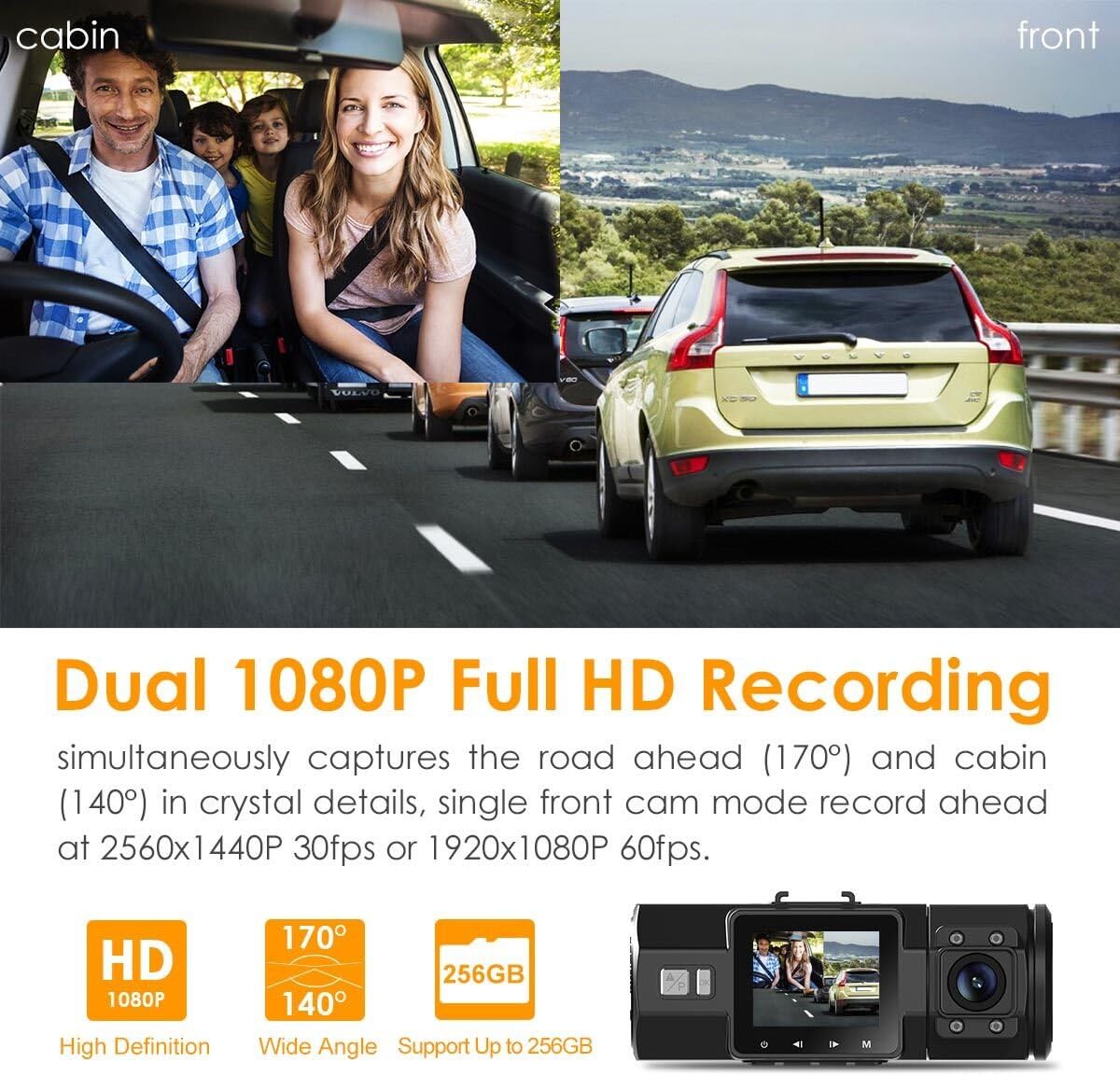
Image: Illustration of the Vantrue N2 Pro's dual 1080P recording, capturing both the road ahead and the vehicle's interior cabin simultaneously.
Single Front Recording
For situations where only the front view is needed, the camera can be switched to single front recording mode. In this mode, footage is captured at a higher resolution of 2.5K (2560x1440P) at 30fps, or 1920x1080P at 60fps for smoother video, allowing for clearer capture of license plates and road signs.
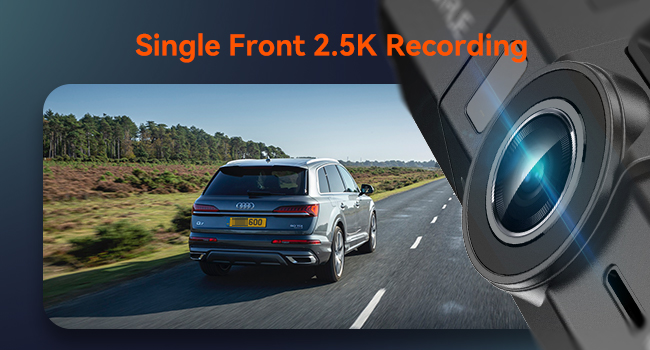
Image: The Vantrue N2 Pro capturing a single front view at 2.5K resolution, highlighting its capability for detailed road footage.
Visió nocturna per infrarojos
The interior camera is equipped with 4 infrared (IR) LED lights and an f/2.0 aperture, ensuring clear video footage even in complete darkness within the cabin. The front camera features an F/1.8 6-glass lens and HDR technology to balance light and dark areas, providing enhanced visibility during nighttime driving conditions.
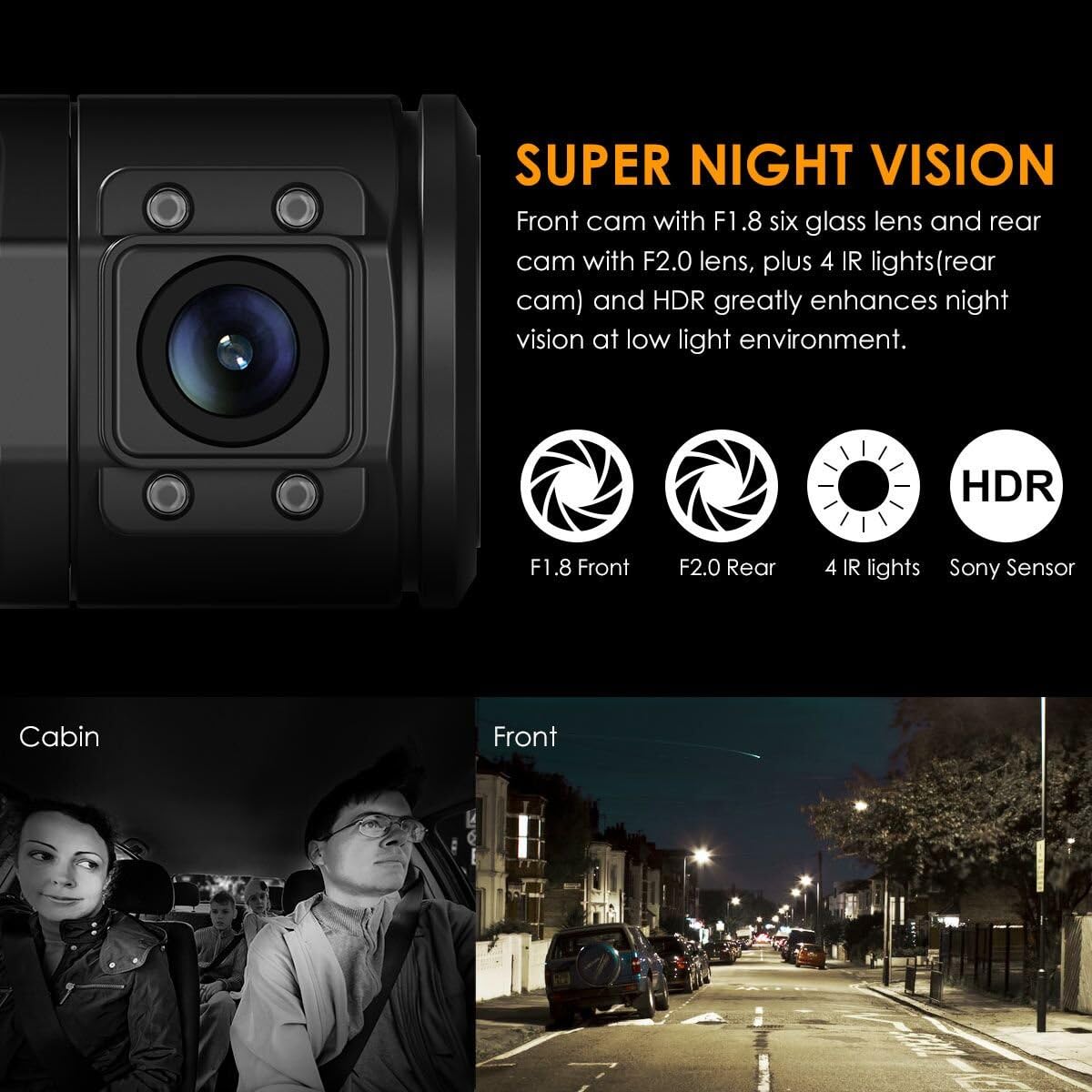
Image: Close-up of the Vantrue N2 Pro's lenses, illustrating its Super Night Vision capabilities with F1.8 front, F2.0 rear, 4 IR lights, and Sony Sensor technology for enhanced low-light performance.
Mode d'aparcament les 24 hores
When enabled, the 24-hour motion-activated parking mode allows the dash cam to automatically begin recording when it detects motion around your vehicle. This feature requires a continuous power supply, either through a hardwire kit (sold separately, ASIN: B083XB8T7T) or an external battery pack, to function while the vehicle is off.

Image: Diagram illustrating the motion sensor feature for 24-hour parking monitoring, showing the dash cam detecting movement around parked cars.
Enregistrament en bucle
Seamless loop recording ensures continuous operation by overwriting the oldest footage with new recordings once the microSD card reaches its capacity. This eliminates the need for manual deletion of old files. The N2 Pro supports microSD cards up to 256GB, providing extended recording times before overwriting occurs.

Image: Visual representation of effortless loop recording, with a film strip illustrating continuous video capture and overwriting of older files.
G-Sensor (Emergency Lock)
El sensor G integrat detecta automàticament impactes o col·lisions sobtades. Quan s'activa, bloqueja el vídeo actual.tage into a separate "Event File" folder, protecting it from being overwritten by loop recording. This ensures critical accident evidence is preserved.
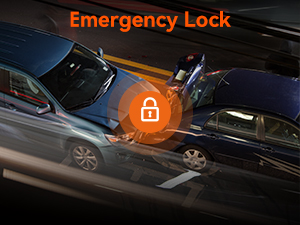
Image: Icon representing the Emergency Lock feature, depicted as a padlock over a car accident scene, signifying automatic video protection.
Enregistrament de veu
The integrated microphone allows for clear audio recording within the vehicle cabin. This feature can be enabled or disabled via the camera's settings. Voice recording provides additional context and evidence for recorded video footage.
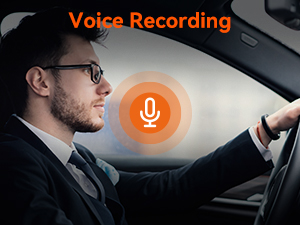
Image: Icon representing the Voice Recording feature, showing a microphone symbol over a driver, indicating audio capture capability.
Funció de lapse de temps
The time lapse function allows the camera to capture still images at set intervals, which are then compiled into a time-lapse video. This is useful for monitoring long parking periods or capturing scenic drives in a condensed format.

Image: Graphic illustrating the Time Lapse feature, with a camera icon and circular arrow over a car driving through a city at night, symbolizing condensed video capture.
Optional GPS Functionality
For detailed tracking of your driving route, location, and speed, an optional GPS mount (sold separately, ASIN: B07W4FG42M) can be purchased. When connected, the GPS data is embedded in the video files i pot ser viewed using the Vantrue GPS Player software on your computer.

Image: A laptop screen displaying the Vantrue GPS Player interface, showing a map with a driving route, speed, and compass, alongside the N2 Pro dash cam with its optional GPS mount.
Manteniment
- Neteja: Regularly clean the camera lenses with a soft, lint-free cloth to ensure clear video quality. Avoid using abrasive cleaners that could scratch the lenses or screen.
- Cura de la targeta MicroSD: To maintain optimal performance and prevent data corruption, it is recommended to format the microSD card within the camera at least once a month. Replace the microSD card periodically (e.g., every 6-12 months) as they have a limited lifespan due to continuous overwriting.
- Interval de temperatura: The N2 Pro is designed to operate in temperatures from -4°F to 158°F (-20°C to 70°C). Avoid prolonged exposure to extreme temperatures outside this range to prevent damage to the device.
- Actualitzacions de firmware: Check the official Vantrue website periodically for firmware updates. Keeping your dash cam's firmware up-to-date ensures access to the latest features and performance improvements.
Resolució de problemes
Problemes comuns i solucions:
- "SD Card Error" Message:
This usually indicates an issue with the microSD card. Try the following:
- Re-insert the microSD card firmly.
- Format the microSD card directly within the camera's settings.
- Test with a different, known-good microSD card (Class 10 U3 recommended).
- Ensure the card is not larger than the supported 256GB.
- Camera Not Holding a Charge / Turning Off Unexpectedly:
The internal battery is primarily for emergency file saving and parking mode. For continuous operation, the camera must be connected to a constant power source. Ensure the car charger is properly connected and the vehicle's power outlet is functioning. If using parking mode, verify the hardwire kit or external battery is correctly installed and providing power.
- Video Quality Issues (Blurry, Grainy, etc.):
Check if the protective film has been removed from the lenses. Clean the lenses with a soft cloth. Ensure the windshield area where the camera is mounted is clean. Adjust exposure settings if available in the menu. For night vision, ensure IR LEDs are set to 'Auto' or 'On' for the interior camera.
- Buttons Unresponsive / Camera Frozen:
Perform a soft reset by pressing the reset button (usually a small pinhole, refer to the quick guide for location) or by disconnecting and reconnecting the power cable.
- GPS Not Working (if optional GPS mount is used):
Ensure the GPS mount is securely attached and connected to the camera. Verify that the GPS function is enabled in the camera's settings. Ensure the vehicle is in an open area with clear sky for satellite signal acquisition.
Especificacions del producte
| Característica | Detall |
|---|---|
| Nom del model | N2 Pro |
| Dimensions del producte | 5.31 x 4.41 x 3.74 polzades |
| Pes de l'article | 3.5 unces |
| Resolució de captura de vídeo | Dual 1080P Recording (Front & Inside), 2.5K 1440P Single Front Recording |
| Orientació | Davant i Interior |
| Tecnologia de connectivitat | USB |
| Característiques especials | G-Sensor, Night Vision, Parking Monitor, Built-In Microphone, Loop Recording, Motion Sensing, Time Lapse, Built-In Display, Auto LCD OFF, Voice Recording |
| Bateries | Necessita 1 bateria de polímer de liti |
| Tipus de muntatge | Muntatge de succió |
| Components inclosos | 1X N2 Pro Dash Cam with Suction Cup Mount, 1X Car Charger with 11.5ft USB C Cable, 1X 3ft Type C USB Cable, 1X Quick Guide, 1X User Manual |
| Temperatura de funcionament | -4 °F a 158 °F (-20 °C a 70 °C) |
Garantia i Suport
Vantrue is committed to providing excellent customer service and product reliability.
- Garantia ampliada: The Vantrue N2 Pro comes with a full 18-month warranty.
- Política de devolució: Gaudeix d'una política de devolució de 30 dies per a la teva tranquil·litat.
- Atenció al client: Vantrue offers 24-hour customer support with email replies typically within 24 hours.
Informació de contacte:
Correu electrònic: support@vantrue.net
Telèfon: 510-666-4086

Image: Summary of Vantrue's warranty and service, including 18-month extended warranty, 30-day return policy, and 24-hour customer support contact details.
Vídeos oficials de productes
Below are official product videos from the seller to help you understand the features and operation of your Vantrue N2 Pro Dash Cam.
No official seller videos were found for embedding based on the provided criteria.


