Introducció
Thank you for choosing the Trust Mydo Wireless Mouse. This manual provides detailed instructions for setting up, operating, maintaining, and troubleshooting your new wireless mouse. Designed for comfort and efficiency, the Mydo mouse features silent clicks, adjustable DPI, and an ambidextrous design, making it suitable for various computing needs.

Image: The Trust Mydo Wireless Mouse, a black, ergonomically designed mouse with a scroll wheel and DPI button visible on top.
Contingut del paquet
Assegureu-vos que tots els elements siguin presents al paquet:
- Ratolí sense fil
- Micro USB Receiver
- 2 x piles AAA

Image: The retail packaging for the Trust Mydo Silent Wireless Mouse, showing the mouse and key features.
Configuració
- Insereix les piles: Open the battery compartment on the underside of the mouse. Insert the two AAA batteries, ensuring correct polarity (+/-). Close the compartment.
- Connecteu el receptor USB: Locate the micro USB receiver, usually stored within the battery compartment or a dedicated slot on the mouse. Plug the USB receiver into an available USB port on your computer (PC or Mac).
- Encès: Turn on the mouse using the power switch, typically located on the underside.
- Connexió automàtica: The mouse should automatically connect to your computer. No additional drivers are usually required for Windows, macOS, or Chrome OS.

Image: A user's hand operating the Trust Mydo mouse on a mouse pad next to a laptop, illustrating the wireless connection via a small USB receiver plugged into the laptop.
Instruccions de funcionament
Funcionament bàsic
The Trust Mydo Wireless Mouse functions like a standard computer mouse. Use the left button for primary clicks, the right button for secondary clicks (context menus), and the scroll wheel for vertical navigation.
Silent Click Feature
The Mydo mouse is designed with silent click technology, reducing click sounds by at least 90%. This feature provides a quiet working environment without compromising tactile feedback.

Image: The Trust Mydo Wireless Mouse with text indicating "As quiet as a..." and icons for "Speed Select 1000-1800 DPI" and "Silent Buttons".
Ajust de DPI (sensibilitat)
The mouse features an adjustable DPI setting, allowing you to change cursor speed and sensitivity. Press the DPI button, located near the scroll wheel, to cycle through the available settings: 1000 DPI, 1400 DPI, and 1800 DPI. Select the sensitivity that best suits your task.
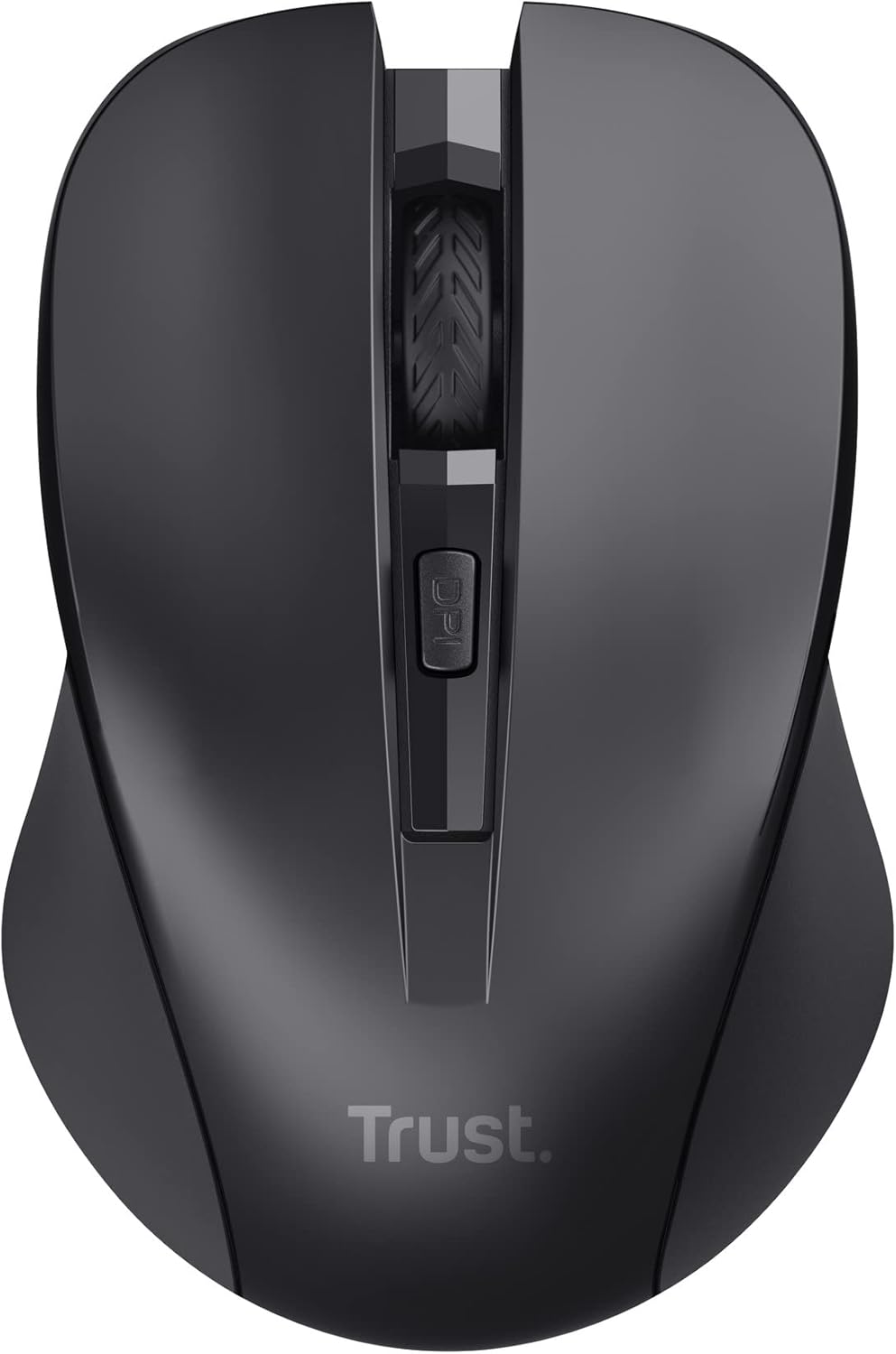
Imatge: Vista de dalt a baix view of the Trust Mydo Wireless Mouse, highlighting the scroll wheel and the DPI adjustment button located just behind it.
Disseny ambidiestro
The Mydo mouse features an ambidextrous design, providing comfortable use for both left-handed and right-handed users.

Imatge: Primer pla de dalt view of the Trust Mydo Wireless Mouse, accompanied by an icon illustrating its suitability for both left and right-handed users.
Manteniment
- Neteja: Feu servir un drap suau i sec per netejar el ratolí. Per a la brutícia persistent, fregueu lleugerament.ampRenta el drap amb aigua. Evita utilitzar productes químics agressius o netejadors abrasius.
- Substitució de la bateria: When the mouse performance degrades or it stops responding, it's likely time to replace the AAA batteries. Follow the steps in the "Setup" section to replace them.
- Emmagatzematge: When not in use for extended periods, turn off the mouse to conserve battery life. The USB receiver can be stored inside the mouse's battery compartment for safekeeping.
Resolució de problemes
| Problema | Solució |
|---|---|
| El ratolí no respon. |
|
| El moviment del cursor és erràtic o irregular. |
|
| DPI button does not change sensitivity. |
|
Especificacions
| Característica | Detall |
|---|---|
| Marca | Confia |
| Número de model | 21869 |
| Tecnologia de connectivitat | Radio Frequency (2.4 GHz) |
| abast sense fils | Fins a 10 metres |
| Tecnologia de detecció de moviment | Òptic |
| Configuració de DPI | 1000 / 1400 / 1800 DPI (Adjustable) |
| Característiques especials | Silent Click (reduces noise by at least 90%), Ambidextrous Design |
| Font d'alimentació | Funciona amb bateria |
| Piles necessàries | 2 x AAA (incloses) |
| Durada mitjana de la bateria | 6 mesos |
| Dimensions del producte | 4 x 5.5 x 9.5 cm |
| Pes de l'article | 60 g |
| Sistemes operatius compatibles | Chrome OS, Windows, Mac OS |
| Plataforma de maquinari | PC, Mac |
Garantia i Suport
Per obtenir informació sobre la garantia i assistència tècnica, consulteu la pàgina oficial de Trust weblloc web o poseu-vos en contacte amb el servei d'atenció al client. Conserveu el comprovant de compra per a reclamacions de garantia.
Podeu trobar més informació i recursos de suport a Trust Brand Store on Amazon.


