Introducció
Thank you for choosing the DM023 Wide Tip Dry-Erase Markers. This set includes four markers in red, blue, green, and black, each featuring a magnetic eraser cap and a bullet tip design. Our exclusive ink formula is designed for clean erasure from most smooth, non-porous surfaces. Please read this manual carefully to ensure proper use and maintenance of your markers.
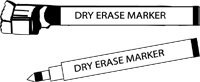
Figure 1: Illustration of DM023 Dry-Erase Markers. The image displays two markers, one with its cap on and the other showing its bullet tip, both clearly labeled as 'DRY ERASE MARKER'.
Configuració
The DM023 Dry-Erase Markers are ready for immediate use. No assembly or complex setup is required.
- Destapeu el marcador: Gently pull the cap off the marker to expose the bullet tip. The cap features a built-in magnetic eraser.
- Prova de superfície: Before extensive use, always test the marker on an inconspicuous spot of your intended writing surface (e.g., whiteboard, glass) to ensure the ink erases cleanly. While designed for most smooth, non-porous surfaces, compatibility can vary.
Instruccions de funcionament
Using your DM023 Dry-Erase Markers is straightforward.
- Redacció: Hold the marker comfortably and write on your chosen dry-erase surface. The wide bullet tip allows for clear, bold lines.
- Erasing: Use the magnetic eraser cap to remove markings from the surface. For best results, erase within a reasonable time after writing.
- Recapping: Always recap the marker firmly after each use to prevent the ink from drying out. The magnetic cap can be conveniently stored on magnetic surfaces.
Manteniment
Proper care will extend the life of your dry-erase markers.
- Emmagatzematge: Store markers horizontally when not in use to ensure even ink distribution and prevent the tip from drying out.
- Consells de neteja: If the marker tip becomes dirty or clogged with dust from the whiteboard, gently wipe it with a clean, damp cloth. Do not submerge the marker in water.
- Neteja de superfícies: For optimal erasing performance, regularly clean your dry-erase board with a recommended dry-erase board cleaner to remove any ghosting or residue.
Resolució de problemes
Aquí teniu solucions a problemes comuns que podeu trobar.
| Problema | Causa possible | Solució |
|---|---|---|
| Marker not writing smoothly or ink appears faint. | Marker tip is dry or ink is low. | Ensure the cap was firmly replaced after last use. Store markers horizontally. If the issue persists, the marker may be depleted. |
| Ink does not erase cleanly. | Surface is not truly non-porous, or residue has built up. | Ensure the surface is suitable for dry-erase markers. Clean the board with a specialized dry-erase board cleaner. Erase markings promptly. |
| Magnetic cap does not stick. | Magnetic surface is not strong enough or is non-magnetic. | Ensure you are attempting to attach the cap to a ferrous (magnetic) surface. The magnet is designed for light attachment. |
Especificacions
- Número de model: DM023
- Marca: Desconegut
- Pes de l'article: Approximately 6.4 ounces (for the set)
- Colors de tinta: Red, Blue, Green, Black (Set of 4)
- Tipus de punt: Bullet / Broad
- Característica especial: Erasable, Magnetic Cap
- Tipus de tancament: Magnètic
- Fabricant: DM023
- ASIN: B0746QM4YG
Garantia i suport
As the brand is listed as "Unknown" and no specific warranty information is provided, please refer to the retailer's return policy or contact the seller directly for any support or warranty-related inquiries regarding your DM023 Dry-Erase Markers.
For general product questions or concerns, please reach out to the point of purchase.


