Introducció
Gràcies per la compraasing the 2BOOM Portable Wireless Bluetooth Speaker System. This manual provides detailed instructions for setting up, operating, and maintaining your speaker. Please read this manual thoroughly before using the product to ensure proper function and longevity.
Contingut del paquet
Si us plau, comproveu el contingut del paquet per assegurar-vos que hi hagi tots els elements:
- 1 x 2BOOM Twister Speaker (Model: BX311R)
- 1 x cable d'àudio
- 1 x cable de càrrega
- 1 x Manual d'usuari
Note: This unit does not come with an attachable carry strap.
Producte acabatview

Figura 1: Frontal view of the 2BOOM Twister speaker, showcasing its cylindrical design with red end caps and a black carbon fiber textured body.

Figure 2: Diagram highlighting the key features of the speaker, including Deep Digital Bass, FM Radio capability, Colorful Light FX, and a Bluetooth range of 32.8 feet.

Figura 3: Detallada view of the speaker's control panel, indicating the location and function of the DC5V charging port, AUX input, OFF/ON switch, Mode button, Previous/Volume -, Play/Pause, Next/Volume +, MIC-VOL, Microphone input, USB input, and TF Card slot.

Figura 4: Angle view of the speaker's top, providing a clear perspective of the control panel and its various buttons and ports.
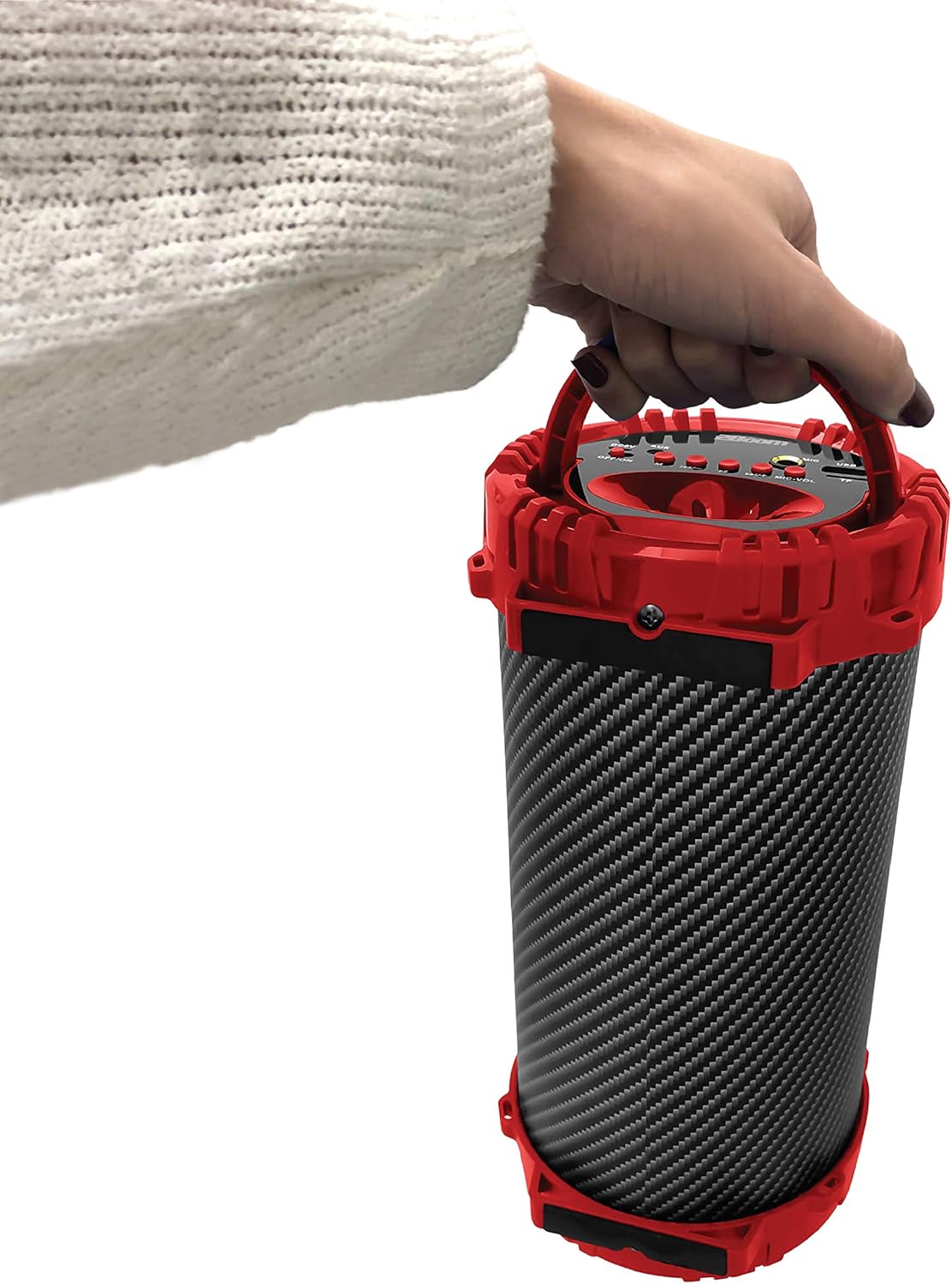
Figure 5: Image demonstrating the portability of the speaker, held by hand using its integrated carry handle.
Configuració
Carregant l'altaveu
Before first use, fully charge the speaker. Connect the provided charging cable to the DC5V port on the speaker (refer to Figure 3) and the other end to a USB power adapter (not included) or a computer's USB port. The charging indicator light will illuminate during charging and turn off when fully charged.
Encès/Apagat
Locate the OFF/ON switch on the control panel (refer to Figure 3). Slide the switch to the "ON" position to power on the speaker. Slide it to the "OFF" position to power off the speaker.
Instruccions de funcionament
Connexió Bluetooth
- Ensure the speaker is powered on. It will automatically enter Bluetooth pairing mode.
- Al dispositiu amb Bluetooth (telèfon intel·ligent, tauleta, reproductor MP3), activeu Bluetooth i cerqueu els dispositius disponibles.
- Select "2BOOM Twister" from the list of devices.
- Once connected, the speaker will emit an audible confirmation. Your device will automatically remember the speaker for future connections.
- The Bluetooth connection range is up to 33 feet (10 meters).
Selecció del mode
Press the "M" (Mode) button on the control panel (refer to Figure 3) to cycle through available modes: Bluetooth, FM Radio, AUX, USB, and TF Card.
Funcionament de la ràdio FM
- Switch to FM Radio mode using the "M" button.
- Press and hold the "Play/Pause" button to automatically scan and save available FM stations.
- Use the "Previous/Volume -" and "Next/Volume +" buttons to navigate between saved stations.
Entrada AUX
Connect an external audio device (e.g., MP3 player, computer) to the AUX port on the speaker (refer to Figure 3) using the provided audio cable. Switch to AUX mode using the "M" button. Audio will now play through the speaker from your connected device.
Entrada USB
Inseriu una unitat flash USB que contingui àudio MP3 files into the USB port (refer to Figure 3). The speaker will automatically switch to USB mode and begin playing the audio files.
Entrada de targeta TF
Inseriu una targeta TF (MicroSD) que contingui àudio MP3 files into the TF Card slot (refer to Figure 3). The speaker will automatically switch to TF Card mode and begin playing the audio files.
Microphone Input (Karaoke Function)
Connect a microphone (not included) to the MIC input port (refer to Figure 3). Adjust the microphone volume using the "MIC-VOL" knob. You can sing along to music playing from any source (Bluetooth, AUX, USB, TF Card, FM Radio).
Volume Control and Track Navigation
- Pujar el volum: Press and hold the "Next/Volume +" button.
- Baixar el volum: Press and hold the "Previous/Volume -" button.
- Next Track/Station: Short press the "Next/Volume +" button.
- Previous Track/Station: Short press the "Previous/Volume -" button.
- Reproduir/pausa: Premeu breument el botó "Reproduir/Pausa".
Manteniment
- Neteja: Feu servir un drap suau i sec per netejar l'exterior de l'altaveu. No utilitzeu productes de neteja abrasius ni dissolvents.
- Emmagatzematge: Guardeu l'altaveu en un lloc fresc i sec, allunyat de la llum solar directa i de temperatures extremes.
- Resistència a l'aigua: Aquest altaveu NO és impermeable. Eviteu exposar-lo a l'aigua o a una humitat excessiva.
- Cura de la bateria: Per allargar la durada de la bateria, eviteu descarregar-la completament amb freqüència. Carregueu l'altaveu regularment, fins i tot si no l'utilitzeu durant períodes prolongats.
Resolució de problemes
| Problema | Causa possible | Solució |
|---|---|---|
| L'altaveu no s'encén. | La bateria està baixa o esgotada. | Carregueu l'altaveu amb el cable de càrrega proporcionat. |
| No es pot emparellar amb un dispositiu Bluetooth. | Bluetooth is not enabled on your device; speaker is not in pairing mode; device is out of range. | Ensure Bluetooth is on and the speaker is in pairing mode. Move device closer to the speaker (within 33 feet). |
| No hi ha so de l'altaveu. | Volume is too low; incorrect mode selected; audio cable not fully connected. | Increase speaker and device volume. Ensure correct mode (Bluetooth, AUX, etc.) is selected. Check cable connections. |
| La recepció de ràdio FM és deficient. | Senyal feble; interferències ambientals. | Try repositioning the speaker. Perform an auto-scan for stations again. |
Especificacions
| Característica | Detall |
|---|---|
| Model | BX311R |
| Marca | 2BOOM |
| Diàmetre del subwoofer | 4 polzades |
| Tecnologia de connectivitat | Bluetooth, USB, Sense fil |
| Interval Bluetooth màxim | 33 peus (10 metres) |
| Mode de sortida d'àudio | estèreo |
| Font d'alimentació | Funciona amb bateria |
| Tipus de material | Plàstic |
| Color | Vermell |
| Pes de l'article | 1.65 lliures (aprox. 748.43 g) |
| Dimensions del producte (L x A x A) | 25.4 x 16.51 x 15.24 cm |
| Característiques especials | FM Radio, Microphone Input, USB/TF Card Playback |
Garantia i Suport
The 2BOOM Twister Speaker comes with an UNLIMITED 2BOOM warranty when bought from Tech Direct Worldwide. For warranty claims, technical support, or any inquiries regarding your product, please contact the retailer or manufacturer directly.
Si us plau, conserveu el comprovant de compra per motius de garantia.


