1. Introducció
The Enermax MaxTytan 750W power supply is an 80 PLUS Titanium certified, full modular unit designed for high-performance computing systems. It features advanced technologies such as Dust Free Rotation (DFR) for fan self-cleaning and smart semi-fanless control for quiet operation. This manual provides essential information for proper installation, operation, and maintenance of your power supply.
2. Informació de seguretat
Please read and understand all safety warnings before installing or operating the power supply. Failure to do so may result in personal injury or damage to the product or system components.
- Assegureu-vos que l'alimentació estigui desconnectada de la presa de corrent altern abans de la instal·lació o el manteniment.
- No obriu la font d'alimentació casing. Alt volumtagés present a l'interior, fins i tot quan estan desconnectats.
- Instal·leu la font d'alimentació en una zona ben ventilada.
- Feu servir només els cables modulars que s'inclouen amb la font d'alimentació. L'ús de cables incompatibles pot causar danys.
- Eviteu exposar la font d'alimentació a la humitat o a temperatures extremes.
3. Contingut del paquet
Verifiqueu que tots els elements siguin presents al paquet:
- Enermax MaxTytan 750W Power Supply
- Conjunt de cables modulars
- Cable d'alimentació CA
- Cargols de muntatge
- Cable Ties / Velcro Straps
- Manual d'usuari

Figure 3.1: Enermax MaxTytan 750W Power Supply and all included accessories, including modular cables, power cord, and documentation.
4. Configuració i instal·lació
Follow these steps to properly install your Enermax MaxTytan power supply into your computer system.
4.1. Instal·lació física
- Assegureu-vos que la caixa de l'ordinador sigui compatible amb les fonts d'alimentació de format ATX.
- Mount the power supply into the designated PSU bay in your computer case, typically at the bottom or top rear. Secure it with the provided mounting screws.
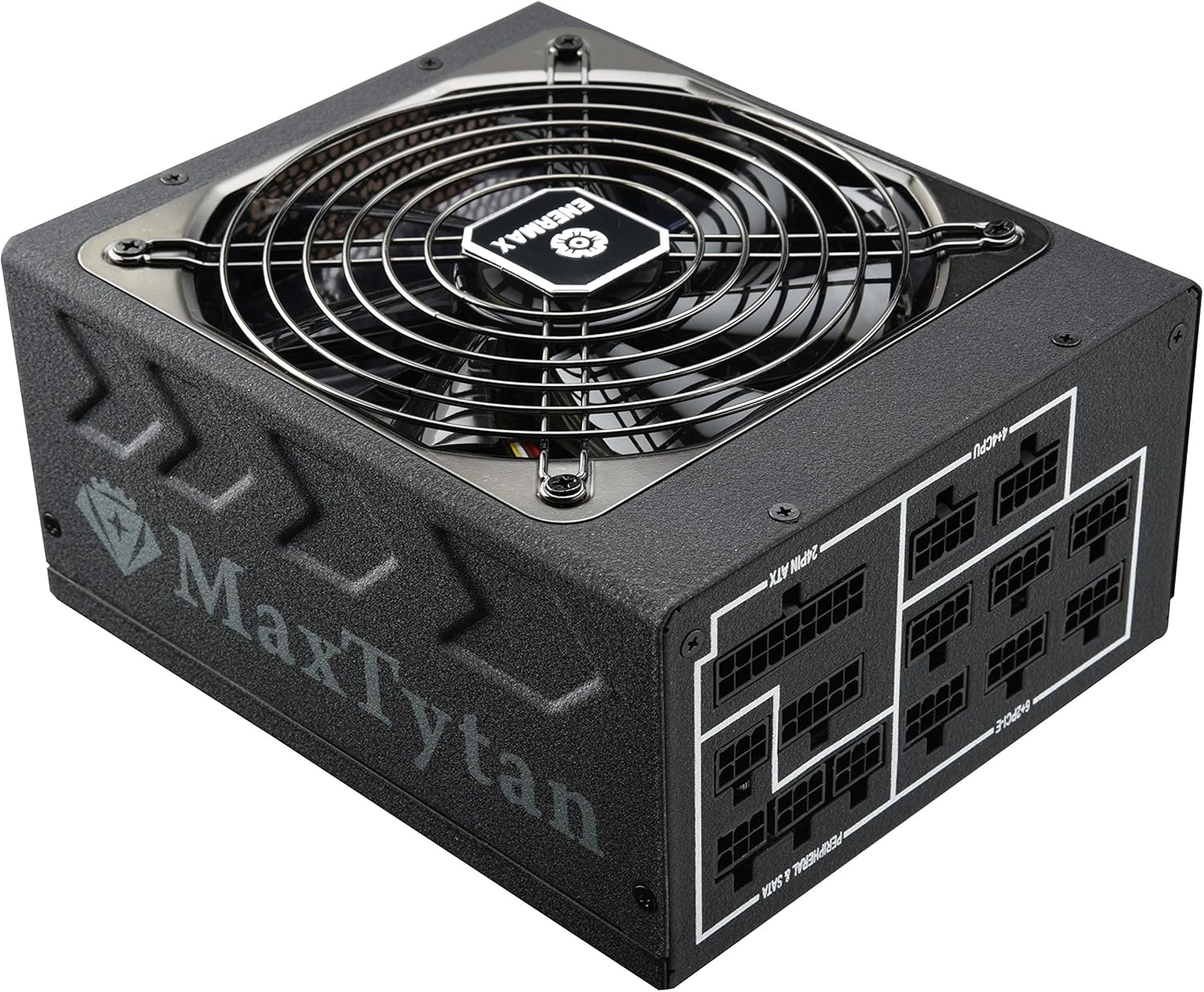
Figura 4.1: Part frontal view of the Enermax MaxTytan 750W Power Supply, showing the fan grill and the MaxTytan branding.
4.2. Connexions de cable
The MaxTytan 750W is a full modular power supply, allowing you to connect only the necessary cables for your system, improving airflow and cable management.
- Connect the 24-pin ATX motherboard cable to the power supply and your motherboard.
- Connect the 4+4 pin CPU (EPS) cable(s) to the power supply and your motherboard's CPU power connector(s).
- Connect the 6+2 pin PCIe cables to the power supply and your graphics card(s).
- Connect SATA power cables to your storage drives (SSDs, HDDs) and peripheral power cables to other components as needed.
- Assegureu-vos que totes les connexions siguin fermes i segures.
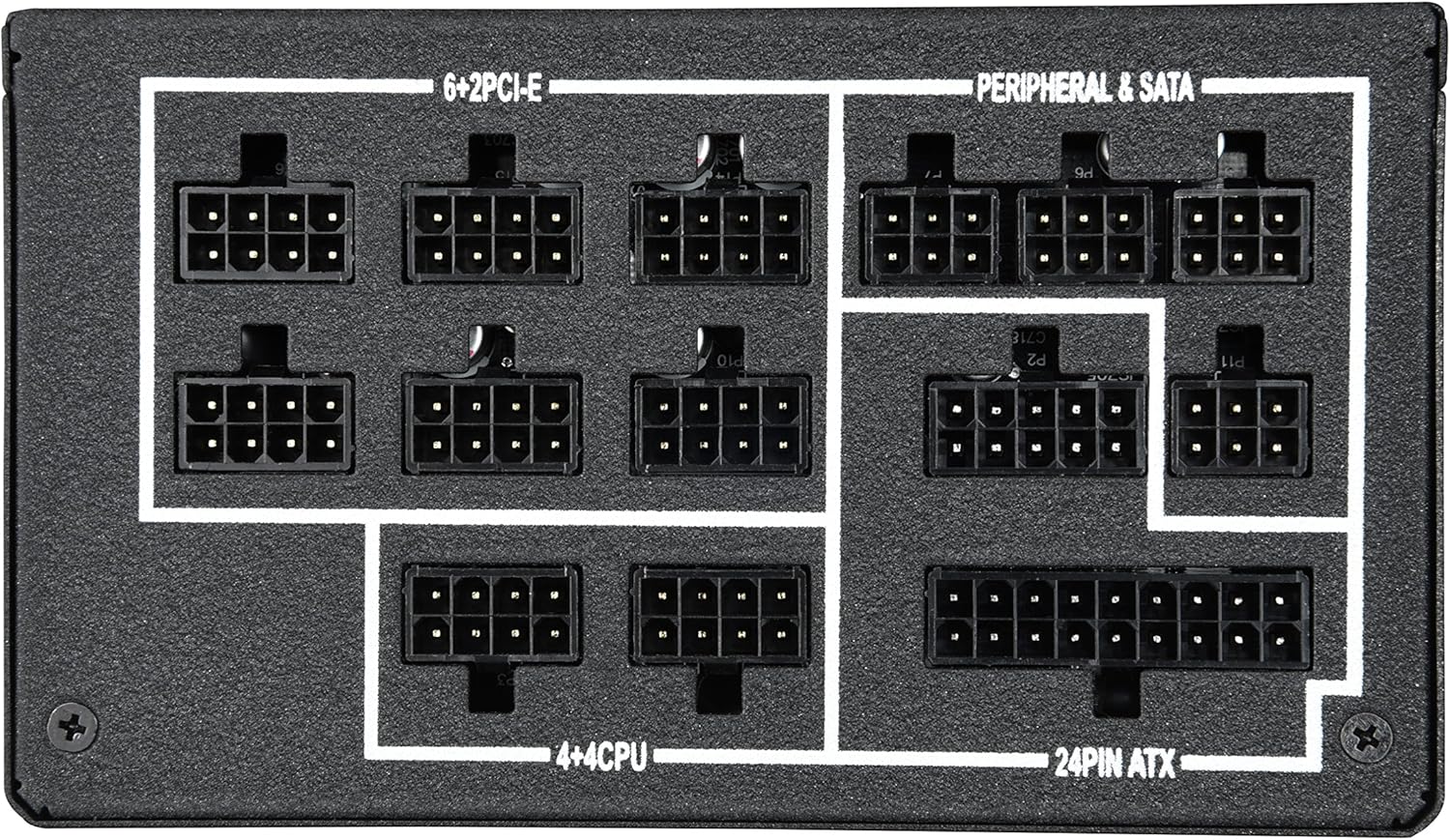
Figura 4.2: Primer pla view of the modular cable connection ports on the power supply, clearly labeled for 24-pin ATX, 4+4 CPU, 6+2 PCIe, and Peripheral & SATA connections.
The included SLEEMAX cables are individually sleeved with premium fabric, providing durability and a smooth, soft texture for easy routing and improved aesthetics.
5. Instruccions de funcionament
5.1. Encendre/apagar
After all connections are made, connect the AC power cord to the power supply and a wall outlet. Flip the main power switch on the back of the power supply to the 'ON' position. You can then power on your computer system.
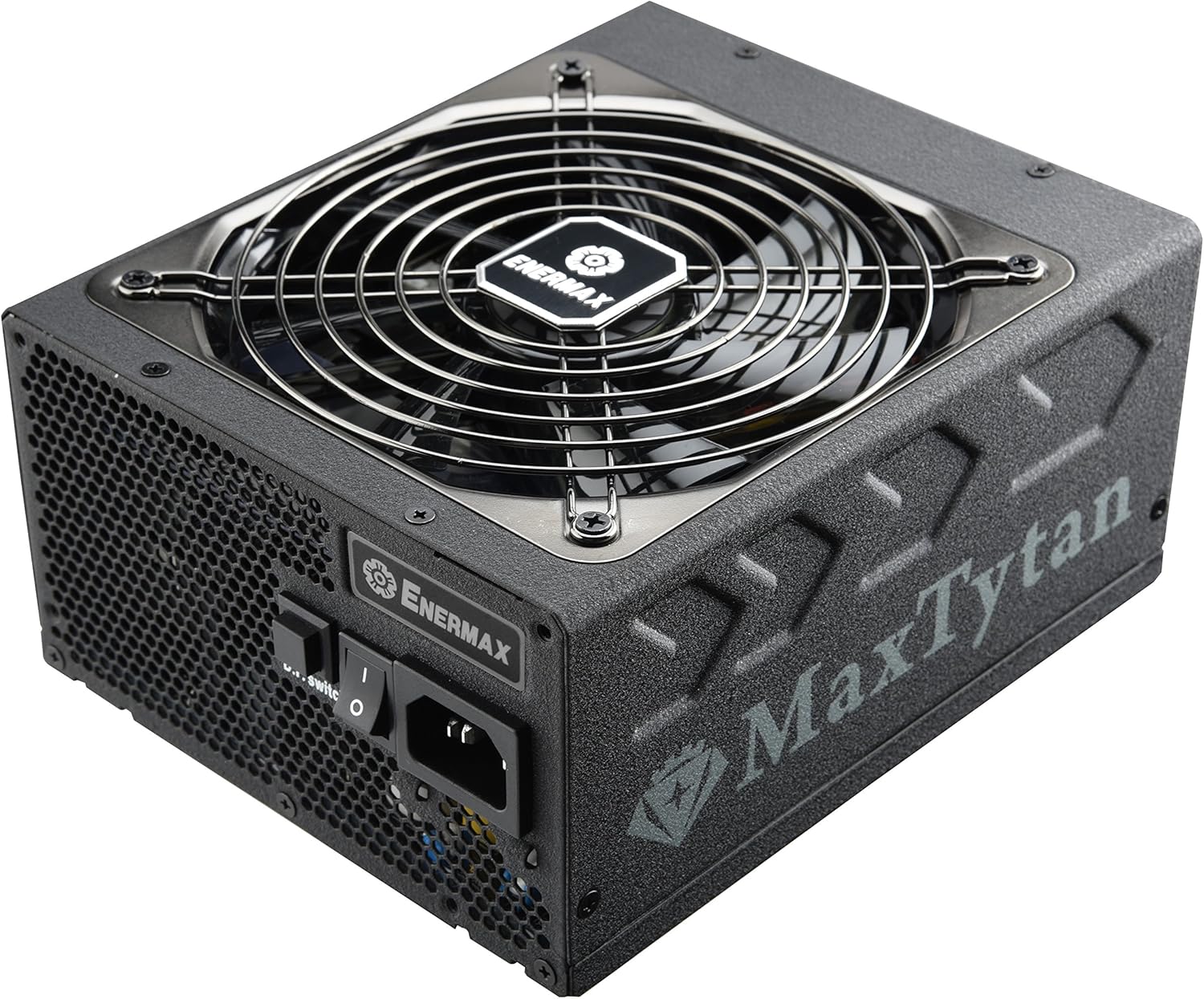
Figura 5.1: posterior view of the power supply, highlighting the main power switch and the D.F. switch for Dust Free Rotation technology.
5.2. Smart Semi-fanless Control
The MaxTytan 750W features a smart semi-fanless control function. The fan remains off for silent operation when the system load is below 55% (approximately 412W at 25°C ambient temperature). Once the load surpasses this threshold, the fan will automatically start spinning to maintain optimal cooling.
5.3. Dust Free Rotation (DFR) Technology
The unique Dust Free Rotation (DFR) technology helps to prevent dust accumulation inside the power supply. Upon startup, the PSU fan performs a self-cleaning spin in reverse for 10 seconds to blow away accumulated dust. Additionally, the dedicated D.F. switch on the rear of the power supply allows users to activate this DFR technology manually at any time during operation.
Video 5.1: An official Enermax video demonstrating the features of the MaxTytan Power Supply, including its 80 PLUS Titanium efficiency, smart semi-fanless control, and the Dust Free Rotation (DFR) technology activated by the D.F. switch.
6. Manteniment
Un manteniment regular ajuda a garantir la longevitat i el rendiment òptim de la vostra font d'alimentació.
- Eliminació de pols: Utilize the DFR technology regularly by pressing the D.F. switch to clear dust from the fan and internal components. For stubborn dust, gently use compressed air while the unit is powered off and disconnected.
- Inspecció del cable: Periodically check all modular cable connections to ensure they are securely seated.
- Ventilació: Ensure that the power supply's intake and exhaust vents are not obstructed to allow for proper airflow.
7. Solució De Problemes
Si teniu problemes amb la font d'alimentació, consulteu els passos habituals següents per a la resolució de problemes:
- Sense energia:
- Comproveu si el cable d'alimentació de CA està connectat correctament tant a la font d'alimentació com a la presa de corrent.
- Ensure the main power switch on the PSU is in the 'ON' position.
- Verify that all modular cables are correctly connected to the power supply and system components.
- Proveu la presa de corrent amb un altre dispositiu per confirmar que tingui corrent.
- El ventilador no gira:
- The MaxTytan features semi-fanless operation. The fan will not spin if the system load is below 55%. This is normal behavior.
- If the system load is high and the fan is still not spinning, try activating the DFR function using the D.F. switch.
- Inestabilitat/Avaries del sistema:
- Ensure your power supply wattage is sufficient for all your system components.
- Check all power connections for looseness.
- If issues persist, consult a qualified technician or contact Enermax support.
8. Especificacions
Key specifications for the Enermax MaxTytan 750W Power Supply:
| Característica | Descripció |
|---|---|
| Marca | Enermax |
| Nom del model | MaxTytan |
| Número de model de l'article | EMT750EWT |
| Potència de sortidatage | 750 watts |
| Certificació d'eficiència | 80 PLUS Titani |
| Factor de forma | ATX |
| Mètode de refrigeració | Aire |
| Dimensions (LxWxH) | 7 x 6 x 3.5 polzades |
| Pes | 10 lliures |
| Condensadors | 100% 105°C Japanese electrolytic capacitors |
| Ventilador | 13.9cm Twister Bearing Fan |
| Circuit de protecció | OCP, OVP, UVP, OTP, OPP, SCP, SIP |
9. Garantia i Suport
The Enermax MaxTytan 750W Power Supply comes with a 10-year warranty, ensuring long-term reliability and peace of mind. For technical support, warranty claims, or further assistance, please visit the official Enermax weblloc o poseu-vos en contacte amb el seu departament d'atenció al client.
Podeu trobar més informació i recursos de suport a Enermax Store on Amazon.


