Introducció
This manual provides essential information for the safe and effective use of your Doro 2404 mobile phone. Designed for ease of use, this 2G dual SIM phone features a large colour display, big buttons, and an emergency button, making it ideal for seniors. Please read this manual thoroughly before using your device.

Image: The Doro 2404 mobile phone in its open, flip-phone configuration, highlighting the large display and clearly spaced keypad.
1. Introducció i configuració
1.1. Desembalatge i comprovació inicial
En obrir el paquet, assegureu-vos que hi hagi tots els components:
- Doro 2404 Mobile Phone
- UK Mains Charger
- Cable USB
- Guia d'inici ràpid
1.2. Inserció de la targeta o targetes SIM i la bateria
The Doro 2404 supports dual SIM cards.
- Traieu amb cura la tapa posterior del telèfon.
- Inseriu la targeta o targetes SIM a la ranura o ranures designades amb els contactes daurats cap avall.
- Inseriu la bateria, assegurant-vos que els contactes estiguin correctament alineats.
- Torneu a col·locar la tapa posterior.
1.3. Carregant la bateria
Abans del primer ús, carregueu completament la bateria del telèfon.
- Connect the USB lead to the phone's charging port.
- Connect the other end of the USB lead to the UK mains charger.
- Connecteu el carregador a una presa de corrent.
- The charging indicator will show the charging status. A full charge can take several hours.
Note: Talk time is up to 9 hours, and standby time lasts up to 600 hours.
2. Operating Your Doro 2404
2.1. Encès / apagat
- To power on: Press and hold the red end call/power button until the screen lights up.
- To power off: Press and hold the red end call/power button, then confirm shutdown on the screen.
2.2. Fer i rebre trucades
The Doro 2404 features a widely spaced keypad for easy dialing.
- To make a call: Dial the number using the keypad and press the green call button.
- To answer a call: Press the green call button when the phone rings.
- To end a call: Press the red end call button.

Image: A user holding the Doro 2404, illustrating the comfortable grip and large, easy-to-press buttons.
2.3. Sending and Receiving Text Messages (SMS/MMS)
Use the intuitive keypad for messaging.
- Navegueu fins al menú "Missatges".
- Select 'Create new message'.
- Introduïu el número del destinatari o seleccioneu-lo dels contactes.
- Type your message using the keypad. Predictive text is available.
- Premeu "Envia".
2.4. Ús de la càmera
Capture moments with the integrated VGA camera.
- Access the camera from the main menu or a dedicated shortcut key.
- Enquadra la teva foto utilitzant la pantalla.
- Press the capture button to take a photo. The camera includes a flash for low-light conditions.
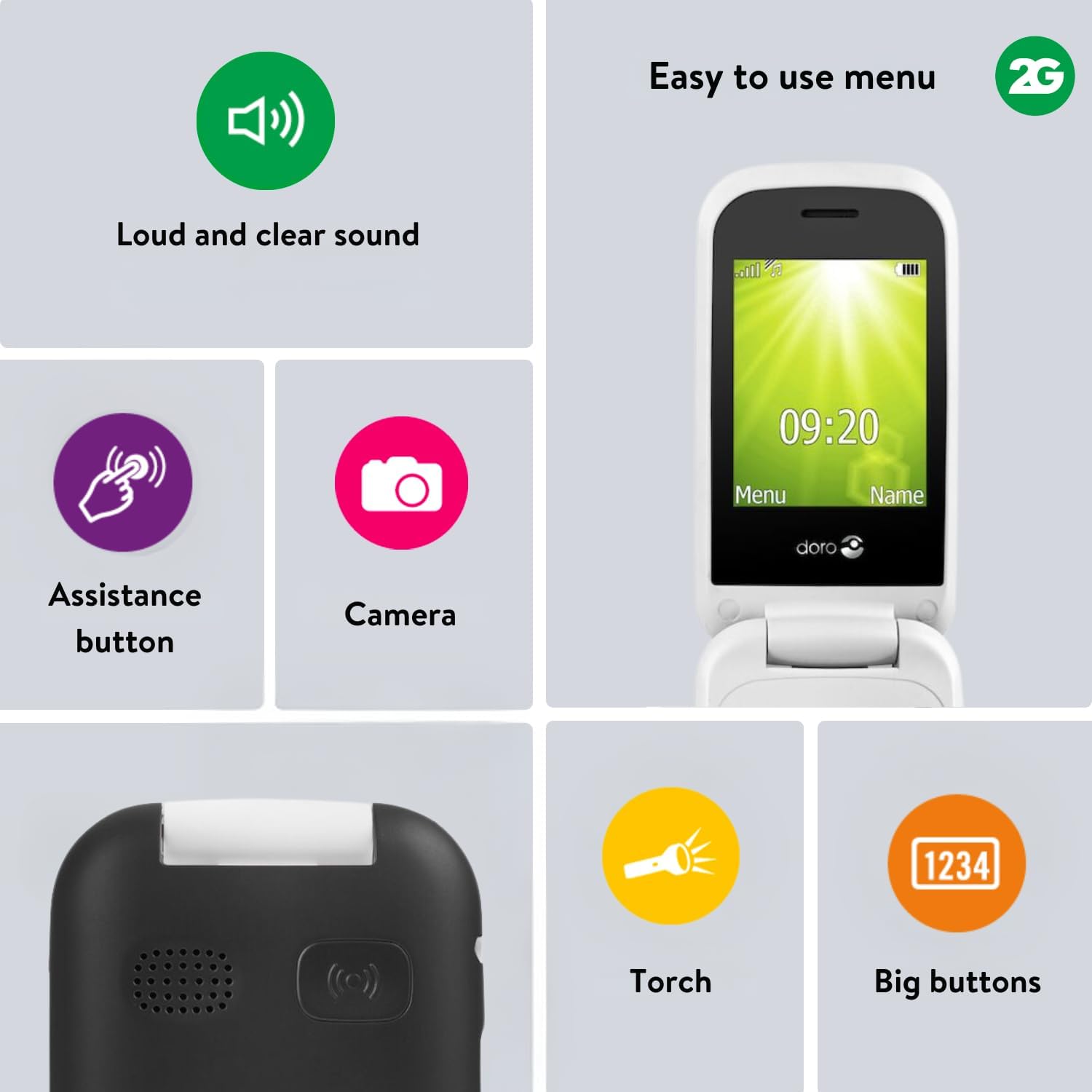
Image: Visual representation of key features, including the camera icon, indicating its functionality.
2.5. Assistance Button
The emergency assistance button provides quick access to help.
- The assistance button is located on the back of the phone.
- Important: Ensure the assistance function is activated and emergency contact numbers are pre-defined in the phone settings before use.
- When pressed, the phone will automatically call and/or send an SMS to your pre-defined contacts.
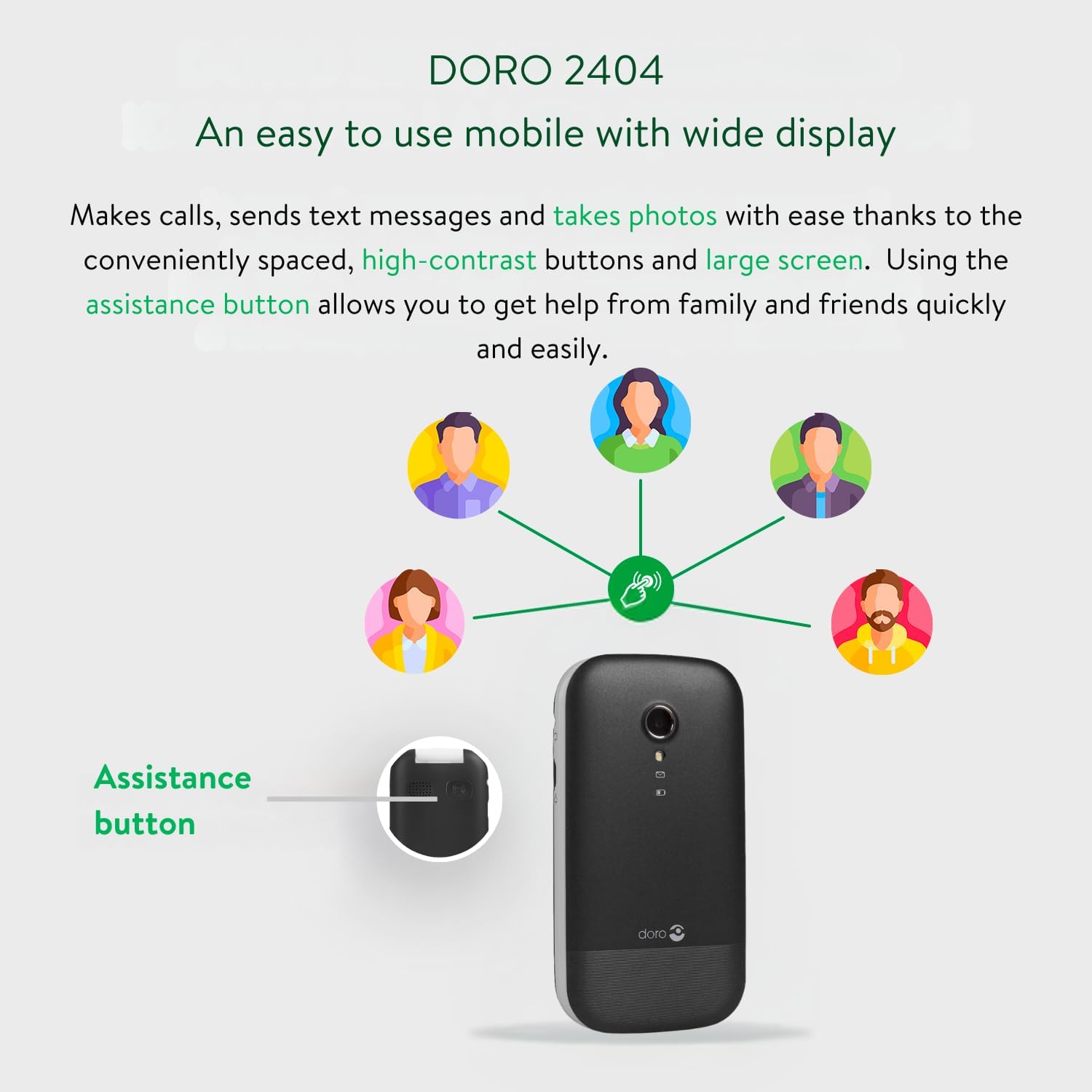
Image: A diagram illustrating the location of the assistance button on the Doro 2404 and how it connects to pre-defined contacts for help.
2.6. Altres característiques
- Bluetooth: For connecting to compatible wireless accessories.
- Altaveu: Per a converses amb mans lliures.
- FM-Radio: Listen to your favourite radio stations.
- Torxa: A built-in flashlight for convenience.
- Mides de lletra ajustables: Customize text size for better readability.
- Visual Ring Indicator: Provides a visual alert for incoming calls.
3. Manteniment i cura
3.1. Neteja del telèfon
- Use a soft, dry, lint-free cloth to clean the phone's surface and screen.
- Eviteu utilitzar productes químics durs, dissolvents de neteja o detergents forts.
- No exposeu el telèfon a una humitat excessiva.
3.2. Cura de la bateria
- Only use Doro-approved chargers and batteries.
- No exposeu la bateria a temperatures extremes.
- Si no feu servir el telèfon durant un període prolongat, carregueu la bateria al 50% aproximadament abans de guardar-lo.
3.3. Emmagatzematge
Store your phone in a cool, dry place away from direct sunlight and extreme temperatures.
4. Solució De Problemes
Aquesta secció tracta problemes comuns que podeu trobar.
| Problema | Causa possible | Solució |
|---|---|---|
| El telèfon no s'encén | La bateria està esgotada o no està inserida correctament. | Carregueu la bateria. Assegureu-vos que la bateria estigui inserida correctament. |
| No puc fer/rebre trucades | No network signal; SIM card not inserted or active. | Move to an area with better signal. Check SIM card insertion and activation with your service provider. |
| Mala qualitat del so | Low volume setting; network interference. | Adjust volume using side buttons. Move to an area with better signal. |
| El botó d'assistència no funciona | Feature not activated; no emergency contacts set. | Activate the assistance function in settings. Set up emergency contact numbers. |
| El telèfon es bloqueja o no respon | Error temporal de programari. | Traieu i torneu a inserir la bateria per dur a terme un restabliment suau. |
5. Especificacions del producte
| Característica | Detall |
|---|---|
| Nom del model | Doro 2404 |
| Marca | Doro |
| Sistema operatiu | Nucleus OS |
| Tecnologia cel·lular | 2G |
| Operador sense fil | Desbloquejat per a tots els transportistes |
| Mida de la pantalla | 2.4 polzades |
| Resolució | VGA |
| Memòria RAM | 16 MB |
| Connectivitat | Bluetooth |
| Bateria | 1 bateria de ions de liti (inclosa) |
| Dimensions del producte | 5.3 x 1.8 x 10.1 cm |
| Pes | 100 g |
| Fabricant | Doro |
| Primer disponible | 11 de setembre de 2017 |
6. Garantia i Suport
6.1. Informació de la garantia
Your Doro 2404 mobile phone comes with a standard manufacturer's warranty. Please refer to the warranty card included in your product packaging for specific terms and conditions, including warranty period and coverage details. Keep your proof of purchase for warranty claims.
6.2. Atenció al client
For further assistance, technical support, or service inquiries, please contact Doro customer support.
- Visita el lloc web oficial de Doro weblloc web per a recursos de suport i dades de contacte.
- Refer to the Quick Start Guide for initial contact information.
Note: Software updates are not guaranteed for this model.


