1. Introducció
This manual provides detailed instructions for the installation, operation, and maintenance of your MERCUSYS AC1200 Wireless Dual Band Router, model AC12. Please read this guide thoroughly to ensure proper setup and optimal performance of your device.
The MERCUSYS AC1200 Router offers high-speed Wi-Fi connectivity with dual-band support, designed to provide reliable internet access for your home or office network.
2. Contingut del paquet
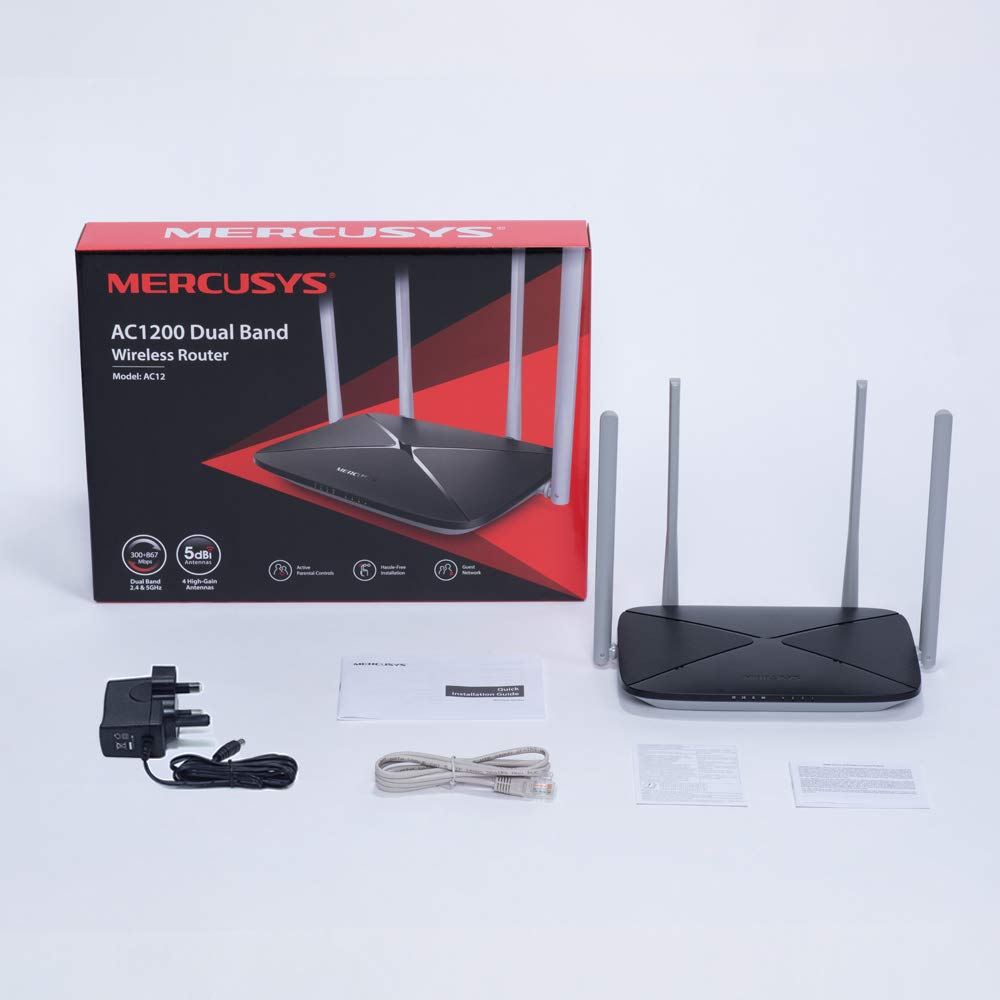
Verifiqueu que tots els elements siguin presents al paquet del producte:
- MERCUSYS AC1200 Dual Band Wireless Router (AC12)
- Adaptador de corrent
- Guia d'instal·lació ràpida
- Cable Ethernet
3. Maquinari acabatview
3.1 Tauler frontal
The front panel features LED indicators that provide status information about the router's operation, including power, internet connection, and Wi-Fi activity.

3.2 Panell posterior
The rear panel contains all the physical ports and buttons necessary for connecting the router to your network and power source.
- WAN Port (Orange): Connects to your modem or internet service provider's (ISP) equipment.
- LAN Ports (Blue): Connects to wired devices such as computers, gaming consoles, or network printers. The AC12 model features 4 LAN ports.
- Entrada d'alimentació: Es connecta a l'adaptador de corrent proporcionat.
- Botó de restabliment/WPS: Used to reset the router to factory settings or to initiate a Wi-Fi Protected Setup (WPS) connection.

3.3 antenes
The router is equipped with four external 5dBi omni-directional antennas, designed to enhance wireless coverage and signal strength.

4. Guia de configuració
Follow these steps to set up your MERCUSYS AC1200 Router:
- Connectar el maquinari:
- Apagueu el mòdem.
- Connect the modem's Ethernet cable to the WAN port (orange) of the AC12 router.
- Connect your computer to one of the LAN ports (blue) on the router using an Ethernet cable, or connect wirelessly using the default Wi-Fi name (SSID) and password printed on the router's label.
- Power on your modem, then power on the AC12 router.
- Configure Router via Web Interfície:
Obre a web browser on your connected computer or device. The intuitive webpage guides you through the setup process in minutes.
- Pas 1: Create a unique login password for the router's management page.
- Pas 2: Choose your internet service type and enter any required information provided by your ISP.
- Pas 3: Set your wireless network name (SSID) and password for both 2.4 GHz and 5 GHz bands.

5. Instruccions de funcionament
5.1 Dual Band Wi-Fi
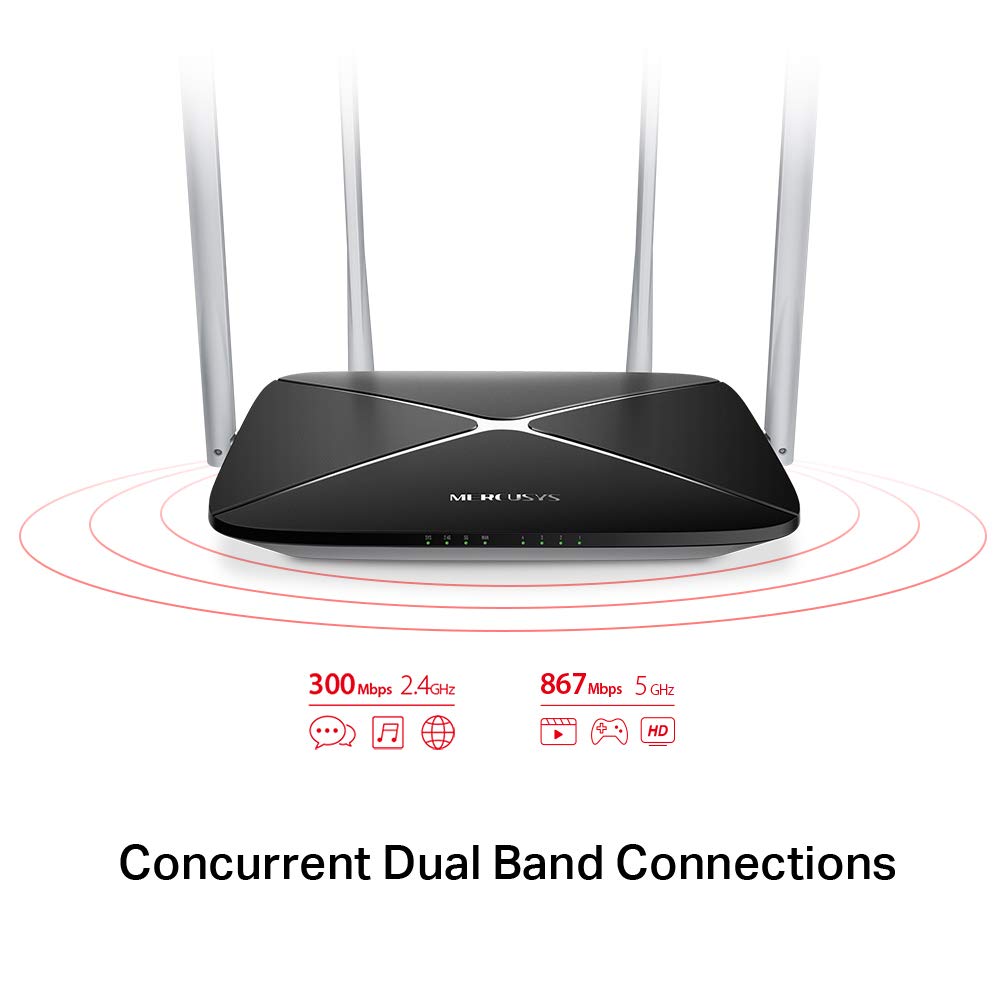
The AC1200 router operates on two distinct Wi-Fi bands:
- Banda de 2.4 GHz: Provides speeds of up to 300 Mbps, suitable for general internet use, web navegació i correu electrònic.
- Banda de 5 GHz: Offers faster speeds of up to 867 Mbps, ideal for online gaming, HD video streaming, and other bandwidth-intensive applications.
5.2 Enhanced Wireless Coverage
The four external 5dBi omni-directional antennas are designed to provide extensive wireless coverage and strong signal intensity throughout your home or office, minimizing weak spots and dropped connections.

5.3 Xarxa de convidats
The Guest Network feature allows you to provide secure Wi-Fi access to guests without sharing your main network password. This enhances security by isolating guest devices from your primary network resources.
5.4 Protocol de seguretat
The router supports WPA-PSK / WPA2-PSK security protocols to protect your wireless network from unauthorized access.
6. Manteniment
- Actualitzacions de firmware: Regularly check the MERCUSYS official weblloc web per a actualitzacions de firmware per garantir un rendiment i una seguretat òptims.
- Neteja física: Mantingueu el router net i lliure de pols. Feu servir un drap suau i sec per netejar-lo. No utilitzeu netejadors líquids.
- Col·locació: Col·loqueu el router en un lloc central, allunyat d'obstacles i dispositius que puguin causar interferències (per exemple, microones, telèfons sense fil).
- Reiniciant: Si teniu problemes de xarxa, proveu de reiniciar el router desendollant l'adaptador de corrent durant 10 segons i després tornant-lo a connectar.
7. Solució De Problemes
- Sense accés a Internet:
- Check if the WAN port LED is lit. If not, ensure the Ethernet cable from your modem is securely connected.
- Verifiqueu que el vostre mòdem funciona correctament.
- Reinicieu tant el mòdem com el router.
- Poseu-vos en contacte amb el vostre proveïdor de serveis d'Internet (ISP) si el problema persisteix.
- Senyal Wi-Fi feble:
- Reubica el router a una posició més central.
- Ensure antennas are positioned vertically.
- Minimize physical obstructions (walls, large furniture) between the router and your devices.
- Avoid placing the router near other electronic devices that may cause interference.
- No es pot accedir als encaminadors Web Pàgina de gestió:
- Assegureu-vos que el dispositiu estigui connectat al router (amb cable o sense fil).
- Verify that you are using the correct IP address (e.g.,
192.168.1.1ormwlogin.net) al teu web navegador. - Esborra la memòria cau del navegador o prova un altre navegador.
- Forgot Wi-Fi Password or Login Password:
- You can reset the router to factory default settings by pressing and holding the Reset/WPS button on the rear panel for approximately 6-10 seconds until the LEDs flash. Note that this will erase all your custom settings.
8. Especificacions
| Característica | Detall |
|---|---|
| Marca | MERCUSI |
| Nom del model | AC12 |
| Estàndard sense fils | 802.11ac |
| Classe de banda de freqüència | Doble banda (2.4 GHz i 5 GHz) |
| 2.4 GHz Wi-Fi Speed | Fins a 300 Mbps |
| 5 GHz Wi-Fi Speed | Fins a 867 Mbps |
| Antenes | 4 x 5dBi Omni-Directional Antennas |
| Ports Ethernet | 1 WAN, 4 LAN |
| Protocol de seguretat | WPA-PSK / WPA2-PSK |
| Dimensions del producte | 22.2 x 14 x 3.2 cm |
| Pes de l'article | 260 g |
| Voltage | 9 Volts |
| Compatibilitat de sistemes operatius | Windows (for setup via web interfície) |
9. Garantia i Suport
9.1 Informació de la garantia
This MERCUSYS AC1200 Router comes with a 3 any de garantia. Please retain your purchase receipt for warranty claims. The warranty covers manufacturing defects under normal use conditions.
9.2 Suport tècnic
For technical assistance, please visit the official MERCUSYS website or contact their customer support. Manufacturer: TP-Link Technologies Co.,Ltd.


