1. Introducció
Gràcies per la compraasing the KECAG CD Player. This versatile device offers multiple functions including CD playback, Bluetooth 3.0 connectivity, full-band FM radio, USB MP3 playback, and 3.5mm audio input/output. It features built-in HiFi stereo speakers for outstanding sound quality and can be easily mounted on a wall or placed on a desk. This manual provides detailed instructions for setup, operation, and maintenance to ensure optimal performance and longevity of your device.
2. Contingut del paquet
Si us plau, comproveu el contingut del paquet en desempaquetar-lo:
- Reproductor de CD x 1
- Adaptador USB 5V-2A x 1
- Comandament a distància x 1
- Wall-mounted kit x 1
- Wall-mounted plate x 1
- Manual d'usuari x 1 (Aquest document)
- Player desk stand x 1
- Cable d'àudio mascle a mascle de 3.5 mm x 1

Image: All components included in the KECAG CD Player package, including the player, remote, power adapter, cables, wall mount kit, and desk stand.
3. Producte acabatview
Familiarize yourself with the main components and controls of your KECAG CD Player.

Imatge: Detallada view of the KECAG CD Player's side and top, highlighting the 3.5mm input/output jack, USB port, power cord (pull-switch), MODE button, Volume controls, and Previous/Next buttons.
- A. 3.5mm Input/Output Jack: For connecting headphones, external speakers, or AUX input from other devices.
- B. USB Port: Per reproduir MP3/WMA files from a U-disk.
- C. Power Cord (Pull-Switch): Pull the cable to turn the unit on or off.
- D. MODE Button: Short press to cycle between CD, FM, and USB modes. Press and hold for 3 seconds to enter Bluetooth mode.
- E. Volume +/- Buttons: Ajusteu el volum de sortida d'àudio.
- F. Previous / Next Buttons: Navigate tracks in CD/USB mode or stations in FM mode.
- G. Remote Control: Provides full control over all functions from a distance.
4. Configuració
4.1 Connexió d'alimentació
Connect the provided 5V-2A USB adaptor to the CD player and then plug it into a standard wall outlet. The unit will power on when the power cable is pulled.
4.2 Muntatge a la paret
To mount the CD player on a wall:
- Identify a suitable location on your wall.
- Use the wall-mounted plate as a template to mark the drilling points.
- Drill holes and insert the wall anchors (if necessary).
- Secure the wall-mounted plate to the wall using the provided screws.
- Carefully slide the CD player onto the mounted plate until it clicks securely into place.

Image: The KECAG CD Player elegantly mounted on a white wall in a bedroom setting, demonstrating its vertical loading and space-saving design.
4.3 Desk Stand Setup
To use the CD player on a desk or table:
- Attach the player desk stand to the bottom of the CD player.
- Assegureu-vos que el suport estigui ben fixat.
- Col·loqueu la unitat muntada sobre una superfície plana i estable.
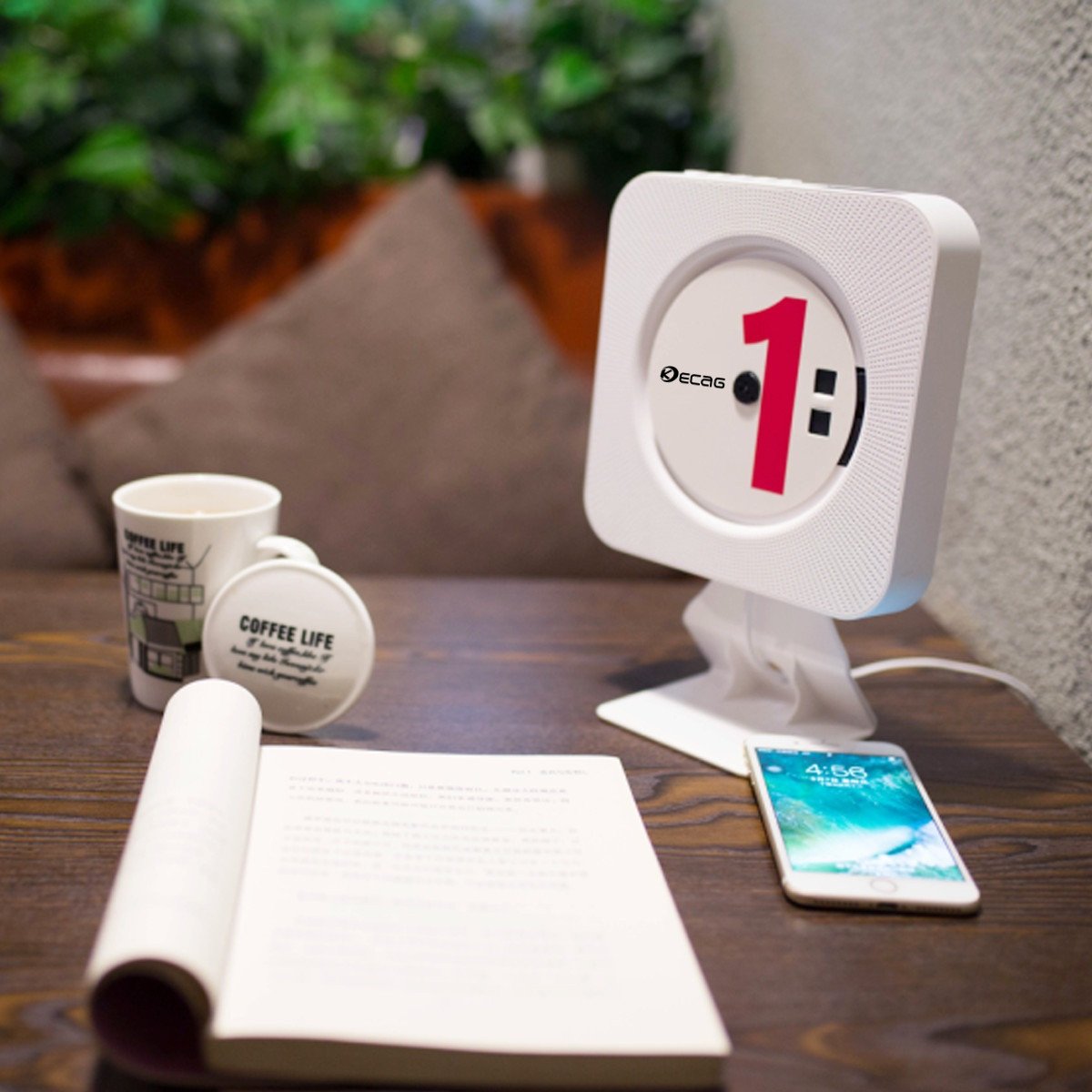
Image: The KECAG CD Player positioned on its desk stand, showcasing its compact design suitable for tabletops and office environments.
5. Instruccions de funcionament
5.1 Encès/Apagat
- To turn on: Pull the power cable downwards.
- To turn off: Pull the power cable downwards again.
- The remote control can also be used to power on/off if the main unit's pull-switch is in the 'on' position.
5.2 Reproducció de CD
- Insert a CD (CD, CD-R, CD-RW, MP3, WMA format supported) into the disc slot.
- The player will automatically detect the CD and begin playback.
- Utilitza el Anterior/Següent buttons on the unit or remote to skip tracks.
- Utilitza el Volum +/- botons per ajustar el volum.
- Premeu el botó Repetiu button on the remote for single song loop or whole disc loop.
- Premeu el botó AB button on the remote to set A-B repeat.
Reproducció de MP3 USB 5.3
- Insert a U-disk (USB flash drive) containing MP3/WMA files al port USB.
- Premeu el botó MODE button on the unit or remote until "USB" mode is selected.
- The player will automatically begin playing files from the U-disk.
- Utilitza el Anterior/Següent botons per navegar per pistes.
5.4 Ràdio FM
- Premeu el botó MODE button on the unit or remote until "FM" mode is selected.
- The player will automatically scan and store available FM stations.
- Utilitza el Anterior/Següent buttons to switch between stored stations.
- For manual tuning, refer to the remote control functions.
5.5 Bluetooth Connection (as a Bluetooth Speaker)
- Manteniu premut el botó MODE button for 3 seconds to enter Bluetooth mode. The unit will indicate it's ready for pairing.
- On your Bluetooth-enabled device (e.g., smartphone, tablet), search for "KECAG" in the Bluetooth settings.
- Select "KECAG" to pair. Once connected, you can play audio from your device through the CD player's speakers.
- Note: This CD player functions as a Bluetooth receiver only. It cannot transmit Bluetooth audio to other Bluetooth speakers or headphones.
5.6 AUX Input/Output
- Entrada AUX: Connect an external audio device (e.g., mobile phone, tablet, laptop) to the 3.5mm AUX input jack on the CD player using the provided 3.5mm male-to-male audio cable. Press the MODE button until "AUX" mode is selected. The CD player will now act as a wired speaker for your external device.
- Sortida AUX: Connect the 3.5mm AUX output jack of the CD player to an external wired speaker or headphones using a 3.5mm audio cable. This allows you to output the CD player's audio to a different sound system.
6. Manteniment
- Neteja: Feu servir un drap suau i sec per netejar l'exterior de la unitat. No utilitzeu productes de neteja abrasius ni dissolvents.
- Manipulació del disc: Always handle CDs by their edges. Avoid touching the playing surface. Store CDs in their cases when not in use to prevent scratches and dust accumulation.
- Ventilació: Ensure the unit has adequate ventilation. Do not block the speaker grilles or place the unit in an enclosed space without airflow.
- Apagar: Quan no l'utilitzeu durant períodes prolongats, desconnecteu l'adaptador de corrent de la presa de corrent.
7. Solució De Problemes
| Problema | Causa possible | Solució |
|---|---|---|
| La unitat no s'encén. | Power cable not pulled, power adapter not connected, or power outlet issue. | Ensure the power cable is pulled to the ON position. Check if the power adapter is securely connected to both the unit and a working wall outlet. |
| El CD no es reprodueix o salta. | CD is dirty, scratched, or inserted incorrectly. Incorrect disc format. | Clean the CD with a soft, lint-free cloth. Check for deep scratches. Ensure the CD is inserted correctly with the label side facing outwards. Verify the disc format is supported (CD, CD-R, CD-RW, MP3, WMA). |
| Sense so. | Volume too low, incorrect mode selected, or external audio device issue. | Increase the volume. Ensure the correct mode (CD, USB, FM, Bluetooth, AUX) is selected. If using AUX, check the connection and volume on the external device. |
| L'aparellament de Bluetooth falla. | CD player not in Bluetooth pairing mode, or device too far. | Press and hold the MODE button for 3 seconds to enter Bluetooth pairing mode. Ensure your device's Bluetooth is on and within range (approx. 10 meters). |
| La recepció de ràdio FM és deficient. | Senyal feble o interferències. | Adjust the position of the unit to improve reception. Avoid placing near other electronic devices that may cause interference. |
| El comandament a distància no funciona. | Bateria esgotada o obstrucció. | Replace the battery in the remote control. Ensure there are no obstructions between the remote and the CD player. |
8. Especificacions
| Característica | Detall |
|---|---|
| Número de model | KC-808 |
| Disc Format Support | CD, CD-R, CD-RW, MP3, WMA |
| Freqüència de ràdio | 87.5KHZ-108.0MHZ |
| Altaveu | 45 mm * 2 |
| Impedància nominal | 3Ω |
| Sortida de l'altaveu | 3W*2 (Total 6 Watts RMS) |
| Font d'alimentació | AC100V-220V, 50HZ/60HZ (via 5V-2A USB adaptor) |
| Power/Switch Cable Length | 2.3 m |
| Dimensions (unitat principal) | 189 x 189 x 37mm (approx. 19.05 x 19.05 x 3.81 cm) |
| Pes net | 540g (approx. 544.31 g) |
| Versió Bluetooth | 3.0 |
| Tecnologia de connectivitat | Auxiliar, Bluetooth, USB |
| Característiques especials | FM Radio, Bluetooth, HiFi Speakers, Vertical Loading, Wall Mountable |
9. Garantia i Suport
The KECAG CD Player comes with a 1-year warranty from the date of purchase, covering manufacturing defects. Please retain your proof of purchase for warranty claims.
For technical support, troubleshooting assistance, or warranty inquiries, please contact KECAG customer service through the retailer where you purchased the product or refer to the contact information provided on the product packaging or KECAG's official weblloc.
Important: Do not attempt to repair the unit yourself. Unauthorized repairs may void your warranty and could cause damage to the device or personal injury.


