1. Introducció
El Snakebyte Gamepad S Pro és un comandament sense fil dissenyat per utilitzar-se amb consoles Nintendo Switch, Switch Lite i Switch OLED. Ofereix una experiència de joc d'estil consola amb funcions com ara joysticks analògics de doble precisió, motors de vibració duals per a una resposta immersiva i un botó de captura dedicat per gravar moments de joc. El comandament es connecta mitjançant Bluetooth 3.0, amb l'objectiu de proporcionar una experiència de joc de baixa latència. També inclou una funció turbo assignable i es carrega mitjançant un cable USB-C inclòs.

Figura 1: Frontal view del controlador Snakebyte Gamepad S Pro.
2. Configuració
2.1 Càrrega del controlador
Abans del primer ús, carregueu completament el comandament. Connecteu el cable USB-C d'1.8 m inclòs al port de càrrega del comandament i l'altre extrem a una font d'alimentació USB (per exemple, la base de càrrega de la Nintendo Switch, un adaptador de paret USB o un port USB de l'ordinador). Els llums indicadors de càrrega del comandament proporcionaran informació sobre l'estat.
2.2 Emparellament amb Nintendo Switch
Per emparellar el Snakebyte Gamepad S Pro amb la consola Nintendo Switch:
- Assegura't que la consola Nintendo Switch estigui engegada i actualitzada amb el programari del sistema més recent.
- Al menú INICI, seleccioneu "Controladors", doncs "Canviar agafada/ordre".
- Al Snakebyte Gamepad S Pro, premeu i manteniu premut el botó Botó d'inici (icona de casa) i la Botó Y simultàniament durant aproximadament 5 segons. Els llums indicadors del controlador començaran a parpellejar ràpidament.
- Un cop el controlador s'hagi emparellat correctament, els indicadors lluminosos del reproductor a la part inferior del controlador s'il·luminaran de manera fixa.
El comandament és compatible amb els models de Nintendo Switch, Switch OLED i Switch Lite.

Figura 2: El Gamepad S Pro és compatible amb Nintendo Switch, Switch OLED i Switch Lite.
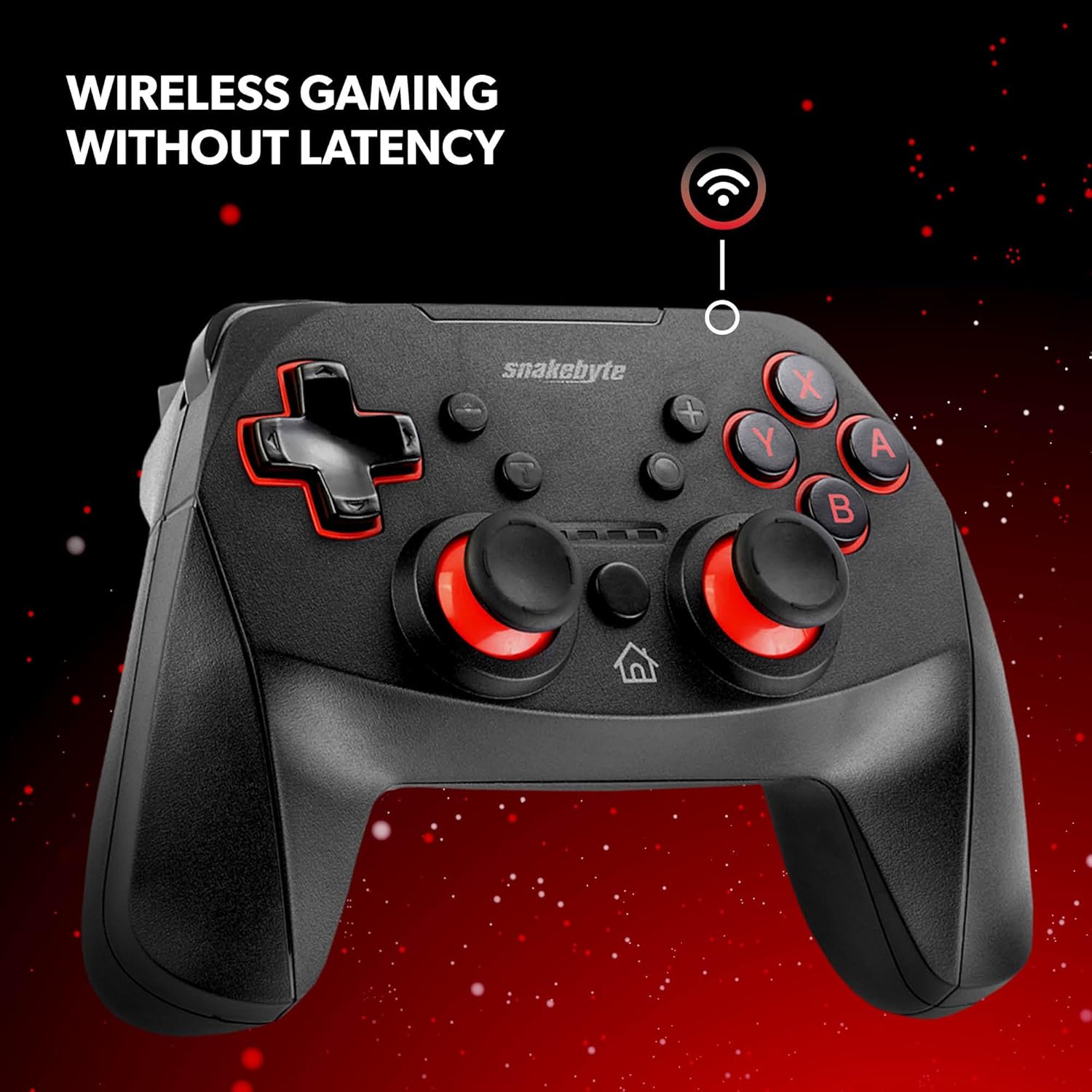
Figura 3: El controlador ofereix connectivitat sense fil per jugar sense latència.
3. Funcionament del controlador
3.1 Disposició i funcions dels botons
- Botons A/B/X/Y: Botons d'acció estàndard.
- D-Pad: Entrada direccional.
- Manets analògics esquerre/dret: Per a un moviment precís i un control de la càmera.
- Botons E/D: Botons a l'espatlla.
- Botons ZL/ZR: Botons de disparador.
- Botó d'inici: Torna al menú INICI.
- Botó de captura: Desa captures de pantalla o videoclips de la partida.
- Botons més (+) / menys (-): Equivalent als botons Inici/Selecciona o Menú.
3.2 Vibració de doble soroll
El controlador incorpora motors vibratoris duals que proporcionen retroalimentació hàptica, millorant la immersió durant el joc. La intensitat de la vibració ve determinada pel joc.
3.3 Funció Turbo assignable
La funció turbo assignable permet prémer un botó repetidament amb una sola pulsació. Consulteu les instruccions específiques del controlador (sovint incloses a l'embalatge o al manual del fabricant). weblloc web) per obtenir més informació sobre com assignar i activar la funció turbo per als botons desitjats.
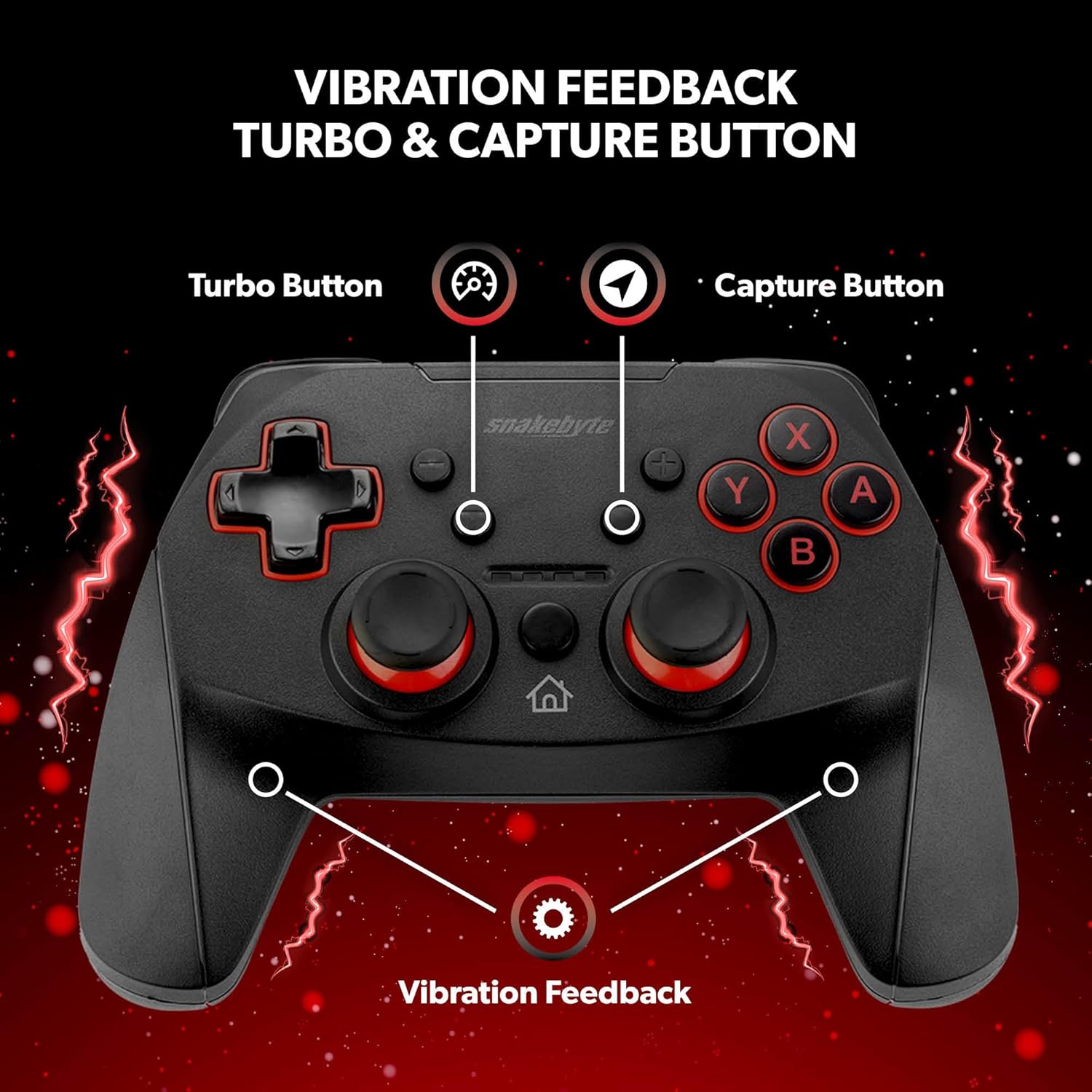
Figura 4: Funcions clau, com ara el botó Turbo, el botó de captura i la retroalimentació de vibració.
3.4 presa d'àudio
El controlador està equipat amb un connector d'àudio, que permet connectar uns auriculars compatibles per a l'àudio i la comunicació durant el joc (si la configuració del joc i la consola ho admet).

Figura 5: Detall del connector d'àudio del controlador.
4. Manteniment
4.1 Neteja
Per netejar el controlador, utilitzeu un drap suau i sec. Per a la brutícia resistent, netegeu lleugerament.ampRenta el drap amb aigua. Evita utilitzar productes químics agressius, netejadors abrasius o dissolvents, ja que poden danyar la superfície i els components interns del controlador.
4.2 Cura de la bateria
El controlador conté una bateria de liti metàl·lic recarregable. Per allargar la durada de la bateria:
- Eviteu descarregar completament la bateria amb freqüència.
- Guardeu el controlador en un lloc fresc i sec quan no l'utilitzeu durant períodes prolongats.
- No exposeu el controlador a temperatures extremes.
5. Solució De Problemes
- El controlador no s'emparella o es desconnecta amb freqüència:
- Assegureu-vos que el controlador estigui completament carregat.
- Verifiqueu que els passos d'emparellament (botons Inici + Y) s'han seguit correctament.
- Apropa't a la consola Nintendo Switch per assegurar-te una connexió Bluetooth forta.
- Comproveu si hi ha actualitzacions de firmware per al controlador a la pàgina oficial de Snakebyte. weblloc, ja que les actualitzacions poden resoldre problemes de connectivitat.
- Reinicieu tant la consola Nintendo Switch com el controlador.
- Els botons o joysticks no responen o s'encallen:
- Apagueu el controlador i torneu-lo a engegar.
- Assegureu-vos que no quedi cap residu enganxat al voltant dels botons o dels joysticks. Netegeu-los segons les instruccions de manteniment.
- El controlador no activa la Nintendo Switch del mode de repòs:
- És possible que aquest controlador no admeti activar la consola des del mode d'espera. Engegueu la consola manualment amb el botó d'engegada de la consola.
- Sense sensor giroscòpic:
- Tingueu en compte que aquest controlador no inclou un sensor giroscòpic. Els jocs que requereixin controls de moviment o ajustos precisos de punteria mitjançant inclinació no funcionaran com es preveu amb aquest controlador.
6. Especificacions
| Número de model | SB911194 |
| Marca | Snakebyte |
| Connectivitat | Bluetooth 3.0 |
| Compatibilitat | Nintendo Switch, Switch Lite, Switch OLED |
| Dimensions (L x A x A) | 3.94 x 2.36 x 5.51 polzades |
| Pes de l'article | 8.47 unces (240 grams) |
| Tipus de bateria | 1 bateria de metall de liti (inclosa) |
| Longitud del cable de càrrega | 5.9 peus (1.8 m) |
| Característiques especials | Vibració de doble motor, Turbo assignable, Botó de captura, Jack d'àudio |

Figura 6: El controlador està dissenyat per a una durabilitat absoluta.
7. Garantia i Suport
Per obtenir informació detallada sobre la garantia, consulteu la targeta de garantia inclosa amb l'embalatge del producte o visiteu el lloc web oficial de Snakebyte. weblloc. Per a assistència tècnica, registre de productes o més consultes, poseu-vos en contacte amb el servei d'atenció al client de Snakebyte a través dels seus canals oficials.
Snakebyte oficial Weblloc: www.snakebyte.com


