Introducció
Thank you for choosing the Macally USB Wired Keyboard. This compact and versatile keyboard is designed to enhance your productivity on both Mac and Windows PC systems. Featuring 78 scissor switch keys and 13 shortcut keys, it offers a comfortable and efficient typing experience. This manual provides detailed instructions for setup, operation, maintenance, and troubleshooting to ensure optimal performance of your new keyboard.

Image: The Macally USB Wired Keyboard, showcasinpel seu disseny compacte i acabat blanc.
Característiques clau
- Versatile Compact Design: Boosts productivity and saves desk space, ideal for both home and office environments.
- Easy Plug and Play Setup: Simple USB connection for immediate use with Mac and Windows PCs.
- Mac & Windows Compatibility: Seamless operation across different operating systems.
- 13 One-Touch Shortcut Keys: Dedicated keys for Mac functions (cut/copy/paste/iTunes) and multimedia hotkeys for Windows.
- Tecles de commutació de tisora: Provides a responsive, tactile, and quiet typing experience.
- Angle d'escriptura integrat: Subtle angle for improved comfort during extended use.
Guia de configuració
1. Desembalatge
Carefully remove the keyboard from its packaging. Ensure all components, including the keyboard and user guide, are present.
2. Connexió del teclat
- Locate an available USB-A port on your Mac or Windows PC.
- Plug the USB connector of the Macally keyboard into the USB-A port.
- For Mac users with only USB-C ports, a USB-C to USB-A adapter (not included) will be required.

Image: The Macally USB Wired Keyboard with its USB-A cable, illustrating the simple wired connection for Mac and PC.
3. Driver Installation (Automatic)
The Macally USB Wired Keyboard is plug-and-play. Your operating system (Mac OS or Windows) will automatically detect the keyboard and install the necessary drivers. No manual driver installation is required.
Instruccions de funcionament
Mecanografia bàsica
Once connected, the keyboard is ready for immediate use. Simply begin typing as you would with any standard keyboard.
Using Shortcut Keys
The keyboard features 13 dedicated shortcut keys for enhanced productivity. These keys are located on the top row of the keyboard (F1-F12 and an additional key).
| clau | Function (Mac) |
|---|---|
| F1 | Disminueix la brillantor |
| F2 | Augmenta la brillantor |
| F3 | Control de missió |
| F4 | Launchpad |
| F5 | Keyboard Backlight Decrease (if applicable) |
| F6 | Keyboard Backlight Increase (if applicable) |
| F7 | Previous Track (Media) |
| F8 | Play/Pause (Media) |
| F9 | Next Track (Media) |
| F10 | Silencia el volum |
| F11 | Disminuir el volum |
| F12 | Augmenta el volum |
| Eject Key | Power Off / Eject (depending on system configuration) |
For Windows PC users, these keys function as standard multimedia hotkeys (e.g., play/pause, volume control).
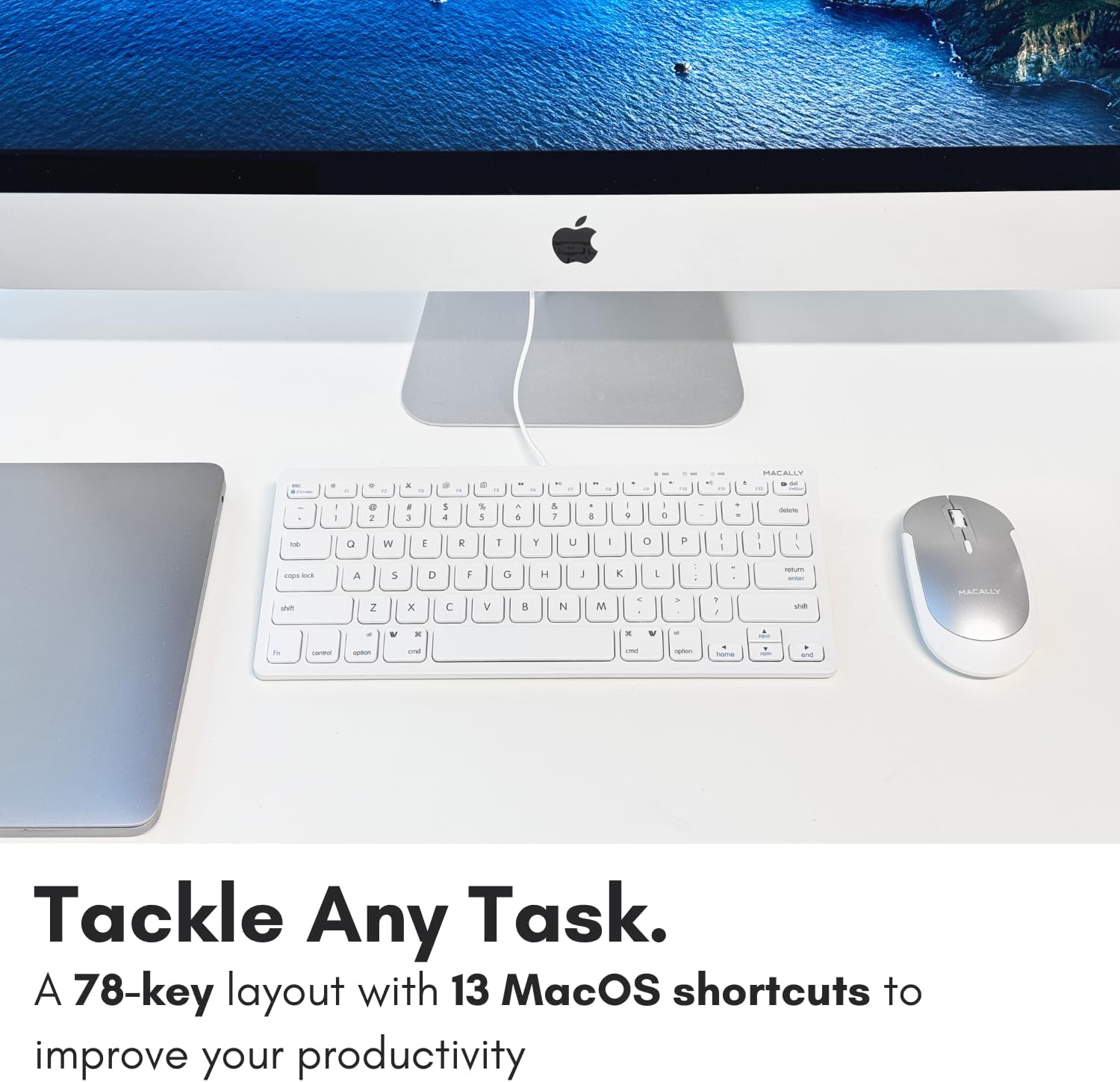
Imatge: Un primer pla view of the Macally keyboard, highlighting the 13 shortcut keys designed for efficiency.
Manteniment
Neteja del teclat
- Desconnecteu el teclat de l'ordinador abans de netejar-lo.
- Utilitzeu un drap suau i sense pelusa lleugerament dampamb aigua o una solució de neteja suau.
- Eviteu la humitat excessiva i no ruixeu productes de neteja directament sobre el teclat.
- Per a la pols i les restes entre les tecles, feu servir aire comprimit.
Emmagatzematge
Quan no l'utilitzeu durant períodes prolongats, guardeu el teclat en un lloc fresc i sec, allunyat de la llum solar directa i de temperatures extremes.
Resolució de problemes
| Problema | Solució |
|---|---|
| El teclat no respon |
|
| Keys are not typing correctly or are sticky |
|
| Shortcut keys not working on Mac |
|
Especificacions
| Característica | Detall |
|---|---|
| Número de model | SLIMKEYC |
| Connectivitat | USB Wired (USB-A) |
| Nombre de claus | 78 |
| Tecles de drecera | 13 (Mac functions / Windows multimedia) |
| Tipus de clau | Interruptor de tisora |
| Compatibilitat | Mac OS, Windows OS, Linux, Chrome OS |
| Dimensions (LxWxH) | 11.2 x 4.7 x 0.2 polzades |
| Pes | 10.4 unces |
| Longitud del cable | Aproximadament 4.7 peus |
Garantia i Suport
Macally stands behind its products. The Macally USB Wired Keyboard comes with up to a 2 any de garantia i LIFETIME tech support.
For technical assistance, warranty claims, or further inquiries, please visit the official Macally weblloc web o contacteu directament amb el seu servei d'atenció al client.
Podeu trobar més informació i recursos de suport a: www.macally.com
Vídeos de productes
Compact USB Wired Keyboard for Mac and PC
Video: An official product video from Jukegear (Seller) demonstrating the compact design and wired connectivity of the Macally USB keyboard for both Mac and PC systems. This video highlights the ease of use and compatibility.


