Introducció
This manual provides detailed instructions for the setup, operation, and maintenance of your KICKER Bullfrog BF100 Bluetooth Portable Outdoor Speaker. Please read this manual thoroughly to ensure proper use and to maximize the performance of your device. The Bullfrog BF100 is designed for robust outdoor use, featuring 360-degree sound, Bluetooth connectivity, and a durable waterproof and dustproof casing.
Producte acabatview
The KICKER Bullfrog BF100 delivers a 360-degree sound field through its unique driver design. It features two 1-5/8 inch full-range drivers and two 2-5/8 inch passive bass radiators, powered by a built-in 16-watt amplifier. The speaker is equipped with Bluetooth for wireless audio streaming and includes a built-in speakerphone for calls.
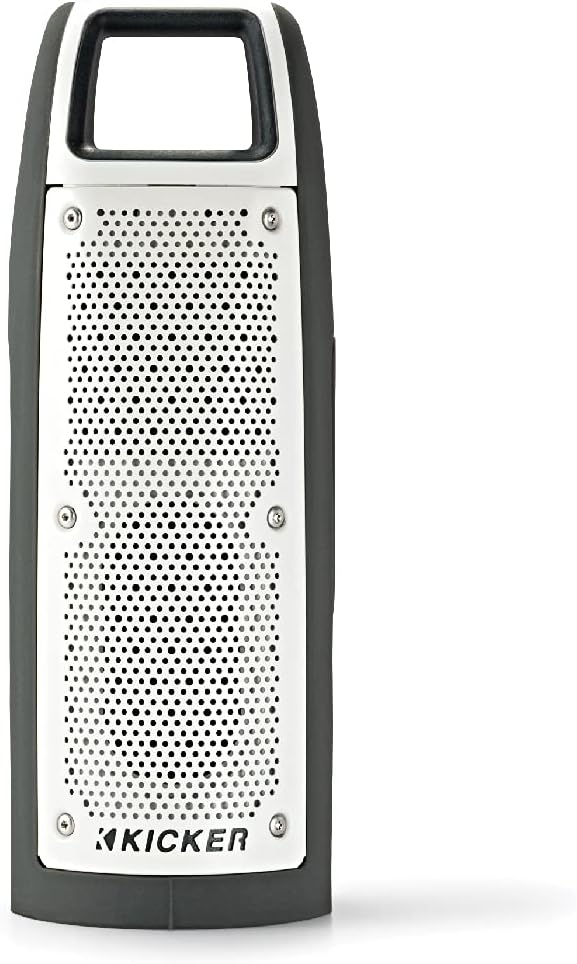
Figura 1: Davant view of the KICKER Bullfrog BF100 speaker, showcasing el seu disseny compacte i robust.
Característiques principals:
- So de 360 graus: Drivers on both sides provide immersive audio.
- Connectivitat Bluetooth: Reprodueix música en streaming sense fil des de dispositius compatibles.
- Resistent a l'aigua i a la pols (classificació IP66): Designed for outdoor environments, resistant to dust and water spray.
- Altaveu integrat: Answer calls directly from the speaker.
- KICKER Connect App: Customize sound with EQ presets, control volume, and check battery level.
- Vinculació estèreo: Wirelessly connect two BF100 speakers for enhanced stereo sound.
- Llarga vida útil de la bateria: Up to 12 hours of portable operation.
Identificació de components:

Figura 2: lateral view of the Bullfrog BF100, showing the power, volume, and track control buttons.

Figura 3: Enrere view of the Bullfrog BF100, highlighting the AUX IN, CHARGE OUT, and CHARGE IN ports, along with the Reset button.
- Botó d'encesa: Activa o desactiva l'altaveu.
- Botons de pujar / baixar de volum: Adjusts the speaker's output volume.
- Track Skip Buttons: Skips to the next or previous track during playback.
- Botó Reproduir/Pausa: Controls music playback and answers/ends phone calls.
- Botó de parella: Inicia el mode d'emparellament Bluetooth.
- Botó de restabliment: Resets the speaker to factory settings (located near ports).
- Port d'entrada auxiliar: For wired audio connection using a 3.5mm cable.
- CHARGE OUT Port: USB port for charging external devices.
- CHARGE IN Port: Micro-USB port for charging the speaker's internal battery.
Configuració
Càrrega inicial:
Before first use, fully charge your Bullfrog BF100 speaker. Connect the supplied USB charging cable to the CHARGE IN port on the speaker and to a USB power source (e.g., computer USB port or a USB wall adapter). The charging indicator light will show the charging status.
Figura 4: Detail of the charging port on the Bullfrog BF100.
Emparellament Bluetooth:
- Ensure the Bullfrog BF100 is powered on.
- Manteniu premut el botó Parella button on the speaker until the Bluetooth indicator light begins to flash, indicating it is in pairing mode.
- Al telèfon intel·ligent, la tauleta o un altre dispositiu compatible amb Bluetooth, navegueu fins a la configuració de Bluetooth.
- Select "KICKER Bullfrog BF100" from the list of available devices.
- Un cop connectat, l'indicador lluminós Bluetooth de l'altaveu s'il·luminarà fixament.
KICKER Connect App Installation:
For enhanced control and customization, download the KICKER Connect App from your device's app store (iOS App Store or Google Play Store). The app allows you to adjust EQ settings, manage FM presets, control volume, and monitor battery life.

Figura 5: The KICKER Connect App provides advanced control over your speaker settings.
Stereo Pairing (Two BF100 Speakers):
To create a two-channel stereo system, you can wirelessly connect two Bullfrog BF100 speakers. Refer to the KICKER Connect App for specific instructions on initiating stereo pairing mode between two units.
Instruccions de funcionament
Encès/apagat:
- Manteniu premut el botó Poder button for approximately 2 seconds to turn the speaker on or off.
- An audible tone will confirm the power status change.
Control de volum:
- Premeu el botó Puja el volum (+) botó per augmentar el volum.
- Premeu el botó Baixar el volum (-) botó per baixar el volum.
Reproducció de música:
- Premeu el botó Reproduir/Pausa botó per reproduir o posar en pausa l'àudio.
- Premeu el botó Next Track (>) botó per passar a la cançó següent.
- Premeu el botó Previous Track (<) button to go back to the beginning of the current song or to the previous song.
Trucades telefòniques:
- Quan entri una trucada, la música es posarà en pausa. Prem el botó Reproduir/Pausa botó per respondre la trucada.
- Per finalitzar una trucada, premeu el botó Reproduir/Pausa botó de nou.
- Per rebutjar una trucada entrant, manteniu premut el botó Reproduir/Pausa botó.
Using the KICKER Connect App:
Once connected via Bluetooth, open the KICKER Connect App on your device to access additional features:
- Preajustos d'EQ: Select from 5 predefined equalizer settings (Kicker / Outdoor / Voice / Treble / Flat) to optimize sound for different environments or preferences.
- Presets FM: Create and select your favorite FM radio stations (if FM feature is active).
- Control de volum: Adjust the speaker volume directly from the app.
- Nivell de bateria: Monitor the current battery charge level of your speaker.
Càrrega i bateria
The Bullfrog BF100 is equipped with a rechargeable lithium polymer battery, providing up to 12 hours of playback on a single charge. To charge the speaker:
- Connect the small end of the supplied USB cable to the CHARGE IN port de l'altaveu.
- Connect the large end of the USB cable to a standard USB power source (e.g., computer, USB wall adapter, or power bank).
- The charging indicator lights will illuminate to show the charging progress.
- L'altaveu es pot utilitzar mentre es carrega.
El CHARGE OUT port can be used to provide power to other USB-powered devices, effectively turning your Bullfrog BF100 into a portable power bank.
Manteniment i cura
Característiques impermeables i a prova de pols:
The Bullfrog BF100 has an IP66 rating, meaning it is protected against dust ingress and powerful water jets from any direction. This makes it suitable for use in various outdoor conditions, including near pools, at the beach, or during campen viatges.

Figura 6: The Bullfrog BF100 is built to withstand outdoor elements.
Instruccions de neteja:
- If the speaker gets dirty, it can be rinsed off with water. Ensure all port covers are securely closed before rinsing.
- Do not use harsh chemicals or abrasive cleaners, as these may damage the speaker's finish or seals.
- Wipe the speaker dry with a soft cloth after cleaning.
Atenció general:
- Avoid exposing the speaker to extreme temperatures for prolonged periods.
- Guardeu l'altaveu en un lloc fresc i sec quan no l'utilitzeu.
- No intenteu desmuntar ni reparar l'altaveu vosaltres mateixos, ja que això anul·larà la garantia.
Resolució de problemes
| Problema | Causa possible | Solució |
|---|---|---|
| Sense poder | La bateria està esgotada. | Carregueu l'altaveu amb el cable USB subministrat. |
| No es pot emparellar per Bluetooth | L'altaveu no està en mode d'emparellament; el dispositiu és massa lluny; interferències. | Ensure speaker is in pairing mode (flashing light). Move device closer. Turn off other Bluetooth devices. Try resetting the speaker. |
| Sense so | Volum massa baix; dispositiu no connectat; problema amb la font d'àudio. | Increase speaker and device volume. Re-establish Bluetooth connection. Check audio source playback. |
| Mala qualitat del so | Low battery; device too far; audio file qualitat. | Charge the speaker. Move device closer. Use high-quality audio files. Adjust EQ settings via KICKER Connect App. |
| L'altaveu no respon | Error de programari. | Localitza el Restableix button (refer to Figure 3) and use a small pointed object (like a paperclip) to press it. This will restart the speaker. |
If you encounter issues not listed here or if the suggested solutions do not resolve the problem, please contact KICKER customer support for further assistance.
Especificacions
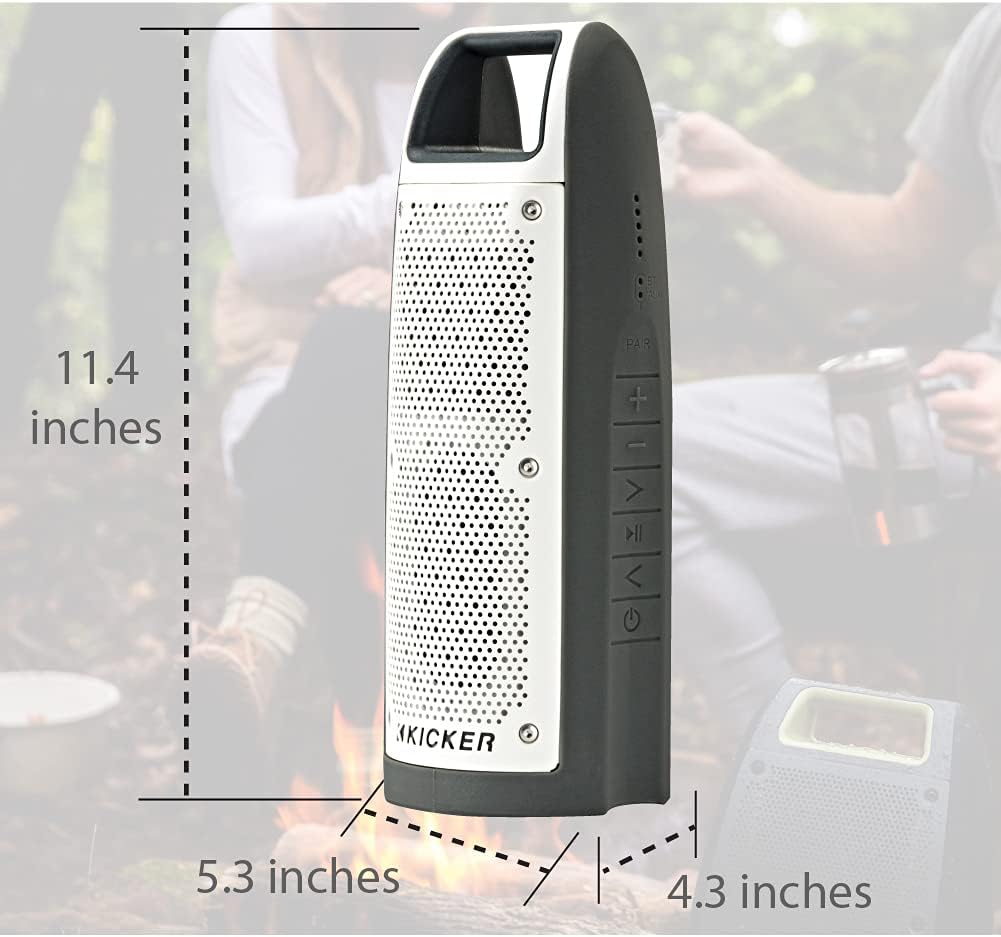
Figura 7: Dimensions of the KICKER Bullfrog BF100 speaker.
| Característica | Detall |
|---|---|
| Nom del model | Bullfrog BF100 |
| Número de model de l'article | 44BF100GY |
| Dimensions (A x A x P) | 11.4 x 5.3 x 4.3 polzades |
| Pes de l'article | 1.81 lliures |
| Tipus d'altaveu | Altaveu Bluetooth portàtil per a exteriors |
| Mode de sortida d'àudio | estèreo |
| Potència de sortida màxima dels altaveus | 16 watts |
| Tecnologia de comunicació sense fils | Bluetooth |
| Interval Bluetooth | 100 peus |
| Tecnologia de connectivitat | Bluetooth, auxiliar (3.5 mm) |
| Nivell de resistència a l'aigua | IP66 (resistent a l'aigua i a la pols) |
| Font d'alimentació | Funciona amb bateria (1 bateria de polímer de liti inclosa) |
| Durada de la bateria | Fins a 12 hores |
| Mètode de control | Buttons, App (KICKER Connect) |
| Material | Plàstic o metall |
Garantia i Suport
Informació de la garantia:
The KICKER Bullfrog BF100 comes with a Limited Warranty. Please refer to the official KICKER website or your purchase documentation for specific terms and conditions regarding warranty coverage, duration, and claims procedures.
Atenció al client:
For technical assistance, troubleshooting, or warranty inquiries, please contact KICKER customer support. You can find contact information on the official KICKER weblloc: www.kicker.com


