Introducció
The Beats Studio3 Wireless Noise Cancelling Over-Ear Headphones are designed to provide a premium listening experience with advanced features. This manual will guide you through the setup, operation, and maintenance of your headphones.
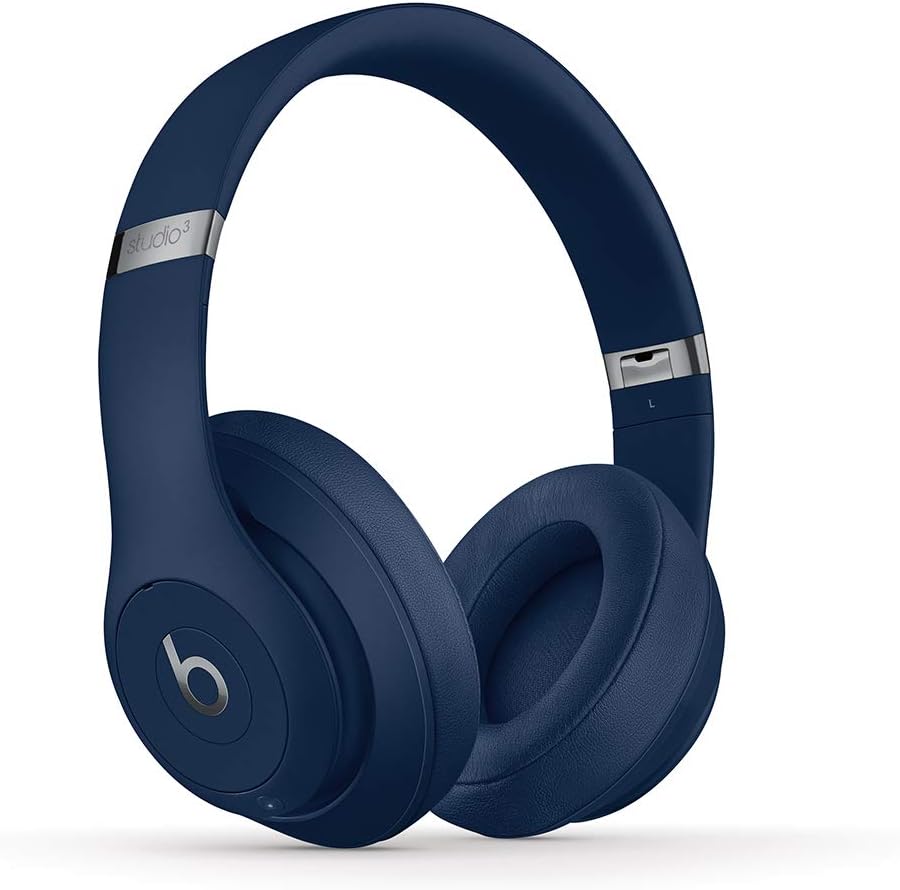
Image: Beats Studio3 Wireless Noise Cancelling Over-Ear Headphones in Blue.
Què hi ha a la caixa
- Beats Studio3 Wireless Noise Canceling Over-Ear Headphones - Blue
- Cable de càrrega micro USB
- 3.5mm RemoteTalk Cable
- Maleta de transport
- Guia d'inici ràpid
- Targeta de garantia

Image: Contents of the Beats Studio3 Wireless Headphones box, including headphones, cables, and carrying case.
Configuració
1. Carregant els auriculars
Before first use, fully charge your Beats Studio3 Wireless headphones. Use the provided Micro USB cable to connect the headphones to a power source. The Fuel Gauge LEDs on the right ear cup will indicate the battery level.
- Combustible ràpid: A 10-minute charge provides 3 hours of playback.
- Full charge provides up to 22 hours of battery life with Pure ANC on, or up to 40 hours with Pure ANC off.
2. Emparellament amb el dispositiu
Your Beats Studio3 Wireless headphones utilize the Apple W1 chip for seamless pairing with Apple devices and Class 1 Bluetooth for other devices.
For Apple Devices (iOS):
- Ensure your iOS device is unlocked and Bluetooth is enabled.
- Hold your Beats Studio3 headphones near your unlocked iOS device.
- Follow the on-screen instructions to connect.
For Other Devices (Android, etc.):
- Press and hold the power button on your headphones for 5 seconds until the Fuel Gauge flashes.
- On your device, go to Bluetooth settings and select "Beats Studio3" from the list of available devices.
Funcionament dels auriculars
Encès/Apagat
Press and hold the power button on the right ear cup for 1 second to turn the headphones on or off.
Pure Adaptive Noise Cancelling (Pure ANC)
Pure ANC actively blocks external noise and uses real-time audio calibration to preserve a premium listening experience. Pure ANC is enabled by default when you power on the headphones.
- To toggle Pure ANC on/off, double-press the power button.
Controls a l'orella
The 'b' button on the left ear cup and the volume rockers provide control over your audio and calls.
- Reproduir/pausa: Premeu el botó 'b' una vegada.
- Omet la pista: Press the 'b' button twice for next, three times for previous.
- Control de volum: Use the volume up/down buttons above and below the 'b' button.
- Respondre/Finalitzar la trucada: Premeu el botó 'b' una vegada.
- Activa l'Assistent de veu: Premeu i manteniu premut el botó "b".

Imatge: Detallada view of the on-ear controls for music and calls.
Manteniment
Neteja
Regularly clean your headphones with a soft, dry, lint-free cloth. Avoid using harsh chemicals or abrasive materials. Keep the charging port free of debris.
Ear Cup Replacement
Over time, ear cup cushions may show signs of wear, especially with frequent use or exposure to sweat. Replacement ear cups are available and can be easily installed. Refer to official Beats support for replacement instructions and parts.
Video Description: This video demonstrates the process of replacing ear cup covers on Beats headphones, highlighting the adhesive nature of the covers and the ease of replacement.
Especificacions
| Característica | Detall |
|---|---|
| Nom del model | Beats Studio3 Wireless Noise Canceling Over-Ear Headphones - Blue |
| Tecnologia de connectivitat | Bluetooth (Apple W1 chip, Class 1 Wireless Bluetooth) |
| Control de soroll | Active Noise Cancellation (Pure ANC) |
| Durada de la bateria | Up to 22 hours (with ANC), Up to 40 hours (without ANC) |
| Combustible ràpid | 10-minute charge provides 3 hours of playback |
| On-Ear Control | Audio playback, volume, phone call controls |
| Micròfon | Internal and external microphones |
| Factor de forma | Sobre l'orella |
| Conector d'auriculars | Jack de 3.5 mm (per a ús amb cable) |
| Port de càrrega | Micro USB |
| Pes de l'article | 9.17 oz / 260 g (Product), 2.2 pounds (Shipping) |
| Dimensions del producte | 6.3 x 4.7 x 8.9 polzades |
| Fabricant | Apple |
Resolució de problemes
Problemes comuns i solucions
- Sense energia: Ensure headphones are charged. Connect to a power source using the Micro USB cable.
- Problemes d'aparellament: Ensure Bluetooth is enabled on your device and headphones are in pairing mode (flashing Fuel Gauge). Try restarting both devices.
- Problemes de qualitat del so: Check the audio source. Ensure ear cups are properly seated. If using wired connection, ensure the 3.5mm cable is fully inserted.
- Noise Cancelling Not Working: Double-press the power button to toggle Pure ANC. Ensure ear cups form a good seal around your ears.
Garantia i Suport
Your Beats Studio3 Wireless headphones are manufactured by Apple and come with a standard limited warranty. For detailed warranty information, product registration, or technical support, please visit the official Beats or Apple support weblloc.
Conserveu el vostre comprovant de compra per a reclamacions de garantia.


