1. Introducció
The RCA Cambio 10.1" Windows tablet with detachable keyboard is a versatile device designed for productivity and entertainment. Powered by an Intel 1.44 GHz quad-core processor and preloaded with Windows 10, it offers a user-friendly interface for various tasks.
This manual provides essential information on setting up, operating, maintaining, and troubleshooting your RCA Cambio tablet.
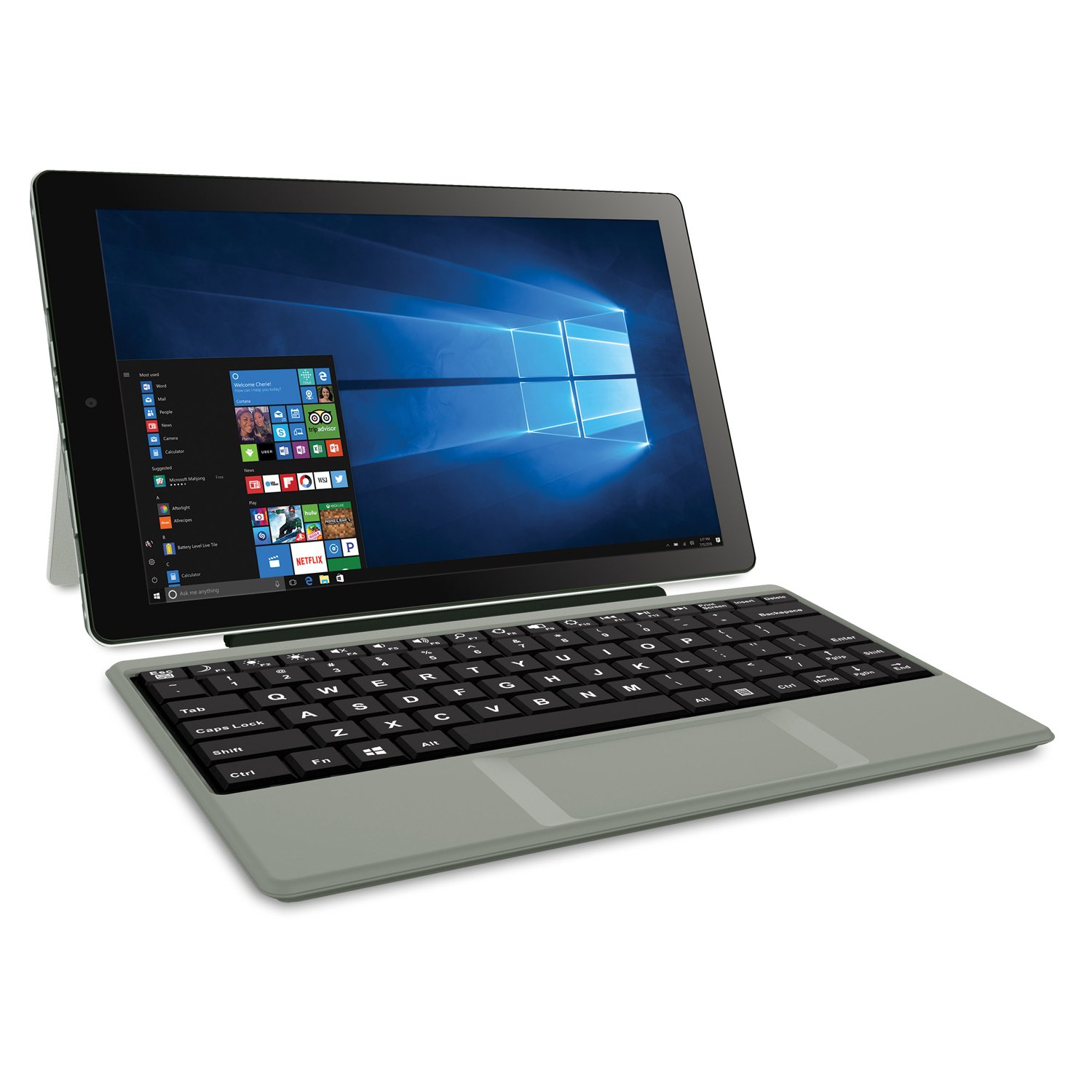
Figure 1.1: RCA Cambio 10.1" Windows Tablet with Detachable Keyboard.
2. Què hi ha a la caixa
Si us plau, comproveu el contingut del paquet per assegurar-vos que hi hagi tots els elements:
- RCA Cambio 10.1" Windows Tablet
- Teclat desmuntable
- Adaptador de CA
3. Configuració inicial
3.1 Càrrega de la tauleta
Before first use, fully charge your RCA Cambio tablet. Connect the included AC adapter to the tablet's charging port and plug it into a power outlet. The charging indicator light will illuminate.
3.2 Connectar el teclat
Align the tablet with the magnetic connector on the detachable keyboard. Gently push the tablet down until it securely clicks into place. The keyboard will automatically connect to the tablet.
3.3 Engegada i configuració inicial de Windows
Press and hold the power button located on the side of the tablet until the screen turns on. Follow the on-screen prompts to complete the initial Windows 10 setup, including language selection, network connection, and user account creation.
4. Operating Your RCA Cambio
4.1 Ús de la pantalla tàctil
The 10.1-inch IPS display supports multi-touch gestures. Use taps, swipes, and pinches to navigate Windows 10 and interact with applications.
4.2 Teclat i trackpad
The detachable keyboard provides a traditional typing experience. The integrated trackpad allows for precise cursor control. Standard Windows keyboard shortcuts are supported.
4.3 Connectivitat
- Wi-Fi: Connect to wireless networks using the built-in 802.11N Wi-Fi. Access network settings via the Windows Action Center or Settings app.
- Bluetooth: Pair with Bluetooth-enabled devices such as headphones, speakers, or mice. Enable Bluetooth in Windows Settings and search for devices.
- Ports USB: The tablet features 1 x micro USB 2.0 and 1 x USB 2.0 port for connecting peripherals like USB drives or external mice.
- Micro HDMI: Connect to an external display or TV using the micro HDMI port for presentations or extended viewing.
4.4 Càmeres
The RCA Cambio is equipped with a front 2MP camera and a rear 2MP camera. Use the built-in Camera app in Windows 10 for photos, videos, and video conferencing.
4.5 Microsoft Office Mobile Apps
Create and edit documents, spreadsheets, and presentations using pre-installed Microsoft Office Mobile apps such as Word Mobile, PowerPoint Mobile, and Excel Mobile. OneNote is also available for note-taking.
5. Manteniment i cura
5.1 Neteja del dispositiu
Use a soft, lint-free cloth to clean the screen and exterior of the tablet. For stubborn smudges, slightly dampNetegeu el drap amb aigua o amb un netejador de pantalles dissenyat per a electrònica. Eviteu productes químics agressius o materials abrasius.
5.2 Cura de la bateria
To maximize battery life, avoid exposing the tablet to extreme temperatures. It is recommended to fully discharge and recharge the battery periodically. Unplug the AC adapter once the battery is fully charged to prevent overcharging.
5.3 Actualitzacions de programari
Comproveu i instal·leu regularment si hi ha actualitzacions de Windows per assegurar-vos que el vostre sistema tingui els pegats de seguretat i les millores de rendiment més recents. Aneu a Configuració > Actualització i seguretat > Actualització de Windows.
6. Solució De Problemes
| Problema | Possible solució |
|---|---|
| La tauleta no s'encén. | Ensure the tablet is charged. Connect the AC adapter and wait a few minutes before attempting to power on again. If unresponsive, perform a hard reset by holding the power button for 10-15 seconds. |
| El teclat no respon. | Ensure the keyboard is securely attached to the tablet's magnetic connector. Detach and reattach the keyboard. Restart the tablet if the issue persists. |
| Problemes de connexió Wi-Fi. | Check if Wi-Fi is enabled in Windows settings. Restart your Wi-Fi router. Forget the network and reconnect. Ensure you are within range of the Wi-Fi signal. |
| Rendiment lent. | Close unnecessary applications. Check for and install Windows updates. Run a disk cleanup to free up storage space. Consider reducing the number of startup programs. |
7. Especificacions
| Característica | Detall |
|---|---|
| Sistema operatiu | Windows 10 Home |
| Processador | Intel Atom Z8350 Quad-Core 1.44 GHz (up to 1.92GHz) |
| Memòria (RAM) | 2 GB |
| Emmagatzematge | 32GB eMMC Flash Memory (MicroSD Card Slot supports up to 128GB) |
| Mostra | 10.1-inch Touchscreen, 1280x800-pixel resolution, IPS display |
| Gràfics | Intel HD Integrated Graphics |
| Càmeres | Frontal 2MP, posterior 2MP |
| Wi-Fi | 802.11 N |
| Bluetooth | Bluetooth 4.0 |
| Ports USB | 1 x micro USB 2.0, 1 x USB 2.0 |
| Ports de vídeo | 1 x micro HDMI |
| Àudio | Combo Mic and Headphones Audio Jack, Mono Speaker |
| Teclat | Detachable Keyboard Included |
| Durada de la bateria | Up to 6 hours (depends on usage) |
| Dimensions (LxWxH) | 10.20 x 6.50 x 1.15 polzades |
| Pes | 2.1 lliures |
8. Garantia i Suport
For detailed warranty information and technical support, please refer to the warranty card included with your product or visit the official RCA support weblloc web. Conserveu el comprovant de compra per a reclamacions de garantia.
Assistència en línia: www.rca.com/support


