Introducció
Thank you for choosing the Teufel One M All-in-One WiFi Bluetooth Streaming Speaker. This device integrates Wi-Fi and Bluetooth streaming capabilities with an internal subwoofer, delivering powerful and immersive audio. This manual provides essential information for the proper setup, operation, and maintenance of your speaker. Please read it thoroughly before use.
Instruccions importants de seguretat
- Font d'alimentació: Only use the provided power cable. Ensure the voltage matches your local power supply. Disconnect the power cable during lightning storms or when unused for extended periods.
- Col·locació: Place the speaker on a stable, flat surface. Avoid direct sunlight, heat sources, or areas with high humidity. Ensure adequate ventilation around the unit.
- Aigua i humitat: Do not expose the speaker to dripping or splashing water. Do not place objects filled with liquids, such as vases, on or near the speaker. The speaker is not waterproof.
- Neteja: Unplug the speaker before cleaning. Use a soft, dry cloth. Do not use liquid cleaners or aerosol sprays.
- Manteniment: Do not attempt to repair the speaker yourself. Refer all servicing to qualified service personnel. Opening the unit voids the warranty.
- Nens: Mantingueu els materials d'embalatge i les peces petites fora de l'abast dels nens per evitar riscos d'asfíxia.
Què s'inclou
- 1 x Teufel One M Speaker
- 1 x cable d'alimentació
Producte acabatview
Controls del panell frontal

Figure 1: Front Panel Controls (Black Model)
The front panel features integrated touch controls for convenient operation:
- Pom de volum: Rotate to adjust the audio volume. Press to mute/unmute.
- Botó Reproduir/Pausa: Press to play or pause the current audio track.
- Track Skip Buttons: Use to skip to the next or previous track.
- Source Selection Buttons: Quickly switch between different audio sources (e.g., Wi-Fi, Bluetooth, Line-In).
Connexions del panell posterior

Figure 2: Rear Panel Connections (Black Model)
The rear panel provides the following connection options:
- Entrada AUX: 3.5mm jack for connecting external audio devices (e.g., turntables, CD players).
- Port LAN: Ethernet port for a wired network connection.
- Port USB: For connecting USB storage devices to play music.
- Botó de restabliment: S'utilitza per restablir el dispositiu a la configuració de fàbrica.
- Botó de configuració: Initiates the Wi-Fi setup process.
- Botó BT: Activa el mode d'emparellament Bluetooth.
- Entrada d'alimentació: Connecteu aquí el cable d'alimentació subministrat.
Configuració
1. Connexió d'alimentació
- Connecteu el cable d'alimentació subministrat al Entrada de potència on the rear panel of the Teufel One M.
- Connecteu l'altre extrem del cable d'alimentació a una presa de corrent adequada.
- The speaker will power on automatically or can be turned on using the power button (if available, or via app).
2. Network Connection (Wi-Fi or LAN)
For Wi-Fi streaming and multiroom functionality, connect your speaker to your home network.
Configuració Wi-Fi:
- Baixeu i instal·leu el Raumfeld App al teu telèfon intel·ligent o tauleta.
- Follow the in-app instructions to connect your Teufel One M to your Wi-Fi network. This typically involves pressing the Botó de configuració al panell posterior.
Connexió LAN:
Alternatively, you can connect the speaker directly to your router using an Ethernet cable via the Port LAN al panell posterior.
3. Emparellament Bluetooth
To stream audio via Bluetooth from your mobile device:
- Premeu el botó Botó BT on the rear panel or select Bluetooth as the source via the front panel controls. The Bluetooth indicator will flash.
- On your smartphone or tablet, go to Bluetooth settings and select "Teufel One M" from the list of available devices.
- Once paired, the Bluetooth indicator will glow steadily, and you can begin streaming audio.
4. Raumfeld App Installation
The Raumfeld app is essential for managing multiroom audio, Wi-Fi streaming services (Spotify, internet radio), and accessing music from USB or NAS drives. Download it from your device's app store.
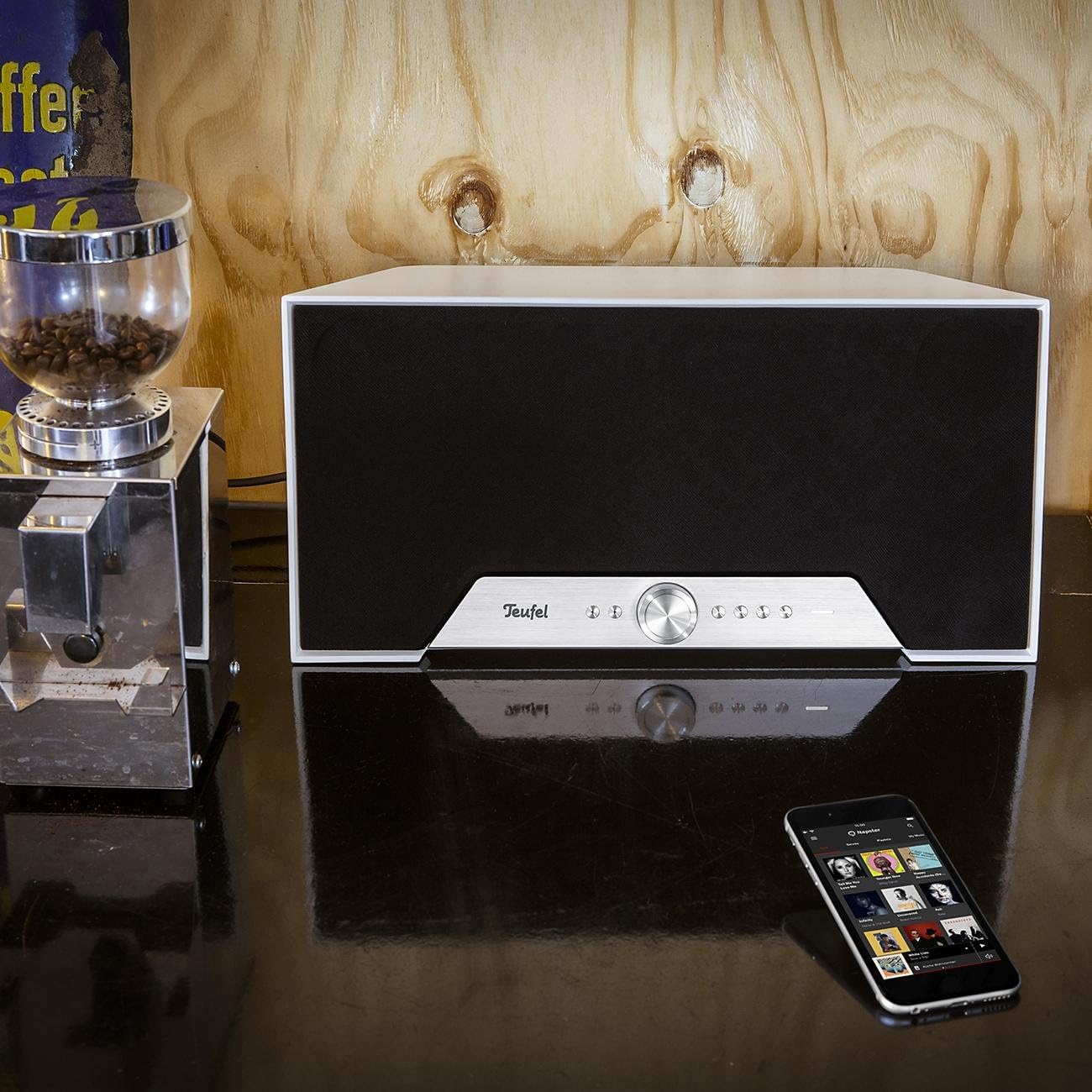
Figure 3: Teufel One M in a home environment (White Model)
Operating Your Teufel One M
Reproducció bàsica
Use the front panel controls for basic functions:
- Premeu el botó Reproduir/Pausa botó per iniciar o aturar la reproducció.
- Gira el Pom de volum per ajustar el nivell de so.
- Utilitza el Salt de pista buttons to navigate through your playlist.
Transmissió Wi-Fi
Utilize the Raumfeld app to access various Wi-Fi streaming options:
- Serveis de música: Stream directly from integrated services like Spotify.
- Ràdio per Internet: Access a wide range of internet radio stations.
- Emmagatzematge local: Reprodueix música files from USB drives connected to the USB port or from Network Attached Storage (NAS) devices on your network.
Reproducció Bluetooth
After successful pairing, select Bluetooth as the source and play audio from your paired device. The speaker will reproduce the sound wirelessly.
Line-In Source
Connect an external audio source (e.g., a turntable or CD player) to the Entrada AUX using a 3.5mm audio cable. Select the Line-In source via the front panel controls or the Raumfeld app to listen to audio from this device.
Mode d'espera intel·ligent
The Teufel One M features a smart standby mode for low power consumption. The speaker will automatically enter standby after a period of inactivity and can be woken up by playing audio via Wi-Fi or Bluetooth, or by interacting with the controls.
Manteniment
Cura i Neteja
To maintain the appearance and performance of your Teufel One M speaker:
- Desendolleu sempre l'altaveu de la presa de corrent abans de netejar-lo.
- Feu servir un drap suau, sec i sense borrissol per netejar les superfícies.
- No utilitzeu netejadors abrasius, ceres o dissolvents, ja que poden danyar l'acabat.
- Avoid spraying liquids directly onto the speaker.
Resolució de problemes
If you encounter issues with your Teufel One M, refer to the following table for common problems and solutions.
| Problema | Causa possible | Solució |
|---|---|---|
| Sense poder | Cable d'alimentació no connectat o presa de corrent no activa. | Ensure the power cable is securely connected to both the speaker and a working power outlet. |
| Sense so | Volume is too low or muted; incorrect source selected; audio cable issues. | Increase volume, check mute status. Verify the correct input source is selected. For Line-In, check cable connections. |
| No es pot connectar a la Wi-Fi | Incorrect Wi-Fi password; speaker out of range; router issues. | Double-check Wi-Fi password. Move speaker closer to router. Restart router and speaker. Use the Raumfeld app for troubleshooting. |
| L'aparellament de Bluetooth falla | L'altaveu no està en mode d'emparellament; el dispositiu ja està emparellat; interferències. | Press the BT button to enter pairing mode. Ensure no other device is connected. Try pairing again. |
| Multiroom not working | Network issues; Raumfeld app not configured correctly. | Ensure all speakers are on the same network. Check Raumfeld app settings and update if necessary. Note: Teufel One M is not compatible with Teufel Home series products or the Teufel Home app. |
Especificacions tècniques
| Característica | Valor |
|---|---|
| Nom del model | ONE M |
| Número de model de l'article | 105404002 |
| Marca | Teufel |
| Color | Blanc |
| Dimensions del producte (L x A x A) | 19 x 42 x 20.5 cm |
| Tipus de material | Plastic or lacquered material |
| Tipus d'altaveu | All-in-one streaming speaker |
| Mode de sortida d'àudio | estèreo |
| Configuració del canal de so envoltant | 2.1 |
| Potència màxima de sortida de l'altaveu | 120 watts |
| Nombre de ponents | 1 |
| Tecnologia de connectivitat | Bluetooth, WiFi |
| Tecnologia de comunicació sense fils | Bluetooth, WiFi |
| Mètode de control | Toca |
| Font d'alimentació | Cable elèctric |
| Dispositius compatibles | Smartphones, tablets, computers |
| Característiques especials | Multi-room audio, High-res audio, Wi-Fi and Bluetooth streaming |
| Usos recomanats per al producte | For music player |
| Tipus de muntatge | Muntatge de sobretaula |
| És impermeable | Fals |
| Components inclosos | 1 cable d'alimentació |
| Nombre d'articles | 1 |
| Data de primera disponibilitat | 7 de desembre de 2017 |
Garantia i assistència al client
Your Teufel One M speaker comes with a limited warranty. For specific details regarding the warranty period and coverage, please refer to the warranty card included with your product or visit the official Teufel weblloc.
For technical support, troubleshooting assistance, or inquiries about spare parts, please contact Lautsprecher Teufel GmbH directly. Contact information can typically be found on their official weblloc web o a la documentació del producte.


