1. Introducció
Thank you for choosing the Defunc Plus Wireless Bluetooth Headphones. This manual provides essential information for the proper setup, operation, and maintenance of your device. Please read it thoroughly before use to ensure optimal performance and longevity.

Imatge 1.1: Frontal view of the Defunc Plus Wireless Bluetooth Headphones, showcasing the over-ear design and gold finish.
2. Informació de seguretat
- No exposeu els auriculars a temperatures extremes, humitat ni líquids.
- Eviteu deixar caure els auriculars ni sotmetre'ls a impactes forts.
- No intenteu desmuntar ni modificar els auriculars. Això pot anul·lar la garantia i causar danys.
- Mantenir fora de l'abast dels nens.
- Escolteu a un volum moderat per evitar danys auditius.
- Desfeu-vos del producte i de la bateria de manera responsable d'acord amb la normativa local.
3. Contingut del paquet
Verify that all items are present in your Defunc Plus headphone package:
- Defunc Plus Wireless Bluetooth Headphones
- Cable de càrrega USB
- Cable d'àudio (3.5 mm)
- Manual d'instruccions

Image 3.1: The retail packaging for the Defunc Plus Wireless Bluetooth Headphones, showing the product inside.
4. Configuració
4.1 Càrrega dels auriculars
- Connecteu l'extrem petit del cable de càrrega USB al port de càrrega dels auriculars.
- Connecteu l'extrem més gran del cable USB a un adaptador de corrent USB (no inclòs) o al port USB d'un ordinador.
- The LED indicator light will illuminate to show charging status. Refer to the LED indicator section for details.
- Charging typically takes approximately 2-3 hours for a full charge.
4.2 Engegada/apagada
- Per encendre: Press and hold the Power button for approximately 3 seconds until the LED indicator flashes.
- Per apagar: Premeu i manteniu premut el botó d'engegada durant aproximadament 3 segons fins que l'indicador LED s'apagui.
4.3 Vinculació Bluetooth
- Assegureu-vos que els auriculars estiguin completament carregats i apagats.
- Premeu i manteniu premut el botó d'engegada durant aproximadament 5-7 segons fins que l'indicador LED parpellegi en blau i vermell alternativament, cosa que indica el mode d'emparellament.
- Al dispositiu (telèfon intel·ligent, tauleta, ordinador), activeu el Bluetooth i cerqueu els dispositius disponibles.
- Select "Defunc Plus" from the list of found devices.
- Once paired, the LED indicator on the headphones will flash blue periodically.
4.4 Connexió per cable
The Defunc Plus headphones can also be used with an audio cable:
- Connecteu un extrem del cable d'àudio de 3.5 mm a la presa d'entrada d'àudio dels auriculars.
- Connecteu l'altre extrem del cable d'àudio de 3.5 mm a la presa de sortida d'àudio del vostre dispositiu.
- When connected via cable, the Bluetooth function is automatically disabled.
5. Funcionament dels auriculars
5.1 Controls
The headphones feature integrated controls for easy management of audio playback and calls:
- Botó d'encesa: Encendre/apagar, entrar en mode d'emparellament.
- Puja el volum (+): Augmenta el volum.
- Baixar el volum (-): Disminuir el volum.
- Multi-function Button (often integrated with Power or separate): Play/Pause, Answer/End Call. (Specific functionality may vary, refer to quick start guide for exact button mapping).

Imatge 5.1: Primer pla view of the right ear cup, highlighting the control buttons for volume and playback.
5.2 Com posar-se els auriculars
Adjust the headband to ensure a comfortable and secure fit. The earcups should fully cover your ears for optimal sound isolation and comfort.
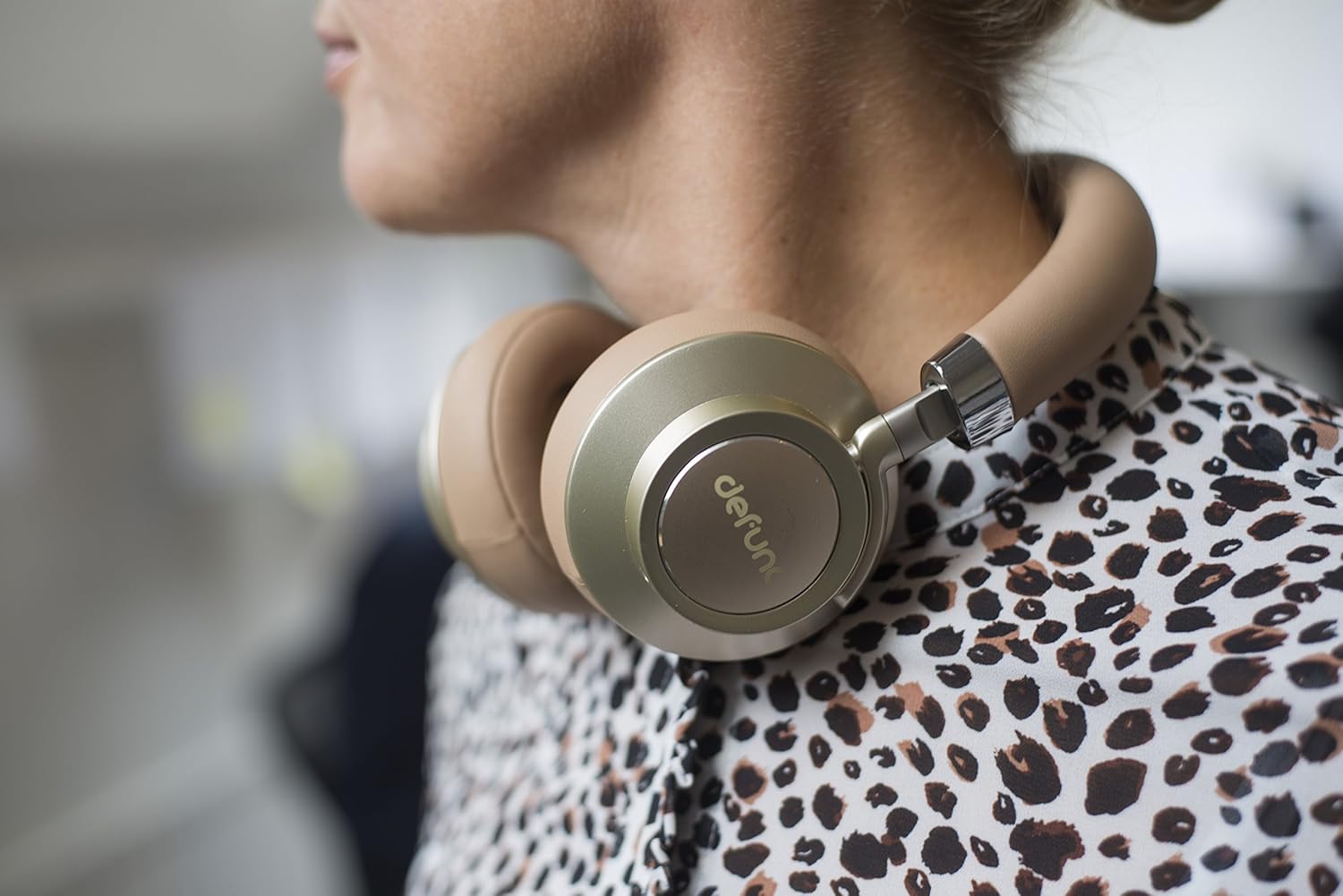
Image 5.2: A person wearing the Defunc Plus headphones, demonstrating the comfortable over-ear fit.
6. Manteniment
6.1 Neteja
- Use a soft, dry cloth to wipe the exterior of the headphones.
- No utilitzeu netejadors abrasius, alcohol ni dissolvents químics.
- Gently clean ear cushions with a slightly damp drap si cal i deixeu-les assecar completament a l'aire abans d'utilitzar-les.
6.2 Emmagatzematge
When not in use, store the headphones in a cool, dry place, away from direct sunlight and extreme temperatures. The flat-folding design allows for compact storage.

Image 6.1: The Defunc Plus headphones resting on a surface, illustrating their design when not in use.
7. Solució De Problemes
| Problema | Causa possible | Solució |
|---|---|---|
| Els auriculars no s'encenen | Bateria baixa | Carregueu els auriculars completament. |
| No es pot emparellar per Bluetooth | Not in pairing mode; device Bluetooth off; too far from device | Ensure headphones are in pairing mode (flashing blue/red). Turn on Bluetooth on your device. Move headphones closer to your device (within 10m). |
| Sense so | Volum massa baix; font d'àudio incorrecta; auriculars no connectats | Augmenta el volum dels auriculars i del dispositiu. Comprova si els auriculars estan correctament emparellats o connectats mitjançant un cable d'àudio. Assegura't que la sortida d'àudio correcta estigui seleccionada al dispositiu. |
| Mala qualitat del so | Weak Bluetooth signal; interference; low quality audio file | Move closer to your device. Avoid sources of interference (e.g., Wi-Fi routers). Try a different audio source or file. |
8. Especificacions
- Número de model: D1037
- Tecnologia de comunicació sense fils: Bluetooth 4.0
- Col·locació de les orelles: Sobre l'orella
- Tecnologia de connectivitat: Wireless (Bluetooth) / Wired (3.5mm audio cable)
- Temps de joc: Minimum 12 hours (wireless)
- Tipus de control: Control de volum
- Pes de l'article: 3.52 unces (0.1 quilograms)
- Dimensions del producte: 1.97 x 8.66 x 8.66 polzades
- Bateries: 1 bateria de polímer de liti (obligatòria)
- Fabricant: DeFunc
9. Garantia i Suport
Defunc products are designed and manufactured to the highest quality standards. For information regarding warranty coverage, please refer to the warranty card included with your product or visit the official Defunc website. For technical support or further assistance, please contact Defunc customer service through their official channels.
Assistència en línia: Visit the Defunc Store on Amazon


