1. Introducció
This manual provides essential information for the safe and effective operation, maintenance, and troubleshooting of your DJI Mavic Air Quadcopter. Please read this manual thoroughly before using the product.
2. Producte acabatview
The DJI Mavic Air is a portable and foldable quadcopter featuring a 3-axis gimbal with a 4K camera, advanced flight technologies, and intelligent features for an enhanced aerial experience. It is designed for ease of use and high-quality imaging.

Figura 2.1: Frontal view of the DJI Mavic Air drone, showcasing its camera and forward sensors.

Figura 2.2: Angle view of the DJI Mavic Air drone, highlighting its sleek design and propellers.

Figure 2.3: The DJI Mavic Air drone in its folded, compact state, ready for transport.
3. Configuració
3.1 Desembalatge i identificació de components
Carefully unpack all components from the packaging. Verify that all items listed below are present.

Figura 3.1: Un excésview of all included components in the DJI Mavic Air package.
- MAVIC AIR Aircraft
- MAVIC AIR Remote Controller
- MAVIC AIR Intelligent Flight Battery
- MAVIC AIR Gimbal Protector
- MAVIC AIR Quick-Release Propellers (4 pairs)
- MAVIC AIR Control Sticks (2 pairs)
- MAVIC AIR Carrying Case
- MAVIC AIR Propeller Guards (set)
- Charger and power cable
- RC cables (Lightning, standard micro USB, USB Type-C)
- Communication cable (USB3.0 Type-C)
- Adaptador USB
3.2 Càrrega de la bateria
- Connecteu el carregador a una presa de corrent.
- Connect the Intelligent Flight Battery to the charger.
- Allow the battery to charge fully before first use. The battery level indicators will show charging status.
3.3 Instal·lació de l'hèlix
- Assegureu-vos que l'avió estigui apagat.
- Match the propellers with the corresponding motor bases (silver caps with silver caps, black caps with black caps).
- Press down on the propeller and rotate in the lock direction indicated on the propeller until it is securely fastened.
3.4 Configuració del comandament a distància
- Unfold the remote controller's arms and antenna.
- Screw the control sticks into place.
- Extend the mobile device clamps and securely mount your smartphone.
- Connect your smartphone to the remote controller using the appropriate RC cable.

Figure 3.2: The DJI Mavic Air remote controller with its foldable design and detachable control sticks.
3.5 DJI GO 4 App Installation
Download and install the DJI GO 4 app on your mobile device from the official app store. This app is essential for controlling the drone, accessing intelligent flight modes, and viewel feed de la càmera.
4. Instruccions de funcionament
4.1 Controls bàsics de vol
Familiarize yourself with the remote controller's joysticks and buttons. The left stick typically controls altitude and yaw, while the right stick controls forward/backward and left/right movement. Refer to the DJI GO 4 app for a detailed control scheme and tutorial.
4.2 Funcionament de la càmera
The Mavic Air is equipped with a 12.0MP camera capable of shooting 4K video at 30 fps. It supports Adobe DNG RAW for still images. The 3-axis gimbal stabilizes the camera for smooth video and sharp photos, even during high-speed maneuvers. The drone can also stitch 25 photos in eight seconds to create crystal clear 32.0MP sphere panoramas.
4.3 Funcions de vol intel·ligents
- SmartCapture: Control the Mavic Air by hand gestures. Launch, control, and take photos or videos with intuitive hand movements.
- QuickShots: Pre-programmed flight paths for cinematic video capture (e.g., Rocket, Dronie, Circle, Helix, Asteroid, Boomerang).
- ActiveTrack: The drone can automatically follow a subject, keeping it in the frame.
- TapFly: Tap a point on your screen, and the Mavic Air will fly to that location while avoiding obstacles.
4.4 Directrius de seguretat
The Mavic Air incorporates five vision sensors, GPS and GLONASS, ultrasonic range finders, and redundant sensors to ensure safe flight. Always operate the drone in open areas, away from people, buildings, and obstacles. Adhere to local regulations regarding drone operation. The maximum flight time per charge is approximately 21 minutes.
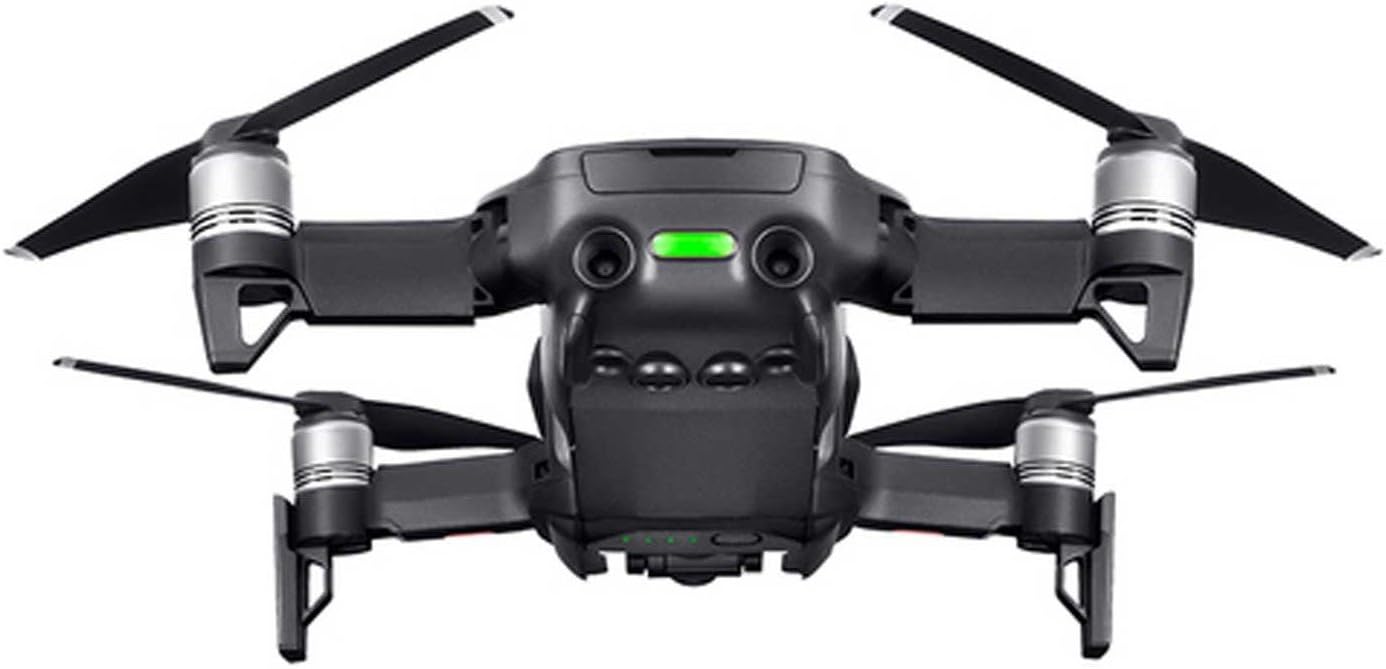
Figura 4.1: posterior view of the DJI Mavic Air drone, displaying the rear vision sensors.
5. Manteniment
5.1 Neteja
- Regularly clean the drone's body, propellers, and camera lens with a soft, dry cloth.
- Ensure no dust or debris obstructs the vision sensors or gimbal.
5.2 Inspecció i substitució de l'hèlix
- Inspect propellers before each flight for cracks, bends, or damage.
- Replace any damaged propellers immediately to ensure flight stability and safety.
5.3 Cura i emmagatzematge de la bateria
- Store Intelligent Flight Batteries in a cool, dry place, away from direct sunlight.
- For long-term storage, discharge batteries to 50-60% capacity.
- Eviteu sobrecarregar o descarregar completament les bateries.
5.4 actualitzacions de microprogramari
Periodically check for and install firmware updates via the DJI GO 4 app. Firmware updates often include performance improvements, new features, and bug fixes.
6. Solució De Problemes
If you encounter issues with your DJI Mavic Air, consider the following common troubleshooting steps:
- Sense senyal GPS: Ensure you are flying in an open outdoor area with a clear view del cel.
- Problemes de connexió: Restart both the drone and the remote controller. Ensure your mobile device is properly connected to the remote controller.
- Mal funcionament del cardan: Check for any physical obstructions around the gimbal. Recalibrate the gimbal through the DJI GO 4 app.
- Inestabilitat de vol: Inspect propellers for damage and ensure they are correctly installed. Perform IMU calibration if necessary.
- Bloqueig de l'aplicació: Ensure your DJI GO 4 app is updated to the latest version and your mobile device meets the minimum system requirements.
For more detailed troubleshooting, refer to the official DJI support resources.
7. Especificacions
| Característica | Detall |
|---|---|
| Marca | DJI |
| Nom del model | Mavic Air |
| Número de model de l'article | CP.PT.00000130.01 |
| Color | Negre |
| Pes de l'article | 15.2 unces |
| Dimensions del producte | 6.5 cm de llargada x 1.57 cm d'amplada x 3.24 cm d'alçada |
| Resolució de captura de vídeo | FHD 1080p (Output: 3840x2160 4K) |
| Resolució de fixes efectius | 12 MP |
| Format d'imatge compatible | DNG |
| Interval màxim | 6562 peus |
| Temps de vol màxim | 21 minuts |
| Tipus de bateria | Polímer de liti |
| Característiques especials | 3-Axis Gimbal Camera; 3-Directional Environment Sensing; Foldable and Portable; SmartCapture |
8. Informació de la garantia
The DJI Mavic Air Quadcopter is covered by a manufacturer's warranty. Please refer to the official DJI website or the warranty card included with your product for specific terms, conditions, and duration of the warranty. Keep your proof of purchase for warranty claims.
9. Suport
For further assistance, technical support, or to download the latest version of the user manual, please visit the official DJI support website. You can also access the user manual in PDF format directly via this link: DJI Mavic Air User Manual (PDF).
Note: No relevant official product videos from the seller were found for embedding in this manual.


