Introducció
This manual provides detailed instructions for the setup, operation, maintenance, and troubleshooting of your KLIM Chroma Gaming Keyboard. Please read this manual thoroughly to ensure optimal performance and longevity of your device.
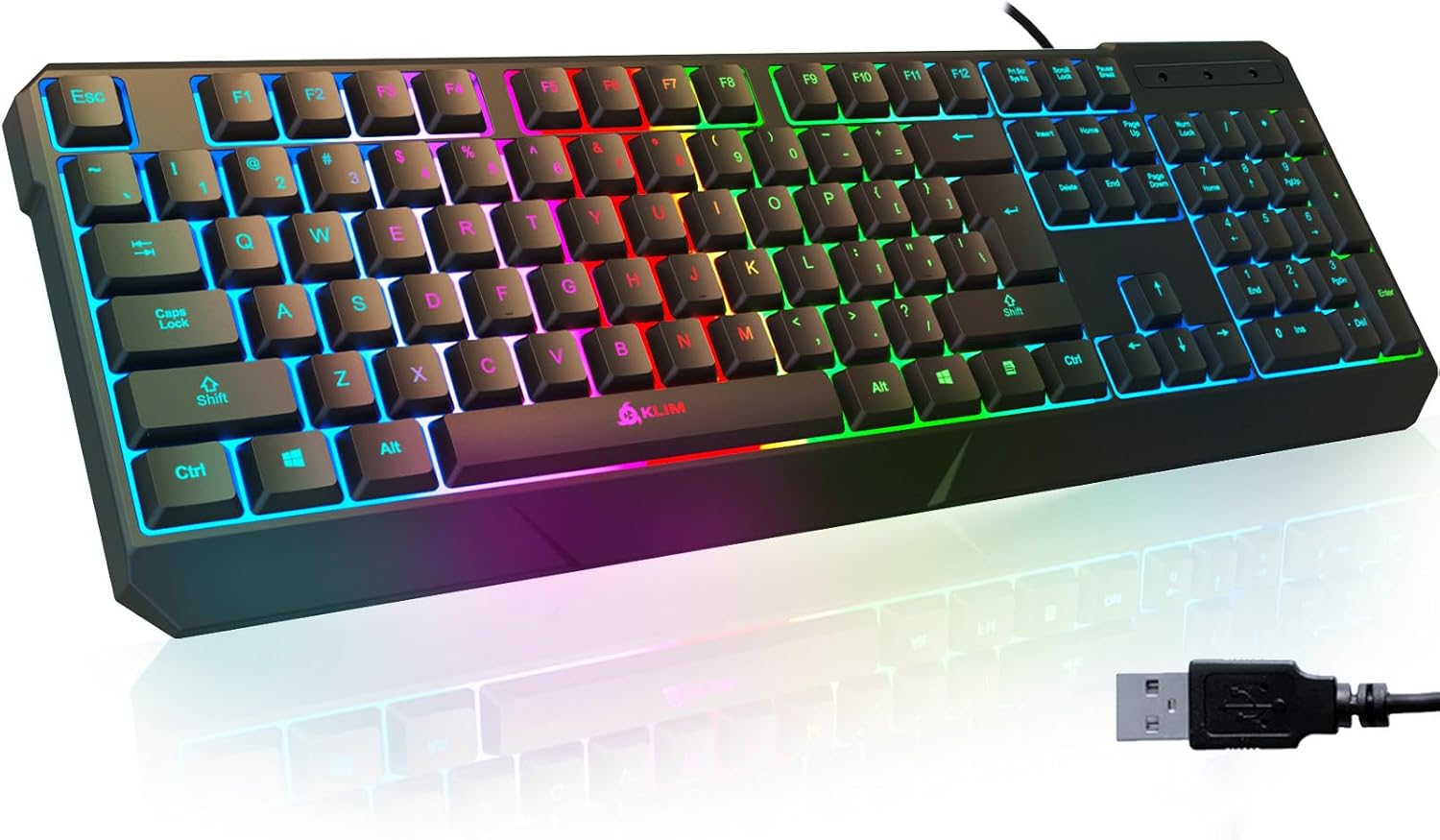
Image: The KLIM Chroma Gaming Keyboard, showcasing its full layout with vibrant RGB backlighting and the attached USB connector.
Característiques del producte
- Temps de resposta ràpida: Optimized for gaming and professional use with a 2ms response time.
- Vivid Backlighting: Integrated low-lighting feature with vivid color mixing lights for enhanced visibility in dim conditions. Characters are laser-engraved for clarity.
- Durabilitat: Keys designed to withstand up to 10,000,000 keystrokes. Constructed with sturdy ABS plastic.
- Disseny impermeable: Resistant to accidental spills.
- Disseny ergonòmic: Features kickstands and a mid-low keycap design for improved comfort.
- Àmplia compatibilitat: Compatible with Windows XP/ME/Vista/7/8/10/11, Mac OS, PS4, PS5, PC desktops, and laptops.
- Plug & Play: No calen controladors per a la instal·lació.

Imatge: Una imatge superior view of the KLIM Chroma keyboard, illustrating its outstanding performance features such as fast response time, improved typing speed, and quiet operation.
Instruccions de configuració
- Desembalatge: Traieu amb cura el teclat del seu embalatge.
- Connexió: Locate an available USB port on your computer or gaming console. Insert the USB connector of the KLIM Chroma Gaming Keyboard into the USB port.
- Instal·lació automàtica: The keyboard is designed for Plug & Play functionality. Your operating system should automatically detect and install the necessary drivers. No manual driver installation is typically required.
- Verificació: Once connected, the keyboard's backlighting should illuminate, indicating it is powered on and ready for use. Test key presses to confirm functionality.

Image: The KLIM Chroma keyboard emphasizing its instant connectivity and plug-and-play functionality, requiring no additional drivers.
Instruccions de funcionament
Control de la llum de fons
- Activa/desactiva la retroiluminació: Premeu el botó Bloqueig de desplaçament key to turn the backlighting on or off.
- Ajusta la brillantor: Utilitza el Fn + Pàg amunt keys to increase backlight brightness and Fn + Pàg avall keys to decrease backlight brightness.
- Canvia el mode d'il·luminació: The keyboard features various lighting modes. Press Fn + Bloqueig de desplaçament to cycle through available lighting effects.
Tecles multimèdia i de funció
The KLIM Chroma keyboard includes dedicated function keys (F1-F12) that can be combined with the Fn key to access multimedia controls and other shortcuts.
| Combinació de tecles | Funció |
|---|---|
| Fn + F1 | Obriu el reproductor multimèdia |
| Fn + F2 | Baixa el volum |
| Fn + F3 | Puja el volum |
| Fn + F4 | Silenciar |
| Fn + F5 | Atura la reproducció |
| Fn + F6 | Pista anterior |
| Fn + F7 | Reproduir/Pausa |
| Fn + F8 | Pista següent |
| Fn + F9 | Obre el correu electrònic |
| Fn + F10 | Obert Web Navegador |
| Fn + F11 | Bloquejar el teclat |
| Fn + F12 | Obriu la calculadora |

Image: The KLIM Chroma keyboard showcasing its stunning RGB lighting effects, enhancing the visual appeal of a desktop setup.
Manteniment
- Neteja: Feu servir un drap suau i sec per netejar la superfície del teclat. Per a la brutícia persistent, netegeu lleugerament.amp Es pot fer servir un drap amb sabó suau, assegurant-se que no entri líquid als interruptors de clau.
- Eliminació de pols: Feu servir aire comprimit per eliminar la pols i les restes que hi ha entre les tecles.
- Gestió de vessaments: Although the keyboard is waterproof, it is recommended to immediately disconnect it and allow it to dry completely if a spill occurs. Do not use the keyboard while it is wet.
- Emmagatzematge: Guardeu el teclat en un lloc fresc i sec, allunyat de la llum solar directa i de temperatures extremes quan no l'utilitzeu durant períodes prolongats.

Image: The KLIM Chroma keyboard being splashed with water, illustrating its ultra-durable and spill-proof construction.
Resolució de problemes
- El teclat no respon:
- Assegureu-vos que el cable USB estigui connectat correctament tant al teclat com a l'ordinador/consola.
- Prova de connectar el teclat a un port USB diferent.
- Reinicieu l'ordinador o la consola.
- Test the keyboard on another device to rule out a device-specific issue.
- La llum de fons no funciona:
- Premeu el botó Bloqueig de desplaçament key to ensure the backlight is toggled on.
- Ajusta la brillantor amb Fn + Page Up/Page Down.
- Claus que no es registren:
- Comproveu si hi ha obstruccions físiques o residus sota la tapa de les tecles.
- Perform a general cleaning as described in the Maintenance section.
- Comportament inesperat:
- Assegureu-vos que el vostre sistema operatiu estigui actualitzat.
- If using on a console, ensure the console's firmware is updated.
Especificacions
| Característica | Detall |
|---|---|
| Model | k907 |
| Marca | Klim |
| Connectivitat | USB per cable |
| Temps de resposta | 2 ms |
| Durabilitat clau | Up to 10,000,000 keystrokes |
| Material | Plàstic ABS |
| Característiques especials | Backlit (RGB), Ergonomic, Water Resistant, Waterproof |
| Sistema operatiu compatible | Windows XP/ME/Vista/7/8/10/11, Mac OS |
| Dispositius compatibles | PC, Laptop, PS4, PS5, Gaming Console |
| Dimensions del producte | 44 x 14.4 x 2.9 cm (17.3L x 5.7W x 1.1H inches) |
| Pes | 460 g (1.01 lliures) |

Imatge: Un costat view of the KLIM Chroma keyboard, detailing its ergonomic design with a stepped-key layout and foldable kickstands for adjustable inclination.
Garantia i Suport
The KLIM Chroma Gaming Keyboard comes with a 5 any de garantia, reflecting the manufacturer's confidence in its quality and durability.
For any issues, questions, or support needs, please contact KLIM customer service. You can typically find contact information on the manufacturer's official weblloc web o a través del venedor on es va comprar el producte.
Suport per correu electrònic: support@klimtechnologies.com

Image: An illustration demonstrating the wide compatibility of the KLIM Chroma keyboard with various platforms including PC, Mac, PlayStation 4, PlayStation 5, Xbox One, and Xbox Series X.


