1. Introducció
The Goobay 79366 Keystone Empty Housing with 2 ports is designed for the quick, flexible, and individual integration of various network and multimedia modules. This distribution box accommodates standard Keystone modules such as RJ45 sockets, HDMI connectors, or USB connectors, allowing for customized wall plate configurations. Its snap-in mounting system simplifies installation, requiring no specialized technical knowledge or soldering.
2. Informació de seguretat
- Ensure all power is disconnected before installation or maintenance to prevent electrical shock.
- Aquest producte només està pensat per a ús interior.
- Do not expose the housing to moisture, extreme temperatures, or direct sunlight.
- Use only standard Keystone modules that fit securely into the housing.
- Mantenir fora de l'abast dels nens.
3. Contingut del paquet
- 1x Goobay 79366 Keystone Empty Housing (2 Ports)
4. Configuració i instal·lació
The Goobay 79366 Keystone Empty Housing is designed for straightforward installation of Keystone modules and mounting to a surface.
4.1 Installing Keystone Modules
- Select the desired Keystone modules (e.g., RJ45, HDMI, USB) for your application.
- Align each Keystone module with an opening in the housing. The modules are designed to snap into place.
- Gently push the module into the opening until it clicks securely. No special tools are required for this step.
- The Keystone holders allow connectors to be rotated up to 180° using the snap-in system. This feature is particularly useful for routing cables without excessive bending, especially with flat housings.
- To remove a module, gently press the release tab (usually located on the top or bottom of the module) and pull the module out.
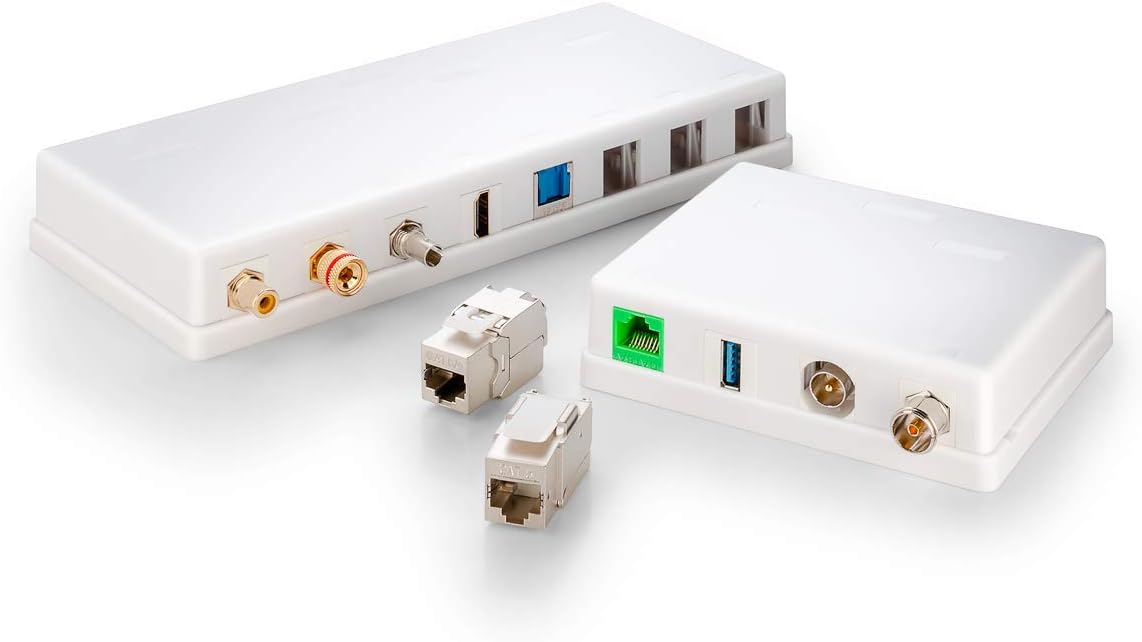
Image: Goobay Keystone Empty Housings shown with various compatible Keystone modules like RJ45, USB, and coaxial connectors, illustrating the versatility of the system.
4.2 Mounting the Housing
Once the Keystone modules are installed, the housing can be mounted to a wall or surface. A screwdriver is typically sufficient for this process.
- Position the housing at the desired mounting location.
- Mark the screw holes on the surface.
- Drill pilot holes if necessary, depending on the surface material.
- Secure the housing using appropriate screws (not included). Ensure it is firmly attached.
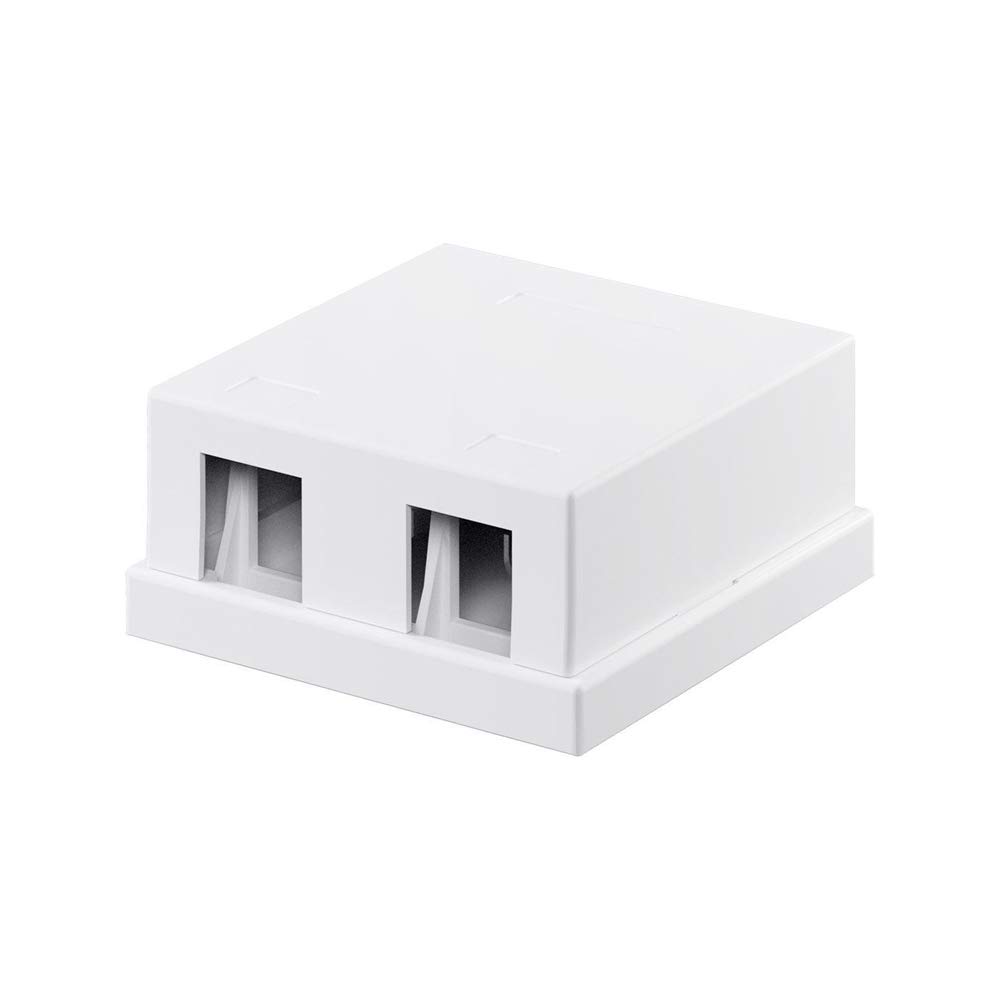
Imatge: Frontal view of the Goobay 79366 Keystone Empty Housing, showcasing its compact design and two port openings for module insertion.
5. Instruccions de funcionament
After successful installation of the Keystone modules and mounting of the housing, the unit functions as a wall plate for the integrated connectors. Simply connect your devices (e.g., network cables, HDMI cables, USB devices) to the respective modules as you would with any standard wall outlet.
6. Manteniment
- Neteja: Clean the housing with a soft, dry cloth. Do not use abrasive cleaners, solvents, or harsh chemicals, as these may damage the surface.
- Inspecció: Periodically check the housing and connections for any signs of wear, damage, or loose fittings.
7. Solució De Problemes
- Module not fitting: Ensure you are using standard Keystone modules. Some non-standard modules may not fit correctly. Do not force modules into the openings.
- Difficulty removing a module: Ensure you are pressing the release tab firmly while pulling the module out. Avoid excessive force to prevent damage to the housing or module.
- Cable bending issues: Utilize the 180° rotation feature of the Keystone holders to adjust the angle of the connector and facilitate proper cable routing.
- No signal/connection: This is typically related to the installed Keystone module or the connected cables/devices, not the empty housing itself. Refer to the instructions for your specific Keystone module and connected equipment.
8. Especificacions
| Característica | Especificació |
|---|---|
| Marca | Goobay |
| Número de model | 79366 |
| Dimensions del producte | 18 x 2 x 18 cm; 25 g (packaging dimensions) |
| Actual Product Dimensions | 2.8 x 6.1 x 2.8 cm (depth x width x height) |
| Color | Blanc |
| Material | Plàstic ABS |
| Nombre de Ports | 2 |
| Tipus d'instal·lació | Muntatge en superfície |
| Compatibilitat | Standard Keystone Modules (RJ45, HDMI, USB, etc.) |
| País d'origen | Xina |
9. Informació de la garantia
Goobay products are manufactured with quality and reliability in mind. This product comes with a standard limited warranty against defects in materials and workmanship under normal use. Please retain your proof of purchase for warranty claims. For specific warranty terms and conditions, refer to the Goobay official weblloc o contacteu amb el servei d'atenció al client.
10. Suport
If you encounter any issues or have questions regarding the Goobay 79366 Keystone Empty Housing, please visit the official Goobay website for FAQs, additional resources, or to contact customer support.
Weblloc: www.goobay.de
Please note that support availability and contact methods may vary by region.


