1. Introducció
Thank you for choosing the Rampage SMX-R12 Hawker Gaming Mouse. This manual provides detailed instructions for setting up, operating, and maintaining your new gaming mouse. The SMX-R12 Hawker is designed for precision and comfort, featuring an advanced optical sensor, adjustable DPI settings, and multiple programmable buttons to enhance your gaming experience.
2. Producte acabatview
Familiarize yourself with the components of your Rampage SMX-R12 Hawker Gaming Mouse:
- Botó esquerre de clic: Funció de clic principal estàndard.
- Botó dret: Funció de clic secundari estàndard.
- Roda de desplaçament: For scrolling and can also function as a middle click button.
- Botons d'ajust de DPI: Buttons to cycle through different DPI sensitivity levels.
- Botons Endavant/Enrere: Side-mounted buttons for navigation or custom functions.
- Sensor òptic: Located on the bottom, provides high-resolution tracking.
- Interruptor d'encesa/apagada: Located on the bottom, to power the mouse on or off.
- Port de càrrega micro USB: Located at the front, for charging the internal battery.
- Receptor USB: Small dongle for wireless connectivity, often stored in a compartment on the mouse's bottom.

Figura 2.1: superior view of the Rampage SMX-R12 Hawker Gaming Mouse, showing the left/right click buttons, scroll wheel, and DPI adjustment buttons.

Figura 2.2: lateral view of the Rampage SMX-R12 Hawker Gaming Mouse, highlighting the ergonomic design and side buttons.

Figura 2.3: A baix view of the Rampage SMX-R12 Hawker Gaming Mouse, showing the optical sensor, On/Off switch, and USB receiver storage compartment.
3. Configuració
- Desempaqueta el ratolí: Carefully remove the mouse and its accessories from the packaging. Ensure you have the Rampage SMX-R12 Hawker mouse, the USB wireless receiver, and the micro USB charging cable.
- Localitza el receptor USB: The small USB wireless receiver is typically stored in a compartment on the bottom of the mouse for safe keeping during transport. Remove it from its slot.
- Connecteu el receptor USB: Plug the USB wireless receiver into an available USB port on your computer. Your operating system should automatically detect and install the necessary drivers.
- Engegar el ratolí: Locate the On/Off switch on the bottom of the mouse and slide it to the 'On' position. The mouse should now connect wirelessly to your computer.
- Initial Charge (Recommended): For optimal performance, it is recommended to fully charge the mouse before first use. Connect the micro USB charging cable to the mouse's charging port and the other end to a USB power source (e.g., computer USB port, USB wall adapter).
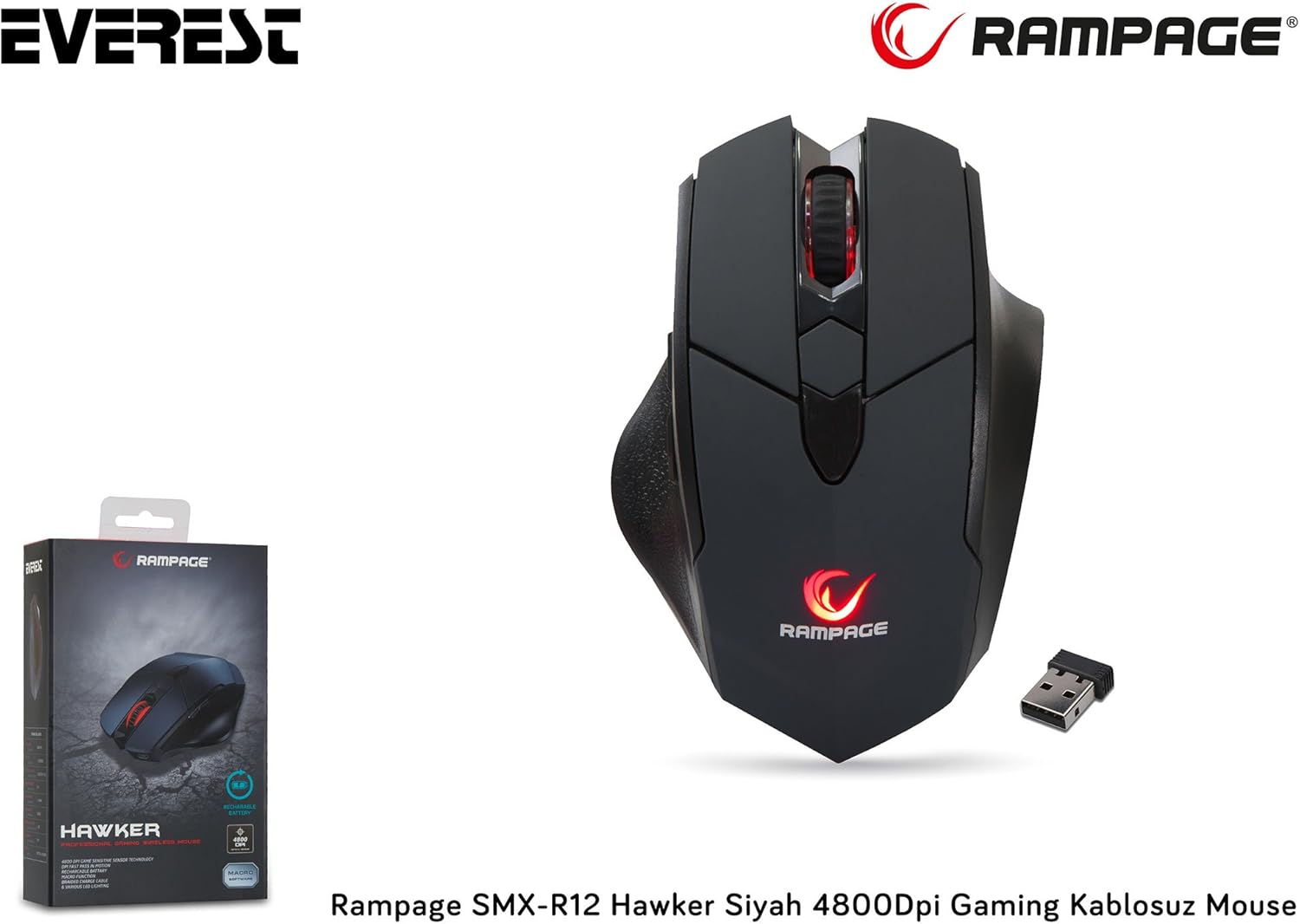
Figure 3.1: The Rampage SMX-R12 Hawker Gaming Mouse with its USB receiver and charging cable.
4. Instruccions de funcionament
Once connected, your Rampage SMX-R12 Hawker mouse is ready for use. Here are its primary functions:
- Navegació bàsica: Move the mouse across a flat surface to control the cursor on your screen.
- Fent clic: Use the left and right click buttons for primary and secondary actions.
- Desplaçament: Rotate the scroll wheel up or down to navigate through documents and web pages. Press the scroll wheel for a middle-click function.
- Botons laterals: The side buttons typically function as 'Forward' and 'Backward' in web navegadors i file explorers. These buttons may be programmable through specific software (if available from the manufacturer) for custom in-game actions.
5. Configuració de DPI
El Rampage SMX-R12 Hawker features an optical sensor with adjustable DPI (Dots Per Inch) settings, allowing you to change the mouse's sensitivity on the fly. Higher DPI means the cursor moves further with less physical mouse movement, ideal for fast-paced gaming. Lower DPI provides more precise control, suitable for tasks requiring accuracy.
Use the dedicated DPI adjustment buttons (usually located behind the scroll wheel) to cycle through the available DPI levels. The mouse typically has visual indicators (e.g., LED color changes) to show the current DPI setting, though specific details may vary.
The mouse supports a maximum DPI of 4800, offering a wide range of sensitivity options.
6. Càrrega del ratolí
El Rampage SMX-R12 Hawker Gaming Mouse is equipped with a rechargeable internal battery, eliminating the need for disposable batteries. When the battery level is low, the mouse's indicator light may flash or change color.
- Connecteu el cable: Insert the micro USB end of the charging cable into the charging port located at the front of the mouse.
- Connecteu-vos a l'alimentació: Plug the standard USB-A end of the charging cable into a powered USB port on your computer or a USB wall adapter.
- Indicador de càrrega: The mouse will typically display an LED indicator to show that it is charging. This light may turn solid when fully charged.
- Temps de càrrega: A full charge usually takes a few hours. You can continue to use the mouse while it is charging.

Figure 6.1: The micro USB charging port located at the front of the Rampage SMX-R12 Hawker Gaming Mouse.
7. Manteniment
Per garantir la longevitat i el rendiment òptim del ratolí, seguiu aquestes pautes de manteniment:
- Neteja: Feu servir un drap suau i sec per netejar la superfície del ratolí. Per a la brutícia persistent, netegeu lleugerament.ampRenta el drap amb aigua. Evita utilitzar productes químics agressius o materials abrasius.
- Neteja del sensor: Occasionally, dust or debris may accumulate around the optical sensor. Use a cotton swab or compressed air to gently clean the sensor area.
- Cura de la bateria: Per allargar la durada de la bateria, eviteu descarregar completament el ratolí amb freqüència. Carregueu-lo quan aparegui l'indicador de bateria baixa.
- Emmagatzematge: When not in use, especially during travel, store the USB receiver in its designated compartment on the mouse's bottom to prevent loss.
8. Solució De Problemes
If you encounter issues with your Rampage SMX-R12 Hawker mouse, refer to the following common solutions:
| Problema | Possible solució |
|---|---|
| El ratolí no respon |
|
| Cursor erràtic o saltant |
|
| El ratolí no es carrega |
|
| Els botons laterals no funcionen |
|
9. Especificacions
| Característica | Detall |
|---|---|
| Marca | Rampedat |
| Model | SMX-R12 Hawker |
| Tipus de sensor | Òptic |
| DPI (punts per polzada) | Fins a 4800 DPI |
| Nombre de botons | 7 (Left, Right, Scroll Click, 2 DPI, 2 Side) |
| Connectivitat | Sense fil de 2.4 GHz (mitjançant un receptor USB) |
| Tipus de bateria | Rechargeable (500mAh capacity) |
| Port de càrrega | Micro USB |
| Longitud del cable de càrrega | 1.7 metres |
| Dimensions (L x A x A) | 12.5 x 4.2 x 8.3 cm |
| Pes | 270 grams |
| Compatibilitat de sistemes operatius | Windows, macOS, ChromeOS (general compatibility) |
10. Garantia i Suport
Rampage products are designed for quality and reliability. For information regarding warranty coverage, technical support, or service, please refer to the warranty card included with your product or visit the official Rampedat weblloc web. Conserveu el comprovant de compra per a qualsevol reclamació de garantia.
For further assistance, please contact Rampage customer support through their official channels.


