1. Introducció
Thank you for choosing the BenQ Trevolo 2 Wireless Bluetooth Portable Electrostatic Speaker. This manual provides essential information for setting up, operating, maintaining, and troubleshooting your device. Please read this manual thoroughly before use to ensure optimal performance and longevity of your speaker.
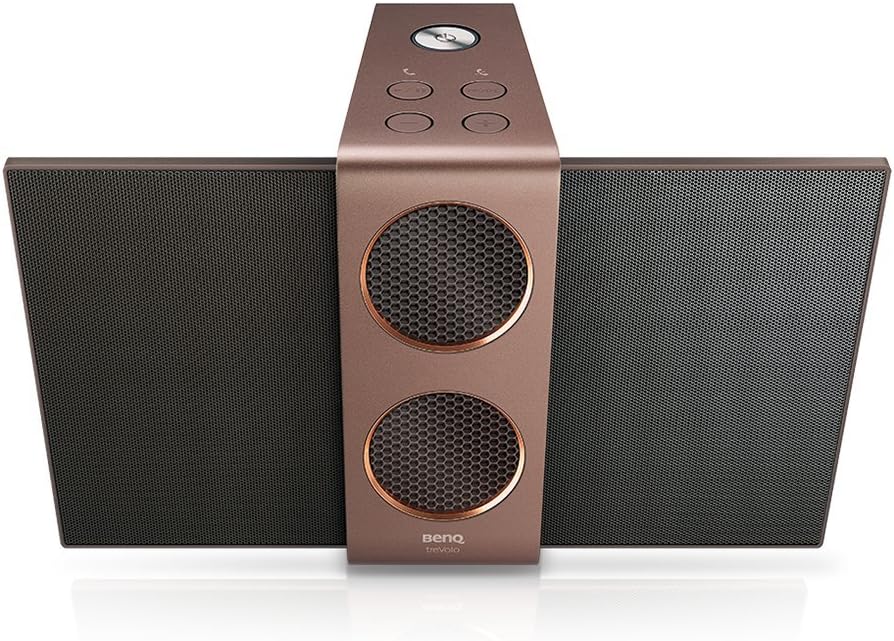
Image 1.1: BenQ Trevolo 2 speaker with its electrostatic wings extended, showcasing its unique design from a top-down perspective.
2. Informació de seguretat
Per evitar incendis, descàrregues elèctriques o danys al producte, observeu les següents precaucions de seguretat:
- No exposeu l'altaveu a la pluja ni a la humitat.
- No col·loqueu objectes plens de líquids, com ara gerros, sobre l'altaveu.
- No bloquegeu cap obertura de ventilació. Instal·leu-ho d'acord amb les instruccions del fabricant.
- No instal·leu a prop de cap font de calor com ara radiadors, registres de calor, estufes o altres aparells (inclosos amplificadors) que produeixen calor.
- Protect the power cord from being walked on or pinched, particularly at plugs, convenience receptacles, and the point where they exit from the speaker.
- Utilitzeu només accessoris/accessoris especificats pel fabricant.
- Desconnecteu aquest altaveu durant les tempestes llamps o quan no l'utilitzeu durant llargs períodes de temps.
3. Contingut del paquet
Assegureu-vos que tots els elements siguin presents al paquet:
- BenQ Trevolo 2 Electrostatic Speaker
- Adaptador d'alimentació
- Cable USB
- Guia d'inici ràpid
4. Producte acabatview
4.1. Components de l'altaveu
The BenQ Trevolo 2 features a unique design with foldable electrostatic wings and integrated woofers.
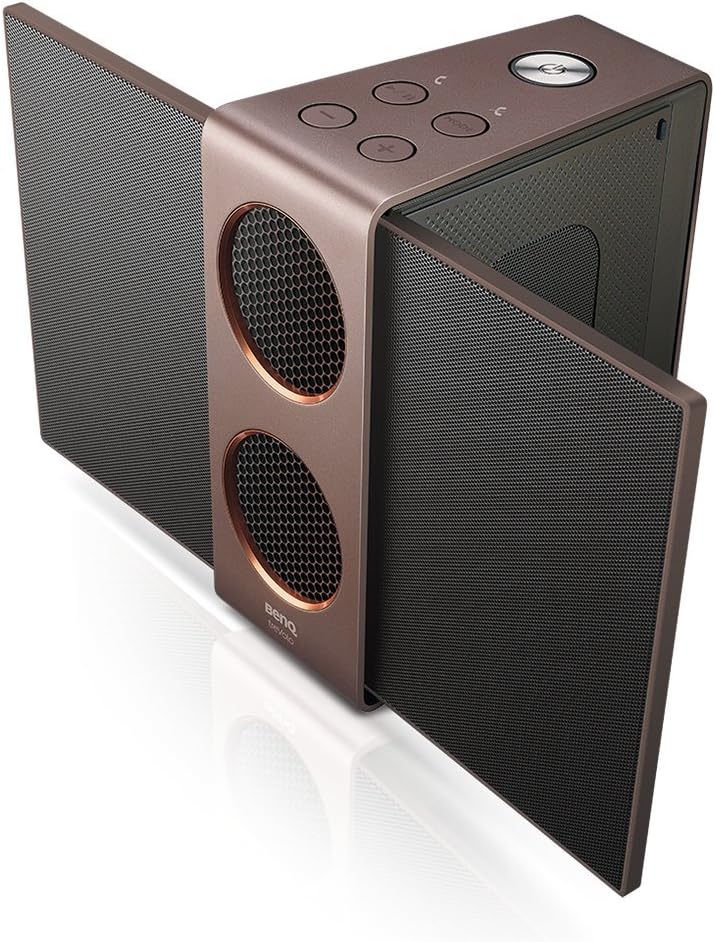
Image 4.1: The BenQ Trevolo 2 speaker with its side electrostatic panels fully extended, viewed from an angle to show its open configuration.

Image 4.2: The BenQ Trevolo 2 speaker with its electrostatic panels folded inwards, demonstrating its compact, closed configuration.
4.2. Controls i indicadors
Familiarize yourself with the buttons and indicators on the top panel of the speaker.
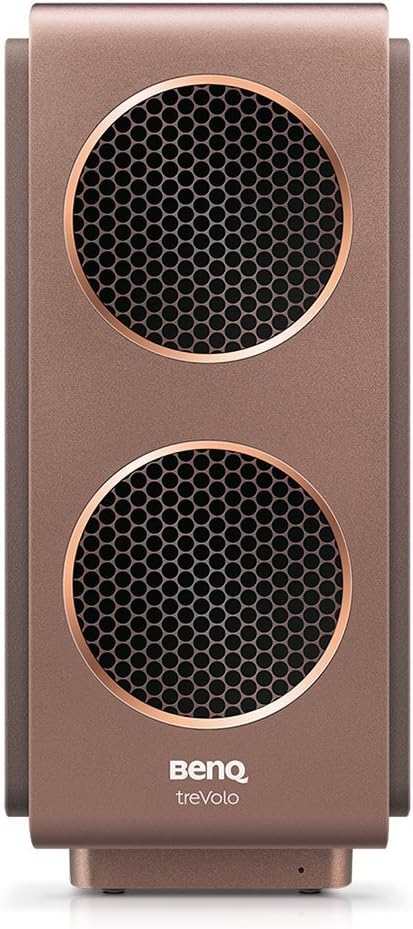
Imatge 4.3: Un primer pla view of the top panel of the BenQ Trevolo 2 speaker, highlighting the various control buttons and indicators.
- Botó d'encesa: Manteniu premut per activar/desactivar.
- Pujar/baixar el volum: Ajusta el volum de reproducció.
- Reproduir/pausa: Controla la reproducció d'àudio.
- Botó de mode: Switches between audio modes (e.g., Stereo, Party).
- Botó Bluetooth: Inicia l'emparellament Bluetooth.
4.3. Ports de connectivitat
The rear of the speaker houses various ports for wired connections.

Image 4.4: The rear panel of the BenQ Trevolo 2 speaker, displaying its various input and output ports for connectivity.
- Port USB: For audio input and charging.
- Line-In (3.5mm AUX): Per connectar dispositius d'àudio externs.
- Line-Out (3.5mm AUX): For connecting to other audio systems.
- Entrada DC: Entrada d'alimentació per a la càrrega.
5. Configuració
5.1. Carregant l’altaveu
Before first use, fully charge the speaker. Connect the power adapter to the DC In port and plug it into a power outlet. The charging indicator will show the charging status.
5.2. Encès / apagat
- Per encendre: Premeu i manteniu premut el botó d'engegada fins que s'il·lumini l'indicador lluminós.
- Per apagar: Premeu i manteniu premut el botó d'engegada fins que l'indicador lluminós s'apagui.
5.3. Emparellament Bluetooth
- Assegureu-vos que l'altaveu estigui encès.
- Press the Bluetooth button on the speaker. The Bluetooth indicator will blink, indicating it's in pairing mode.
- Al dispositiu (telèfon intel·ligent, tauleta, etc.), activeu el Bluetooth i cerqueu els dispositius disponibles.
- Select "BenQ Trevolo 2" from the list.
- Un cop connectat, l'indicador Bluetooth s'il·luminarà de manera fixa.
5.4. Connexions amb cable
- Àudio USB: Connect your computer to the speaker's USB port using the provided USB cable. The speaker will be recognized as an audio output device.
- Line-In (AUX): Connect an audio source (e.g., MP3 player) to the speaker's Line-In port using a 3.5mm audio cable.
5.5. Duo Mode Setup (for two Trevolo 2 speakers)
To achieve a wider soundstage or party mode, you can pair two Trevolo 2 speakers together.

Image 5.1: A visual representation of the Duo Mode, showing how two Trevolo 2 speakers can be configured for Stereo Mode (left and right channels) or Party Mode (both playing full range).
- Ensure both Trevolo 2 speakers are powered on and not connected to any other Bluetooth device.
- On one speaker (Master), press and hold the Mode button until it enters Duo Mode pairing.
- On the second speaker (Slave), press the Mode button briefly to connect to the Master.
- Once connected, the Master speaker will indicate successful pairing. You can then connect your device to the Master speaker via Bluetooth.
- Use the BenQ Audio app to switch between Stereo Mode (left/right channel separation) and Party Mode (both speakers playing full range).
6. Instruccions de funcionament
6.1. Reproducció bàsica
- Control de volum: Use the Volume Up (+) and Volume Down (-) buttons to adjust the sound level.
- Reproduir/pausa: Premeu el botó Reprodueix/Pausa per iniciar o pausar la reproducció d'àudio.
- Saltant pistes: (If supported by connected device) Double-press Play/Pause for next track, triple-press for previous track.
6.2. Modes d'àudio
The Trevolo 2 offers optimized audio modes for different listening experiences. Press the Mode button to cycle through available modes (e.g., Vocal, Treble, Bass, Flat).
6.3. Electrostatic Technology
The Trevolo 2 utilizes electrostatic technology for clear and detailed high-frequency sound reproduction. The side panels, when opened, reveal these electrostatic drivers, enhancing the soundstage.

Image 6.1: An exploded diagram illustrating the internal components of an electrostatic speaker system, highlighting the diaphragm and stators.
7. Manteniment
7.1. Neteja
- Netegeu l'exterior de l'altaveu amb un drap suau i sec.
- No utilitzeu netejadors líquids ni aerosols.
7.2. Emmagatzematge
When not in use for extended periods, store the speaker in a cool, dry place, away from direct sunlight and extreme temperatures. It is recommended to fold the electrostatic wings for compact storage and protection.
8. Solució De Problemes
| Problema | Causa possible | Solució |
|---|---|---|
| Sense poder | Battery drained; Power adapter not connected. | Charge the speaker; Ensure power adapter is securely connected. |
| No es pot emparellar per Bluetooth | Speaker not in pairing mode; Device Bluetooth off; Speaker already connected to another device. | Press Bluetooth button to enter pairing mode; Enable Bluetooth on your device; Disconnect from other devices. |
| Sense so | Volume too low; Incorrect input source; Muted on source device. | Increase volume; Check input connection (Bluetooth, USB, AUX); Unmute source device. |
| Duo Mode not working | Speakers not properly paired; Too far apart. | Repeat Duo Mode pairing steps; Ensure speakers are within range. |
9. Especificacions
| Característica | Detall |
|---|---|
| Nom del model | TreVolo 2 |
| Dimensions (L x A x A) | 3.1 x 6.9 x 5.3 polzades (7.87 x 17.53 x 13.46 cm) |
| Pes de l'article | 3.34 lliures (1.51 kg) |
| Tecnologia de connectivitat | Bluetooth, USB |
| Tecnologia de comunicació sense fils | Bluetooth |
| Interval Bluetooth | 10 metres (33 peus) |
| Tipus de controlador d'àudio | Electrostatic Driver, Dual Woofers |
| Durada de la bateria | Fins a 12 hores |
| Font d'alimentació | Funciona amb bateria |
| Color | Bronze |
| Components inclosos | Speaker, Power Adapter, USB Cable |
10. Garantia i Suport
BenQ ofereix una garantia limitada per a aquest producte. Per conèixer els termes i condicions detallats de la garantia, consulteu la targeta de garantia inclosa al paquet o visiteu el lloc web oficial de BenQ. website. For technical support, product registration, or service inquiries, please contact BenQ customer support through their official channels.
Assistència en línia: Visit the BenQ support page for FAQs, driver downloads, and contact information.
Informació de contacte: Refer to your product packaging or the BenQ weblloc web per obtenir dades de contacte regionals.


