Introducció
This user manual provides detailed instructions for the setup, operation, maintenance, and troubleshooting of your KLIM Lightning Gaming Keyboard. Please read this manual carefully to ensure optimal performance and longevity of your device.
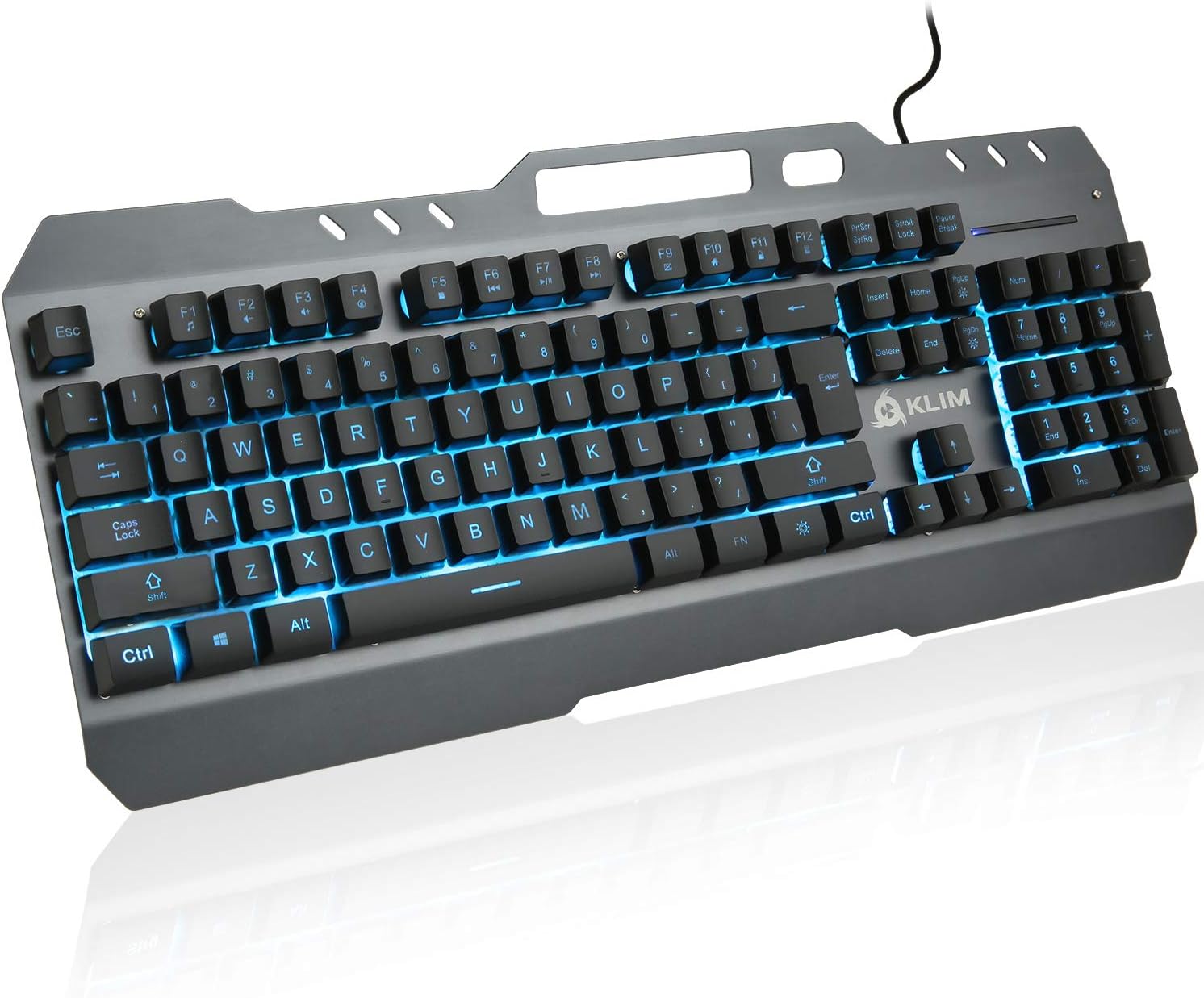
Image: The KLIM Lightning Gaming Keyboard, showcasing its full layout and vibrant blue LED backlighting. The keyboard features a durable metal frame and a standard QWERTY layout.
Configuració
Contingut del paquet:
- KLIM Lightning Gaming Keyboard
- Manual d'usuari (aquest document)
- Key Extractor Tool (for keycap maintenance)
Connexió del teclat:
- Unpack the KLIM Lightning Gaming Keyboard from its packaging.
- Locate an available USB port on your computer (PC, Mac, PS4, PS5, Xbox One compatible).
- Inseriu fermament el connector USB del teclat al port USB.
- The keyboard is plug-and-play and does not require additional drivers. It should be recognized automatically by your operating system.

Image: An infographic highlighting key features of the KLIM Lightning keyboard, including USB connectivity, braided cable, metallic build, 7 LED colors, QWERTY layout, resistance, phone holder, nice touch, peace of mind, and recyclable box.
Instruccions de funcionament
Característiques principals:
- Semi-Mechanical Keys: Provides tactile feedback similar to mechanical keyboards for precise and comfortable typing.
- Marc metàl·lic resistent: The keyboard features a robust metal construction for enhanced durability and stability.
- Tecnologia anti-fantasma: Ensures that multiple key presses are registered accurately, crucial for gaming.
- Suport de telèfon integrat: A convenient slot at the top of the keyboard allows you to place your smartphone.
LED Backlighting Control:
The KLIM Lightning keyboard features customizable LED backlighting. Use the following key combinations to adjust the lighting:
- Fn + Bloq Desplaçament: Cycles through 7 uniform LED colors (Red, Green, Blue, Yellow, Cyan, Purple, White).
- Fn + Pause Break: Activates the breathing mode, where colors cycle automatically.
- Fn + Fletxa amunt/avall: Ajusta la brillantor de la retroiluminació.

Imatge: Un primer pla view of the KLIM Lightning keyboard's numeric keypad and surrounding keys, illuminated with green LED backlighting, demonstrating the vibrant color options.
Tecles multimèdia:
The keyboard includes dedicated multimedia function keys accessible via the Fn key in combination with the F-keys (F1-F12). These allow quick access to common functions:
| Combinació de tecles | Funció |
|---|---|
| Fn + F1 | Obriu el reproductor multimèdia |
| Fn + F2 | Baixa el volum |
| Fn + F3 | Puja el volum |
| Fn + F4 | Silenciar |
| Fn + F5 | Atura la reproducció |
| Fn + F6 | Pista anterior |
| Fn + F7 | Reproduir/Pausa |
| Fn + F8 | Pista següent |
| Fn + F9 | Obre el correu electrònic |
| Fn + F10 | Obert Web Navegador |
| Fn + F11 | Bloquejar l'ordinador |
| Fn + F12 | Obriu la calculadora |

Image: The KLIM Lightning keyboard displaying its integrated phone holder feature, with a smartphone securely placed in the slot. The keyboard is illuminated with purple LED backlighting.
Manteniment
Neteja del teclat:
- Desconnecteu el teclat de l'ordinador abans de netejar-lo.
- Utilitzeu un drap suau i sense pelusa lleugerament dampEsbandiu amb aigua o una solució netejadora suau per netejar la superfície del teclat.
- Per a la pols i les restes entre les tecles, feu servir aire comprimit.
- Avoid using harsh chemicals or abrasive materials, as they may damage the keyboard's finish or keycaps.
Eliminació de la tapa de les tecles (opcional):
If deeper cleaning is required or if you wish to replace keycaps, use the provided key extractor tool:
- Gently place the key extractor tool over the keycap you wish to remove.
- Apply even pressure and pull upwards until the keycap detaches.
- To reattach, align the keycap with the switch stem and press down firmly until it clicks into place.

Imatge: Una imatge detallada view of the KLIM Lightning keyboard, highlighting its semi-mechanical keys and the included key extractor tool, which is used for easy keycap removal and maintenance.
Resolució de problemes
If you encounter issues with your KLIM Lightning Gaming Keyboard, please refer to the following common solutions:
El teclat no respon:
- Assegureu-vos que el cable USB estigui connectat correctament tant al teclat com al port USB de l'ordinador.
- Prova de connectar el teclat a un port USB diferent de l'ordinador.
- Reinicieu l'ordinador.
- Prova el teclat en un altre ordinador per determinar si el problema és del teclat o del sistema.
LED Backlighting Not Working or Incorrect:
- Ensure the backlighting is not turned off (press Fn + Bloqueig de desplaçament to cycle colors or Fn + Fletxa amunt to increase brightness).
- Verify that the keyboard is properly connected to a powered USB port.
- If a specific key's LED is not working, it might indicate a hardware issue.
Claus que no es registren o escrivien dues vegades:
- Check for any debris or foreign objects under the affected keycap. Clean as per the Maintenance section.
- Ensure the keycap is properly seated on its switch.
- If the issue persists, it may indicate a switch malfunction.
If these steps do not resolve your issue, please contact KLIM customer support for further assistance.
Especificacions
| Característica | Detall |
|---|---|
| Marca | KLIM |
| Nom del model | 8541666873 (KLIM Lightning) |
| Tecnologia de connectivitat | Cable USB |
| Descripció del teclat | Semi-Mechanical (Hybrid) |
| Nombre de claus | 105 |
| Material | Marc metàl·lic |
| Color | Negre |
| Pes de l'article | 2.2 lliures (aprox. 1 kg) |
| Dimensions del producte (LxWxH) | 17.24 x 7.48 x 1.65 polzades |
| Dispositius compatibles | PC, Mac, PS4, PS5, Xbox One |
| Compatibilitat de sistemes operatius | Windows 2000 i posteriors |
| Il·luminació de fons | 7 Uniform Colors + Breathing Mode |
Garantia i Suport
The KLIM Lightning Gaming Keyboard comes with a 5 any de garantia, ensuring a safe and reliable purchase. KLIM is committed to exceptional after-sales support.
For any questions, technical assistance, or warranty claims, please visit the official KLIM website or contact their customer support directly. Refer to the product packaging or KLIM's official channels for the most up-to-date contact information.


