1. Introducció
This manual provides detailed instructions for the safe and effective operation of your BENNING CM 12 True RMS Digital Power Clamp Multimeter. Please read this manual thoroughly before using the device and keep it for future reference. The BENNING CM 12 is designed for demanding measurement tasks in industrial and commercial environments, offering precise measurements of AC, AC+DC True RMS, inrush current, and more, with data logging and Bluetooth connectivity.
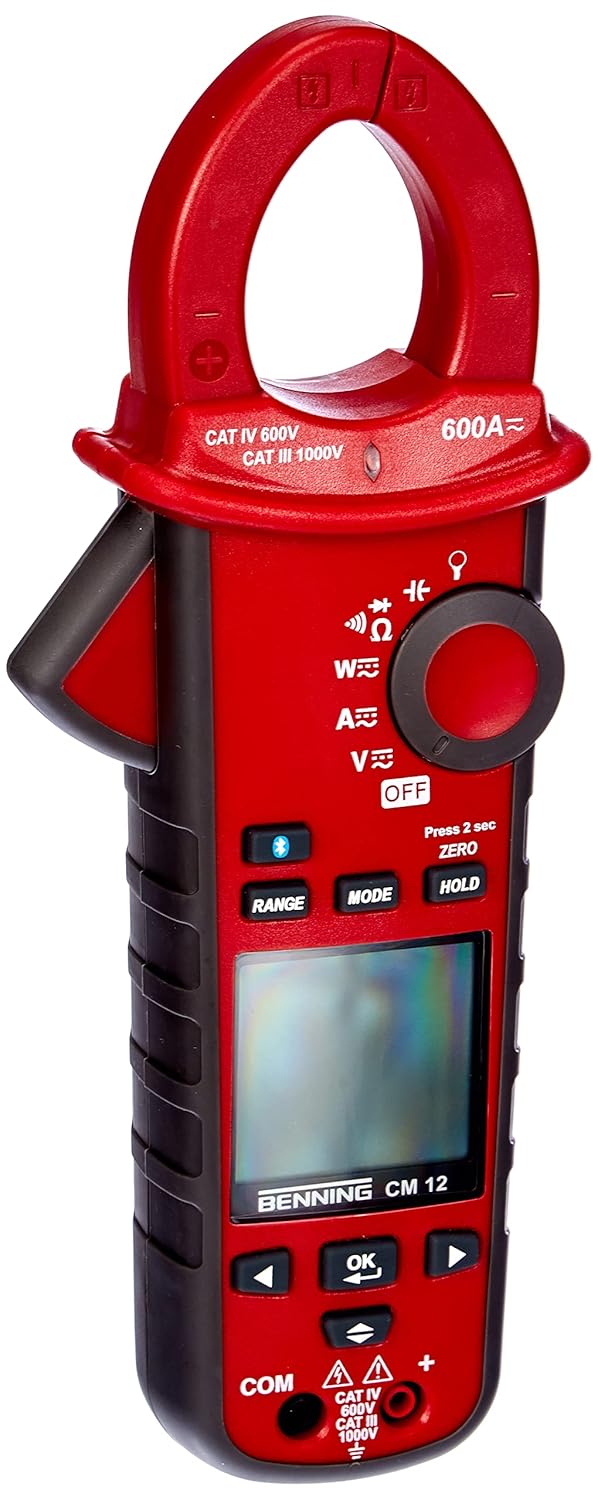
Figura 1: The Benning CM 12 True RMS Digital Power Clamp Multimeter. This image displays the main unit with its red casing, clamp jaw, display screen, and control buttons.
2. Informació de seguretat
Always observe the following safety precautions to prevent personal injury and damage to the instrument:
- No utilitzeu el mesurador si sembla danyat o si l'aïllament dels cables de prova està compromès.
- Assegureu-vos que s'hagin seleccionat la funció i el rang correctes abans de fer mesures.
- No supereu els límits màxims d'entrada per a cap funció.
- Tingueu precaució quan treballeu amb voltagper sobre de 30 V CA RMS, 42 V pic o 60 V CC, ja que representen un perill de descàrrega elèctrica.
- Desconnecteu sempre l'alimentació del circuit i descarregueu totes les emissions d'alt volum.tage capacitors before performing resistance, continuity, diode, or capacitance tests.
- Complir els codis de seguretat locals i nacionals.
3. Components del producte
The BENNING CM 12 package includes the following items:
- BENNING CM 12 Digital Power Clamp Multímetre
- Cables de prova (vermell i negre)
- Piles AAA (6 incloses)
- Maleta de transport
- Manual d'usuari (aquest document)
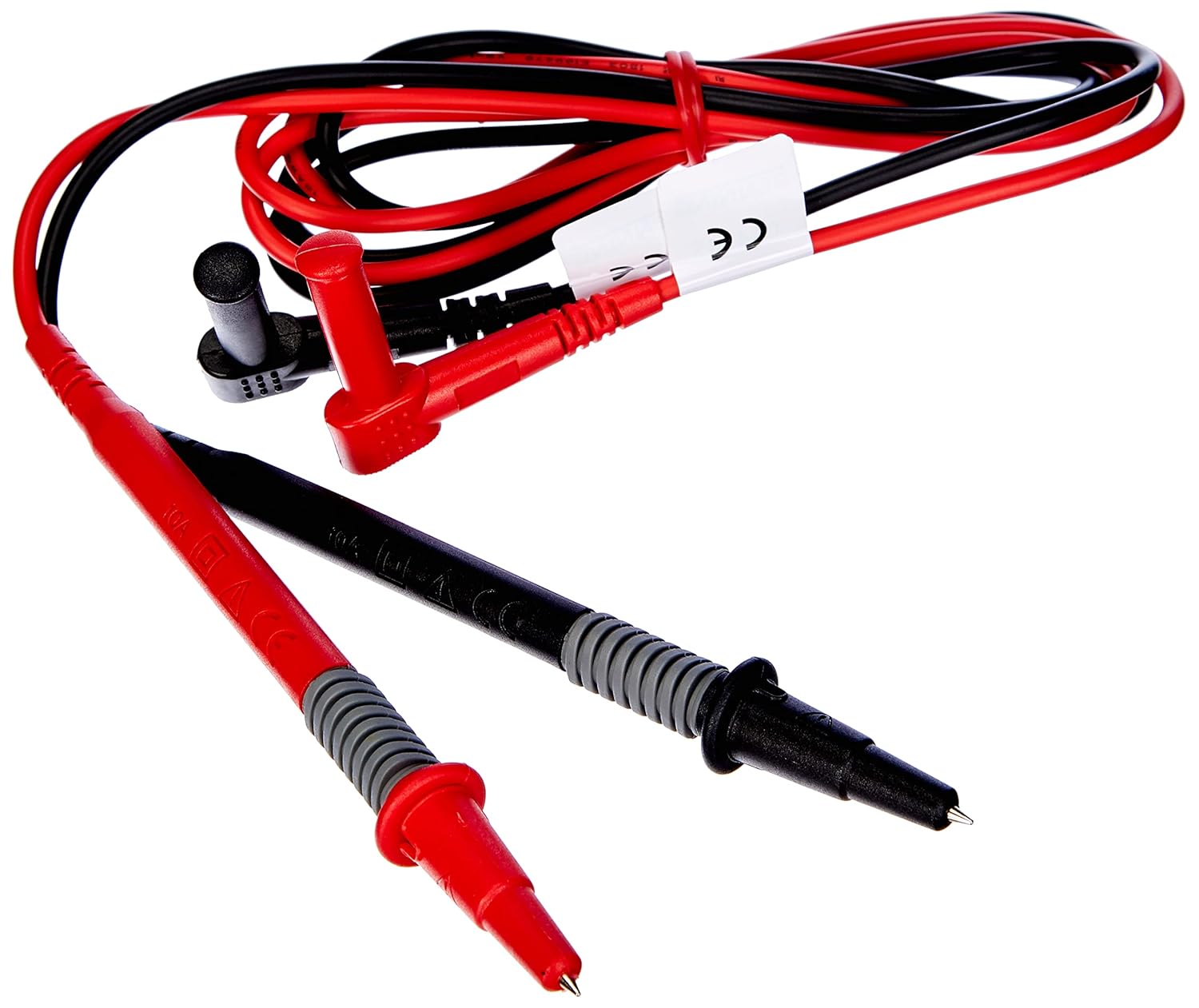
Figura 2: Red and black test leads. These leads are used for voltage, resistència, continuïtat i altres mesures.

Figura 3: Six AAA batteries. These batteries power the Benning CM 12 multimeter.

Figura 4: Black carrying case. This case provides protection and portability for the multimeter and its accessories.
4. Configuració
4.1. Instal·lació de la bateria
- Localitzeu la tapa del compartiment de la bateria a la part posterior del dispositiu.
- Utilitzeu un tornavís per obrir el compartiment de la bateria.
- Insert six (6) AAA batteries, ensuring correct polarity as indicated inside the compartment.
- Substituïu la tapa del compartiment de la bateria i fixeu-la amb el cargol.
4.2. Engegada inicial
Turn the rotary switch to any measurement function (e.g., V~ for AC Voltage) to power on the device. The display will illuminate, indicating the device is ready for use.
5. Instruccions de funcionament
The BENNING CM 12 offers a variety of measurement functions. Select the desired function using the rotary switch.
5.1. Mesura de corrent AC/DC (Clamp funció)
- Turn the rotary switch to the 'A~' (AC Current) or 'A=' (DC Current) position.
- Premeu el clamp trigger to open the jaw.
- Enclose a single conductor with the clamp mandíbula. Assegureu-vos que la mandíbula estigui completament tancada.
- Llegiu el valor actual a la pantalla.
- For AC+DC True RMS measurements, ensure the appropriate mode is selected if available via the MODE button.
5.2. VoltagMesura (CA/CC)
- Insert the red test lead into the 'VΩ' input jack and the black test lead into the 'COM' input jack.
- Turn the rotary switch to 'V~' (AC Voltage) o 'V=' (Volum de CCtagi).
- Connecteu els cables de prova en paral·lel al circuit o component que s'està provant.
- Llegeix el voltage valor a la pantalla.
5.3. Resistance and Continuity Measurement
- Ensure the circuit is de-energized before measurement.
- Insert test leads as for voltage mesura.
- Turn the rotary switch to 'Ω' (Resistance/Continuity).
- Connecteu els cables de prova a través del component.
- For continuity, the meter will beep if resistance is below approximately 30Ω - 100Ω.
5.4. Prova de díodes
- Assegureu-vos que el circuit estigui desenergitzat.
- Insert test leads as for voltage mesura.
- Turn the rotary switch to the 'Diode' symbol.
- Connecteu el cable vermell a l'ànode i el cable negre al càtode del díode. Un voltatge directetage drop (approx. 0.8V) will be displayed. Reverse the leads for an open circuit reading.
5.5. Inrush Current Measurement
This function measures the initial surge of current when a device (e.g., motor, lamp) is first turned on.
- Turn the rotary switch to the 'A~' position.
- Press the 'INRUSH' button (if dedicated) or activate via 'MODE' button.
- Clamp the meter around the power conductor of the device.
- Turn on the device to measure the inrush current.
5.6. Power Measurement (W) and Power Factor
The BENNING CM 12 can simultaneously detect current (A) and voltage (V) to calculate active power (W) and power factor in AC/DC networks.
- Turn the rotary switch to the 'W' (Power) position.
- Connect the test leads for voltage measurement and clamp the jaw around the current conductor.
- The display will show active power (W) and power factor.
5.7. Data Logger Function (LOG) and Bluetooth Interface
The device features a data logger capable of storing 10,000 readings with a sampling rate from 1 second to 10 minutes. It also includes a Bluetooth interface for data connection to smartphones or tablets via the "BENNING MM-CM Link" app.
- Download and install the "BENNING MM-CM Link" app from your device's app store (iOS and Android compatible).
- Activate Bluetooth on your smartphone/tablet and on the BENNING CM 12 (refer to the device's specific button for Bluetooth activation, usually a dedicated button or a long press of 'MODE').
- Pair the device with the app.
- Use the app to configure logging parameters (sampling rate, start/stop logging) and to view/export recorded data.
5.8. Low-Pass Filter (HFR)
The HFR (High-Frequency Rejection) low-pass filter is used for accurate measurements on clocked motor drives or other noisy environments by filtering out high-frequency interference.
- Activate the HFR filter via a dedicated button or by pressing the 'MODE' button in relevant measurement functions (e.g., AC Voltage or Current).
- The display will typically show an indicator when the filter is active.
5.9. Total Harmonic Distortion (THD) Measurement
The THD function assesses network quality by measuring the total harmonic distortion of voltage or current waveforms.
- Select the THD function using the rotary switch or 'MODE' button in AC Voltage/Current modes.
- Connect the meter as appropriate for voltage o mesura de corrent.
- The display will show the THD value.
5.10. Two-Pole Rotary Field Testing
This function is used to determine the phase sequence in three-phase systems.
- Turn the rotary switch to the 'Rotary Field' symbol (if dedicated) or select via 'MODE' button in a relevant AC voltage funció.
- Connect the test leads to two phases of the three-phase system.
- The display will indicate the phase sequence (e.g., L1-L2, L2-L3).
6. Manteniment
6.1. Neteja
Netegeu el cas amb l'anunciamp cloth and mild detergent. Do not use abrasives or solvents. Ensure the device is powered off and disconnected from any circuits before cleaning.
6.2. Substitució de la bateria
When the low battery indicator appears on the display, replace the batteries as described in Section 4.1. Remove batteries if the device will not be used for an extended period to prevent leakage.
6.3. Emmagatzematge
Store the multimeter in its carrying case in a cool, dry environment, away from direct sunlight and extreme temperatures. Remove batteries for long-term storage.
7. Solució De Problemes
| Problema | Causa possible | Solució |
|---|---|---|
| El mesurador no s'encén. | Piles gastades o instal·lades incorrectament. | Comproveu la polaritat de la bateria; substituïu les piles. |
| No hi ha lectura ni es mostra "OL" (sobrecàrrega). | Incorrect range selected, open circuit, or measurement exceeds range. | Select appropriate range, check circuit connections, ensure measurement is within device limits. |
| Lectures inexactes. | Poor test lead connection, external interference, or low battery. | Ensure secure connections, move away from strong electromagnetic fields, replace batteries. |
| Problemes de connexió Bluetooth. | Bluetooth not activated on device/phone, app issues, or out of range. | Ensure Bluetooth is on for both devices, restart app, move closer to the meter. |
8. Especificacions
| Característica | Detall |
|---|---|
| Número de model | CM 12 |
| Tipus de mesura | True RMS (AC, AC+DC) |
| Corrent d'entrada | Sí |
| Carrega Profile Gravació | Yes (single-phase and three-phase) |
| Mesura de potència | Active Power (W), Power Factor |
| Prova de continuïtat | 30 Ω - 100 Ω |
| Prova de díode | 0.8 V |
| Rotary Field Testing | Dos pols |
| Filtre de pas baix | HFR (High-Frequency Rejection) |
| Harmonic Measurement | THD (distorsió harmònica total) |
| Registrador de dades | 10,000 readings, 1s - 10min samptaxa de ling |
| Interfície | Bluetooth (iOS and Android app "BENNING MM-CM Link") |
| Font d'alimentació | 6 piles AAA (incloses) |
| Dimensions del producte | 11.42 x 5.12 x 2.76 polzades |
| Pes de l'article | 1.3 lliures (590 grams) |
| Fabricant | Benning |

Figura 5: Dimensional view of the Benning CM 12 Multimeter, indicating its approximate height of 11 inches (27 cm).
9. Informació de la garantia
BENNING products are manufactured to high-quality standards. For specific warranty terms and conditions, please refer to the warranty card included with your product or visit the official BENNING weblloc web. Conserveu el comprovant de compra per a reclamacions de garantia.
10. Atenció al client
If you encounter any issues or have questions regarding your BENNING CM 12, please contact BENNING customer support. You can find contact information on the official BENNING weblloc web o a través del vostre distribuïdor local.
- Weblloc: www.benning.de (Please check for your regional weblloc)
- Correu electrònic: Consulteu el weblloc web per a correus electrònics de contacte específics.
- Telèfon: Consulteu el website for specific contact numbers.


