1. Introducció
The Moxa TCC-100I is a high-quality, industrial-grade RS-232 to RS-422/485 converter designed for reliable serial communication in demanding environments. It features embedded surge protection (16KV ESD) and 2KV isolation protection, ensuring robust data transmission and system integrity. This manual provides essential information for the proper installation, operation, and maintenance of your TCC-100I converter.
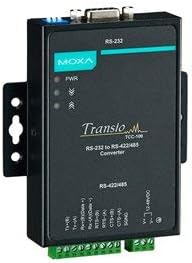
Figura 1: Frontal view of the Moxa TCC-100I converter, showing the RS-232 port, power indicators, and model branding.
2. Característiques clau
- 2 kV isolation protection (TCC-100I) for enhanced safety and reliability.
- RS-232 to RS-422 conversion with RTS/CTS support for flow control.
- RS-232 to 2-wire or 4-wire RS-485 conversion, offering versatile connectivity options.
- Supports both wall mounting and DIN-rail mounting for flexible installation.
- Plug-in terminal block for easy and secure RS-422/485 wiring.
- Embedded 16KV ESD surge protection to safeguard against electrical surges.
3. Configuració i instal·lació
Proper installation is crucial for optimal performance and longevity of the TCC-100I. Follow these steps carefully:
3.1 Contingut del paquet
Comproveu que el vostre paquet contingui els elements següents:
- Moxa TCC-100I Converter
- Guia d'instal·lació ràpida (si escau)
- Targeta de garantia (si escau)
3.2 Mounting the Converter
The TCC-100I supports both DIN-rail and wall mounting.
3.2.1 Muntatge en carril DIN
- Attach the DIN-rail mounting kit (if not pre-installed) to the rear of the TCC-100I.
- Hook the top of the converter onto the DIN-rail.
- Push the bottom of the converter towards the DIN-rail until it clicks into place.
3.2.2 Muntatge a la paret
- Secure the wall-mount plates (if not pre-installed) to the sides of the TCC-100I using the provided screws.
- Mark the desired mounting points on the wall using the plates as a template.
- Perforeu forats pilot i inseriu els ancoratges de paret adequats si cal.
- Mount the converter to the wall using screws through the wall-mount plates.

Figura 2: Angle view of the Moxa TCC-100I, highlighting the integrated mounting brackets for DIN-rail or wall installation.
3.3 Connexions de cablejat
Ensure all power is disconnected before making any wiring connections.
3.3.1 Connexió RS-232
Connect your RS-232 device to the DB9 male connector on the TCC-100I. This port supports standard RS-232 signals.
3.3.2 RS-422/485 Connection
Use the plug-in terminal block for RS-422/485 wiring. Refer to the pin assignments below:
| Pin | Descripció | Funció |
|---|---|---|
| Tx+(B) | Transmet dades + | RS-422/485 (4-wire) |
| Tx-(A) | Transmit Data - | RS-422/485 (4-wire) |
| Rx+(B)/Data + | Receive Data + / Data + | RS-422/485 (4-wire) / RS-485 (2-wire) |
| Rx-(A)/Data - | Receive Data - / Data - | RS-422/485 (4-wire) / RS-485 (2-wire) |
| RTS+(B) | Request To Send + | RS-422 (Flow Control) |
| RTS-(A) | Request To Send - | RS-422 (Flow Control) |
| CTS+(B) | Clear To Send + | RS-422 (Flow Control) |
| CTS-(A) | Clear To Send - | RS-422 (Flow Control) |
| SGND | Terra del senyal | Terreny Comú |
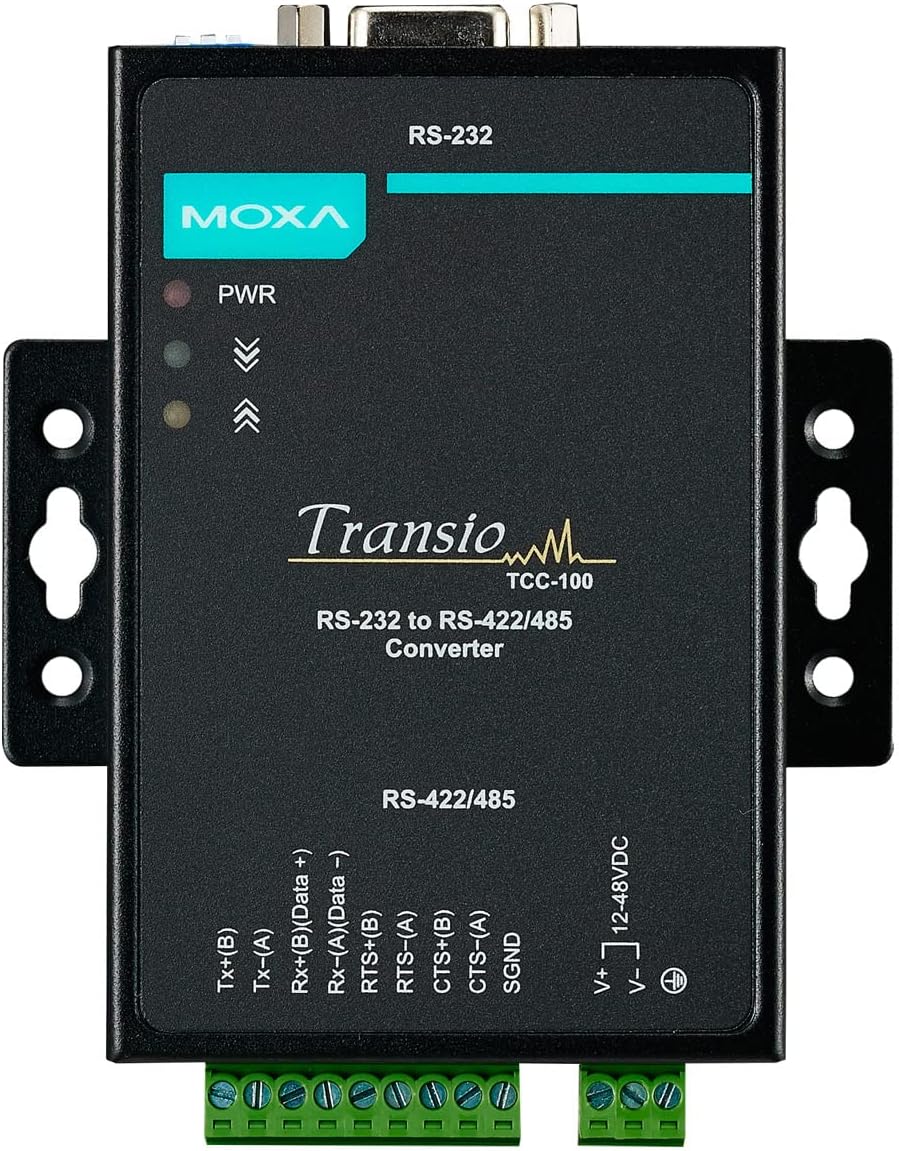
Figura 3: superior view of the Moxa TCC-100I, clearly showing the RS-232 DB9 connector and the plug-in terminal blocks for RS-422/485 and power connections.
3.4 Connexió d'alimentació
Connect a 12-48VDC power source to the dedicated power input terminal block. Ensure correct polarity (V+ and V-). The PWR LED indicator on the front panel will illuminate when power is successfully applied.
4. Operating the Converter
Once properly installed and powered, the TCC-100I automatically converts serial data between RS-232 and RS-422/485 standards. No software configuration is typically required for basic conversion.
- RS-232 to RS-422 Conversion: Data transmitted via the RS-232 port will be converted to RS-422 differential signals and vice-versa. RTS/CTS signals are also converted for hardware flow control.
- RS-232 to RS-485 Conversion: The converter supports both 2-wire and 4-wire RS-485 modes. Data from RS-232 will be converted to RS-485 differential signals. The TCC-100I features automatic data direction control for RS-485, simplifying setup.
Monitor the PWR LED for power status and the Tx/Rx LEDs (if present) for data transmission activity.
5. Manteniment
The Moxa TCC-100I is designed for low maintenance. However, periodic checks can help ensure its continued reliable operation:
- Neteja: Gently wipe the exterior of the converter with a soft, dry cloth. Do not use liquid cleaners or solvents.
- Connexions de cable: Comproveu periòdicament totes les connexions dels cables per assegurar-vos que estiguin ben fixades i que no estiguin danyats.
- Condicions ambientals: Assegureu-vos que l'entorn de funcionament es mantingui dins dels rangs de temperatura i humitat especificats per evitar danys.
- Actualitzacions de firmware: While typically not required for this type of device, check the Moxa website for any available firmware updates if experiencing unusual behavior.
6. Solució De Problemes
If you encounter issues with your TCC-100I, refer to the following common problems and solutions:
| Problema | Causa possible | Solució |
|---|---|---|
| Sense alimentació (LED PWR apagat) | Sense font d'alimentació, volum incorrectetage, or incorrect polarity. | Verify power supply connection, ensure voltage is within 12-48VDC, and check polarity. |
| Sense transmissió de dades | Incorrect wiring, mismatched baud rates, or faulty cables. | Check RS-232 and RS-422/485 wiring against pin assignments. Ensure baud rates and data formats match between connected devices. Test cables for continuity. |
| Comunicació intermitent | Noise interference, loose connections, or ground loop issues. | Ensure proper grounding. Check for strong electromagnetic interference sources. Verify all connections are secure. The TCC-100I's isolation protection helps mitigate ground loop issues. |
| RS-485 communication issues | Incorrect 2-wire/4-wire setup, missing termination resistors (if applicable to your network). | Confirm the correct RS-485 mode (2-wire or 4-wire) is used. Add termination resistors at the ends of the RS-485 bus if required by your network topology. |
7. Especificacions
Detailed technical specifications for the Moxa TCC-100I:
| Atribut | Valor |
|---|---|
| Marca | Moxa |
| Model | TCC-100I |
| Pes de l'article | 6.99 lliures (aprox. 3.17 kg) |
| Fabricant | MOXA |
| ASIN | B07BR9482N |
| Tipus de connector | DIN Rail, DB9 (RS-232), Terminal Block (RS-422/485, Power) |
| Nombre de Ports | 1 (RS-232), 1 (RS-422/485) |
| Protecció d’aïllament | 2 kV |
| Protecció contra sobretensions | 16KV ESD |
| Opcions de muntatge | Wall mounting, DIN-rail mounting |
| Entrada de potència | 12-48VDC |
8. Garantia i Suport
For detailed warranty information, technical support, and additional resources, please refer to the official Moxa website or contact your authorized Moxa distributor. Keep your purchase receipt for warranty claims.
Moxa Official Weblloc: www.moxa.com


