Introducció
This manual provides essential information for the safe and efficient operation of your Skyworth E-Series 40E2 40-inch 1080P LED TV. Please read it thoroughly before use and retain it for future reference. This television features a 1080P LED display, 60 Hz refresh rate, and DTS Dolby Audio Sound for an enhanced viewexperiència.
Informació de seguretat
Observeu les següents precaucions de seguretat per evitar danys i garantir un funcionament segur:
- Font d'alimentació: Connecteu el televisor només a una font d'alimentació de CA de 100-240 V, 50/60 Hz.
- Ventilació: Assegureu-vos que hi hagi una ventilació adequada al voltant del televisor. No bloquegeu les obertures de ventilació.
- Aigua i humitat: No exposeu el televisor a la pluja ni a la humitat. No col·loqueu objectes plens de líquids, com ara gerros, a sobre del televisor.
- Neteja: Desendolleu el televisor abans de netejar-lo. Feu servir un drap suau i sec. No utilitzeu netejadors líquids ni aerosols.
- Col·locació: Place the TV on a stable, level surface. Avoid direct sunlight, heat sources, and extreme temperatures.
- Manteniment: No intenteu atendre aquest producte vosaltres mateixos. Consulteu tots els serveis a personal de servei qualificat.
Què hi ha a la caixa
Verifiqueu que tots els components siguin presents en desembalar-lo:
- Skyworth E-Series 40E2 40-inch LED TV
- Control remot (requereix 2 piles AAA, no incloses)
- Cable d'alimentació
- TV Stand Bases (2 pieces)
- Cargols per al muntatge del suport
- Manual d'usuari (aquest document)
Configuració
1. Desembalatge
Carefully remove the TV and all accessories from the packaging. Place the TV screen-down on a soft, clean, and flat surface to prevent scratches during stand assembly.
2. Muntatge de l'estand
To attach the stand bases:
- Align each stand base with the corresponding mounting holes on the bottom of the TV.
- Insert the provided screws into the holes and tighten them securely with a screwdriver.
- Ensure both stand bases are firmly attached and the TV is stable before placing it upright.

Imatge: Frontal view of the Skyworth 40E2 TV with its two stand bases attached, displaying a hockey game.
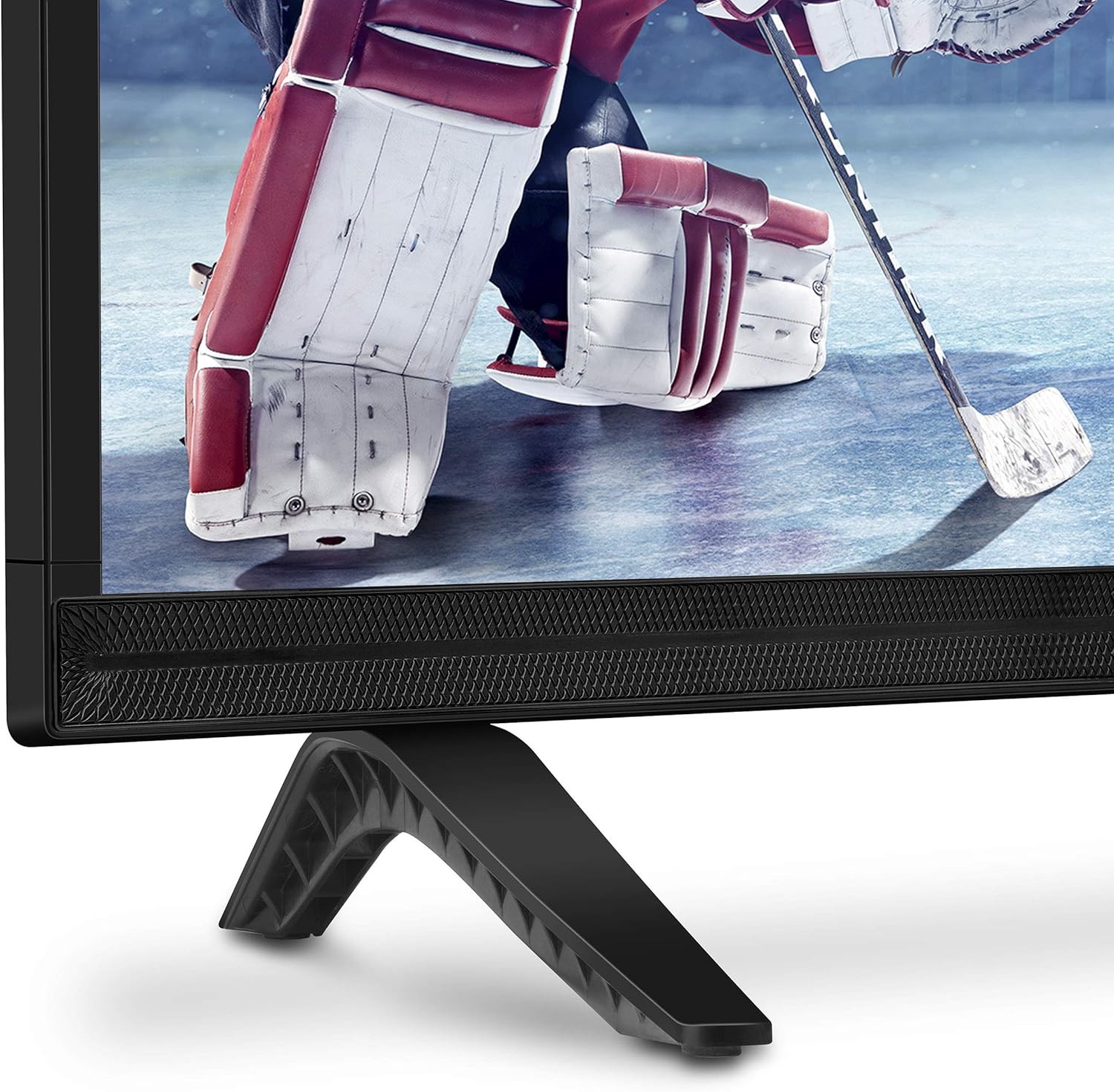
Imatge: Primer pla view of the bottom right corner of the Skyworth 40E2 TV, showing the textured speaker grille and one of the black stand bases.
3. Muntatge a la paret (opcional)
If you choose to wall mount your TV, ensure you use a VESA-compatible wall mount (sold separately). It is crucial to verify that the wall mounting plate does not obstruct the power port or any other connection ports on the back of the TV. Professional installation is recommended for wall mounting.
4. Dispositius de connexió
Connect your external devices (e.g., cable box, Blu-ray player, gaming console) to the appropriate ports on the back of the TV. The Skyworth 40E2 features HDMI and USB connectivity.

Imatge: Part posterior view of the Skyworth 40E2 TV, showing the various input ports including HDMI and USB on the left side, and the power input on the right.
5. Potència de connexió
Connecteu el cable d'alimentació a l'entrada d'alimentació del televisor i, a continuació, connecteu l'altre extrem a una presa de corrent.
6. Engegada inicial
Press the Power button on the remote control or on the TV. Follow the on-screen instructions for the initial setup, which typically includes language selection, channel scanning, and network configuration (if applicable).
En funcionament
Funcions de control remot
Familiaritzeu-vos amb els botons del comandament a distància:
- Potència: Encén o apaga el televisor.
- Entrada: Selects the input source (HDMI 1, HDMI 2, USB, etc.).
- Volum +/-: Ajusta el nivell de so.
- Canal +/-: Canvia els canals de televisió.
- Menú: Accedeix al menú principal de configuració.
- Botons de navegació (amunt/avall/esquerra/dreta): Navega per les opcions del menú.
- D'acord/Entra: Confirma les seleccions.
- Sortida/Enrere: Torna a la pantalla anterior o surt del menú.
Configuració de la imatge
Access the Picture menu to adjust settings for optimal viewing:
- Mode d'imatge: Select from preset modes like Standard, Dynamic, Movie, or User.
- Brillantor: Ajusta la claredat o foscor general de la imatge.
- Contrast: Controla la diferència entre les zones clares i fosques.
- Color: Ajusta la intensitat dels colors.
- Nitidez: Enhances the edges of objects in the picture.
- Relació d'aspecte: Changes the screen display format (e.g., 16:9, 4:3).
Configuració de so
Access the Sound menu to customize audio output:
- Mode de so: Choose from preset modes like Standard, Music, Movie, or User.
- Equalitzador: Ajustar manualment les freqüències d'àudio.
- DTS Dolby Audio: Enable or disable advanced audio processing for enhanced sound quality.
- Balanç: Adjust the volume balance between left and right speakers.
Connectivitat
The TV supports various connections:
- HDMI: Connecteu dispositius d'alta definició com ara reproductors de Blu-ray, consoles de jocs o descodificadors.
- USB: Jugar multimèdia files (fotos, música, vídeos) des d'un dispositiu d'emmagatzematge USB.
Manteniment
Proper care ensures the longevity of your TV:
- Neteja de pantalla: Netegeu suaument la pantalla amb un drap suau, sec i sense borrissol. Per a marques difícils, netegeu suaument.ampHumitegeu el drap amb aigua (no ruixeu directament sobre la pantalla).
- Neteja d'armaris: Netegeu el moble del televisor amb un drap suau i sec. Eviteu utilitzar productes de neteja o dissolvents abrasius.
- Pols: Netegeu regularment la pols de les obertures de ventilació per evitar el sobreescalfament.
- Cable d'alimentació: Reviseu periòdicament el cable d'alimentació per si hi ha algun dany. Si està malmès, substituïu-lo immediatament.
Resolució de problemes
Si teniu problemes, consulteu els següents problemes i solucions habituals:
| Problema | Possible causa/solució |
|---|---|
| Sense poder | Assegureu-vos que el cable d'alimentació estigui ben connectat tant al televisor com a una presa de corrent que funcioni. Comproveu si la presa té corrent. |
| No hi ha imatge, però hi ha so | Comproveu la font d'entrada. Assegureu-vos que el dispositiu connectat estigui encès i funcioni correctament. Proveu un altre cable HDMI. |
| No hi ha so, però hi ha imatge | Check the volume level. Ensure the TV is not muted. Verify audio settings in the menu. Try a different HDMI cable. |
| El comandament a distància no funciona | Check and replace the batteries (2 AAA). Ensure there are no obstructions between the remote and the TV's IR sensor. |
| Poca qualitat d'imatge | Adjust picture settings (Brightness, Contrast, Sharpness). Ensure the input source is providing a high-quality signal. |
Especificacions
| Característica | Detall |
|---|---|
| Marca | Skyworth |
| Número de model | 40E2 |
| Mida de la pantalla | 40 polzades |
| Tecnologia de visualització | LED |
| Resolució | 1080p (Full HD) |
| Freqüència d'actualització | 60 Hz |
| Relació d'aspecte | 16:9 |
| Tecnologia d'àudio | DTS Dolby Audio Sound |
| Tecnologia de connectivitat | HDMI, USB |
| Dimensions del producte (amb suport) | 35.7 x 8.8 x 22.9 polzades (A x P x A) |
| Pes de l'article (amb suport) | 14.5 lliures |
| Bateries de comandament a distància | 2 piles AAA (no incloses) |
Garantia i Suport
For warranty information, please refer to the warranty card included with your product at the time of purchase. For technical assistance, product registration, or to download the latest software updates, please visit the official Skyworth website or contact their customer support services. Keep your purchase receipt as proof of purchase for warranty claims.


