BYTECH Wireless Optical Mouse User Manual
Model: BYTECH Wireless Optical Mouse
Introducció
This manual provides detailed instructions for the setup, operation, maintenance, and troubleshooting of your BYTECH Wireless Optical Mouse. Please read this manual thoroughly before using the device to ensure optimal performance and longevity.
Producte acabatview
The BYTECH Wireless Optical Mouse is designed for comfortable and efficient navigation. It features a precise optical sensor, a scroll wheel, and a DPI adjustment button for customizable sensitivity. Its ergonomic design and wireless connectivity provide a clutter-free workspace.

Figura 1: De dalt a baix view of the BYTECH Wireless Optical Mouse. The mouse is black with a silver stripe along its sides. A scroll wheel and a DPI button are visible on the top surface.
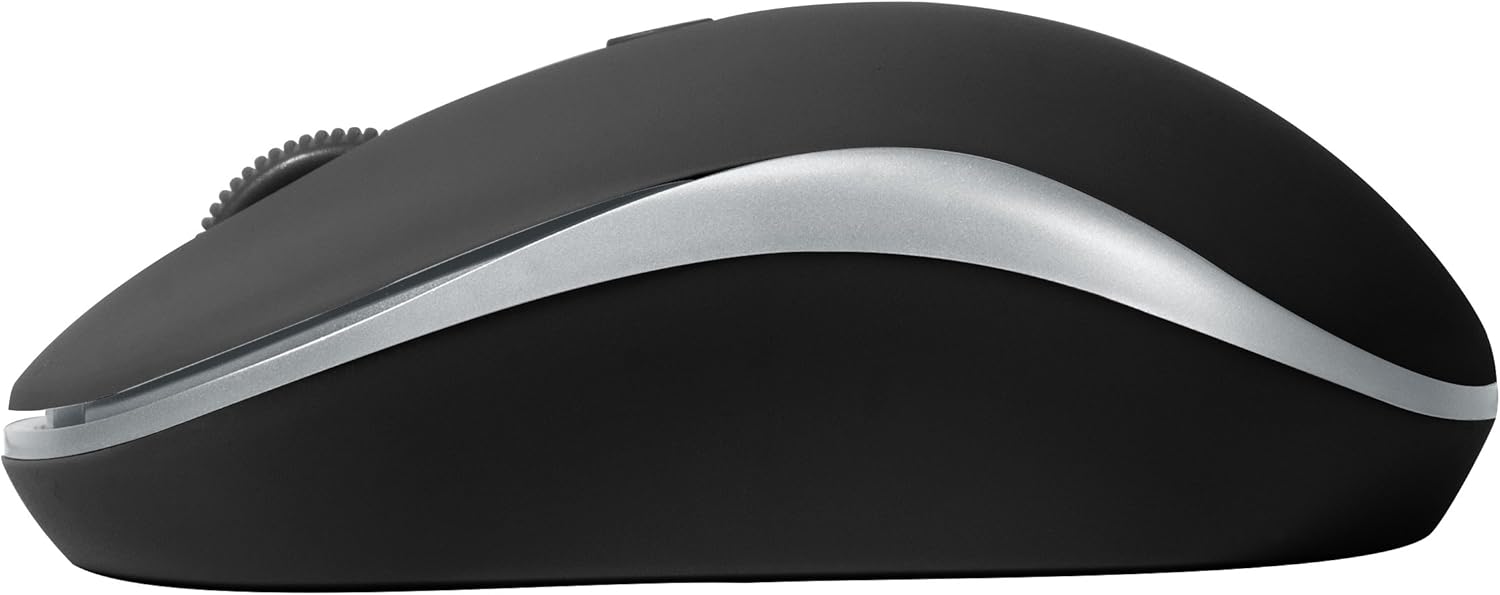
Figura 2: lateral view of the BYTECH Wireless Optical Mouse. This angle highlights the ergonomic curve and the silver accent line that runs along the side of the mouse.
Configuració
1. Instal·lació de la bateria
- Localitzeu el compartiment de la bateria a la part inferior del ratolí.
- Obriu la tapa del compartiment de la bateria.
- Insert one AA battery (not included) into the compartment, ensuring the correct polarity (+/-) as indicated inside.
- Tanqueu bé la tapa del compartiment de la bateria.
2. Connexió del receptor USB
- Traieu el receptor USB de la seva ranura d'emmagatzematge, que normalment es troba dins del compartiment de la bateria o a prop.
- Connecteu el receptor USB a un port USB disponible de l'ordinador o portàtil.
- El vostre sistema operatiu hauria de detectar i instal·lar automàticament els controladors necessaris. Això pot trigar uns instants.
3. Encès
- Locate the On/Off switch on the underside of the mouse.
- Slide the switch to the "On" position. The mouse should now be ready for use.
Instruccions de funcionament
Funcions bàsiques
- Clic esquerre: Premeu el botó esquerre per seleccionar elements, obrir enllaços o activar funcions.
- Clic dret: Premeu el botó dret per obrir menús contextuals o accedir a opcions addicionals.
- Roda de desplaçament: Gireu la roda amunt o avall per desplaçar-vos pels documents o web pàgines. Premeu la roda de desplaçament per a la funcionalitat de clic central (per exemple, obrir enllaços en pestanyes noves).
Ajust de DPI
The mouse features a DPI (Dots Per Inch) button, typically located behind the scroll wheel. Press this button to cycle through different sensitivity settings. Each press will change the cursor speed, allowing you to find the optimal setting for your task.
- Premeu el botó Botó DPI once to switch to the next sensitivity level.
- Repeat until you find your preferred cursor speed.
Mode d'estalvi d'energia
To conserve battery life, the BYTECH Wireless Optical Mouse is designed to automatically enter a sleep mode after a period of inactivity. To wake the mouse, simply move it or click any button.
Manteniment
Neteja
- Assegureu-vos que el ratolí estigui apagat abans de netejar-lo.
- Utilitzeu un drap suau i sense pelusa lleugerament dampamb aigua o una solució de neteja suau.
- Wipe the surface of the mouse gently. Avoid excessive moisture.
- Per al sensor òptic, feu servir un bastonet de cotó sec per eliminar amb cura la pols o les restes.
- Do not use abrasive cleaners, alcohol, or solvents, as these may damage the surface.
Canvi de bateria
When the mouse performance degrades or the cursor becomes erratic, it may be time to replace the battery. Follow the battery installation steps outlined in the "Setup" section.
Emmagatzematge
When not in use for an extended period, it is recommended to turn off the mouse to conserve battery life. The USB receiver can be stored in its dedicated slot on the mouse's underside to prevent loss.
Resolució de problemes
- El ratolí no respon:
- Assegureu-vos que el ratolí estigui encès.
- Comproveu el nivell de la bateria i substituïu-la si cal.
- Verifiqueu que el receptor USB estigui ben connectat a un port USB que funcioni. Proveu-ho amb un altre port USB.
- Reinicieu l'ordinador.
- Cursor erratic or jumping:
- Netegeu el sensor òptic de la part inferior del ratolí.
- Assegureu-vos que feu servir el ratolí sobre una superfície adequada (no reflectant, no transparent). Es recomana una estora de ratolí.
- Comproveu si hi ha interferències electromagnètiques fortes d'altres dispositius.
- Problemes de connectivitat:
- Reduïu la distància entre el ratolí i el receptor USB.
- Remove any large metal objects or electronic devices that might be obstructing the wireless signal.
- If using a USB hub, try connecting the receiver directly to the computer.
Especificacions
| Característica | Detall |
|---|---|
| Marca | Bytech |
| Model | BYTECH Wireless Optical Mouse |
| Tecnologia de connectivitat | Sense fil (receptor USB) |
| Tecnologia de detecció de moviment | Òptic |
| Color | Negre |
| Font d'alimentació | Battery Powered (1x AA, not included) |
| Compatibilitat de sistemes operatius | macOS, Android (and generally Windows) |
| Pes de l'article | 3.56 unces |
| Dimensions del producte (LxWxH) | 1 x 1 x 1 polzades (aproximat) |
Nota: Les especificacions estan subjectes a canvis sense previ avís.
Garantia i Suport
Bytech products are manufactured to the highest quality standards. For information regarding warranty coverage, technical support, or service, please refer to the warranty card included with your product or visit the official Bytech weblloc web. Conserveu el rebut de compra com a comprovant de compra per a reclamacions de garantia.
For further assistance, please contact Bytech customer support through their official channels.


