Introducció
Thank you for choosing the Rapoo H100 Wired Stereo Headset. This manual provides detailed instructions for setting up, operating, and maintaining your headset to ensure optimal performance and longevity. The Rapoo H100 is designed for clear audio communication and comfortable wear, featuring smooth HD voice calls, microphone noise reduction, adjustable rotation, volume control, microphone mute, and a standard 3.5mm audio port.
Contingut del paquet
Si us plau, comproveu el contingut del paquet per assegurar-vos que hi hagi tots els elements:
- Rapoo H100 Wired Stereo Headset
Producte acabatview
Familiarize yourself with the components of your Rapoo H100 headset for proper use and understanding.

Figura 1: Angle frontal view of the Rapoo H100 Wired Stereo Headset, showcasing the earcups, adjustable headband, and microphone arm.
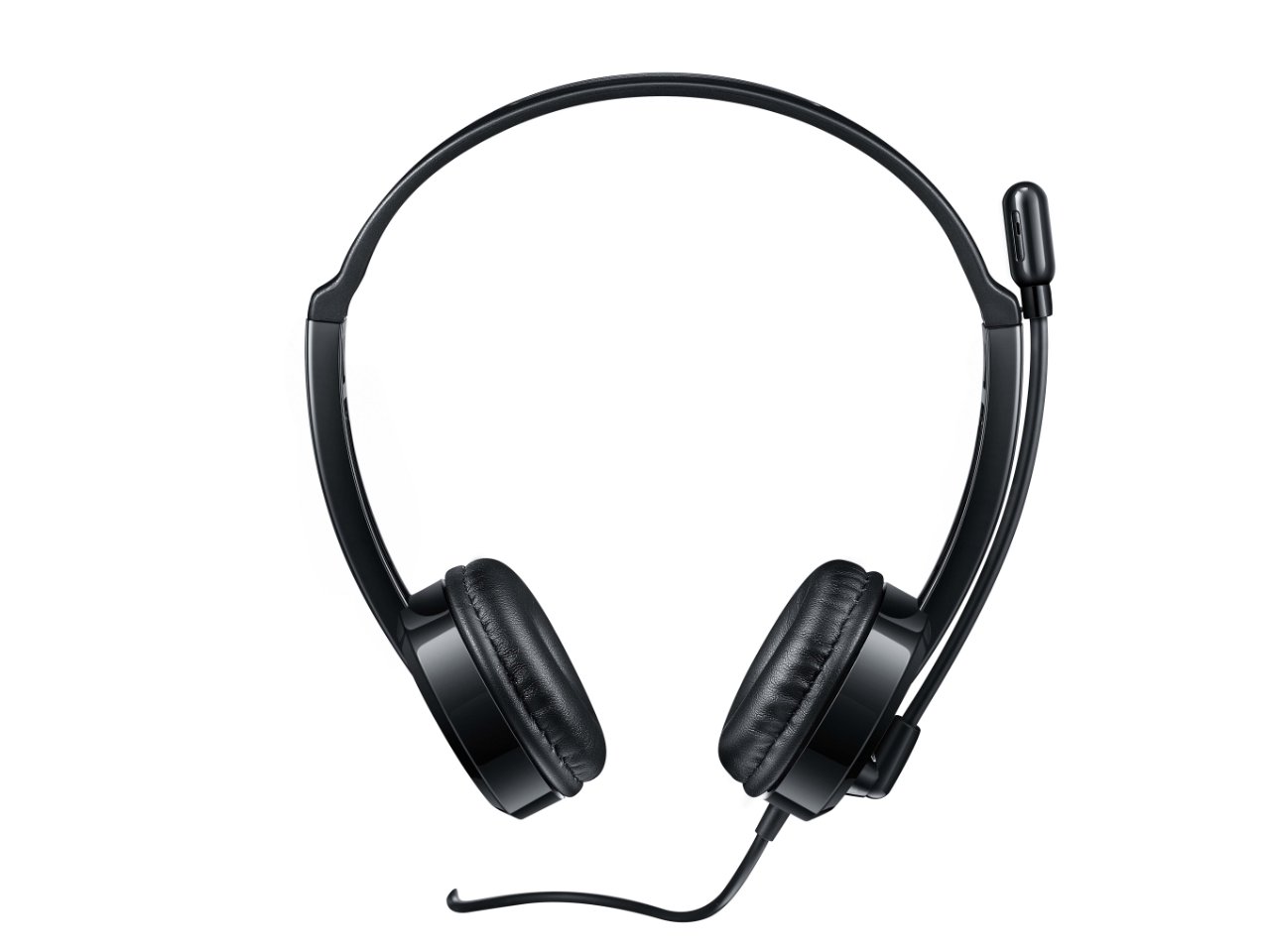
Figura 2: Part superior frontal view of the headset, providing a clear perspective of the headband's curvature and the design of both earcups.
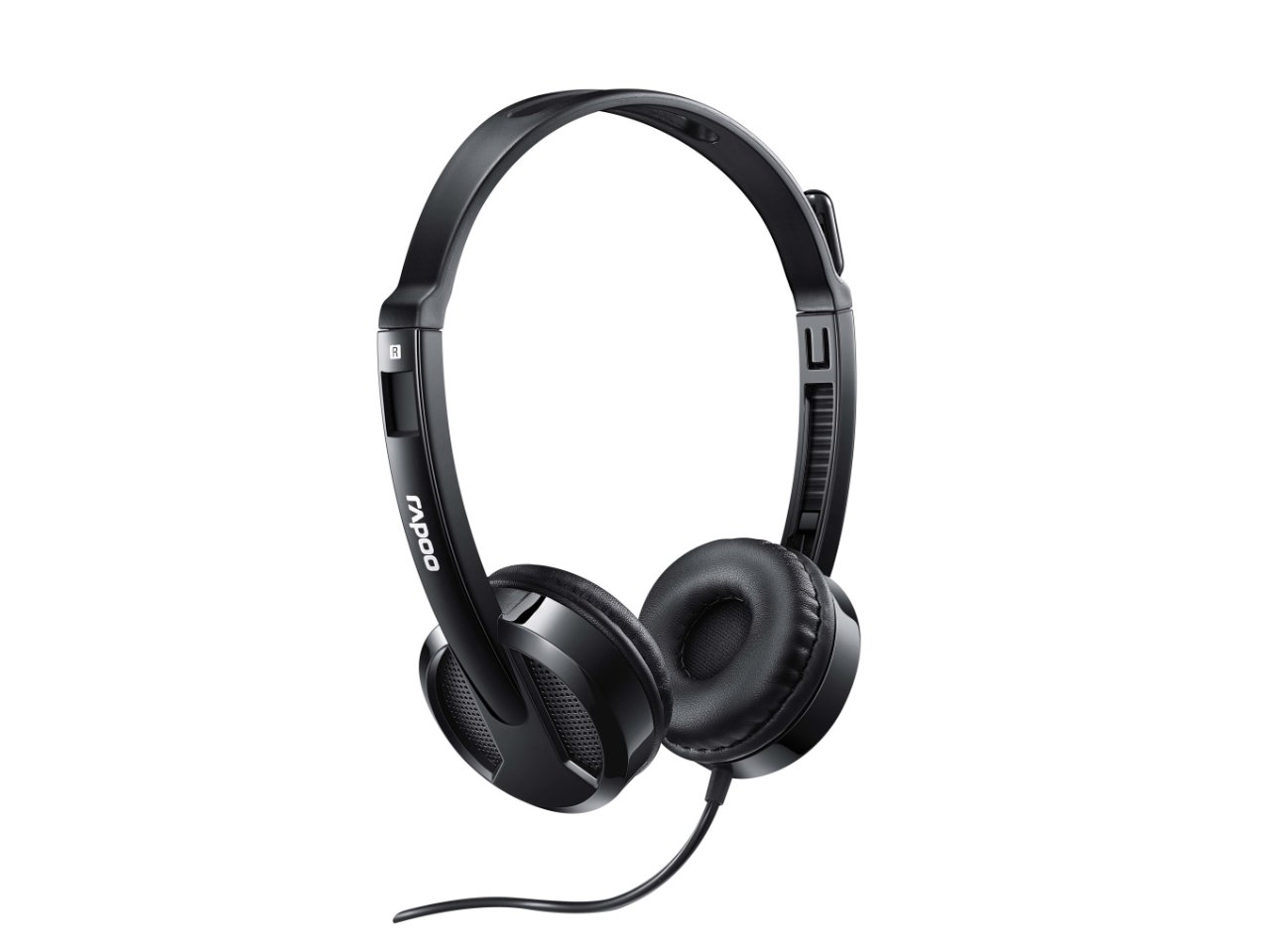
Figura 3: En angle view from behind the headset, showing the connection point of the audio cable to the earcup.

Figura 4: Primer pla view of the rotatable microphone arm, illustrating its design for optimal voice capture.

Figura 5: Side profile view of the Rapoo H100 headset, showing the slim design and the headband adjustment mechanism.
Components clau:
- Diadema ajustable: Allows for a comfortable fit for various head sizes.
- Coixinets suaus per a les orelles: Dissenyat per a la comoditat durant un ús prolongat.
- Rotatable Microphone: Can be adjusted for optimal voice pickup and rotated out of the way when not in use.
- Unitat de control en línia: Contains the volume control wheel and microphone mute switch for easy access.
- Conector d'àudio de 3.5 mm: Standard connector for universal compatibility with devices.
Configuració
- Connecteu els auriculars: Insert the 3.5mm audio jack into the corresponding audio port on your computer, laptop, tablet, or smartphone. Ensure the connection is secure.
- Ajusteu la diadema: Gently extend or retract the headband on both sides until the earcups rest comfortably over your ears.
- Posició del micròfon: Rotate the microphone arm downwards and position the microphone approximately 2-3 cm (1 inch) from your mouth for clear voice pickup. The microphone is adjustable for optimal placement.
- Configure Audio Settings (if necessary): On your device, navigate to the sound settings and ensure the Rapoo H100 is selected as the default input (microphone) and output (speaker) device.
Instruccions de funcionament
- Control de volum: Use the in-line volume control wheel on the headset cable to adjust the listening volume. Rotate the wheel upwards to increase volume and downwards to decrease it.
- Silència del micròfon: Locate the mute switch on the in-line control. Slide the switch to mute or unmute the microphone. This is useful for privacy during calls or when you do not wish your voice to be transmitted.
- Fer trucades: Once connected and configured, you can use the headset for voice calls through various communication applications (e.g., Skype, Zoom, Microsoft Teams) or for standard phone calls on compatible devices.
- Escoltant l'àudio: The headset will output audio from your connected device, allowing you to listen to music, videos, or game audio.
Manteniment
Proper maintenance will extend the life of your headset.
- Neteja: Feu servir un drap suau i sec per netejar els auriculars i la diadema. Per a la brutícia persistent, netegeu lleugerament.amp es pot fer servir un drap, però assegureu-vos que no entri humitat a les reixetes de l'altaveu ni al micròfon. No utilitzeu productes químics agressius ni netejadors abrasius.
- Emmagatzematge: When not in use, store the headset in a clean, dry place away from direct sunlight and extreme temperatures. Avoid tangling the cable.
- Cura del cable: Do not pull the cable forcefully or wrap it too tightly around the headset. This can damage the internal wires.
Resolució de problemes
If you encounter issues with your Rapoo H100 headset, refer to the following common problems and solutions:
| Problema | Causa possible | Solució |
|---|---|---|
| No hi ha so dels auriculars |
|
|
| El micròfon no funciona |
|
|
| La qualitat del so és deficient |
|
|
Especificacions
| Característica | Detall |
|---|---|
| Nom del model | H100 |
| Tecnologia de connectivitat | Amb cable |
| Components inclosos | Auriculars |
| Dispositius compatibles | Tablets, Telephones, Laptops, Desktops |
| Tipus de control | Control de volum |
| Pes de l'article | 400 grams |
| Forma de l'auricular | Sobre l'orella |
| Fabricant | Rapoo |
| Factor de forma | Over Ear, On ear |
| Dimensions del producte (LxWxH) | 1.8 x 18.6 x 11.6 cm |
| Conector d'auriculars | 3.5 mm Jack |
| Color | Negre |
Garantia i Suport
Per obtenir informació sobre la garantia i assistència tècnica, consulteu la pàgina oficial de Rapoo. weblloc web o poseu-vos en contacte amb el seu servei d'atenció al client. Conserveu el rebut de compra com a comprovant de compra per a reclamacions de garantia.
Fabricant: Rapoo
Weblloc: www.rapoo.com (Please note: This is a general placeholder. Refer to your product packaging or Rapoo's official documentation for the most accurate support contact information.)


