Introducció
This user manual provides detailed instructions for the operation and maintenance of your DBPOWER 11.5" Portable DVD Player. Please read this manual thoroughly before using the device to ensure proper functionality and longevity. This portable DVD player is designed for versatile entertainment on the go, featuring a swivel screen, long-lasting battery, and multi-format support.
Contingut del paquet
En obrir el paquet, comproveu que hi hagi tots els elements següents:
- Reproductor de DVD portàtil de 9 "
- Control remot
- Adaptador de corrent continu
- Carregador de cotxe
- Cable AV 3 en 1
- Manual d'usuari

Figura 1: Contingut del paquet
Producte acabatview i Característiques
The DBPOWER Portable DVD Player offers a range of features designed for convenience and entertainment:
- High Capacity Built-in Battery: Equipped with a 2500 mAh rechargeable lithium battery, providing approximately 5 hours of video playback. The device supports three power supply options: built-in battery, car charger, and AC power adapter.
- Suport multimèdia: Direct playback of various formats including CD, DVD, CD-R/RW, DVD-R/+R, DVD+RW/-RW, VCD, SVCD. It also supports USB drives and SD cards up to 32GB, with compatibility for MP3/WMA/WAV audio, JPEG images, and MPEG2/AVI/DIVX video formats. The player is region-free.

Figure 2: Multiple Media Support
- Swiveling Screen: Features a 9-inch screen with an 800x480 resolution. The screen can rotate 270 degrees and flip 180 degrees, allowing it to be used as a tablet or mounted to a car headrest.

Figure 3: Swivel Screen Functionality
- Dual Speaker & Louder Volume: Integrated with two powerful stereo speakers for clear and loud audio. A 3.5mm earphone jack is also available for private listening.
- Last Memory & Remote Control: The break-point memory function allows the player to resume playback from where it was last stopped. A remote control is included for convenient operation.
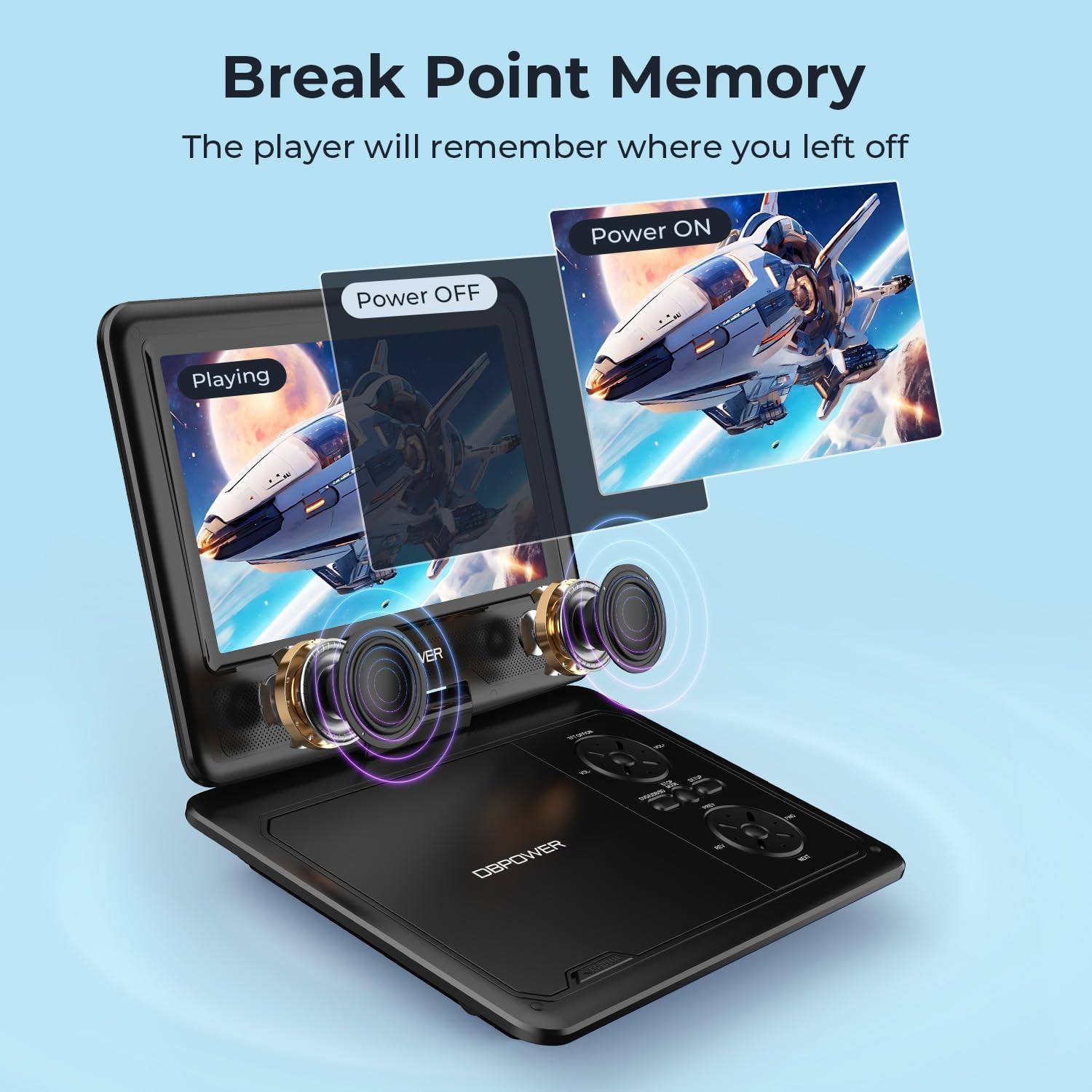
Figure 4: Last Memory Function

Figure 5: DBPOWER 11.5" Portable DVD Player
Configuració
- Càrrega de la bateria: Before first use, fully charge the built-in 2500 mAh lithium battery using the provided AC power adapter or car charger. The charging indicator light will typically change color or turn off when fully charged.
- Inserció d'un disc: Gently open the disc cover. Place a compatible DVD or CD onto the spindle, ensuring it clicks into place. Close the disc cover firmly.
- Encès: Locate the ON/OFF switch, usually on the side or back of the unit, and slide it to the 'ON' position. The screen should power on.
- Connecting to External Devices (Optional):
- To a TV: Use the included 3-in-1 AV cable. Connect the yellow plug to the video input of your TV, and the red/white plugs to the audio inputs. Connect the other end to the AV OUT port on the DVD player. Select the corresponding AV input on your TV.

Figure 6: Connecting to a TV
- Targeta USB/SD: Insert a USB flash drive into the USB port or an SD card into the SD card slot. The player will typically detect the media automatically.
- To a TV: Use the included 3-in-1 AV cable. Connect the yellow plug to the video input of your TV, and the red/white plugs to the audio inputs. Connect the other end to the AV OUT port on the DVD player. Select the corresponding AV input on your TV.
Instruccions de funcionament
- Reproducció bàsica: After inserting a disc or media, the player will usually begin playback automatically. Use the Play/Pause, Stop, Fast Forward, and Rewind buttons on the player or remote control to manage playback.
- Control de volum: Adjust the volume using the dedicated volume buttons on the player or the remote control.
- Ajust de pantalla: The 9-inch screen can be swiveled up to 270 degrees and flipped 180 degrees for optimal viewangles d'ajust.
- Navegació del menú: Use the directional buttons and OK/Enter button on the player or remote to navigate disc menus or media files.
- Última funció de memòria: To enable this feature, navigate to the SETUP page in the player's menu and set "Last Memory" to "ON". This allows the player to resume from the last played position after being turned off.
- Ús del cotxe: The player can be mounted to a car headrest using a compatible mount (not explicitly stated as included, but implied by feature bullets). Use the car charger for continuous power during long trips.
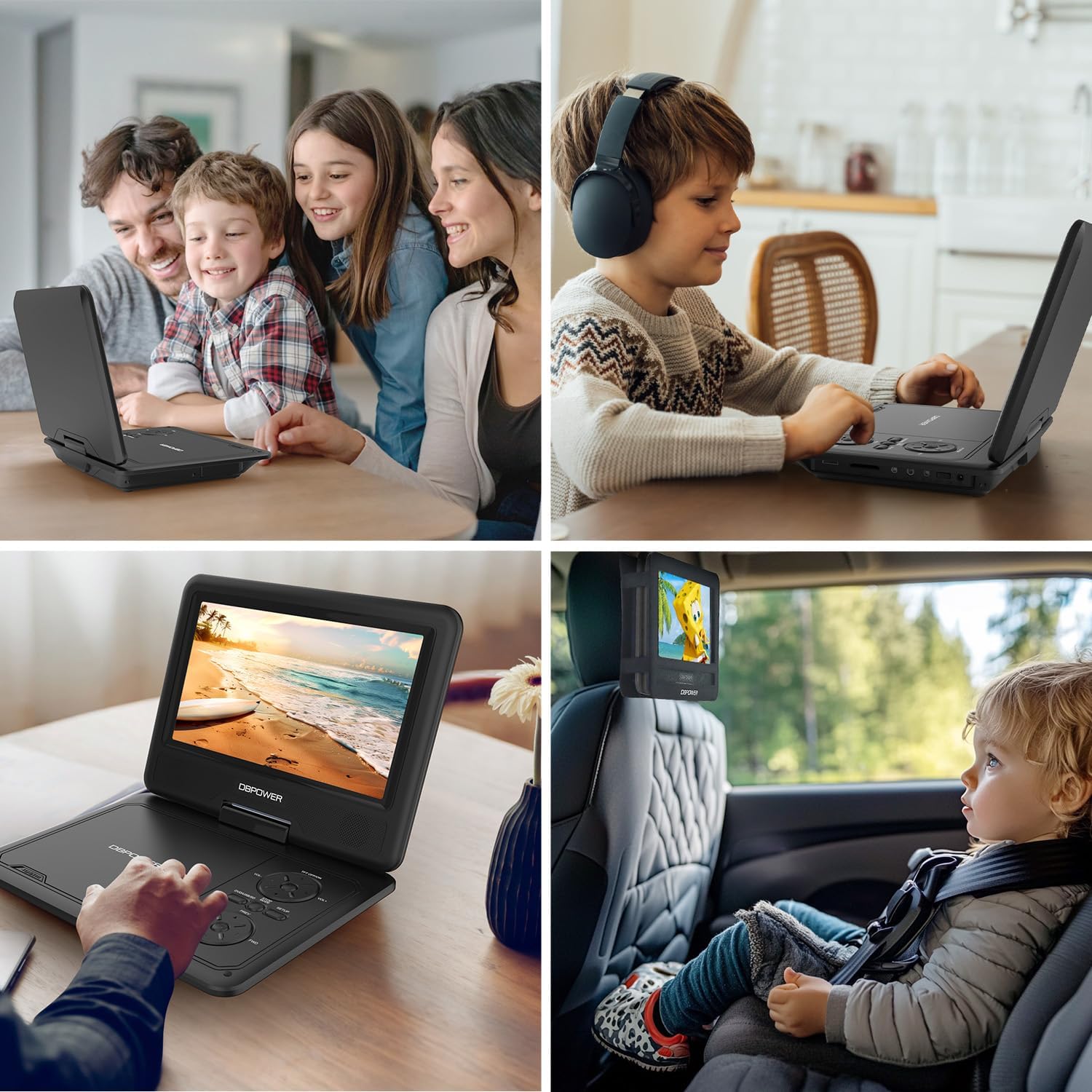
Figura 7: Escenaris d'ús
Manteniment
- Neteja: Use a soft, dry cloth to clean the exterior of the player. For the screen, use a screen-specific cleaning solution and a microfiber cloth. Do not use abrasive cleaners or solvents.
- Cura del disc: Manipuleu els discs per les vores. Manteniu-los nets i sense ratllades. Guardeu els discs a les seves fundes quan no els feu servir.
- Emmagatzematge: When not in use for extended periods, store the player in a cool, dry place, away from direct sunlight and extreme temperatures. Ensure the screen is closed for protection.
- Cura de la bateria: To prolong battery life, avoid fully discharging the battery frequently. Recharge the battery regularly, even if the player is not in frequent use.
Resolució de problemes
| Problema | Causa possible | Solució |
|---|---|---|
| El reproductor no s'encén. | La bateria està esgotada o l'adaptador de corrent no està connectat correctament. | Connect the AC adapter or car charger and allow the battery to charge. Ensure the power switch is in the 'ON' position. |
| No disc detected / "NO DVD" message. | Disc is dirty, scratched, or incompatible format. Disc not inserted correctly. | Clean the disc with a soft cloth. Try a different disc. Ensure the disc is placed correctly on the spindle. Verify disc format compatibility (no Blu-ray). |
| No hi ha imatge a la televisió. | AV cable not connected properly or incorrect TV input selected. | Check AV cable connections on both the player and TV. Select the correct AV input channel on your TV. |
| Sense so. | Volume too low, mute activated, or external speakers/headphones not connected properly. | Increase volume. Check if mute is active. Ensure headphones or external speakers are properly connected to the 3.5mm jack. |
| El comandament a distància no funciona. | Batteries are dead or remote is not aimed correctly. | Replace remote control batteries. Ensure there are no obstructions between the remote and the player's IR receiver. |
Especificacions
- Dimensions del producte: 15.94 x 13.58 x 2.95 polzades
- Pes de l'article: 1.94 lliures
- Fabricant: DBPOWER
- Número de model: PD928
- Bateries: 1 bateria de metall de liti (inclosa)
- Mida de la pantalla: 9 polzades
- Tipus de visualització: LCD
- Tipus de suports admesos: CD, DVD, CD-R/RW, DVD-R/+R, DVD+RW/-RW, VCD, SVCD, USB, SD Card
- Formats d'àudio compatibles: MP3/WMA/WAV
- Formats de vídeo compatibles: MPEG2/AVI/DIVX
- Formats d'imatge compatibles: JPEG
- Color: Negre
Garantia i Suport
DBPOWER is committed to providing excellent customer service and support for its products. For any inquiries or assistance, please refer to the following:
- Atenció al client: Disponible 24 hores.
- Exchange & Return: 12 Months policy.
- Suport tècnic: 12 Months of technical support.
Please retain your proof of purchase for warranty claims. For more detailed support or to contact customer service, please visit the official DBPOWER website or refer to the contact information provided in the included user manual.


