1. Introducció
The D-Link N300 Mesh Wi-Fi Range Extender (DAP-1325-US) is designed to expand the coverage of your existing wireless network. This device helps eliminate Wi-Fi dead zones and weak signal areas in your home or office, providing improved connectivity for your devices. It supports wireless N standards, offering connection speeds up to 300 Mbps, and is backward compatible with older wireless devices. The DAP-1325-US also features an Ethernet port for connecting wired devices.
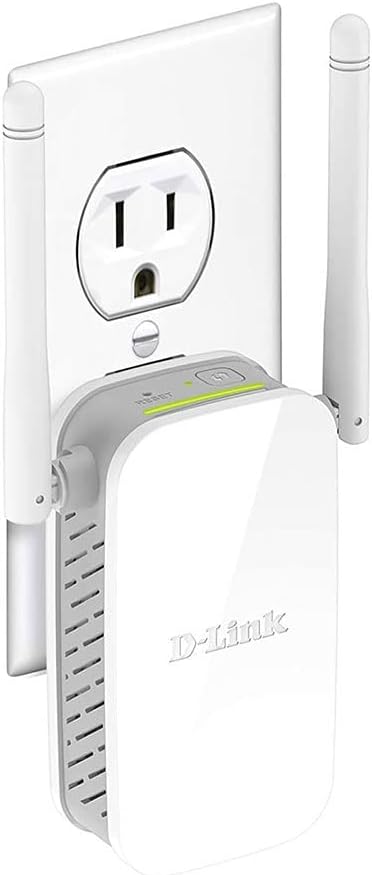
Image: The D-Link N300 Mesh Wi-Fi Range Extender (DAP-1325-US) shown plugged into a standard wall outlet, illustrating its compact, wall-plug design.
2. Contingut del paquet
Comproveu que el vostre paquet contingui els elements següents:
- D-Link DAP-1325-US N300 Mesh Wi-Fi Range Extender
- Guia d'instal·lació ràpida (QIG)
Si falta algun element o hi ha algun dany, poseu-vos en contacte amb el vostre distribuïdor local de D-Link.
3. Producte acabatview
3.1 Disseny del dispositiu

Imatge: Superior view of the D-Link DAP-1325-US, highlighting the Reset button and the WPS button.
- Botó WPS: S'utilitza per a una configuració ràpida amb un encaminador amb WPS.
- Botó de restabliment: Press and hold to restore factory default settings.
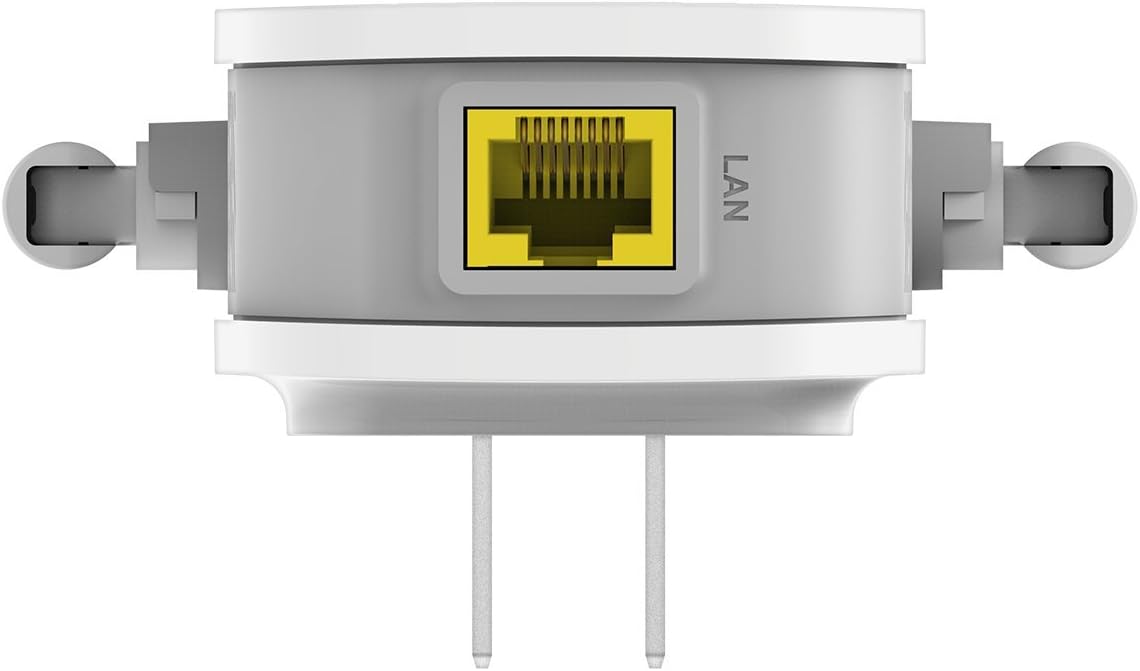
Imatge: Part inferior view of the D-Link DAP-1325-US, showing the Ethernet (LAN) port.
- Port Ethernet (LAN): Connects wired devices to your extended network.
3.2 Indicadors LED
- Signal Indicator LED: Displays the strength of the signal from your router. Green indicates a good connection, amber indicates a fair connection, and red indicates a poor or no connection.
- LED d'alimentació: Indica l'estat d'alimentació del dispositiu.
4. Configuració
The D-Link DAP-1325-US offers multiple setup methods:
4.1 WPS (Wi-Fi Protected Setup) Method
- Plug the DAP-1325-US into a power outlet near your existing Wi-Fi router.
- Wait for the Power LED to turn solid green.
- Premeu el botó WPS del vostre encaminador Wi-Fi existent.
- Within two minutes, press the WPS button on the DAP-1325-US.
- The Signal Indicator LED on the DAP-1325-US will flash during connection and then turn solid green or amber when successfully connected.
- Once connected, unplug the DAP-1325-US and move it to a location between your router and the area where you need extended Wi-Fi coverage. Ensure the Signal Indicator LED remains solid green or amber in the new location for optimal performance.
4.2 QRS Mobile App Setup
For a guided setup using your smartphone or tablet:
- Download the D-Link QRS Mobile app from the App Store (iOS) or Google Play (Android).
- Plug the DAP-1325-US into a power outlet.
- Open the QRS Mobile app and follow the on-screen instructions to connect to the extender and configure its settings.
4.3 Web Configuració del navegador
You can also configure the extender using a web navegador:
- Plug the DAP-1325-US into a power outlet.
- Connect your computer or mobile device to the extender's default Wi-Fi network (SSID and password can be found on the device label or Quick Installation Guide).
- Obre a web navegador i entreu
http://dlinkap.local/or the IP address provided in the Quick Installation Guide. - Follow the on-screen setup wizard to configure the extender.
5. Instruccions de funcionament
5.1 Col·locació òptima
After initial setup, place the DAP-1325-US in a location that is roughly halfway between your wireless router and the area where you need to extend coverage. The Signal Indicator LED should be solid green or amber to ensure a strong connection to your router.
5.2 Connexió de dispositius
Once the extender is set up, devices in the extended coverage area can connect to the new Wi-Fi network created by the DAP-1325-US. If Mesh Smart Roaming is enabled, your devices will automatically connect to the strongest available Wi-Fi signal (either from your router or the extender) as you move around your home.
5.3 Using the Ethernet Port
The built-in Ethernet port allows you to connect a wired device, such as a desktop computer, gaming console, or smart TV, to your extended wireless network. Simply connect an Ethernet cable from your device to the LAN port on the DAP-1325-US.
6. Manteniment
- Neteja: Feu servir un drap suau i sec per netejar el dispositiu. No utilitzeu netejadors líquids ni en aerosol.
- Actualitzacions de firmware: Comproveu periòdicament el suport de D-Link weblloc web per a actualitzacions de firmware per garantir un rendiment i una seguretat òptims.
- Reiniciant: If the device experiences issues, try unplugging it from the power outlet for 10 seconds and then plugging it back in.
7. Solució De Problemes
7.1 No Internet Connection After Setup
- Ensure the DAP-1325-US is within range of your main router. The Signal Indicator LED should be solid green or amber.
- Verifiqueu que el vostre encaminador principal tingui una connexió a Internet activa.
- Try restarting both your main router and the DAP-1325-US.
- If using WPS, ensure you pressed the WPS button on both devices within the two-minute window.
7.2 Velocitat Wi-Fi lenta
- Relocate the DAP-1325-US to a more central position between your router and devices. A solid green Signal Indicator LED is ideal.
- Reduce interference from other electronic devices (e.g., microwaves, cordless phones).
- Assegureu-vos que el vostre encaminador principal ofereixi una velocitat adequada.
7.3 No es pot accedir Web-Based Setup
- Assegureu-vos que el dispositiu estigui connectat a la xarxa Wi-Fi de l'extensor.
- Intenta fer servir un altre web navegador.
- Esborra la memòria cau i les galetes del navegador.
- If
http://dlinkap.local/does not work, try using the extender's IP address (refer to your router's client list or the Quick Installation Guide).
7.4 Restabliment de fàbrica
If all troubleshooting steps fail, you may need to perform a factory reset:
- With the DAP-1325-US powered on, use a paperclip to press and hold the Reset button for approximately 5-10 seconds until the Power LED blinks.
- Release the button and wait for the device to restart. All settings will be restored to factory defaults.
8. Especificacions
| Característica | Especificació |
|---|---|
| Número de model | DAP-1325-US |
| Tipus sense fil | 802.11 g/n |
| Velocitat de transferència de dades | Fins a 300 megabits per segon |
| Classe de banda de freqüència | Banda única (2.4 GHz) |
| Port Ethernet | 1 x 10/100 Mbps LAN Port |
| Dimensions (LxWxH) | 3.26 x 2.71 x 3.86 polzades |
| Pes de l'article | 3.52 unces |
| Color | Blanc |
| Característica especial | Foldable Antennas |
9. Informació de seguretat
- No obriu el dispositiu ni intenteu reparar-lo.
- Mantingueu el dispositiu allunyat de l'aigua, el foc i les altes temperatures.
- Assegureu-vos una ventilació adequada al voltant del dispositiu.
- Use only the power source specified for this device.
10. Garantia i Suport
For warranty information and technical support, please refer to the documentation included with your product or visit the official D-Link website. D-Link provides various support resources, including FAQs, troubleshooting guides, and contact information for technical assistance.
Suport de D-Link Weblloc: https://us.dlink.com/support


