1. Introducció
Thank you for choosing PowerLocus P2 Bluetooth Over-Ear Headphones. These headphones are designed to provide a high-quality audio experience with versatile connectivity options. This manual will guide you through the setup, operation, and maintenance of your new headphones.
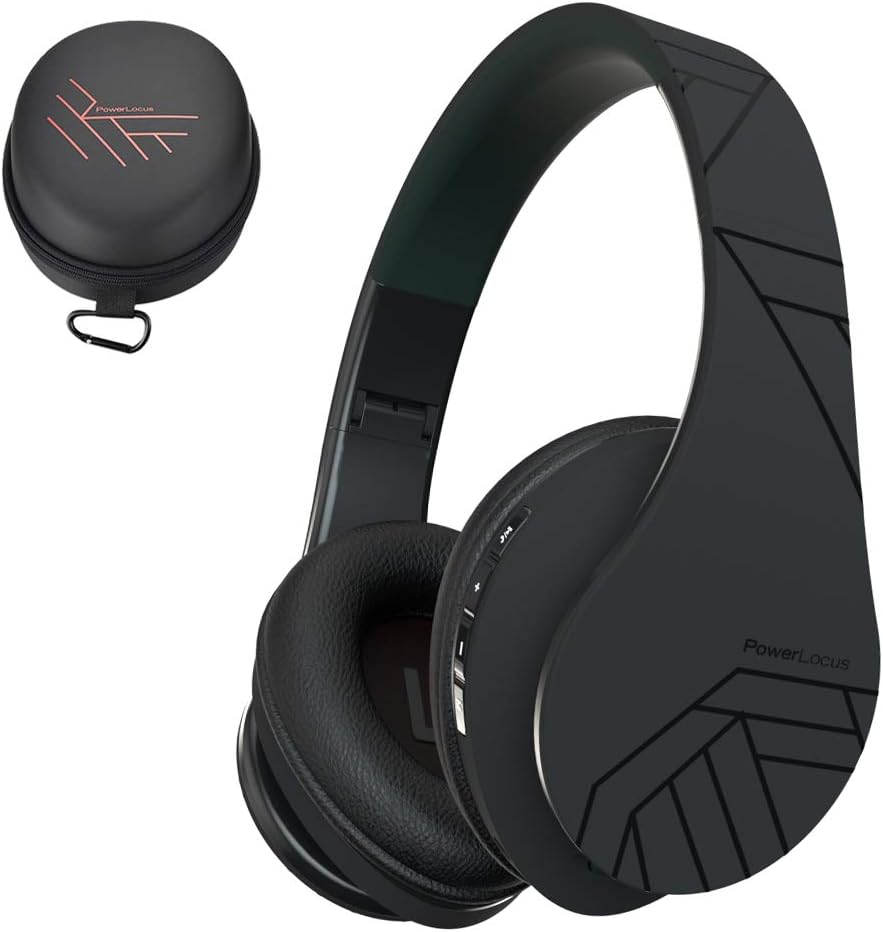
Image 1.1: PowerLocus P2 Headphones and Carrying Case
2. Contingut del paquet
Si us plau, comproveu el paquet per veure si hi ha els elements següents:
- 1x PowerLocus P2 Wireless Headphones
- 1x cable d'àudio de 3.5 mm
- 1x cable de càrrega USB-C
- 1x Elegant Hard Shell Carry Case

Image 2.1: Included Package Contents
3. Configuració
3.1 Càrrega dels auriculars
Before first use, fully charge your PowerLocus P2 headphones. The charging port is located on the right earcup.
- Connect the small end of the USB-C charging cable to the charging port on the headphones.
- Connect the larger end of the USB-C charging cable to a USB power source (e.g., computer USB port, wall adapter).
- The LED indicator will illuminate during charging and turn off when charging is complete.
Una càrrega completa triga aproximadament 2.5 hores.

Image 3.1: USB-C Charging Port
3.2 Engegada/apagada
- To power on: Slide the On/Off button located on the earcup. The LED indicator will flash.
- To power off: Slide the On/Off button again. The LED indicator will turn off.
3.3 Vinculació Bluetooth
The PowerLocus P2 headphones use Bluetooth 5.3 for a stable wireless connection.
- Assegureu-vos que els auriculars estiguin carregats i apagats.
- Slide the On/Off button to power on the headphones. The LED indicator will flash blue and red, indicating pairing mode.
- Al dispositiu (telèfon intel·ligent, tauleta, ordinador), activeu el Bluetooth i cerqueu els dispositius disponibles.
- Select "PowerLocus P2" from the list of devices.
- Once connected, the LED indicator will show a solid blue light or flash blue slowly.

Image 3.2: Key Features including Bluetooth 5.0
Connexió amb cable 3.4 (cable d'àudio de 3.5 mm)
You can use the headphones in wired mode when the battery is low or with non-Bluetooth devices.
- Connecteu un extrem del cable d'àudio de 3.5 mm a la presa d'entrada d'àudio dels auriculars.
- Connect the other end of the 3.5mm audio cable to your audio source's headphone jack.
- Els auriculars canviaran automàticament al mode amb cable.

Image 3.3: Wired Mode Connection
4. Instruccions de funcionament
4.1 Controls de botons
The controls are located on the right earcup for easy access.

Image 4.1: Headphone Button Controls and Features
| Botó/Acció | Funció |
|---|---|
| Power Button (Slide) | Encès/Apagat |
| Botó Reproduir/Pausa | Press once to Play/Pause music; Answer/End calls |
| Puja el volum (+) | Short press to increase volume; Long press for next track |
| Baixar el volum (-) | Short press to decrease volume; Long press for previous track |
| Botó de mode (M) | Switch between Bluetooth, Micro SD, and FM Radio modes |
4.2 Reproducció de música
- Reproduir/pausa: Premeu el botó Reproduir/Pausa una vegada.
- Pista següent: Premeu llargament el botó d'apujar el volum (+).
- Pista anterior: Premeu llargament el botó per baixar el volum (-).
- Ajust de volum: Premeu breument els botons de pujar el volum (+) o baixar el volum (-).
4.3 Gestió de trucades
When connected via Bluetooth, you can manage phone calls directly from the headphones.
- Respondre/Finalitzar la trucada: Premeu el botó Reproduir/Pausa una vegada.
- Rebutja la trucada: Premeu llargament el botó Reproduir/Pausa.
4.4 Micro SD/TF Card Mode
The headphones support Micro SD/TF cards for direct music playback.
- Insert a Micro SD/TF card (up to 32GB) with MP3 audio files a la ranura de la targeta.
- Press the Mode (M) button to switch to Micro SD mode.
- Music will begin playing automatically. Use the Play/Pause and Volume buttons for control.

Image 4.2: Micro SD Card Slot
4.5 Mode de ràdio FM
The headphones include a built-in FM radio function.
- Premeu el botó Mode (M) per canviar al mode de ràdio FM.
- Premeu llargament el botó Reproduir/Pausa per escanejar i desar automàticament les emissores de FM disponibles.
- Use the Volume Up (+) and Volume Down (-) buttons (short press) to switch between saved stations.
5. Manteniment
5.1 Neteja
- Netegeu els auriculars amb un drap suau i sec.
- No utilitzeu netejadors abrasius, alcohol ni dissolvents químics.
- Eviteu que entri humitat a cap obertura.
5.2 Emmagatzematge
When not in use, store the headphones in the provided hard shell carry case to protect them from dust, scratches, and impacts. The foldable design allows for compact storage.

Image 5.1: Headphones Stored in Carry Case
6. Solució De Problemes
| Problema | Solució |
|---|---|
| Els auriculars no s'engeguen. | Assegureu-vos que els auriculars estiguin completament carregats. |
| No es pot emparellar per Bluetooth. | Assegureu-vos que els auriculars estiguin en mode d'emparellament (LED blau/vermell parpellejant). Desactiveu i activeu el Bluetooth al dispositiu. Acosteu-vos al dispositiu. |
| No hi ha so en mode Bluetooth. | Check volume levels on both headphones and connected device. Ensure headphones are correctly paired. |
| No hi ha so en mode amb cable. | Ensure the 3.5mm audio cable is securely connected to both the headphones and the audio source. Test with a different cable if possible. |
| La ràdio FM no funciona. | Ensure you are in FM mode. Perform an auto-scan for stations by long-pressing the Play/Pause button. |
7. Especificacions
| Característica | Detall |
|---|---|
| Nom del model | P2 |
| Tecnologia de connectivitat | Sense fil (Bluetooth 5.3), amb cable (connector de 3.5 mm) |
| Mida del controlador d'àudio | 40 mm |
| Interval de freqüència | 20 Hz - 20,000 Hz |
| Impedància | 32 ohms |
| Durada de la bateria | Fins a 15 hores |
| Temps de càrrega | Aproximadament 2.5 hores |
| Interval Bluetooth | Fins a 36 peus (11 metres) |
| Micròfon | Built-in (Echo Cancellation) |
| Característiques especials | Foldable, Micro SD/TF Card Slot, FM Radio |
| Pes | 150 grams (5.3 unces) |
| Material | Leather (earcups, carrying case) |
| Dispositius compatibles | Smartphones, Tablets, Laptops, Gaming Consoles, PCs |
8. Garantia i Suport
8.1 Informació de la garantia
PowerLocus P2 headphones come with a 24 mesos de garantia from the date of purchase. This warranty covers manufacturing defects and ensures customer satisfaction. Please retain your proof of purchase for warranty claims.
8.2 Atenció al client
For any questions, technical assistance, or warranty claims, please contact PowerLocus customer support. We are committed to 100% customer satisfaction and offer 24/7 support.
- Weblloc: www.powerlocus.com
- Email (EU Importer): info@powerlocus.com
- Email (UK Importer): info@powerlocus.com


