1. Producte acabatview
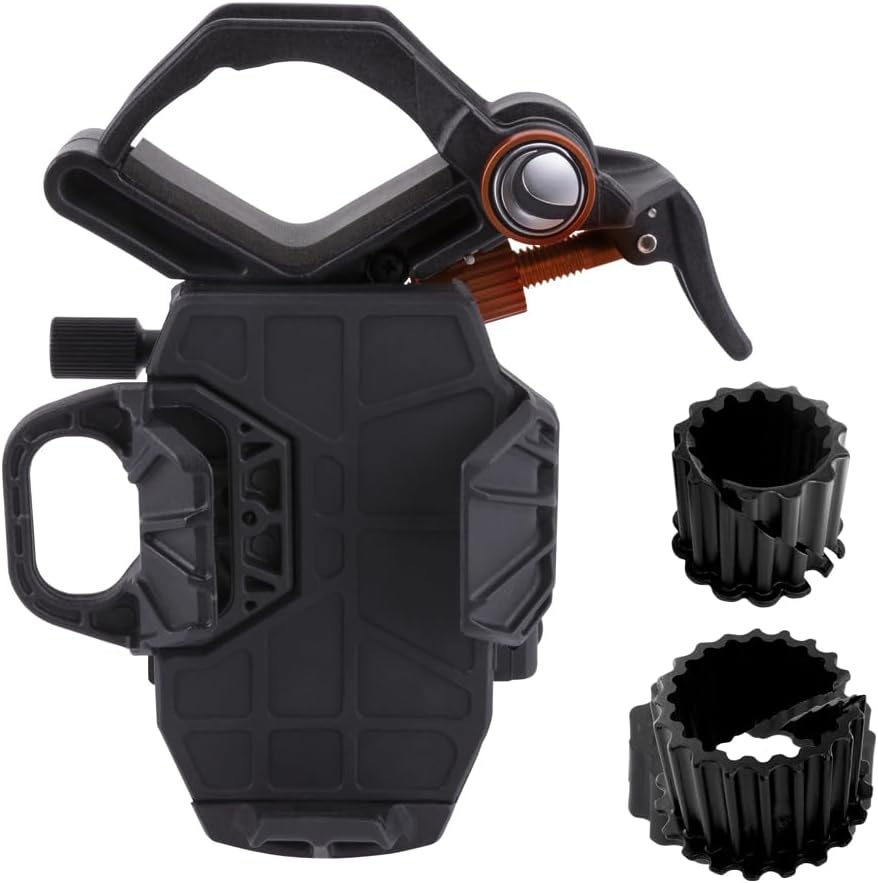
The Celestron NexYZ Universal Smartphone Adapter is designed to connect your smartphone to a variety of optical instruments, including telescopes, spotting scopes, binoculars, monoculars, and microscopes. This adapter allows you to capture high-quality images and videos through your optics, transforming your smartphone into a powerful imaging device. Its patented 3-axis design ensures precise and rapid alignment of your phone's camera with the eyepiece.


2. Muntatge i muntatge
Follow these steps to set up your Celestron NexYZ adapter:
- Attach Adapter to Eyepiece: Col·loca el clamp of the NexYZ adapter around the eyepiece of your optical instrument. Ensure the eyepiece diameter is between 35mm and 60mm. For microscopes, use the included expandable adapter rings to reduce the clamp's diameter to 25mm if needed. Securely tighten the clamp.
- Attach Smartphone: Extend the spring-loaded slider on the phone platform. Carefully place your smartphone onto the platform, ensuring it is securely held by the tension. The adapter accommodates most smartphone models, even with cases.
- Alineació inicial: With your phone attached, open your camera application. Begin to adjust the X, Y, and Z-axis knobs on the adapter to center your phone's camera lens precisely over the eyepiece. This initial alignment is crucial for clear imaging.

3. Instruccions de funcionament
Once the NexYZ adapter and your smartphone are securely attached, you can begin capturing images and videos.
- Fine-Tuning Alignment: Use the three precision control knobs (X-, Y-, and Z-axis) to achieve the sharpest and most centered view through your smartphone's camera. Small adjustments can significantly improve image quality.
- Ajust d'orientació: The adapter allows you to switch between portrait and landscape orientation without removing your phone. Simply turn the eyepiece clamp and fine-tune the adjustment knobs to re-center the image.
- Captura d'imatges/vídeos: Use your smartphone's native camera app or a third-party app that offers more control over exposure, ISO, and focus for optimal results, especially in low-light conditions or for specific astronomical targets.
- Swapping Devices: The spring-loaded phone platform allows for quick and easy swapping of smartphones, making it convenient for multiple users to share the view through the optical instrument.


4. Manteniment i cura
To ensure the longevity and optimal performance of your Celestron NexYZ adapter, follow these maintenance guidelines:
- Neteja: Use a soft, dry cloth to wipe down the adapter's exterior. Avoid using abrasive cleaners or solvents, which can damage the finish or internal components.
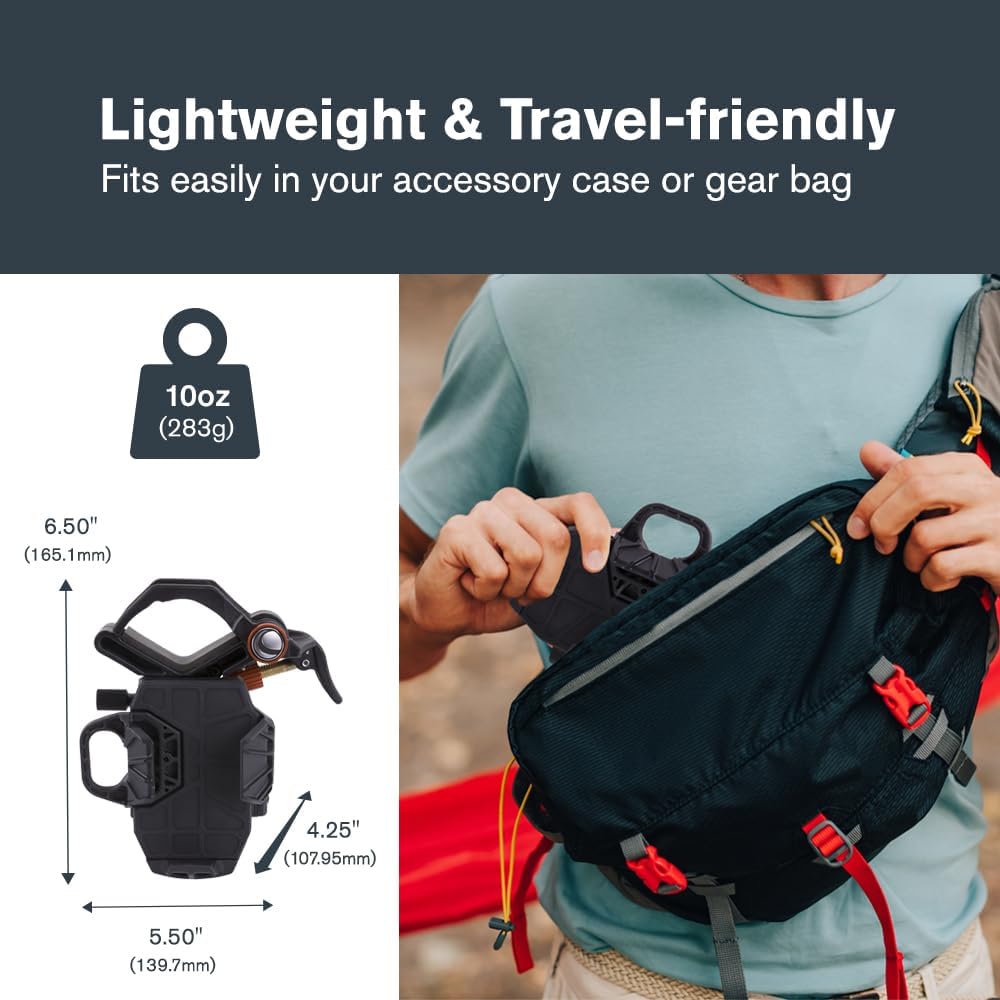
- Emmagatzematge: Store the adapter in a clean, dry environment, away from extreme temperatures and humidity. The compact design allows it to fit easily into most gear bags or accessory cases.
- Manipulació: While the NexYZ features a robust construction, handle it with care to prevent accidental drops or impacts that could affect its precision mechanisms.
5. Solució De Problemes
If you encounter issues with your NexYZ adapter, consider the following common solutions:
- Difficulty with Alignment: Ensure that the eyepiece is securely clamped and that your smartphone is firmly seated in the platform. The X, Y, and Z-axis adjustment knobs may require fine, incremental turns to achieve perfect alignment. If the adjustments feel loose, check for any tension adjustment screws on the adapter, as some models allow for tightening these mechanisms.
- Phone Not Stable: Verify that the spring-loaded phone platform is fully extended and gripping your phone securely. If your phone has a particularly thick case, it might affect the grip; try removing the case if stability is an issue.
- Vignetting (Dark Circle Around Image): This is common with some eyepiece and smartphone camera combinations. Adjusting the Z-axis (distance from the eyepiece) can help minimize vignetting. Cropping the image in post-processing is also a common solution.
- Image Blurry or Out of Focus: Ensure your optical instrument (telescope, binoculars, etc.) is properly focused. Then, use your smartphone's camera app to tap on the screen to focus on the image projected through the eyepiece.
Per a una resolució de problemes més detallada, consulteu el servei oficial Guia de resolució de problemes (PDF) provided by Celestron.
6. Especificacions
| Dimensions del producte | 5.25 x 6 x 8 polzades |
| Pes de l'article | 1 lliures |
| Número de model | NEX-3AXI |
| Dispositius compatibles | Telèfons intel·ligents |
| Models de telèfon compatibles | Works with virtually all smartphone models, including the latest devices from Apple, Samsung, and Google. |
| Tipus de muntatge | Connects to almost any eyepiece (35mm to 60mm diameter, 25mm with included adapters for microscopes) |
| Color | Negre |
7. Garantia i Suport
Celestron stands behind the quality of its products. The NexYZ Universal Smartphone Adapter includes a Garantia d'2 any als EUA. For any questions or assistance, unlimited support is available from Celestron's team of US-based experts.
Per obtenir informació detallada sobre la garantia, consulteu l'oficial Garantia (PDF) document.


