1. Introducció
The PNJ R Falcon FHD Drone is a versatile quadcopter designed for both recreational flying and aerial photography. Equipped with a Full HD 1080p camera, it allows users to capture high-quality photos and videos from the air. This drone features intuitive controls, including a remote controller and a dedicated smartphone app, making it accessible for beginners while offering advanced functionalities for experienced pilots. This manual provides essential information for safe operation, setup, maintenance, and troubleshooting.
2. Producte acabatview
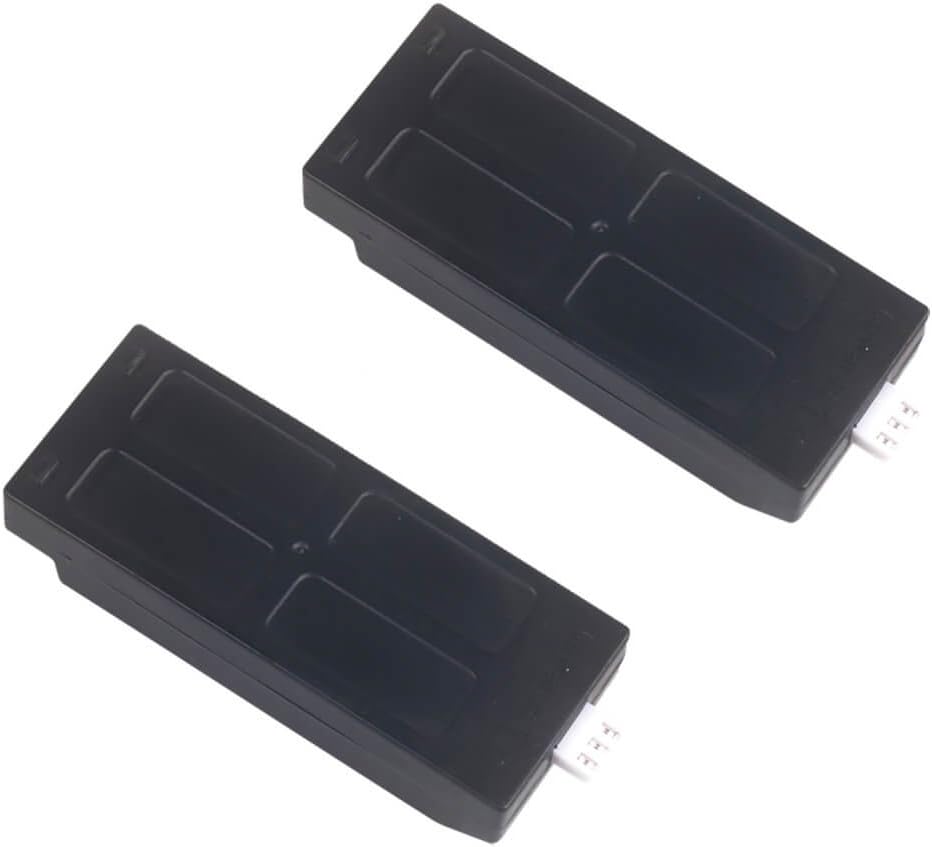
The PNJ R Falcon FHD Drone package includes the drone, a remote controller, and two rechargeable batteries. Key features include a 2MP Full HD 1080p camera with a 160° wide-angle lens, Wi-Fi connectivity for live view, and various flight modes to enhance your flying experience.
2.1 Components del dron


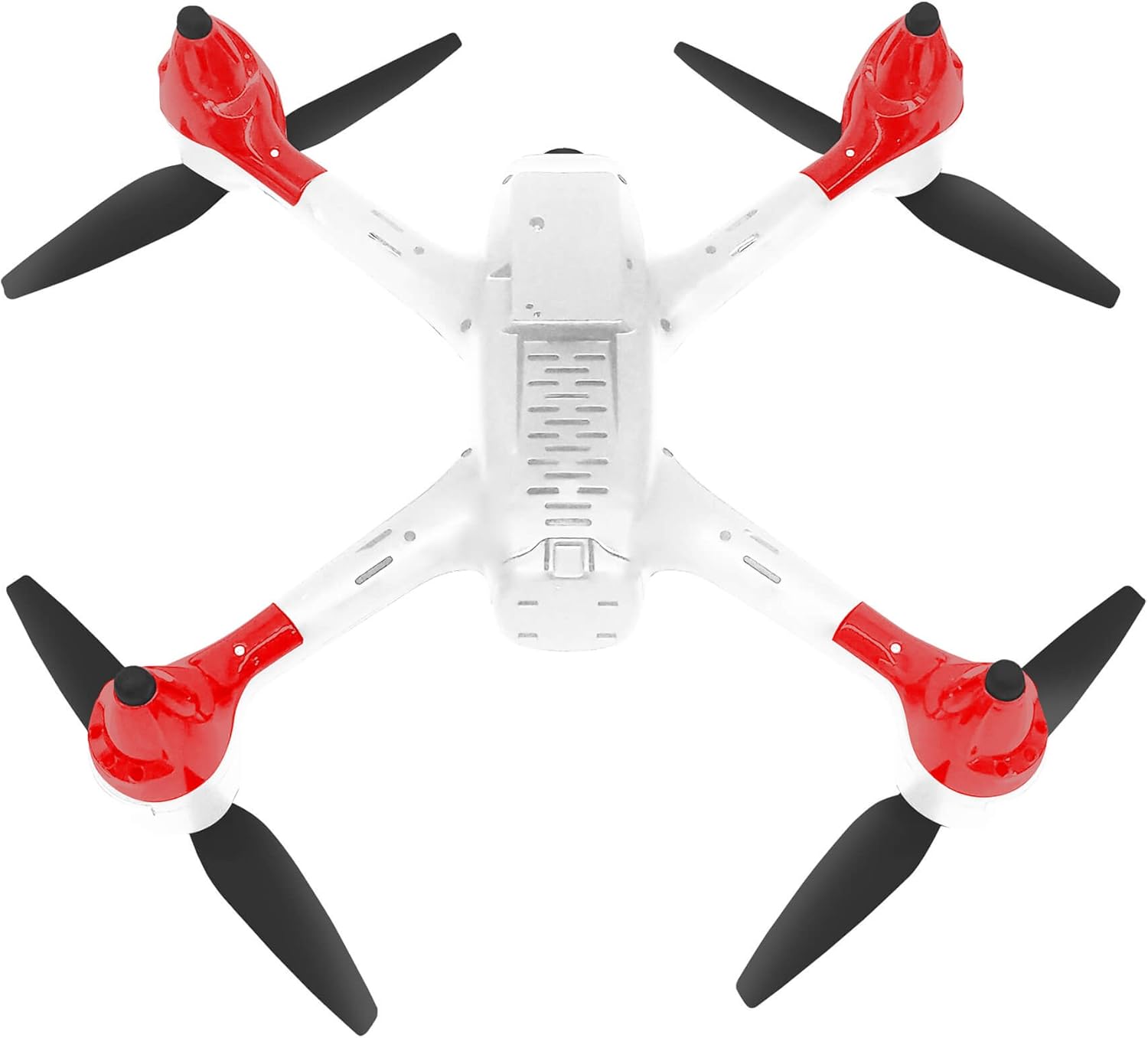
2.2 Control remot

2.3 Bateries
3. Configuració
3.1 Instal·lació i càrrega de la bateria
- Ensure the drone and remote controller are powered off before handling batteries.
- Locate the battery compartment on the underside of the drone (refer to Figure 3).
- Insert a fully charged battery into the compartment, ensuring it clicks securely into place.
- Tanqueu la tapa del compartiment de la bateria.
- To charge the batteries, use the provided charging cable and connect it to a suitable USB power source. The charging indicator will show the charging status. Each battery provides approximately 12 minutes of flight time.
3.2 Configuració del comandament a distància
- Install 3x AAA batteries (not included) into the remote controller.
- Extend the smartphone holder on the remote controller and securely place your smartphone.
- Enceneu el comandament a distància.
3.3 Instal·lació i connexió de l'aplicació
- Descarrega't el PNJ ZONE aplicació des de l'App Store (iOS) o Google Play Store (Android).
- Enceneu el drone.
- On your smartphone, connect to the drone's Wi-Fi network (usually named PNJ_R_FALCON_XXXX).
- Open the PNJ ZONE app. The app should automatically connect to the drone and display a live video feed.
4. Instruccions de funcionament
4.1 Llista de verificació prèvia al vol
- Ensure drone and controller batteries are fully charged.
- Comproveu si les hèlixs estan danyades i assegureu-vos que estiguin ben fixades.
- Verify a stable Wi-Fi connection between the drone and your smartphone.
- Choose an open, clear area for flight, away from obstacles, people, and animals.
4.2 Controls bàsics de vol
The remote controller (Figure 4) provides precise control over the drone's movements:
- Enlairament/aterratge amb una sola tecla: Press the designated button (often marked with an arrow pointing up/down) for automatic take-off or landing.
- Palanca d'acceleració: Controla l'altitud (pujar/baixar).
- Directional Stick: Controla el moviment endavant, enrere, a l'esquerra i a la dreta.
- Botó de velocitat: Ajusta la velocitat de vol (per exemple, baixa, mitjana, alta).
4.3 Funcions de vol avançades
- Headless Mode (Direction Lock): Activates a mode where the drone's orientation is irrelevant to control inputs. Forward on the stick always moves the drone away from the pilot, regardless of the drone's front direction.
- Alti-Mode (Altitude Hold): The drone maintains a stable altitude automatically, allowing the pilot to focus on directional control.
- Devolució automàtica: Initiates an automatic return to the take-off point. Ensure a clear path for safe return.
- Control de veu: Utilize voice commands via the PNJ ZONE app for certain flight functions.
- Parada d'emergència: Immediately cuts power to the motors in an emergency. Use with caution as the drone will drop.
4.4 Funcionament de la càmera
- Botó foto/vídeo: Use the dedicated buttons on the remote controller or within the PNJ ZONE app to capture photos or start/stop video recording.
- Viu View: The PNJ ZONE app provides a real-time video feed from the drone's camera to your smartphone.
- Emmagatzematge: Photos and videos are typically saved to your smartphone or an inserted microSD card (if applicable, check drone specifications).
5. Manteniment
- Neteja: Regularly clean the drone body and camera lens with a soft, dry cloth. Avoid using harsh chemicals.
- Inspecció de l'hèlix: Before each flight, inspect propellers for cracks, bends, or debris. Replace damaged propellers immediately.
- Cura de la bateria: Store batteries in a cool, dry place. Do not overcharge or fully discharge batteries. If storing for extended periods, charge them to about 50-60%.
- Emmagatzematge: Store the drone and its components in a protective case or original packaging when not in use to prevent damage.
6. Solució De Problemes
- El dron no s'encén: Ensure the battery is fully charged and correctly inserted. Check for any loose connections.
- El comandament a distància no es connecta: Verify that the remote controller batteries are installed correctly and charged. Ensure the drone is powered on and within range. Re-pair the controller if necessary (refer to pairing instructions in the app or quick start guide).
- No live video feed in app: Confirm your smartphone is connected to the drone's Wi-Fi network. Restart the app and the drone.
- El dron es desvia durant el vol: Perform a calibration of the drone's gyroscopes and accelerometers. Refer to the PNJ ZONE app or quick start guide for calibration steps.
- Temps de vol curt: Ensure batteries are fully charged. Flight time can be affected by aggressive flying, wind conditions, and extreme temperatures.
7. Especificacions
| Característica | Detall |
|---|---|
| Nom del model | R FALCON FULL HD |
| Fabricant | Pnj |
| Número d'article | DRO-R-FALCON-FHD |
| Dimensions | 22 x 30 x 6 cm |
| Pes de l'article | 440 grams |
| Material | Plastic, Carbon Fiber |
| Color | Blanc |
| Resolució de la càmera | 2 MP |
| Resolució de gravació de vídeo | 1080p (25 fps) |
| Angle de càmera | 160° |
| Tecnologia de connectivitat | Wi-Fi |
| Control Range (RC) | Fins a 100 m |
| Control Range (Smartphone) | Fins a 50 m |
| Tipus de bateria | Polímer de liti |
| Capacitat de la bateria | 850 mAh |
| Flight Time per Battery | Aprox. 12 minuts |
| Components inclosos | Drone, 2x Batteries |
8. Pautes de seguretat
- Always operate the drone in open areas, away from people, buildings, and other obstacles.
- Do not fly near airports or restricted airspace. Check local regulations before flying.
- Mantingueu la línia de visió amb el dron en tot moment.
- Eviteu volar amb vents forts, pluja o altres condicions meteorològiques adverses.
- Mantingueu els dits i la roba solta allunyats de les hèlixs quan el dron estigui engegat.
- Do not touch the motors immediately after flight as they may be hot.
- Ensure batteries are handled and charged safely to prevent fire hazards.
- Aquest producte està pensat per a adults.
9. Garantia i Suport
Specific warranty information and customer support details are not provided in the product description. Please refer to the product packaging or the manufacturer's official website for warranty terms and contact information for technical support.


