1. Introducció
Thank you for choosing the THE G-LAB Kult Helium Wired USB Gaming Mouse. This manual provides essential information for setting up, operating, maintaining, and troubleshooting your new gaming mouse. Designed for comfort and performance, the Kult Helium features an optical sensor, adjustable DPI, 7-color LED backlighting, and 6 responsive buttons. Its ergonomic and ambidextrous design accommodates all grip styles: palm, claw, and fingertip. It also features silent click buttons, suitable for various gaming environments.

Imatge 1.1: Frontal view of the THE G-LAB Kult Helium Wired USB Gaming Mouse, showcasing its black finish and multi-color LED lighting.
2. Configuració
The Kult Helium mouse is designed for simple plug-and-play installation. No additional drivers are typically required for basic functionality.
2.1 Connexió del ratolí
- Locate an available USB port on your computer or compatible console.
- Insert the USB connector of the Kult Helium mouse firmly into the USB port.
- Your operating system will automatically detect and install the necessary drivers. The mouse LED lighting will illuminate upon successful connection.
2.2 Compatibilitat
The Kult Helium mouse is compatible with a wide range of systems:
- Sistemes operatius: Windows, macOS, Linux
- Consoles de jocs: PlayStation 4 (PS4), PlayStation 5 (PS5), Xbox One, Xbox Series S/X
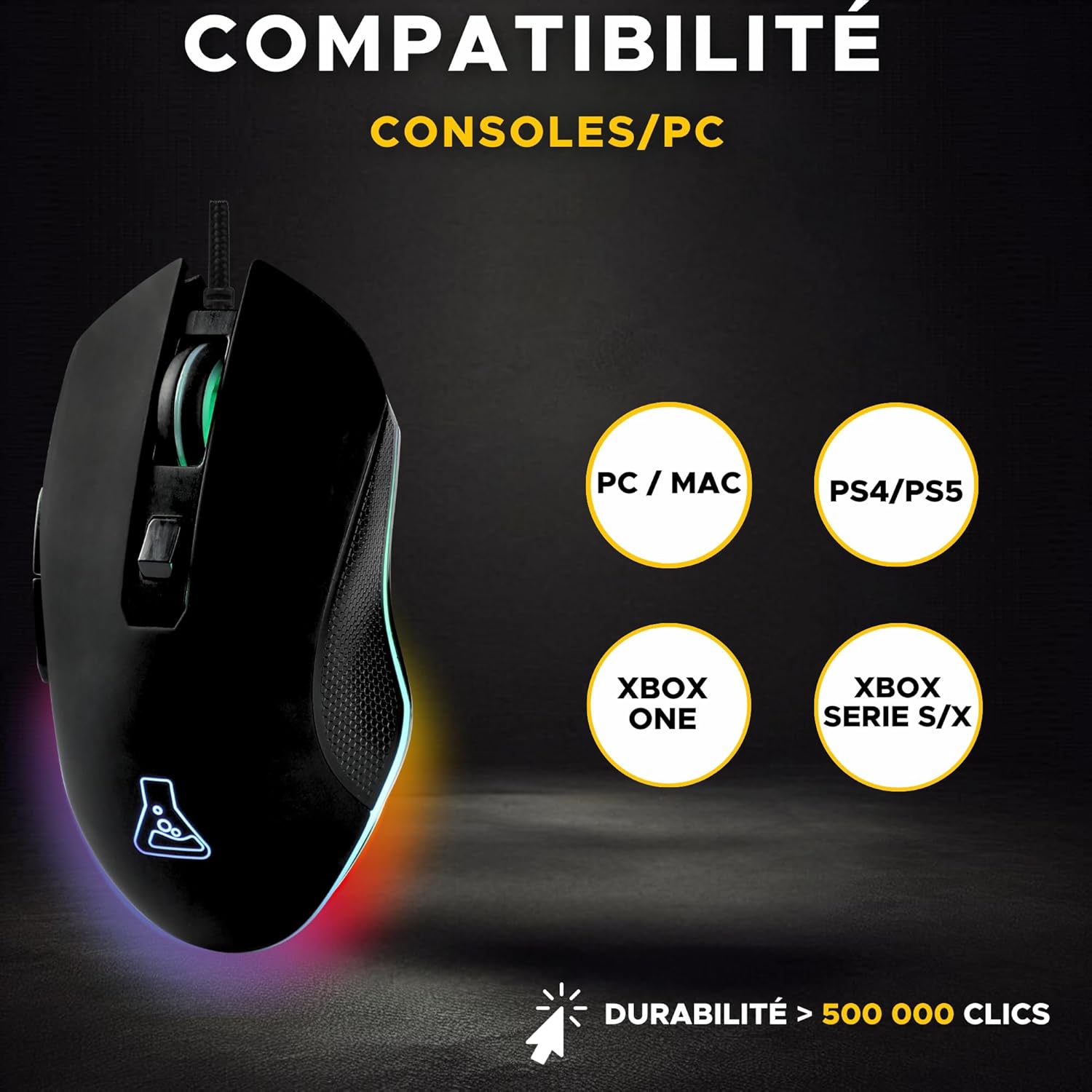
Image 2.1: Diagram illustrating the compatibility of the Kult Helium mouse with PC, Mac, PS4, PS5, Xbox One, and Xbox Series S/X.
3. Instruccions de funcionament
3.1 Funcions dels botons
The Kult Helium mouse features 6 buttons for enhanced control. The mouse buttons are designed for silent operation.
- Botó esquerre de clic: Acció primària.
- Botó dret: Menú contextual/d'acció secundària.
- Roda de desplaçament: Scrolls content vertically. Can also be pressed for a middle-click function.
- Botó d'ajust de DPI: Canvia ciclàriament pels paràmetres de sensibilitat DPI.
- Botons laterals (2): Often used for forward/backward navigation in browsers or custom functions in games.
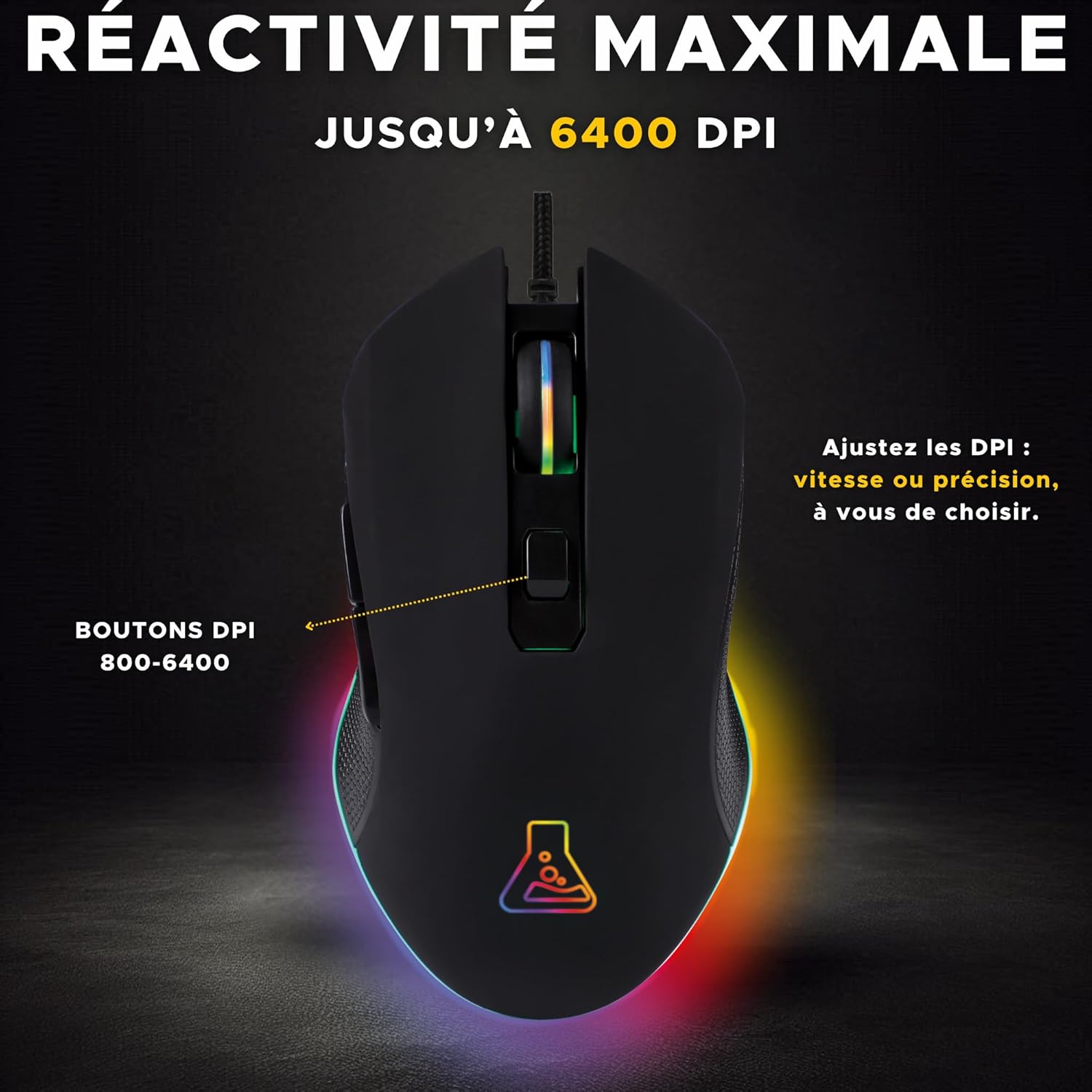
Imatge 3.1: Part superior view of the Kult Helium mouse highlighting the DPI adjustment button and its function.
3.2 Ajust de DPI
The mouse features an optical sensor with adjustable DPI (Dots Per Inch) settings, allowing you to change cursor sensitivity on the fly.
- Premeu el botó Botó d'ajust de DPI (located behind the scroll wheel) to cycle through available DPI settings.
- The mouse supports DPI values from 800 to 3200 DPI, providing options for both precision and speed. Some product images indicate support for up to 6400 DPI.
- The LED lighting may briefly change or flash to indicate a DPI change.
3.3 LED Backlighting
The Kult Helium mouse features dynamic 7-color LED backlighting.
- The mouse cycles through 7 distinct colors: green, blue, purple, white, yellow, cyan, and red.
- The lighting effect is a "breathing" pattern, where colors transition smoothly.
- This lighting is purely aesthetic and cannot be customized or turned off via the mouse itself.
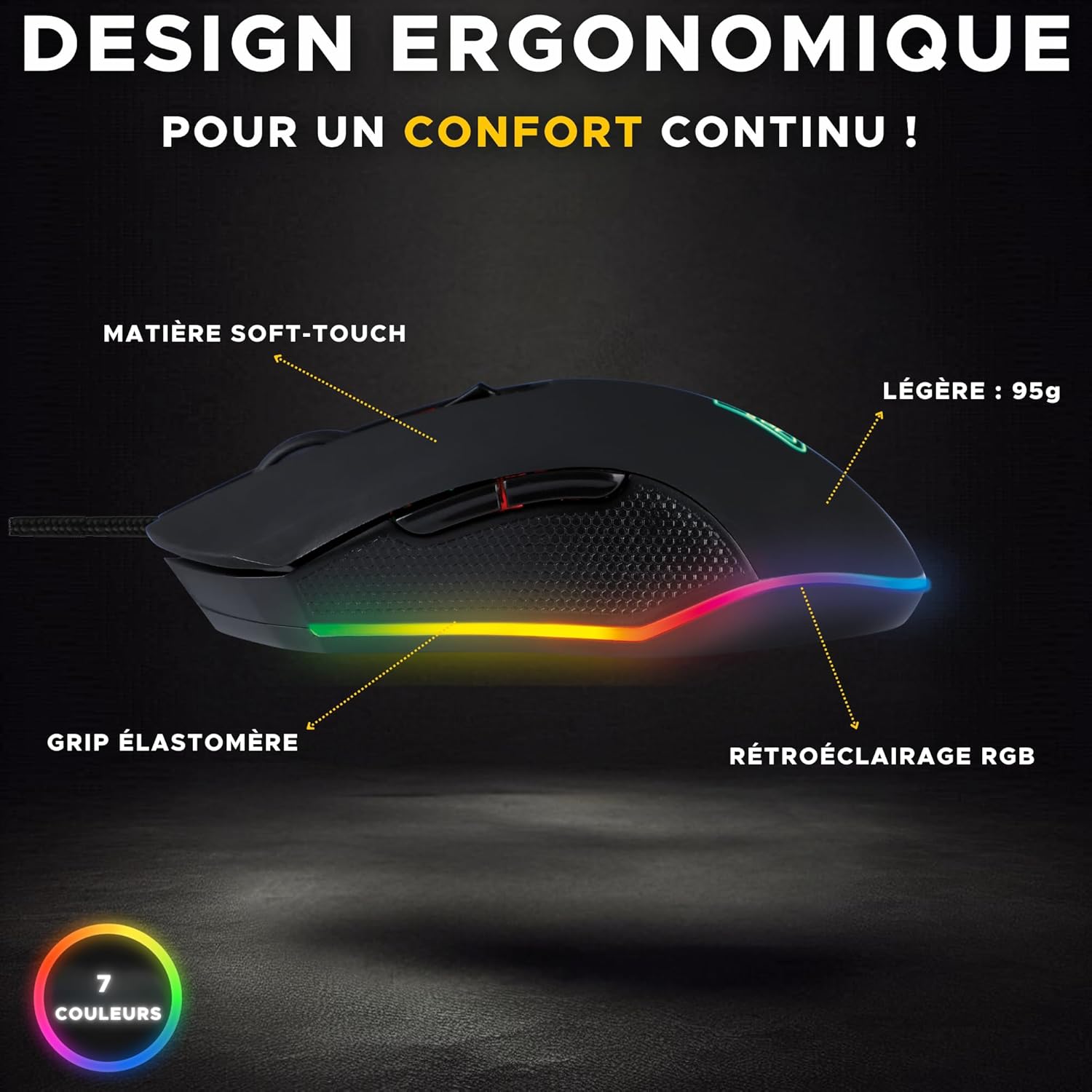
Imatge 3.2: Lateral view of the Kult Helium mouse, illustrating its ergonomic shape, soft-touch material, elastomer grip, and RGB backlighting.
4. Manteniment
Proper care will extend the lifespan and maintain the performance of your Kult Helium mouse.
4.1 Neteja
- Desconnecteu el ratolí de l'ordinador abans de netejar-lo.
- Feu servir un drap suau, sec i sense borrissol per netejar la superfície del ratolí.
- Per a la brutícia persistent, lleugerament dampen the cloth with water. Avoid harsh chemicals, solvents, or abrasive cleaners.
- Use a cotton swab or compressed air to clean around buttons and the scroll wheel.
- Assegureu-vos que el ratolí estigui completament sec abans de tornar-lo a connectar.
4.2 Cura del cable
- Avoid sharp bends or kinks in the braided USB cable.
- Do not pull the mouse by its cable. Always grasp the USB connector when plugging or unplugging.
- Keep the cable away from heat sources or sharp edges.
5. Solució De Problemes
If you encounter issues with your Kult Helium mouse, try the following solutions:
- El ratolí no respon:
- Ensure the USB cable is securely connected to a functioning USB port.
- Prova de connectar el ratolí a un port USB diferent.
- Reinicieu l'ordinador o la consola.
- Test the mouse on another computer to determine if the issue is with the mouse or the system.
- LED Lighting Not Working:
- Verify the mouse is properly connected and receiving power.
- The lighting is automatic; if the mouse is functional but lights are off, contact support.
- DPI Adjustment Not Changing Sensitivity:
- Assegureu-vos que esteu prement el botó de DPI correcte.
- Some operating systems or games may override mouse sensitivity settings. Check your system's mouse settings or in-game options.
- El moviment del cursor és erràtic o inexacte:
- Netegeu el sensor òptic de la part inferior del ratolí.
- Ensure you are using the mouse on a clean, uniform surface (a mouse pad is recommended).
- Avoid highly reflective or transparent surfaces.
6. Especificacions
| Nom del model | Kult Helium |
| Connectivitat | USB per cable |
| Tipus de sensor | Òptic |
| Rang de DPI | 800 - 3200 DPI (up to 6400 DPI as per some visuals) |
| Nombre de botons | 6 |
| Il·luminació de fons | 7-Color LED (breathing effect) |
| Pes | 135 g |
| Tipus de cable | Reinforced Braided Cable |
| Vida útil | Més de 5 milions de clics |
| Orientació de la mà | Ambidextrous (supports Palm, Claw, Fingertip grips) |
| Sistema operatiu compatible | Windows, macOS, Linux |
| Dispositius compatibles | PC, PS4, PS5, Xbox One, Xbox Series S/X |

Image 6.1: Visual representation of the mouse's robust design, highlighting its durability and 2-year warranty.
7. Garantia i Suport
7.1 Garantia del fabricant
The THE G-LAB Kult Helium Wired USB Gaming Mouse comes with a Garantia del fabricant de 2 anysAquesta garantia cobreix els defectes de materials i de fabricació en condicions d'ús normal. Si us plau, conserveu el comprovant de compra per a reclamacions de garantia.
7.2 Disponibilitat de peces
Les peces de recanvi per a aquest producte estan disponibles durant un període de 2 anys a partir de la data de compra.
7.3 Atenció al client
For technical assistance, warranty claims, or any questions regarding your THE G-LAB Kult Helium mouse, please refer to the official THE G-LAB weblloc web o contacteu directament amb el seu servei d'atenció al client.


