1. Introducció
This manual provides essential information for the proper use and maintenance of your LogiLink CH0061 HDMI High Speed with Ethernet cable. This cable is designed for transmitting high-quality audio, video, and data signals between compatible devices.
Característiques principals:
- HDMI 2.0 compatible with 3D support.
- High Speed with Ethernet standard.
- Supports resolutions up to 4096 x 2160 @ 60 Hz (Ultra HD, 4K x 2K).
- Transmits audio, video, and Ethernet data.
- Features gold-plated contacts for optimal signal transmission.
2. Configuració
Follow these steps to connect your LogiLink CH0061 HDMI cable:
- Identifica els ports: Locate the HDMI output port on your source device (e.g., Blu-ray player, game console, computer) and the HDMI input port on your display device (e.g., TV, monitor, projector).
- Connectar el cable: Carefully insert one end of the LogiLink CH0061 HDMI cable into the HDMI output port of your source device.
- Connecta a la pantalla: Insert the other end of the HDMI cable into an available HDMI input port on your display device.
- Connexió segura: Ensure both ends of the cable are firmly seated in their respective ports to prevent signal loss.
- Dispositius d'encesa: Activeu tant el dispositiu font com el dispositiu de visualització.
- Seleccioneu l'entrada: On your display device, select the correct HDMI input source using your remote control or display menu.

Image 1: Illustration of connecting the HDMI cable from a source (projector) to a display (TV) for high-resolution output.
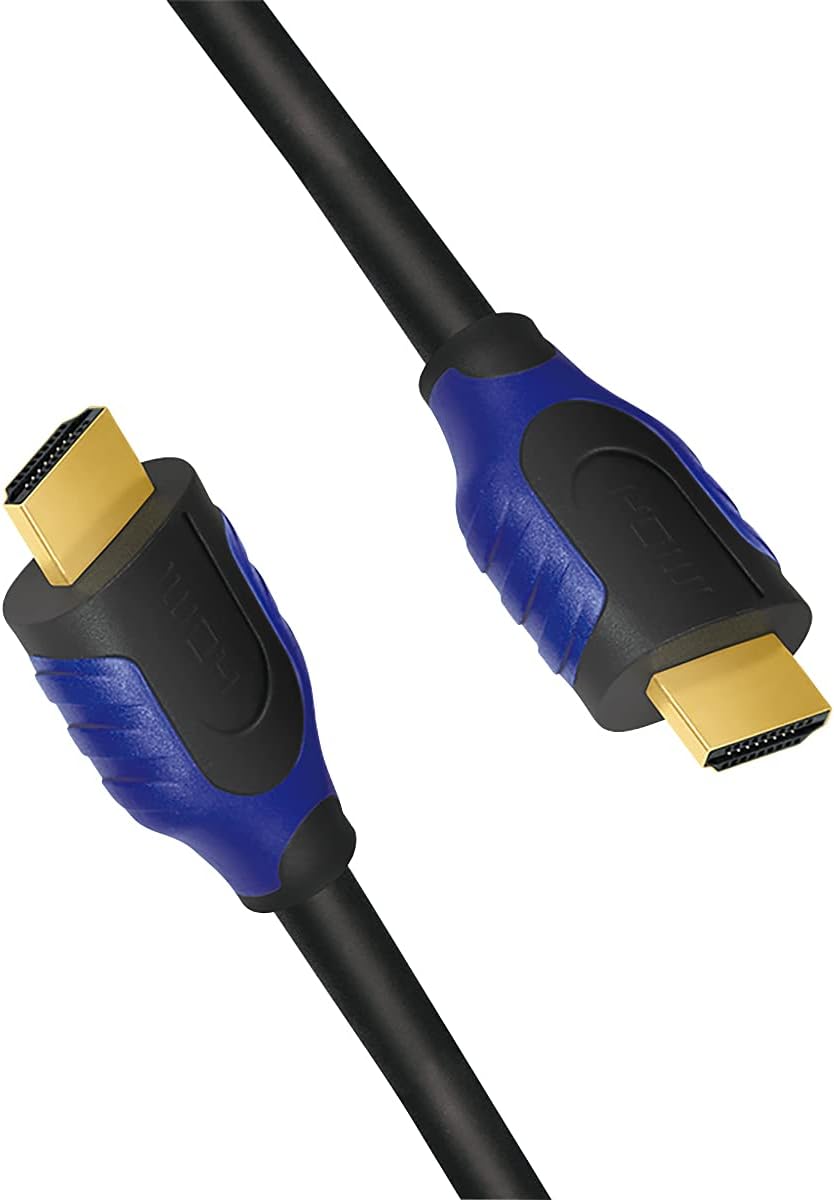
Imatge 2: Detallada view of the gold-plated HDMI Type A male connectors.
3. Funcionament
The LogiLink CH0061 HDMI cable operates passively to transmit digital audio, video, and Ethernet signals. No special software or drivers are required for its operation.
- Transmissió d'àudio: The cable supports multi-channel audio formats, ensuring high-fidelity sound.
- Transmissió de vídeo: Enjoy resolutions up to 4K (4096 x 2160) at 60 Hz, including Ultra HD and 3D content, provided your source and display devices support these formats.
- Canal Ethernet: The integrated Ethernet channel allows for network data transmission between connected devices, eliminating the need for a separate Ethernet cable for compatible devices.
Once connected, the cable automatically facilitates the signal transfer between your devices. Ensure your source device is configured to output the desired resolution and audio format.
4. Manteniment
Proper care will extend the lifespan and ensure optimal performance of your HDMI cable.
- Manipulació: Always grasp the connector housing when plugging or unplugging the cable. Avoid pulling directly on the cable itself.
- Emmagatzematge: When not in use, coil the cable loosely. Avoid tight bends or kinks, which can damage the internal wires. Store in a clean, dry place away from extreme temperatures.
- Neteja: If the connectors become dusty, gently wipe them with a dry, lint-free cloth. Do not use liquid cleaners on the connectors.
- Protecció: Avoid placing heavy objects on the cable or exposing it to sharp edges.

Image 3: The LogiLink CH0061 HDMI cable coiled for storage.
5. Solució De Problemes
If you encounter issues with your LogiLink CH0061 HDMI cable, consider the following troubleshooting steps:
- Sense senyal / Pantalla negra:
- Ensure both ends of the HDMI cable are securely connected to the source and display devices.
- Verifiqueu que el dispositiu de visualització estigui configurat a la font d'entrada HDMI correcta.
- Try connecting the cable to a different HDMI port on both the source and display devices.
- Test the cable with another known working HDMI device or try a different HDMI cable to isolate the problem.
- Reinicieu els dispositius d'origen i de visualització.
- Poor Picture Quality / Flickering:
- Comproveu si hi ha algun dany físic al cable o als connectors.
- Ensure the cable is not bent sharply or kinked.
- Reduce the resolution output from your source device to see if the issue persists.
- Verify that your source and display devices are capable of supporting the desired resolution and refresh rate.
- Sense àudio:
- Confirm that the audio settings on your source device are correctly configured to output audio via HDMI.
- Comproveu els nivells de volum tant als dispositius font com als de visualització.
- Ensure your display device's audio output is not muted or set to an external speaker system if you intend to use the display's internal speakers.
6. Especificacions
| Característica | Detall |
|---|---|
| Nom del model | CH0061 |
| Marca | Logilink |
| Tipus de cable | HDMI High Speed with Ethernet |
| Tipus de connector | HDMI Type A Male to HDMI Type A Male |
| Característica especial | Gold Plated Contacts |
| Resolucions suportades | Up to 4096 x 2160 @ 60 Hz (Ultra HD, 4K x 2K) |
| Suport 3D | Sí |
| Canal Ethernet | Sí |
| Velocitat de transferència de dades | 12 gigabits per segon |
| Color | Negre |
| Longitud | 1 meter (CH0061) |
| Dispositius compatibles | HDMI-compatible devices such as TVs, monitors, projectors, game consoles |
| Pes de l'article | 2.46 unces |
| Dimensions del producte | 3.39 x 0.79 x 6.69 polzades |
| Fabricant | 2direct GmbH |
7. Garantia i Suport
Informació de la garantia: Specific warranty details for the LogiLink CH0061 HDMI cable are not provided in this document. Please refer to the product packaging or the manufacturer's official weblloc web per consultar la política de garantia més actualitzada.
Atenció al client: For technical assistance, troubleshooting beyond this guide, or warranty claims, please contact LogiLink customer support directly. Contact information can typically be found on the manufacturer's weblloc o embalatge del producte.
Fabricant: 2direct GmbH


