1. Producte acabatview
The Mesqool MQL-CR1008 is a digital alarm clock designed for bedrooms, featuring a large 7.5-inch LED display, a 7-color night light, and convenient USB and Type-C charging ports. It offers adjustable brightness, alarm volume, and time format options for personalized use.
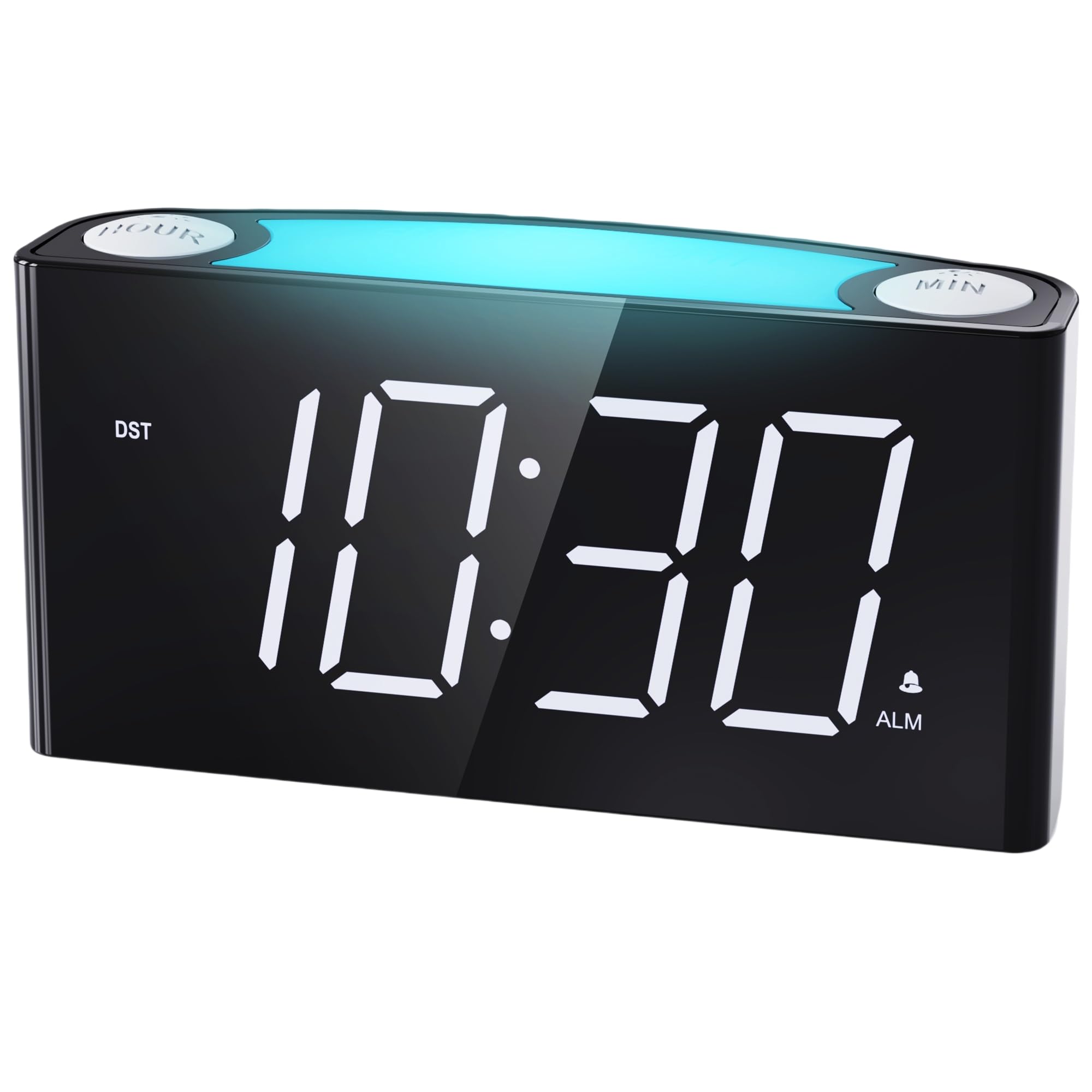
Figura 1: Frontal view of the Mesqool MQL-CR1008 Digital Alarm Clock.
2. Configuració
2.1 Desembalatge i primera engegada
Carefully remove the alarm clock and accessories from the packaging. The package typically includes the alarm clock unit, a power adapter, and this instruction manual.
Video 1: Unboxing the Mesqool Digital Alarm Clock, showing the contents and initial handling.
2.2 Connexió d'alimentació
- Connect the provided DC power adapter to the DC IN port on the back of the alarm clock.
- Plug the adapter into a standard wall power outlet. The display will illuminate.
2.3 Instal·lació de la bateria de reserva
For backup functionality during power outages, install 2 AAA batteries (not included) into the battery compartment on the back of the unit. These batteries will retain time and alarm settings but will not power the display or USB charging ports.

Figura 2: posterior view of the alarm clock, highlighting the battery compartment and various control buttons.
3. Instruccions de funcionament
3.1 Configuració de l'hora
- Premeu el botó SET HORA button on the back of the clock. The hour digits will flash.
- Utilitza el HORA button (top left) to adjust the hour.
- Premeu SET HORA de nou. Els dígits dels minuts parpellejaran.
- Utilitza el MIN button (top right) to adjust the minutes.
- Premeu SET HORA una vegada més per confirmar i sortir del mode de configuració de l'hora.
3.2 Format de 12/24 hores
Feu lliscar el FORMAT DEL TEMPS switch on the back of the clock to select either 12-hour or 24-hour display.

Figure 3: The alarm clock displaying time in both 12-hour and 24-hour formats.
3.3 Configuració de l'alarma
- Premeu el botó SET ALARMA button on the back. The alarm hour digits will flash.
- Utilitza el HORA per ajustar l’hora de l’alarma.
- Premeu SET ALARMA de nou. Els dígits dels minuts de l'alarma parpellejaran.
- Utilitza el MIN botó per ajustar els minuts de l'alarma.
- Premeu SET ALARMA one more time to confirm.
- Per activar o desactivar l'alarma, utilitzeu el botó ALARMA ON / OFF interruptor a la part posterior.
3.4 Snooze and Alarm Pause
- Dormitar: Quan soni l'alarma, premeu el botó gran SNOOZE / LIGHT button on top to temporarily silence the alarm for 9 minutes.
- Pausa d'alarma: To turn off the alarm for the current day, press the raised red PAUSA ALARMA button on the back. The alarm will reset for the next day.
3.5 Display Brightness (Dimmer)
Adjust the display brightness using the DIMMER slider on the back of the clock. There are 5 levels of brightness, from exceedingly bright to exceedingly dim.

Figure 4: Visual representation of the 5-level brightness dimmer for the clock display.
3.6 Funció de llum nocturna
Tap the large SNOOZE / LIGHT button on top to cycle through 7 different night light colors. Tap repeatedly to change colors or turn the night light off.

Figure 5: The night light feature cycling through its 7 available colors.
Video 2: Demonstration of the night light colors and ease of setting the time on the alarm clock.
3.7 ports de càrrega USB
The clock is equipped with a Type-C and a standard USB-A charging port on the back. These ports can be used to charge your mobile devices while the clock is plugged into a power outlet.

Figure 6: Close-up of the back panel showing the USB and Type-C charging ports.
4. Manteniment
- Neteja: Netegeu la superfície del rellotge amb un drap suau i sec. Eviteu utilitzar productes de neteja o dissolvents abrasius.
- Substitució de la bateria: Replace the 2 AAA backup batteries annually or as needed to ensure settings are retained during power interruptions.
5. Solució De Problemes
- El rellotge no mostra l'hora: Ensure the power adapter is securely plugged into both the clock and a working wall outlet. If using battery backup, remember it only retains settings, not powers the display.
- L'alarma no sona: Comproveu que el ALARMA ON / OFF switch is in the 'ON' position and the alarm volume is not set to 'LOW' or 'OFF'.
- USB charging ports not working: Confirm the clock is powered via the DC adapter. Ensure your device's charging cable is functional and properly connected.
- Display too bright/dim: Ajusteu el DIMMER slider on the back to your preferred brightness level.
6. Especificacions
| Característica | Descripció |
|---|---|
| Marca | Mesqool |
| Model | MQL-CR1008 |
| Tipus de visualització | 7.5" Large LED Display |
| Color de la pantalla | White Digits |
| Llum nocturna | 7 opcions de color |
| Font d'alimentació | Elèctric amb cable |
| Còpia de seguretat de la bateria | 2 piles AAA (no incloses) |
| Ports de càrrega | 1x USB-A, 1x Type-C |
| Dimensions (L x A x A) | 6.46" x 3.39" x 1.93" |
| Pes de l'article | 8.1 unces |
| Material | Acrilonitril butadiè estirè (ABS) |

Figure 7: Product dimensions of the Mesqool MQL-CR1008 Digital Alarm Clock.
7. Garantia i Suport
7.1 Informació de la garantia
The Mesqool MQL-CR1008 Digital Alarm Clock typically comes with a 1-year limited warranty. Extended warranty options may be available through the manufacturer's website. Please refer to the product packaging or manufacturer's weblloc web per obtenir els detalls de la garantia més actualitzats.
7.2 Atenció al client
For any questions, technical assistance, or support inquiries, please contact Mesqool customer service:
- Correu electrònic: Support@mesqool.com


