Introducció
Gràcies per la compraasing the BESTISAN 120W 2.1 Channel Sound Bar System. This manual provides essential information for setting up, operating, and maintaining your new sound system. Please read this manual thoroughly before use to ensure proper operation and to maximize your listening experience.
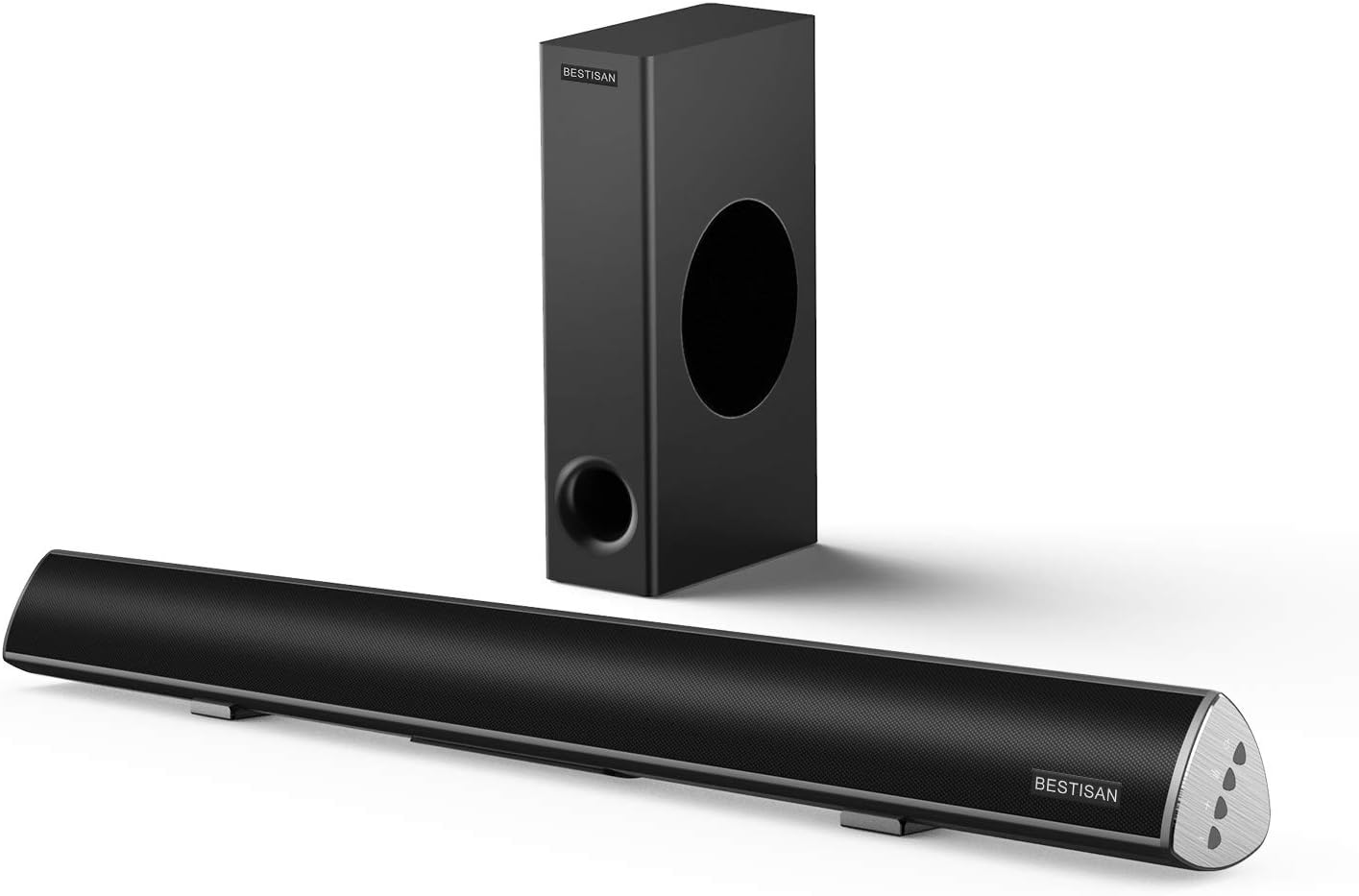
Image: The BESTISAN 120W 2.1 Channel Sound Bar and its wired subwoofer.
Informació de seguretat
- No exposeu la unitat a la pluja, la humitat o les temperatures extremes.
- Assegureu-vos que hi hagi una ventilació adequada al voltant de la barra de so i el subwoofer.
- No obstruïu cap obertura de ventilació.
- Utilitzeu només accessoris/accessoris especificats pel fabricant.
- Desendolleu l'aparell durant les tempestes amb llamps o quan no s'utilitzi durant llargs períodes.
- Demaneu tot el servei a personal de servei qualificat.
Contingut del paquet
Si us plau, comproveu que tots els articles estiguin presents al vostre paquet:
- Barra de so
- Subwoofer amb cable
- Control remot
- Adaptador d'alimentació
- Guia de l'usuari
- Cable òptic digital
- Cable d'àudio RCA estèreo a 3.5 mm
- SUB OUT Cable (for subwoofer connection)

Imatge: Una representació visual de tots els elements inclosos en el paquet del producte.
Producte acabatview
Sound Bar Controls and Remote
The sound bar features integrated controls on its side panel for basic functions, and a comprehensive remote control for full functionality.

Imatge: Detallada view of the sound bar's side panel controls and the included remote control.
Ports de connectivitat
The sound bar offers multiple connectivity options to integrate with various devices.
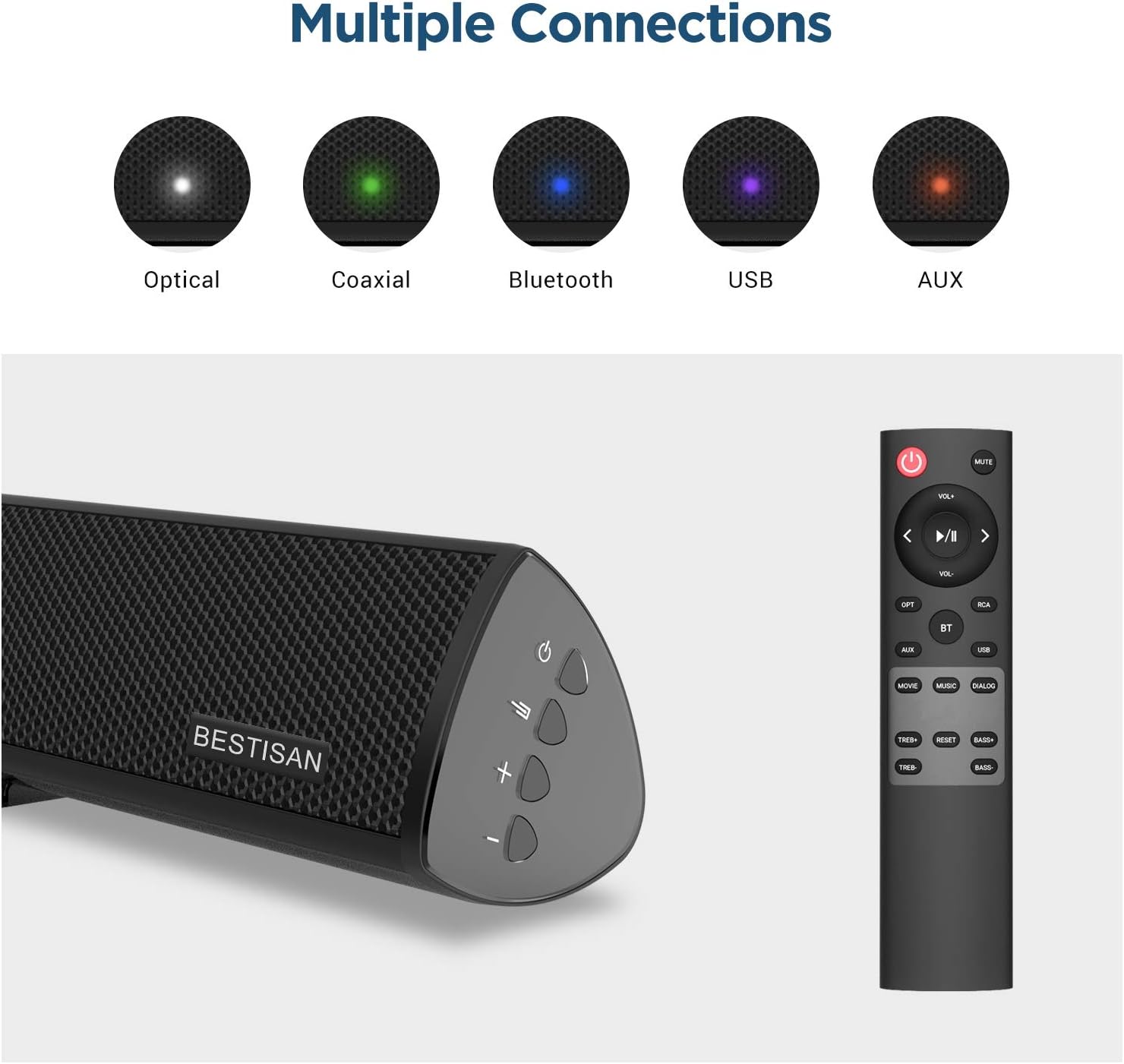
Image: Visual representation of the various input options available on the sound bar, including Optical, Coaxial, Bluetooth, USB, and AUX.
Configuració
Col·locació
For optimal audio performance, place the sound bar centrally below your television. The subwoofer can be placed on the floor near the sound bar, ensuring it has adequate space for sound dispersion.

Image: The sound bar positioned directly below a television, demonstrating typical placement.
Connexió del subwoofer
Connect the wired subwoofer to the sound bar using the provided SUB OUT cable. Ensure the connection is secure.
Connecting to Your TV or Audio Source
Trieu un dels mètodes de connexió següents:
- Connexió òptica: Use the supplied optical cable to connect the sound bar's OPTICAL IN port to your TV's Optical Out port. This is recommended for high-quality digital audio.
- Connexió coaxial: Use a coaxial cable (not supplied) to connect the sound bar's COAXIAL IN port to your TV's Coaxial Out port.
- Connexió AUX: Use the supplied Stereo RCA to 3.5mm audio cable to connect the sound bar's AUX IN port to your TV's 3.5mm audio output or RCA audio outputs.
- Connexió USB: Inseriu una unitat USB al port USB per reproduir àudio files directament des de la unitat.
Connexió d'alimentació
Connect the power adapter to the DC IN port on the sound bar, then plug the adapter into a wall outlet.
Instruccions de funcionament
Encès/Apagat
Premeu el botó Poder botó del comandament a distància o de la barra de so per encendre o apagar la unitat.
Selecció d'entrada
Premeu el botó Entrada button (OPT, COAX, AUX, USB, BT) on the remote control to switch between different audio sources.
Control de volum
Utilitza el VOL+ i VOL- buttons on the remote or sound bar to adjust the volume level.
Sound Modes (DSP Technology)
The sound bar features Digital Signal Processing (DSP) technology with optimized sound modes for various content types. Press the corresponding button on the remote to select:
- Mode pel·lícula: Enhances cinematic sound, providing crisp and clear audio for films.
- Mode de música: Optimizes audio for music playback, delivering rich and dynamic sound.
- Dialog Mode: Improves vocal clarity, making speech in TV shows and news broadcasts more audible.

Image: A visual representation of the DSP Audio Modes (Movie, Music, Dialog) and their effects on sound.

Image: An illustration highlighting the internal speaker configuration for champion stereo sound.
Emparellament Bluetooth
Per connectar el vostre dispositiu mòbil mitjançant Bluetooth:
- Premeu el botó BT button on the remote control to switch to Bluetooth mode. The indicator light on the sound bar will flash.
- Enable Bluetooth on your mobile device and search for "SQ03" or "BESTISAN".
- Select the sound bar from the list of available devices to pair. Once connected, the indicator light will turn solid.
- You can now play audio from your device through the sound bar. The effective range for Bluetooth connection is up to 33 feet (10 meters).

Image: A user's hand holding a smartphone, illustrating the process of connecting to the sound bar via Bluetooth.
Manteniment
To ensure the longevity and optimal performance of your sound bar system:
- Neteja: Use a soft, dry cloth to clean the surfaces of the sound bar and subwoofer. Do not use liquid cleaners or aerosol sprays.
- Ventilació: Mantingueu les obertures de ventilació netes de pols i deixalles.
- Emmagatzematge: Si guardeu la unitat durant un període prolongat, desendolleu-la de la presa de corrent i guardeu-la en un lloc fresc i sec.
Resolució de problemes
| Problema | Causa possible | Solució |
|---|---|---|
| Sense poder | Cable d'alimentació no connectat; Presa de corrent no activa. | Ensure the power cord is securely connected. Try a different power outlet. |
| Sense so | Entrada incorrecta seleccionada; Volum massa baix; Cables no connectats correctament. | Select the correct input source. Increase the volume. Check all audio cable connections. Ensure TV audio output is set correctly. |
| La connexió Bluetooth falla | La barra de so no està en mode d'emparellament; Dispositiu massa lluny; Interferències. | Ensure the sound bar is in Bluetooth pairing mode. Move your device closer to the sound bar. Avoid placing the sound bar near other wireless devices. |
| El comandament a distància no funciona | Les piles estan gastades o inserides incorrectament; Obstrucció entre el comandament a distància i la barra de so. | Replace batteries. Ensure line of sight between remote and sound bar. |
Especificacions
| Característica | Detall |
|---|---|
| Nom del model | SQ03 |
| Tipus d'altaveu | Subwoofer (2.1 Channel System) |
| Potència de sortida màxima dels altaveus | 120 watts |
| Tecnologia de connectivitat | Bluetooth 5.0, Optical, Coaxial, USB, AUX |
| Tecnologia de comunicació sense fils | Bluetooth |
| Tecnologia de connectivitat del subwoofer | Amb cable |
| Usos recomanats | Música, cinema a casa, pel·lícules |
| Dispositius compatibles | Ordinador portàtil, televisió, tauleta, telèfon intel·ligent |
| Mètode de control | Control remot |
| Pes de l'article | 8.82 lliures |
| Dimensions (paquet) | 30.5 x 13 x 9 polzades |
| UPC | 680613284600 |
Garantia i Suport
BYL provides comprehensive customer support for your product.
- Garantia: This product comes with a Limited Warranty, typically up to 12 months. Please refer to your purchase documentation for specific warranty terms.
- Política de devolució: A 30-day free return policy is generally available.
- Atenció al client: For any questions, technical support, or warranty claims, please contact BYL customer service. 24/7 E-mail assistance is available.

Image: The BYL Model SQ03 sound bar and subwoofer, designed to deliver enhanced audio.


