1. Introducció
This manual provides comprehensive instructions for the installation, operation, and maintenance of your Feit Electric OM60/RGBW/CA/AG Smart WiFi Color Changing and Dimmable A19 LED Light Bulb. This smart LED light bulb integrates with Alexa or Google Assistant (sold separately) and the Feit Electric mobile app, allowing for convenient control of lighting functions such as on/off, dimming, color changes, and scheduling.

Figure 1: Feit Electric Smart WiFi Bulb and its packaging.
2. Informació de seguretat
Please read and understand all safety instructions before installation and use. Failure to do so may result in fire, electric shock, or other hazards.
- Risc de descàrrega elèctrica: Do not use with wet hands or in wet conditions.
- Risc d'incendi: Do not install in enclosed fixtures unless specifically rated for such use. Ensure the fixture can dissipate heat adequately.
- Compatibilitat: Suitable for use in operating environments between -25°C (-13°F) and 40°C (104°F).
- Voltage: Use only on 120V 60Hz circuits.
- Dimecres: This bulb is dimmable via the Feit Electric app or voice control only. Do not use with standard dimmer switches.
- Eliminació: Dispose of in accordance with local regulations. This product is mercury-free.
3. Contingut del paquet
El paquet conté els elements següents:
- Feit Electric OM60/RGBW/CA/AG Smart WiFi A19 LED Light Bulb
- Manual d'instruccions
4. Configuració i instal·lació
Follow these steps to install and connect your smart bulb:
- Instal·leu la bombeta: Screw the smart bulb into a standard E26 medium base light socket. Ensure the power to the fixture is turned off before installation.
- Encès: Engegueu el llum. La bombeta s'hauria d'encendre.
- Mode de sincronització: If the bulb does not start blinking rapidly (indicating pairing mode), turn the bulb off and on four times (on-off-on-off-on-off-on). The bulb will then begin to blink rapidly.
- Download the Feit Electric App: Download the Feit Electric app from the App Store (iOS) or Google Play Store (Android).
- Registra't/Iniciar sessió: Open the app and register for a new account or log in to an existing one.
- Afegeix un dispositiu:
- In the app, tap the "+" icon or "Add Device".
- Select "Light devices (WiFi enabled)".
- Confirm that the light is blinking rapidly.
- Introduïu el nom i la contrasenya de la vostra xarxa Wi-Fi de 2.4 GHz. Nota: This bulb only supports 2.4 GHz Wi-Fi networks.
- The app will connect to the bulb. Once connected, you can rename the bulb for easier identification (e.g., "Living Room Light").
Video 1: Official Feit Electric Smart Bulb Installation Guide. This video demonstrates the process of installing the smart bulb, initiating pairing mode, and connecting it to the Feit Electric mobile application.

Figure 2: Download the Feit Electric App for Android and iOS devices.
5. Instruccions de funcionament
Control your Feit Electric Smart WiFi Bulb using the Feit Electric app or voice commands.
5.1 Control d'aplicacions
The Feit Electric app provides full control over your smart bulb:
- Activar/Desactivar: Toca la icona de la bombeta a l'aplicació per activar/desactivar l'encès.
- Dimecres: Adjust brightness levels from 1% to 100%.
- Canvi de color: Select from millions of colors to match your mood or decor.
- Blanc ajustable: Adjust the white light color temperature from 2700K (Soft White) to 6500K (Daylight).
- Programació: Set custom schedules for the bulb to turn on/off, dim, or change colors at specific times.
- Agrupació: Group multiple Feit Electric smart devices to control them simultaneously.
- Accés remot: Control your lights from anywhere with an internet connection.
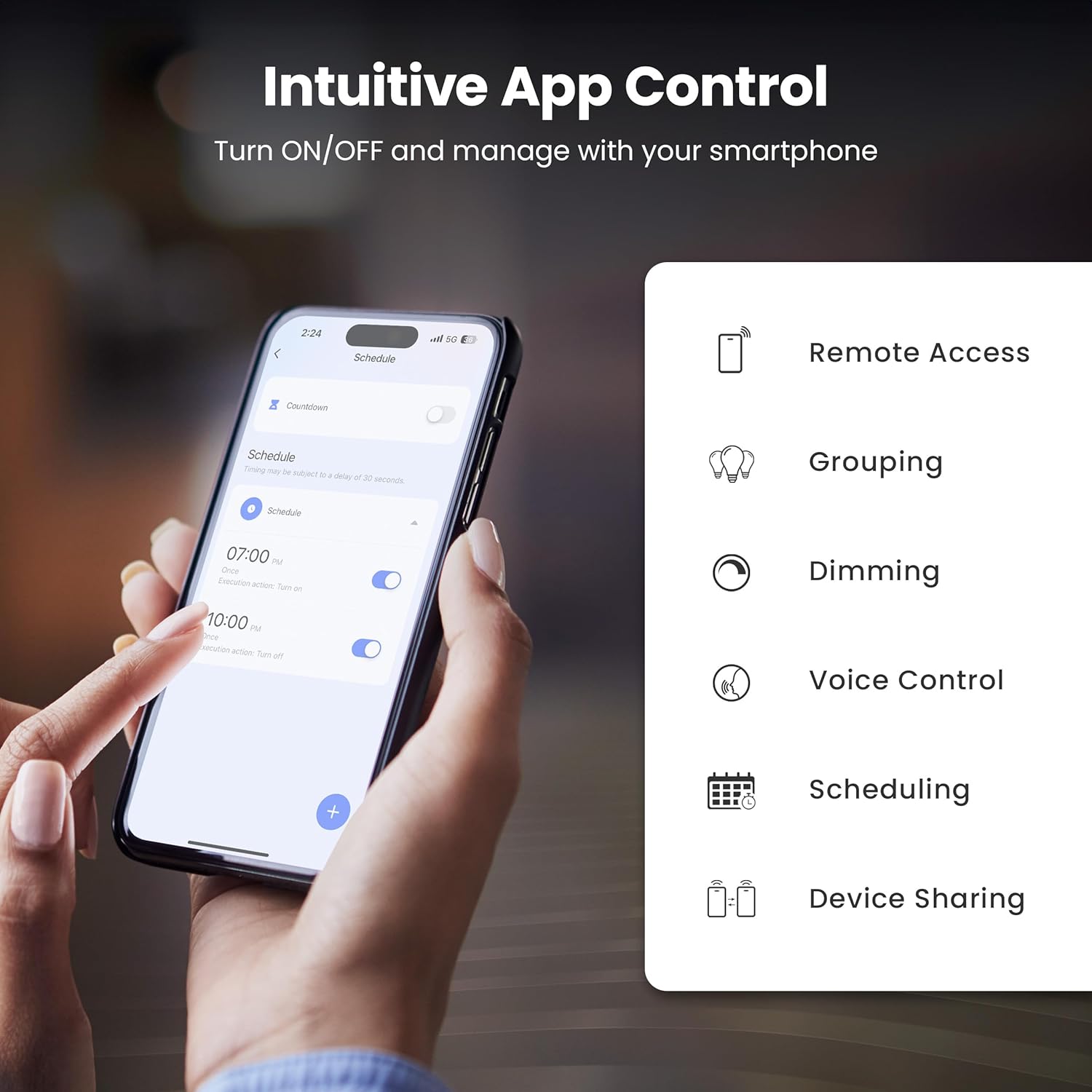
Figure 3: Intuitive App Control features of the Feit Electric app.

Figure 4: Adjusting color and tunable white settings in the Feit Electric app.
5.2 Control de veu
The Feit Electric Smart WiFi Bulb is compatible with Amazon Alexa and Google Assistant. Once connected through the Feit Electric app, you can use voice commands to control your lights.
- Per activar/desactivar: "Alexa, turn on Living Room Light" or "Hey Google, turn off Bedroom Light."
- To dim: "Alexa, dim Kitchen Light to 50%" or "Hey Google, brighten Dining Room Light."
- To change color: "Alexa, set Living Room Light to blue" or "Hey Google, change Bedroom Light to warm white."

Figure 5: Voice control compatibility with Alexa and Google Assistant.
6. Especificacions
Technical specifications for the Feit Electric OM60/RGBW/CA/AG Smart WiFi A19 LED Light Bulb:
| Característica | Especificació |
|---|---|
| Número de model | OM60/RGBW/CA/AG |
| Tipus de llum | LED |
| Mida de la forma del bulb | A19 |
| Base del bulb | E26 Mitjà |
| Wattage | 9 watts |
| Equivalent incandescent | 60 watts |
| Brillantor | 800 lúmens |
| Color clar | RGBW (Color Changing & Tunable White) |
| Interval de temperatura de color | 2700K - 6500K |
| Voltage | 120 volts (100 a 120 volts i 60 hertzs) |
| Hores de vida | 25,000 hores |
| Mètode de control | App (Feit Electric), Voice (Alexa, Google Assistant) |
| Connectivitat sense fil | Wi-Fi de 2.4 GHz |
| Ús interior/exterior | Interior |
| Material | Vidre, Metall, Plàstic |
| Dimensions del producte | 2.35 cm d'amplada x 4.4 cm d'alçada |
| Pes de l'article | 2.39 unces |

Figure 6: Detailed bulb specifications and dimensions. Note: The image shows A21 bulb and 100W equivalent, while the product is A19 and 60W equivalent. Please refer to the table for the correct product specifications.
7. Solució De Problemes
If you encounter issues with your smart bulb, try the following solutions:
- Bulb Not Connecting/Blinking:
- Ensure your Wi-Fi network is 2.4 GHz. The bulb does not support 5 GHz networks.
- To reset the bulb and enter pairing mode, turn the light switch off and on four times (on-off-on-off-on-off-on). The bulb should then blink rapidly.
- Move the bulb closer to your Wi-Fi router during the setup process.
- Comproveu que la contrasenya de la Wi-Fi sigui correcta.
- Bulb Offline in App:
- Verify your home Wi-Fi network is active and has internet access.
- Power cycle the bulb by turning the light switch off and on. Wait a few moments for it to reconnect.
- If the issue persists, try re-pairing the bulb by following the setup instructions.
- El control per veu no funciona:
- Ensure your smart assistant (Alexa/Google Assistant) is properly linked to your Feit Electric account in its respective app.
- Check that the bulb is online in the Feit Electric app.
- Use the exact name you assigned to the bulb in the Feit Electric app when giving voice commands.
8. Manteniment
The Feit Electric Smart WiFi Bulb requires minimal maintenance:
- Neteja: Assegureu-vos que la bombeta estigui apagada i freda abans de netejar-la. Netegeu-la amb un drap suau i sec. No utilitzeu netejadors líquids ni abrasius.
- Actualitzacions de firmware: Periodically check the Feit Electric app for available firmware updates to ensure optimal performance and security.
9. Garantia i Suport
This Feit Electric bulb comes with a one-year warranty from the date of purchase. For warranty claims or customer service, please contact Feit Electric directly.
- Atenció al client: Call toll-free 1-866-326-BULB (1-866-326-2852)
- Correu electrònic: info@feit.com
- Assistència en línia: Visita ajuda.feit.com per a preguntes freqüents i recursos addicionals.

Figure 7: Feit Electric customer support information.


