1. Introducció
The Nedis SmartLife Smart Plug (model WIFIP110FWT) is a Wi-Fi enabled smart plug designed to provide remote control and automation for your electrical appliances. It features power monitoring capabilities and can be integrated with other Nedis SmartLife products. This manual provides essential information for safe and efficient use of your smart plug.
2. Informació de seguretat
- Ensure the smart plug is connected to a properly grounded outlet.
- Do not exceed the maximum load rating of 2500W / 10A.
- Avoid using the smart plug in wet or damp conditions. It is designed for indoor use only.
- No desmunteu ni modifiqueu el dispositiu. Encarregueu tot el manteniment a personal qualificat.
- Mantenir fora de l'abast dels nens.
- Desconnecteu el dispositiu de la presa de corrent abans de netejar-lo.
3. Producte acabatview
The Nedis SmartLife Smart Plug allows you to control connected devices remotely, set schedules, and monitor power consumption through the Nedis SmartLife application. Its slim design ensures it does not block adjacent outlets.
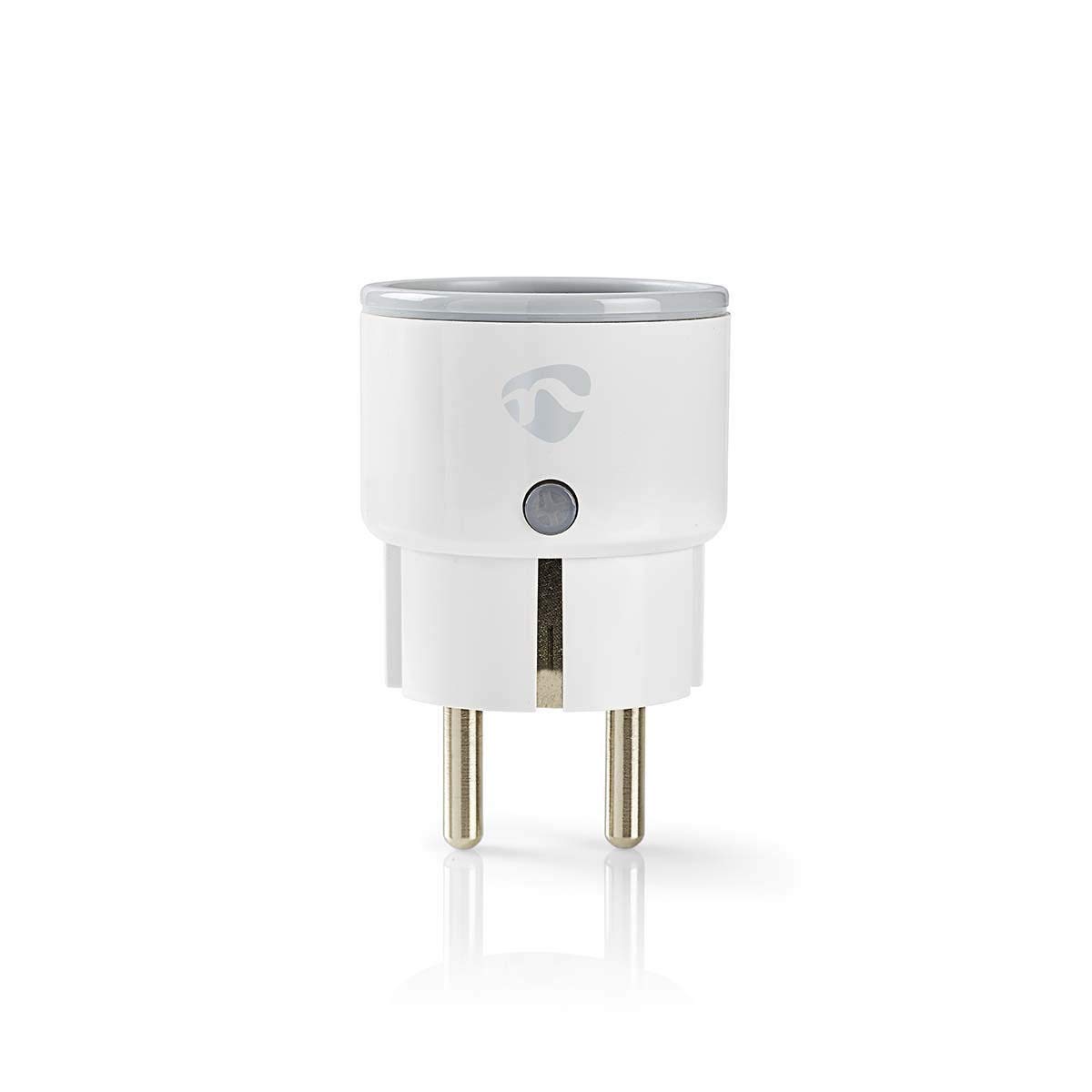
Figure 1: Nedis SmartLife Smart Plug WIFIP110FWT (3/4 view)
Components:
- Schuko/Type F Plug: Es connecta a la presa de corrent.
- Schuko/Type F Socket: Per connectar el vostre aparell.
- Botó/indicador d'engegada: S'utilitza per al control manual i l'emparellament.

Figura 2: lateral view of the Smart Plug, highlighting the power button.

Figura 3: Frontal view of the Smart Plug, showing the Type F socket.
4. Configuració
4.1. Instal·lació de l'aplicació
- Descarrega't el Nedis SmartLife aplicació des de l'App Store (iOS) o Google Play Store (Android).
- Registra't per obtenir un compte nou o inicia la sessió si ja en tens un.
4.2. Vinculació de dispositius
- Plug the Nedis SmartLife Smart Plug into a wall outlet.
- Ensure the Wi-Fi indicator on the plug is blinking rapidly. If not, press and hold the power button for 5-10 seconds until it blinks rapidly. This indicates pairing mode.
- Open the Nedis SmartLife app and tap the "+" icon to add a new device.
- Seleccioneu "Presa elèctrica" o "Endoll intel·ligent" de la llista de dispositius.
- Segueix les instruccions que apareixen a la pantalla per connectar l'endoll intel·ligent a la teva xarxa Wi-Fi de 2.4 GHz. Introdueix la contrasenya del Wi-Fi quan se't demani.
- Once connected, the Wi-Fi indicator will stop blinking and remain solid. You can then rename the device for easier identification.
5. Funcionament de l'endoll intel·ligent
5.1. Control bàsic d'encesa/apagada
- Mitjançant l'aplicació: Open the Nedis SmartLife app, select your smart plug, and tap the power icon to turn it on or off.
- Manualment: Press the physical power button on the smart plug to toggle its power state.
5.2. Programació
Use the Nedis SmartLife app to create schedules for your connected appliances. You can set specific times for the plug to turn on or off, or create countdown timers.
- In the app, select your smart plug.
- Toqueu l'opció "Programació" o "Temporitzador".
- Set your desired times and days for automation.
5.3. Power Monitoring
The smart plug features a power meter to track the energy consumption of connected devices. View real-time and historical power usage data within the Nedis SmartLife app.
- In the app, select your smart plug.
- Look for the "Power Statistics" or "Energy Monitoring" section to view dades de consum.
5.4. Integració del control per veu
The Nedis SmartLife Smart Plug supports voice control through Amazon Alexa and Google Home. Link your Nedis SmartLife account to your voice assistant app to enable this feature.
- Ensure your smart plug is successfully paired with the Nedis SmartLife app.
- Obre l'aplicació Amazon Alexa o Google Home.
- Navigate to the "Skills" (Alexa) or "Works with Google" (Google Home) section.
- Cerca and enable the "Nedis SmartLife" skill/service.
- Link your Nedis SmartLife account when prompted.
- Discover devices. You can now control your smart plug using voice commands (e.g., "Alexa, turn on the living room lamp").
6. Manteniment
- Neteja: Desconnecta l'endoll intel·ligent de la presa de corrent abans de netejar-lo. Fes servir un drap suau i sec per netejar la superfície. No utilitzis netejadors líquids ni aerosols.
- Emmagatzematge: When not in use for extended periods, store the smart plug in a cool, dry place away from direct sunlight and extreme temperatures.
7. Solució De Problemes
| Problema | Causa possible | Solució |
|---|---|---|
| L'endoll intel·ligent no es connecta a la Wi-Fi. | Incorrect Wi-Fi password, 5 GHz Wi-Fi network, plug too far from router. | Ensure correct 2.4 GHz Wi-Fi password. Move plug closer to router. Reset plug and try pairing again. |
| Device not responding in app. | No internet connection, plug is offline, app issue. | Check your home internet connection. Verify the plug's indicator light is solid. Restart the app. Unplug and replug the smart plug. |
| El control per veu no funciona. | Incorrect voice command, skill not enabled, account not linked. | Use precise commands. Ensure Nedis SmartLife skill is enabled and accounts are linked in your voice assistant app. Redo device discovery. |
| Plug is hot to the touch. | Overload, faulty appliance. | Unplug the appliance immediately. Check if the appliance's power consumption exceeds the plug's maximum rating (2500W / 10A). Do not use if overheating persists. |
8. Especificacions
- Model: WIFIP110FWT
- Marca: Nedis
- Potència nominal: 2500 watts
- Actual: 10 A
- Voltage: 220 Volts
- Dimensions (L x A x A): 6.2 x 12.5 x 5 cm
- Pes: 58 grams
- Material: Plàstic
- Tipus de connector: Schuko / Type F (CEE 7/7)
- Temperatura de funcionament: -10 a 40 °C
- Característiques especials: Wi-Fi Connectivity, Power Meter, Smartphone Control
- Certificacions: CE
9. Garantia i Suport
For warranty information, technical support, or further assistance, please refer to the official Nedis weblloc web o contacteu directament amb el seu servei d'atenció al client. Conserveu el rebut de compra com a comprovant de compra.


