1. Producte acabatview
The SANSCO 5MP 8-Channel Home Security Camera System provides comprehensive surveillance for your property. This system includes an 8-channel DVR (Digital Video Recorder) and 8 high-resolution 5MP (2560TVL) outdoor waterproof CCTV cameras. Designed for reliable performance, it features H.265+ video compression for efficient storage, night vision capabilities, motion detection alerts, and easy remote access via compatible devices.

Figure 1: SANSCO 5MP 8-Channel Home Security Camera System components.
Característiques principals:
- Alta resolució: 5MP (2560TVL) cameras for clear and detailed video.
- 8-Channel DVR: Supports up to 8 cameras for extensive coverage.
- Compressió de vídeo H.265+: Advanced compression technology for reduced storage space and bandwidth usage.
- Outdoor Waterproof Cameras: IP66 rated for reliable operation in various weather conditions.
- Visió nocturna: Equipped with infrared LEDs for clear monitoring in low-light or no-light conditions.
- Detecció de moviment: Configurable motion detection with instant email and app push alerts.
- Accés remot: View viu footage and recordings from smartphones and other compatible devices.
- Connectivitat per cable: Ensures stable and secure video transmission.
Vídeo 1: Acabatview of the SANSCO 2K Wired Home Security CCTV Cameras System, demonstrating its general features and capabilities.
2. Guia de configuració
Follow these steps to set up your SANSCO security camera system:
- Desempaquetar i identificar els components: Carefully unpack all items and verify against the packing list. The system typically includes the DVR, cameras, video/power cables, power adapters, USB mouse, and a user manual. Note that a hard drive for recording is not included and must be purchased separately if continuous recording is desired.
- Connect the DVR System:
- Connect the cameras to the DVR using the provided video/power cables. Each camera requires one cable for both video signal and power.
- Connect the DVR to a monitor or TV using an HDMI or VGA cable.
- Connect the USB mouse to the DVR's USB port.
- Connect the DVR to power using the provided power adapter.

Figure 2: Basic connection diagram for the DVR and cameras.
- Connect the DVR to a Router (for Remote Access):
- Use an Ethernet cable to connect the DVR's LAN port to your internet router.
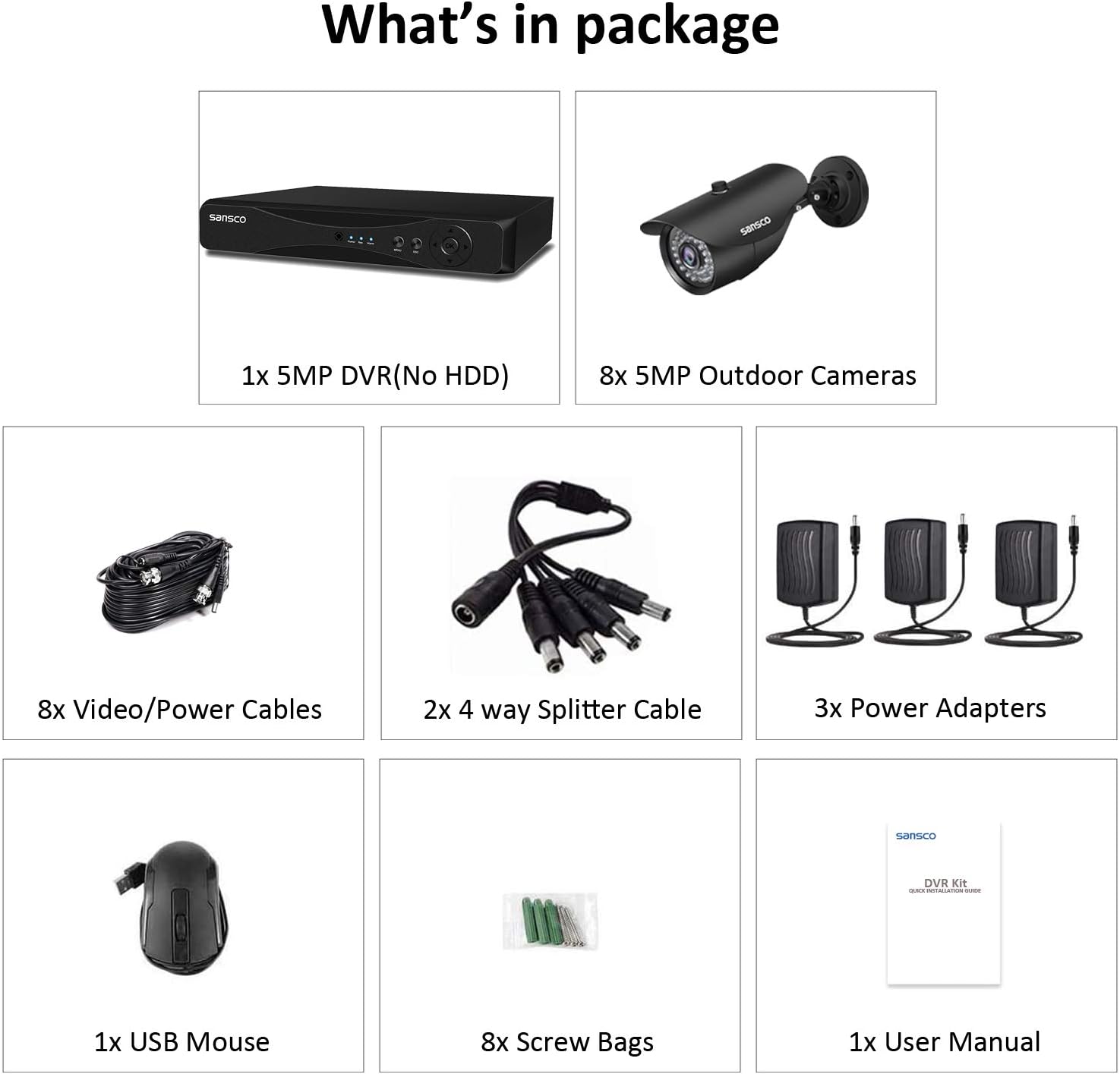
Figura 3: Detallada view of DVR ports for various connections.
- Power On and Initial Configuration:
- Power on the DVR. It will boot up and display the live view on the connected monitor.
- Follow the on-screen instructions for initial setup, including setting a password, date/time, and network settings.
- Download Mobile App and Enable Remote View:
- Download the recommended mobile application (e.g., XMeye or similar) from your smartphone's app store.
- Registreu un compte a l'aplicació.
- Add your DVR device to the app by scanning the QR code displayed on the DVR's monitor or by manually entering the device ID.
- Un cop afegit, podeu view viu footage and access recordings remotely.
3. Instruccions de funcionament
This section covers the basic operation of your SANSCO security system.
3.1 Viu View i la reproducció
- Viu View: The DVR automatically displays live feeds from all connected cameras. You can switch between single-camera view i una graella multicàmera view using the DVR's interface or the mobile app.
- Reproducció: Accés gravat footage through the DVR's menu or the mobile app. Select the desired date, time, and camera channel to review enregistraments.
3.2 Video Resolution and Compression
The system supports 5MP resolution for detailed images. It utilizes H.265+ video compression, which significantly reduces file sizes compared to older H.264 standards, allowing for longer recording times with the same storage capacity.

Figure 4: Visual comparison of different video resolutions.

Figure 5: H.265+ video compression offers extended recording duration.
3.3 Detecció de moviment
The system can be configured to detect motion within specified areas. When motion is detected, it can trigger recording, send instant email notifications, and push alerts to your mobile application.
- Configuració: Access the DVR settings to define motion detection zones, sensitivity levels, and alert actions.
- Alertes: Ensure your mobile app notifications are enabled to receive real-time alerts.

Figure 6: Motion detection triggering alerts on a smartphone.
3.4 Visió nocturna
The cameras are equipped with 36 infrared LEDs, providing clear night vision up to 65 feet (20 meters). This ensures continuous surveillance even in complete darkness.
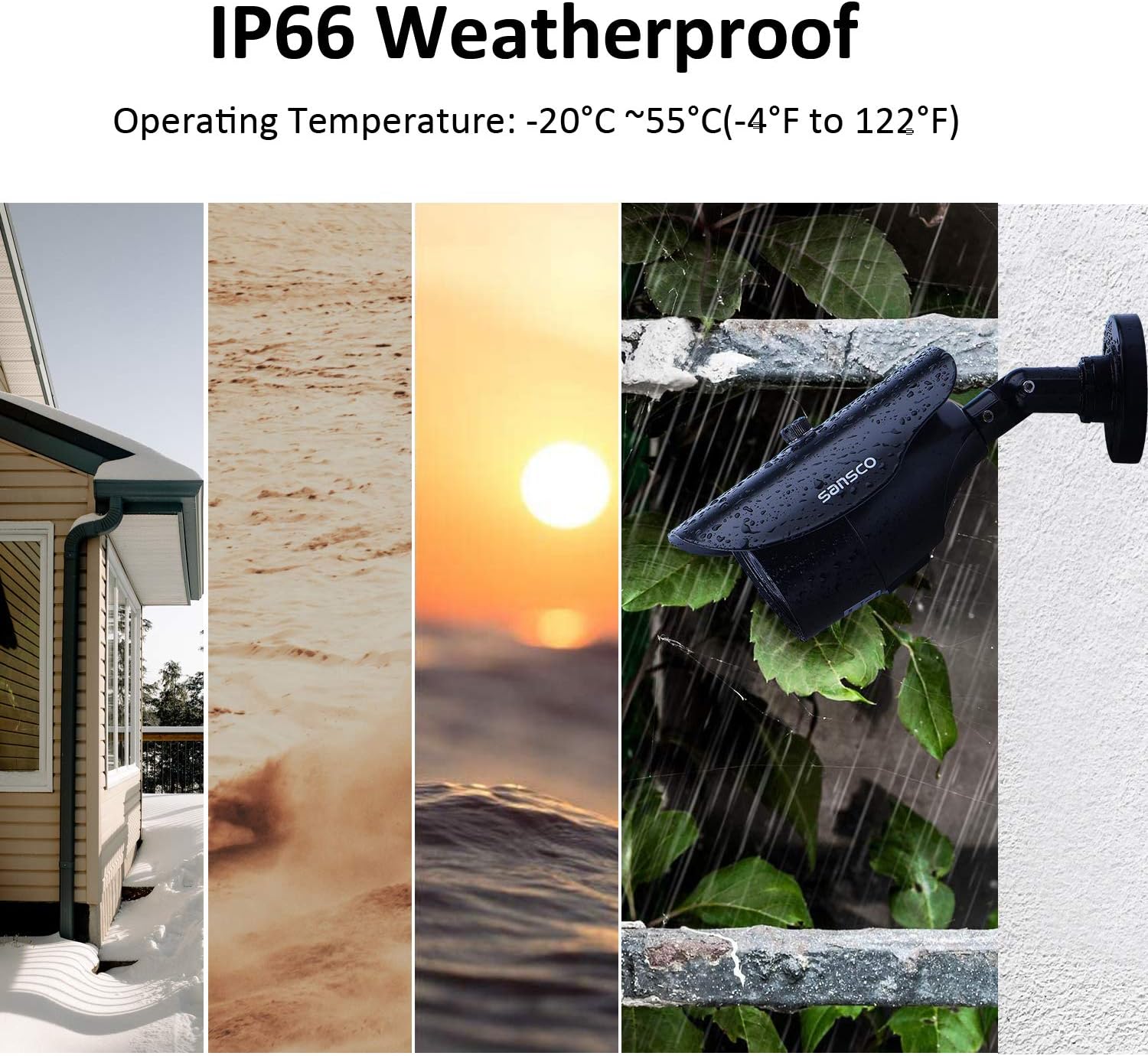
Figure 7: Camera with 36 infrared LEDs for enhanced night vision.
Video 2: Demonstration of the clear night vision capabilities of SANSCO 5MP Security Cameras System.
4. Manteniment
Proper maintenance ensures the longevity and optimal performance of your security system.
- Camera Cleaning: Netegeu regularment les lents de la càmera amb un drap suau iamp drap per eliminar la pols, la brutícia o les taques d'aigua que puguin obstruir viewEviteu els productes de neteja abrasius.
- Inspecció del cable: Periodically check all cables for any signs of wear, damage, or loose connections. Secure any loose cables to prevent accidental disconnections.
- DVR Ventilation: Ensure the DVR is placed in a well-ventilated area to prevent overheating. Keep vents clear of obstructions.
- Actualitzacions de programari: Check the SANSCO official website for any available firmware updates for your DVR to ensure optimal performance and security.
4.1 Disseny resistent a la intempèrie
The cameras are IP66 weatherproof, meaning they are protected against dust ingress and powerful water jets. This allows them to operate effectively in various outdoor conditions, with an operating temperature range of -20°C to 55°C (-4°F to 122°F).

Figure 8: IP66 weatherproof cameras designed for outdoor use.
Video 3: A waterproof test demonstrating the durability of the SANSCO 5MP Home Security Cameras System.
5. Solució De Problemes
If you encounter issues with your SANSCO security system, refer to the following common troubleshooting steps:
- Sense senyal de vídeo:
- Check all power connections to the DVR and cameras.
- Verify that video cables (BNC) are securely connected at both the camera and DVR ends. Loose or damaged BNC cables are a common cause of signal loss.
- Ensure the monitor/TV input source is correctly selected.
- Test cameras individually if possible to isolate a faulty camera or cable.
- L'accés remot no funciona:
- Confirm the DVR is connected to your router via an Ethernet cable and has a stable internet connection.
- Check your router's internet connectivity.
- Assegureu-vos que l'aplicació mòbil estigui actualitzada a la darrera versió.
- Verify device ID and login credentials in the app.
- Check firewall settings on your router; some ports may need to be forwarded (refer to your router's manual or ISP for assistance).
- La detecció de moviment no s'activa:
- Review motion detection settings in the DVR menu, ensuring zones are correctly defined and sensitivity is appropriate.
- Check that recording schedules are active.
- Ensure push notifications are enabled in both the DVR settings and your mobile app.
- Mala qualitat d'imatge:
- Clean camera lenses as described in the Maintenance section.
- Ensure cameras are positioned correctly and not facing direct light sources that could cause glare.
- Check cable quality and length; long or low-quality cables can degrade signal.
If these steps do not resolve the issue, please contact SANSCO customer support for further assistance.
6. Especificacions
| Marca | SANSCO |
| Model | B07GP5LBHG |
| Tecnologia de connectivitat | Amb cable |
| Característiques especials | Image, Motion Sensor, Night Vision, Waterproof |
| Nombre de canals | 8 |
| Capacitat d'emmagatzematge de memòria | 1 TB (Hard Drive not included, capacity if installed) |
| Font d'alimentació | Elèctric amb cable |
| Dispositius compatibles | Telèfons intel·ligents |
| Altres funcions de la càmera | Davant |
| Tecnologia de poca llum | Color nocturn |
| Mode d'enregistrament | Detecció de moviment |
| Temperatura de funcionament | -20 °C ~ 55 °C (-4 °F a 122 °F) |
| UPC | 712319558911 |
| Pes de l'article | 15.92 lliures |
| Dimensions del paquet | 17.25 x 13 x 7.75 polzades |
7. Garantia i Suport
SANSCO products are designed for reliability and performance. For specific warranty details, please refer to the warranty card included with your product or visit the official SANSCO weblloc web. Conserveu el comprovant de compra per a reclamacions de garantia.
For technical support, troubleshooting assistance, or any inquiries regarding your SANSCO 5MP 8-Channel Home Security Camera System, please contact SANSCO customer service through their official channels. Contact information can typically be found in the product packaging or on the SANSCO weblloc.


