1. Producte acabatview
The Canon RF28-70mm F2 L USM Lens is a high-performance, wide-angle to portrait-length zoom lens designed for Canon EOS R Series Mirrorless Cameras. It is distinguished by its unique constant f/2 maximum aperture, offering exceptional low-light performance and precise control over depth of field for subject isolation.
Característiques principals:
- Bright, constant f/2 USM zoom Lens
- L-series Lens with high image quality
- Control ring for direct setting changes
- Dust- and water-resistant with fluorine coating
- 12 pin Communication system for fast and accurate performance

Figura 1: Frontal view of the Canon RF28-70mm F2 L USM Lens.
2. Què hi ha a la caixa
Upon unboxing your Canon RF28-70mm F2 L USM Lens, you should find the following items:
- CANON LENS RF28-70mm F2 L USM
- LENS CAP E-95
- TAPA DE LENT RF
- LENS HOOD EW-103
- FUNDA DE LENTS LP1424
Video 1: An unboxing and closer look at the Canon RF28-70mm F2 L USM Lens and its included accessories.
3. Característiques i controls del producte
The RF28-70mm F2 L USM lens incorporates several features designed for optimal performance and user control:
- Anell de zoom: Adjusts the focal length between 28mm and 70mm.
- Anell de focus: Allows for manual focusing when the AF/MF switch is set to MF.
- Anell de control: A customizable ring that can be assigned to various camera settings such as ISO, aperture, or shutter speed for quick adjustments.
- Interruptor AF/MF: Toggles between autofocus (AF) and manual focus (MF) modes.
- Stabilizer ON/OFF Switch: Activates or deactivates the optical image stabilization.
- Interruptor de bloqueig: Secures the lens at its retracted position (28mm) to prevent lens creep during transport.
- Segellat meteorològic: Designed with dust and water resistance, along with a fluorine coating on the front element, to protect against environmental elements.
- Filtre de fil: The front element features a 95mm filter thread for attaching various filters.

Figura 2: lateral view of the Canon RF28-70mm F2 L USM Lens with the lens hood attached, showing the control rings and switches.
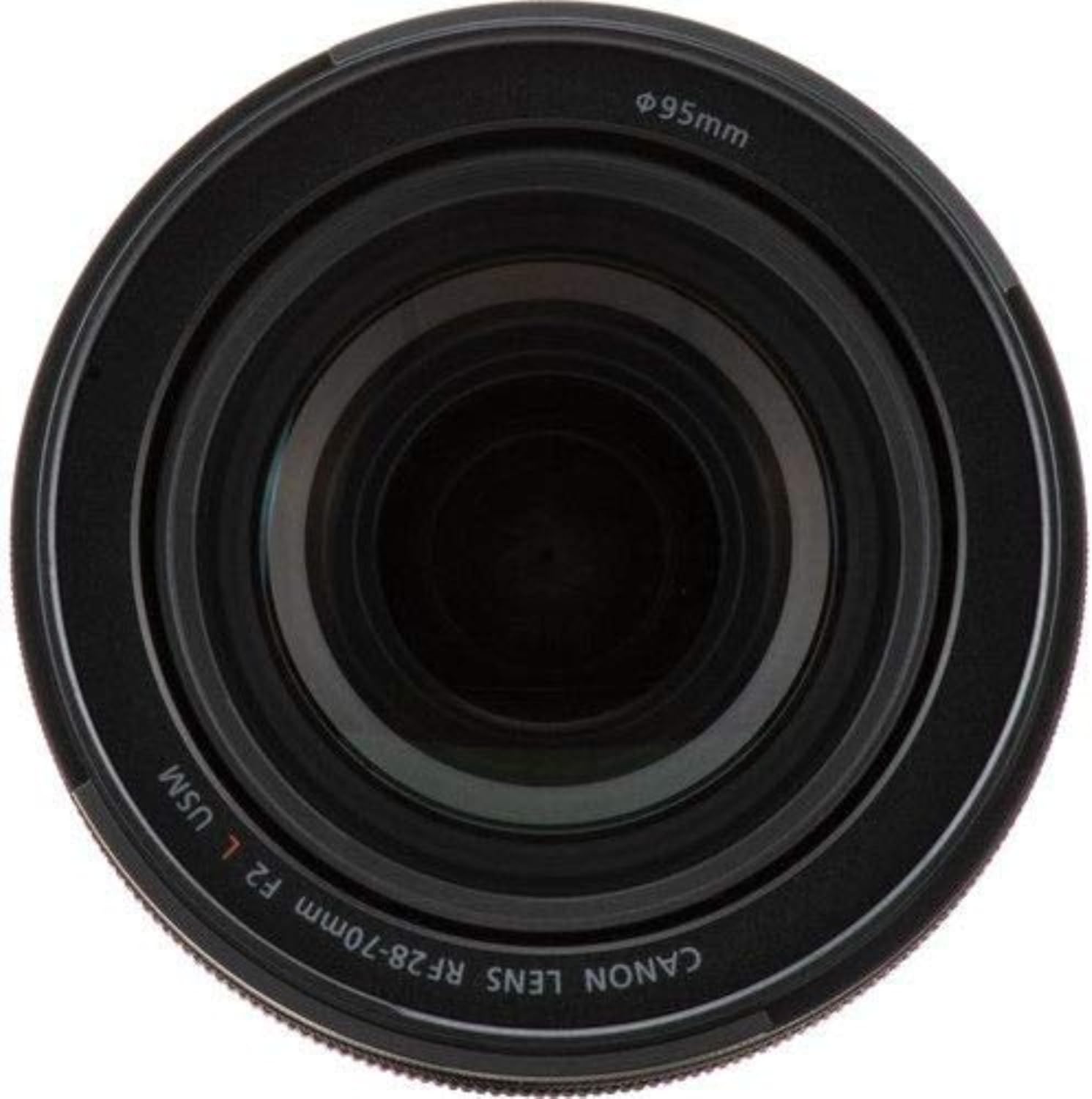
Figure 3: Close-up of the front element, showing the 95mm filter thread.
4. Configuració
- Col·locació de la lent:
- Traieu la tapa de la lent posterior i la tapa del cos de la càmera.
- Align the red index mark on the lens with the red index mark on your EOS R series camera body.
- Gireu la lent en sentit horari fins que encaixi al seu lloc.
- Attaching the Lens Hood (EW-103):
- Alineeu el punt vermell de la tapa de l'objectiu amb el punt vermell de la part frontal de l'objectiu.
- Twist the lens hood clockwise until it locks securely. To remove, press the quick-release button and twist counter-clockwise.
- Col·locació de filtres:
- Screw 95mm filters onto the front filter thread of the lens.
Video 2: Demonstration of the lens features, including the constant f/2 aperture and mounting on a camera body.
5. Funcionament de l'objectiu
- Autofocus (AF) / Manual Focus (MF):
- Slide the AF/MF switch to 'AF' for automatic focusing.
- Slide the AF/MF switch to 'MF' for manual focusing. In MF mode, rotate the focus ring to adjust focus.
- Estabilitzador d'imatge:
- Set the Stabilizer switch to 'ON' to activate optical image stabilization, which helps reduce blur caused by camera shake.
- Set the Stabilizer switch to 'OFF' when using a tripod or when image stabilization is not desired.
- Zoom:
- Rotate the zoom ring to change the focal length between 28mm and 70mm.
- Anell de control:
- The control ring's function can be customized via your camera's menu settings. Refer to your camera's instruction manual for specific customization options.
Video 3: A photographer discusses the versatility and image quality of the Canon RF28-70mm F2 L USM Lens for both video and photography.
Vídeo 4: Un resum detallatview of the Canon RF28-70mm F2 L USM Lens, highlighting its features and performance.
6. Manteniment
- Neteja de la lent:
- Feu servir un bufador de lents per eliminar la pols de la superfície de la lent.
- For smudges or fingerprints, use a soft, clean lens cloth and a small amount of lens cleaning solution.
- Eviteu tocar els elements de vidre directament amb els dits.
- Emmagatzematge:
- Col·loqueu sempre les tapes frontal i posterior de l'objectiu quan no l'utilitzeu.
- Guardeu la lent en un lloc fresc i sec, allunyat de la llum solar directa i de temperatures extremes.
- Utilize the provided lens case (LP1424) for added protection during storage and transport.
- Resistència a la intempèrie:
- While the lens is dust- and water-resistant, it is not waterproof. Avoid prolonged exposure to heavy rain or submersion in water.
- Wipe off any moisture immediately with a clean, dry cloth.
7. Solució De Problemes
If you encounter any issues with your Canon RF28-70mm F2 L USM Lens, consider the following general troubleshooting steps:
- Focusing Issues: Ensure the AF/MF switch is set correctly for your desired mode. Check for any obstructions on the lens elements.
- Desenfocament de la imatge: Verify that the Image Stabilizer is turned ON if shooting handheld in low light. Check your shutter speed and aperture settings.
- La lent no s'enganxa correctament: Ensure the red index marks on the lens and camera body are aligned correctly before twisting to lock.
- Sorolls inusuals: If the lens makes unusual noises, power off the camera and reattach the lens. If the issue persists, contact Canon support.
For more detailed troubleshooting or specific error codes, please refer to your camera's instruction manual or the official Canon support weblloc.
8. Especificacions
| Atribut | Valor |
|---|---|
| Dimensions del producte | 4.1 x 4.1 x 5.5 polzades |
| Pes de l'article | 3.15 lliures |
| ASIN | B07H4F64XL |
| Número de model de l'article | 2965C002 |
| Marca | Cànon |
| Descripció de la distància focal | 28-70 mil·límetres |
| Tipus de lent | Estàndard |
| Muntatges compatibles | Canon RF |
| Descripció de la lent de la càmera | Canon RF28-70mm F2 L USM Lens, Zoom Lens, Compatible with EOS R Series Mirrorless Cameras, Black |
| Fabricant | Càmeres Canon EUA |
| Data de primera disponibilitat | 4 de setembre de 2018 |
9. Garantia i Suport
This Canon product comes with a manufacturer's warranty. For specific warranty details, registration, and technical support, please refer to the warranty card included in your product packaging or visit the official Canon weblloc.
For additional assistance, you may also contact Canon customer service directly.


