Introducció
This manual provides essential instructions for setting up, operating, maintaining, and troubleshooting your Huawei Watch GT Fashion smartwatch. Please read this manual thoroughly to ensure proper use and to maximize the device's features.

Image: Huawei Watch GT Fashion Smartwatch with a brown leather strap, displaying a digital watch face with time and step count.
Configuració
1. Càrrega inicial
Before first use, fully charge your Huawei Watch GT Fashion. Connect the charging cradle to a power adapter and place the watch onto the cradle, ensuring the charging contacts align. The watch will display a charging indicator.
2. Emparellament amb el telèfon intel·ligent
- Download the Huawei Health App des de la botiga d'aplicacions del teu telèfon intel·ligent (Google Play Store per a Android, Apple App Store per a iOS).
- Assegureu-vos que el Bluetooth del vostre telèfon intel·ligent estigui activat.
- Open the Huawei Health App, navigate to Devices, and select "Add device". Choose your Huawei Watch GT Fashion from the list.
- Follow the on-screen prompts on both your watch and smartphone to complete the pairing process. Confirm the pairing code if prompted.
System Requirements: Android 4.4 or later; iOS 9.0 or later.
3. Actualitzacions de programari
After pairing, the Huawei Health App may prompt you to update the watch's software. It is recommended to perform these updates to ensure optimal performance and access to the latest features. Ensure your watch is sufficiently charged before starting an update.
Instruccions de funcionament
Navegació bàsica
- Pantalla tàctil: Llisca amunt, avall, esquerra o dreta per navegar pels menús i les notificacions. Toca per seleccionar elements.
- Botó superior: Press to access the app list or return to the home screen.
- Botó inferior: Customizable for quick access to a specific function, such as workout modes.

Image: The Huawei Watch GT Fashion highlighting its 1.39" AMOLED touchscreen and ultra-slim 10.6 mm profile.
Vigilància de la salut
- Heart Rate Monitoring (TruSeen 3.0): The watch continuously monitors your heart rate using innovative sensors, providing real-time data. Access heart rate graphs via the Huawei Health App.
- Sleep Tracking (TruSleep 2.0): In collaboration with Harvard Medical School CDB Center, the watch identifies common sleep issues and offers over 200 suggestions to improve sleep quality.
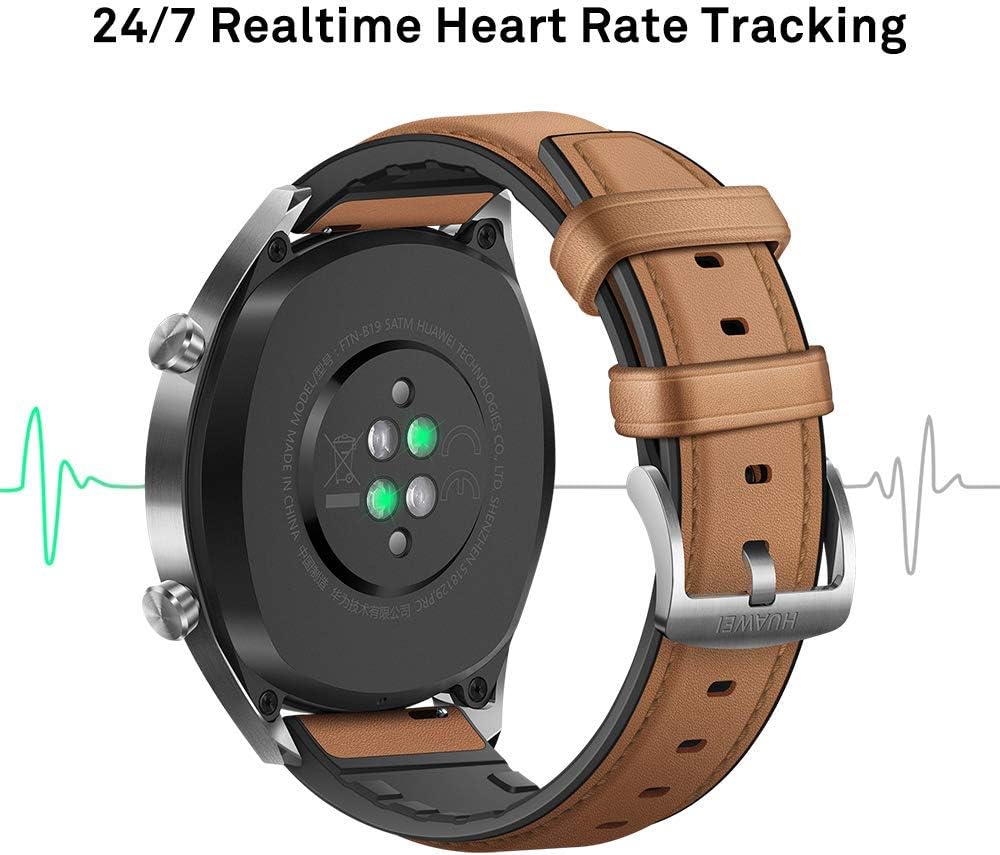
Imatge: Part posterior view of the Huawei Watch GT Fashion, illustrating the optical heart rate sensors for 24/7 real-time tracking.
Activity Tracking and GPS
- Modes multiesportiu: The watch supports various indoor and outdoor sports modes, including running, cycling, swimming, and more. Select your activity from the watch's menu to start tracking.
- Posicionament GPS: Equipped with 3 global satellite positioning systems (GPS, GLONASS, GALILEO), the watch offers fast and precise positioning for outdoor activities.
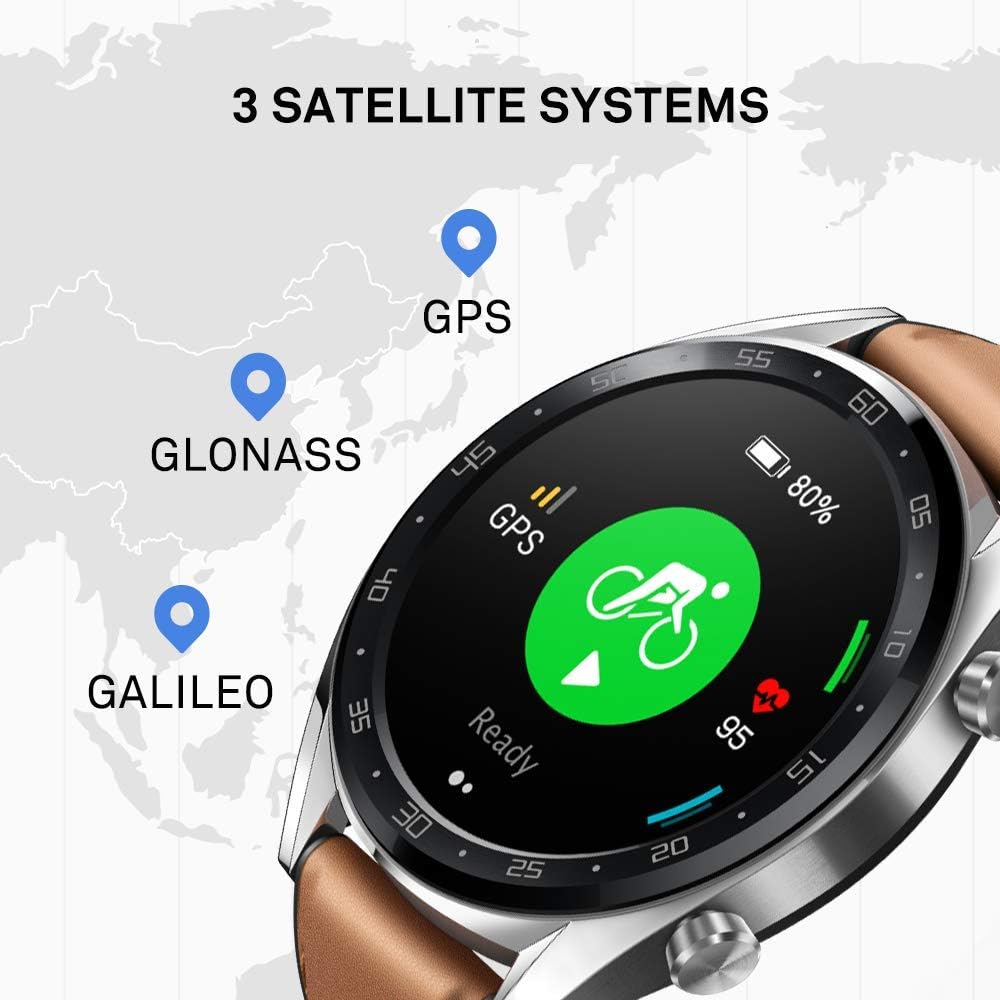
Image: The Huawei Watch GT Fashion screen showing icons for GPS, GLONASS, and GALILEO satellite systems, indicating global positioning capabilities.
Notificacions i altres funcions
- Notificacions intel·ligents: Receive call, message, and app notifications directly on your wrist when connected to your smartphone.
- Resistència a l'aigua: The watch is water-resistant up to 50 meters, suitable for swimming and shallow water activities. Avoid hot water or steam.
- Durada de la bateria: The watch offers up to two weeks of battery life under typical usage conditions (heart rate monitor on, 90 mins exercise/week). Battery life varies with usage.

Image: An infographic detailing battery life scenarios for the Huawei Watch GT Fashion: 2 weeks with heart rate and exercise, 30 days with notifications only, and 22 hours with all activity modes and GPS on.
Manteniment
Neteja del rellotge
- Netegeu regularment el rellotge casing i corretja amb un suau, damp tela.
- Assegureu-vos que els contactes de càrrega de la part posterior del rellotge estiguin nets i secs per evitar problemes de càrrega.
- Eviteu utilitzar productes químics agressius o materials abrasius, ja que poden danyar l'acabat del rellotge.
Substitució de corretja
The Huawei Watch GT Fashion uses standard 22mm interchangeable straps. To replace the strap, locate the quick-release pins on the underside of the strap and slide them to detach. Attach a new strap by reversing the process.
Cura de la bateria
- Charge the watch using only the provided charging cradle and a compatible power adapter.
- Avoid exposing the watch to extreme temperatures, which can affect battery life and performance.
- If storing the watch for an extended period, charge it to approximately 50% to preserve battery health.
Resolució de problemes
Watch Not Turning On or Charging
- Ensure the charging contacts on both the watch and cradle are clean and free of debris.
- Verifiqueu que el cable de càrrega i l'adaptador de corrent funcionin correctament.
- Proveu una font d'alimentació diferent.
Problemes d'aparellament
- Assegureu-vos que el Bluetooth estigui activat al telèfon intel·ligent i que el rellotge estigui dins del seu abast.
- Reinicieu tant el vostre telèfon intel·ligent com el rellotge.
- Unpair the watch from your smartphone's Bluetooth settings and attempt to pair again through the Huawei Health App.
- Ensure the Huawei Health App is updated to the latest version.
Inaccurate Heart Rate or GPS Data
- For heart rate, ensure the watch is worn snugly on your wrist, not too tight or too loose.
- Per al GPS, assegureu-vos que esteu en una zona oberta a l'aire lliure amb visió clara view del cel.
- Sync your watch with the Huawei Health App regularly to ensure updated satellite data.
Restableix el rellotge
If issues persist, you may need to reset your watch to factory settings. This will erase all data on the watch. Navigate to Configuració > Sistema > Restablir on your watch. Confirm the action when prompted.
Especificacions
| Nom del model | Watch GT Fashion |
| Número de model | 55023253 |
| Mostra | AMOLED d'1.39 polzades, resolució 454 x 454 |
| Dimensions | 1.06 x 4.65 x 4.65 cm (0.42 x 1.83 x 1.83 polzades) |
| Pes | 46 g (sense corretja) |
| Durada de la bateria | Fins a 13 dies (ús típic) |
| Sensors | Accelerometer, Gyroscope, Magnetometer, Optical Heart Rate, Ambient Light, Barometer |
| Connectivitat | Bluetooth BT4.2, BLE, GPS (GPS, GLONASS, GALILEO) |
| Resistència a l'aigua | 5 caixers automàtics (50 metres) |
| Requisits del sistema | Android 4.4 or later; iOS 9.0 or later |
Informació de la garantia
Your Huawei Watch GT Fashion is covered by a limited warranty. For detailed warranty terms and conditions, please refer to the warranty card included with your product or visit the official Huawei weblloc web per a la teva regió. Conserva el comprovant de compra per a reclamacions de garantia.
Suport
Per a més ajuda, suport tècnic o per a view frequently asked questions, please visit the official Huawei support weblloc:
consumer.huawei.com/en/support/
You can also contact Huawei customer service through the contact information provided on their support page.