1. Introducció
This manual provides detailed instructions for the setup, operation, and maintenance of your BenQ PD2700U 27-inch 4K UHD IPS monitor. Please read this manual thoroughly before using the product to ensure proper functionality and safety. Keep this manual for future reference.
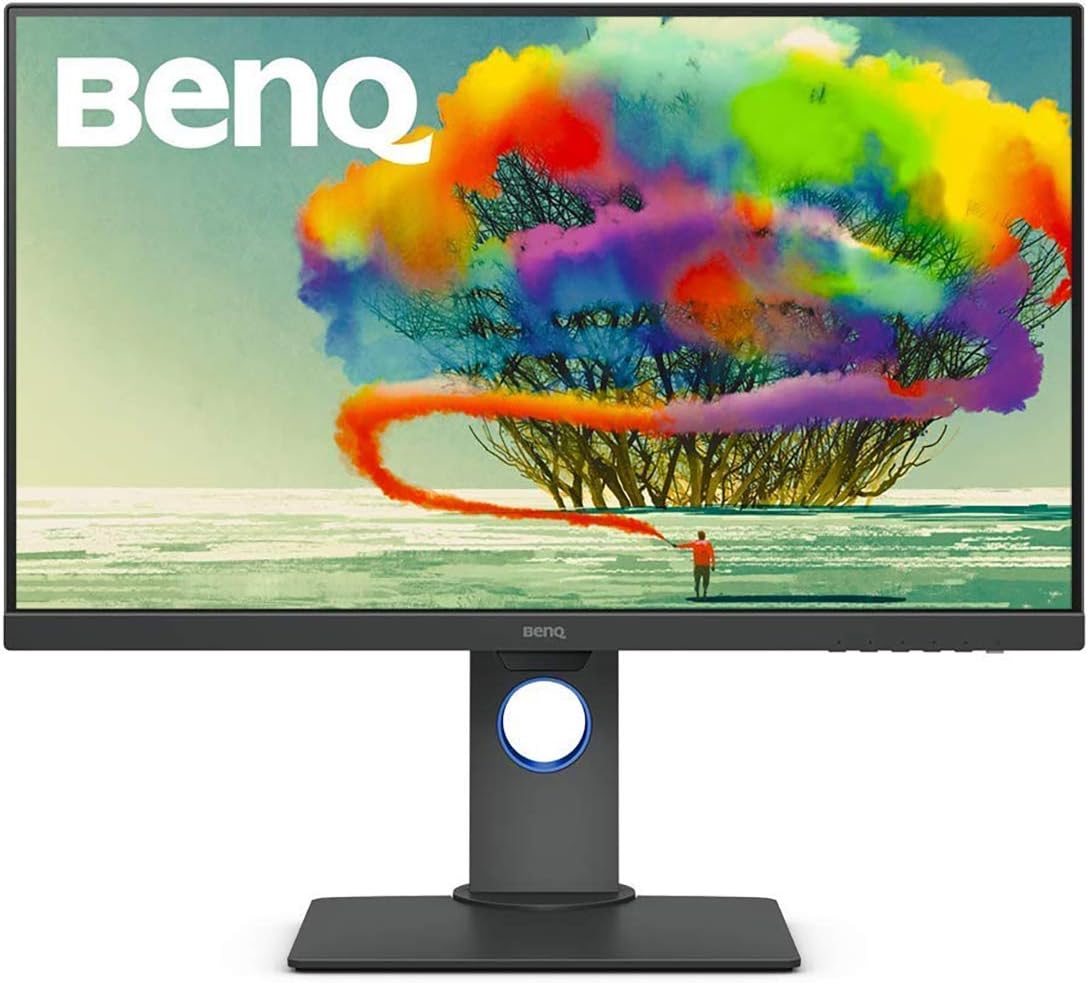
Figure 1: BenQ PD2700U 27-inch 4K UHD IPS Monitor (Front View)
2. Informació de seguretat
Seguiu sempre aquestes precaucions de seguretat bàsiques per reduir el risc d'incendi, descàrrega elèctrica i lesions:
- No exposeu el monitor a la pluja ni a la humitat.
- No obriu el monitor casing. No hi ha peces que l'usuari pugui reparar a l'interior.
- Assegureu-vos una ventilació adequada al voltant del monitor.
- Feu servir només l'adaptador de corrent que s'inclou amb el monitor.
- Mantingueu el monitor allunyat de fonts de calor i de la llum solar directa.
3. Què hi ha a la caixa
Verifiqueu que tots els elements estiguin presents a l'embalatge:
- BenQ PD2700U Monitor
- Adaptador d'alimentació
- Cable DisplayPort
- Cable amunt USB 3.0
- Guia d'inici ràpid
- Informe de calibració
4. Configuració
4.1 Muntatge físic
Attach the stand to the monitor panel. Ensure it clicks securely into place. For VESA mounting, remove the stand and attach a compatible VESA mount (100x100mm) to the monitor's rear panel.

Figure 2: Monitor Dimensions and Rear Panel
4.2 Connexió a un ordinador
Connect the monitor to your computer using one of the following cables:
- DisplayPort: Connect one end of the DisplayPort cable to the monitor's DisplayPort input and the other end to your computer's DisplayPort output.
- HDMI: Connect an HDMI cable (not included) to the monitor's HDMI input and your computer's HDMI output.
For USB hub functionality, connect the included USB 3.0 upstream cable from the monitor to a USB 3.0 port on your computer.
4.3 Encès/Apagat
Connect the power adapter to the monitor and then to a power outlet. Press the power button located on the bottom right of the monitor to turn it on or off.
5. Funcionament del monitor
5.1 Navegació en pantalla (OSD)
Use the buttons on the bottom right bezel of the monitor to navigate the OSD menu. The buttons allow you to access various settings including Picture Mode, Color, Display, KVM Switch, Audio, Custom Key, and System settings.
5.2 Modes d'imatge
The PD2700U offers several optimized picture modes for different professional applications:
- Animació: Enhances dark areas without overexposing bright regions.
- CAD/CAM: Provides superior contrast for lines and shapes in technical drawings.
- Darkroom: Adjusts image brightness and contrast for work in dark environments.
- HDR: High Dynamic Range mode for compatible content.
- Llum blava baixa: Reduces blue light emissions to minimize eye strain.
- Rec.709: Standard for HDTV production.
- sRGB: Standard Red Green Blue color space.
- Usuari: Configuració personalitzable.

Figure 3: Monitor's Expertized Color Modes
5.3 AQCOLOR Technology
BenQ's AQCOLOR technology ensures accurate color reproduction. The PD2700U is factory-calibrated and comes with a calibration report, guaranteeing Delta E≤3 for precise color performance.

Figure 4: AQCOLOR Technology for Accurate Colors
5.4 Eye-Care Technology
The monitor incorporates BenQ's exclusive Eye-Care technology, including Flicker-Free and Low Blue Light features, to reduce eye fatigue during extended use.
5.5 KVM Switch Functionality
The built-in KVM (Keyboard, Video, Mouse) switch allows you to control two different computer systems using a single keyboard, mouse, and the PD2700U monitor. Connect your peripherals to the monitor's USB hub and the two computers to the monitor's video inputs and USB upstream ports.
5.6 Daisy Chain Setup
Utilize the DisplayPort output to daisy chain multiple monitors, creating an extended desktop environment with fewer cables.
5.7 Ajustaments ergonòmics
The monitor stand supports tilt, pivot, swivel, and height adjustments for optimal viewcomoditat.

Figure 5: Ergonomic Adjustments
5.8 Calibratge de programari
For advanced color management and consistency across multiple BenQ monitors, utilize the Display ColorTalk and Palette Master Ultimate software.
Video 1: Instructions for using BenQ Display ColorTalk software to achieve color consistency across multiple monitors.
Video 2: Guide to using BenQ PD Series Palette Master Ultimate software for monitor calibration.
6. Manteniment
6.1 Neteja
Per netejar la pantalla del monitor, netegeu-la suaument amb un drap suau i sense borrissol. Per a marques difícils,ampen the cloth slightly with water or a mild, non-abrasive screen cleaner. Avoid using alcohol-based cleaners or harsh chemicals.
6.2 Emmagatzematge
When storing the monitor, ensure it is in a cool, dry place, away from direct sunlight and extreme temperatures. Use the original packaging if available for best protection.
7. Solució De Problemes
- Sense energia: Comproveu si el cable d'alimentació està connectat correctament tant al monitor com a la presa de corrent. Assegureu-vos que la presa de corrent funciona.
- Sense senyal: Verify that the video cable (DisplayPort, HDMI) is correctly connected to both the monitor and the computer. Ensure the correct input source is selected in the OSD menu.
- Pantalla parpellejant: Check the video cable connection. Try a different video cable or port. Ensure your graphics card drivers are up to date.
- Colors incorrectes: Reset the monitor to factory default settings via the OSD menu. Perform a software calibration using Display ColorTalk or Palette Master Ultimate.
8. Especificacions
| Característica | Especificació |
|---|---|
| Número de model | PD2700U |
| Mida de la pantalla | 27 polzades |
| Resolució | 3840 x 2160 (4K UHD) |
| Tipus de panell | IPS |
| Gamma de colors | 100% Rec.709, 100% sRGB |
| Delta E | ≤3 |
| Connectivitat | DisplayPort, HDMI, USB 3.0 Hub (4 ports) |
| Altaveus | Integrat |
| Ergonomia | Inclinació, Pivot, Gir, Ajust d'alçada |
| Pes | 16.96 lliures |
| Dimensions (LxWxH) | 9.06 x 14.49 x 24.5 polzades |
9. Garantia i Suport
For warranty information and technical support, please refer to the warranty card included with your product or visit the official BenQ weblloc web. Conserveu el rebut de compra com a comprovant de compra.


