1. Introducció
This manual provides detailed instructions for the setup, operation, and maintenance of your Technical Pro RX113 1500W Home Theater Amplifier Receiver and accompanying 5.25" White Speakers. Please read this manual thoroughly before using the system to ensure proper functionality and to maximize your audio experience.
2. Informació de seguretat
- Font d'alimentació: Ensure the unit is connected to a power source matching the specified voltage (110-220V switchable). Always unplug the unit from the power outlet before cleaning or servicing.
- Ventilació: Do not block any ventilation openings. Install in accordance with the manufacturer's instructions. Adequate airflow is essential to prevent overheating.
- Aigua i humitat: No exposeu aquest aparell a la pluja ni a la humitat. No col·loqueu objectes plens de líquids, com ara gerros, a sobre de l'aparell.
- Fonts de calor: No instal·leu a prop de cap font de calor com ara radiadors, registres de calor, estufes o altres aparells (inclosos amplificadors) que produeixen calor.
- Manteniment: Demaneu tot el servei a personal de servei qualificat. El manteniment és necessari quan l'aparell s'ha fet malbé d'alguna manera, com ara el cable d'alimentació o l'endoll està danyat, s'ha vessat líquid o han caigut objectes a l'aparell, l'aparell ha estat exposat a la pluja o la humitat, no funciona amb normalitat. , o s'ha deixat caure.
- Col·locació dels altaveus: Ensure speakers are securely mounted to prevent accidental falls.
3. Contingut del paquet
Verifiqueu que tots els elements que s'enumeren a continuació s'inclouen al vostre paquet:
- Receptor domèstic Bluetooth Technical Pro RX113BT de 1500 W Ampmés viu Amp w/ 10 Band EQ
- Pair of Rockville RockSlim White Home Theater 5.25" 240w Easy Wall Mount Slim Speakers
- Rack Ears (detachable)
- Feet attached to bottom of receiver
- Antena remota
- Manual del propietari (aquest document)
- Endoll
- Control remot
- iPod / MP3 input cable
4. Configuració
4.1 Amplifier Receiver Setup
Place the RX113 amplifier receiver on a stable, flat surface with adequate ventilation. If rack-mounting, attach the included rack ears.

Figure 4.1: Front panel of the RX113BT amplifier receiver, showing controls and display.
4.1.1 Connexió d'alimentació
Connect the power plug to the AC input on the rear panel of the receiver, then plug it into a suitable wall outlet. Ensure the voltage selector switch (if present) is set to your local voltage (110V o 220V).
4.1.2 Connexions d'entrada d'àudio
The RX113BT offers multiple input options:
- Entrades RCA: Connect up to three audio sources (e.g., CD player, DVD player, TV) using RCA cables to the 'AUX', 'MP3', or 'DVD' inputs on the rear panel.
- 1/8" (MP3) Input: Use the included 1/8" cable to connect portable devices like smartphones or MP3 players to the front panel 'MP3' input.
- Bluetooth: For wireless audio streaming, refer to Section 5.1.3 for Bluetooth pairing instructions.
4.1.3 Connexions d'altaveus
Connect the included 5.25" speakers to the amplifier's speaker outputs on the rear panel. The RX113BT supports 5-channel surround sound. Ensure correct polarity (+ to + and - to -) for optimal sound quality.
- Ponents principals: Use the Banana Binding Post terminals for the main left and right speakers.
- Altaveus de so envoltant: Use the push-button terminals for surround sound speakers (Center, Surround Left, Surround Right).
- Sortida de subwoofer: Connecteu un subwoofer actiu al preamplificador RCA Subamp output with low pass filter.

Figure 4.2: Rear panel connections of the RX113BT ampreceptor lifier.
4.1.4 Connexions del micròfon
The unit features dual 1/4" microphone inputs on the front panel for karaoke or DJ use. Adjust microphone volume, echo, and treble controls as needed.
4.2 Configuració dels altaveus
The included Rockville RockSlim speakers are designed for easy wall mounting.
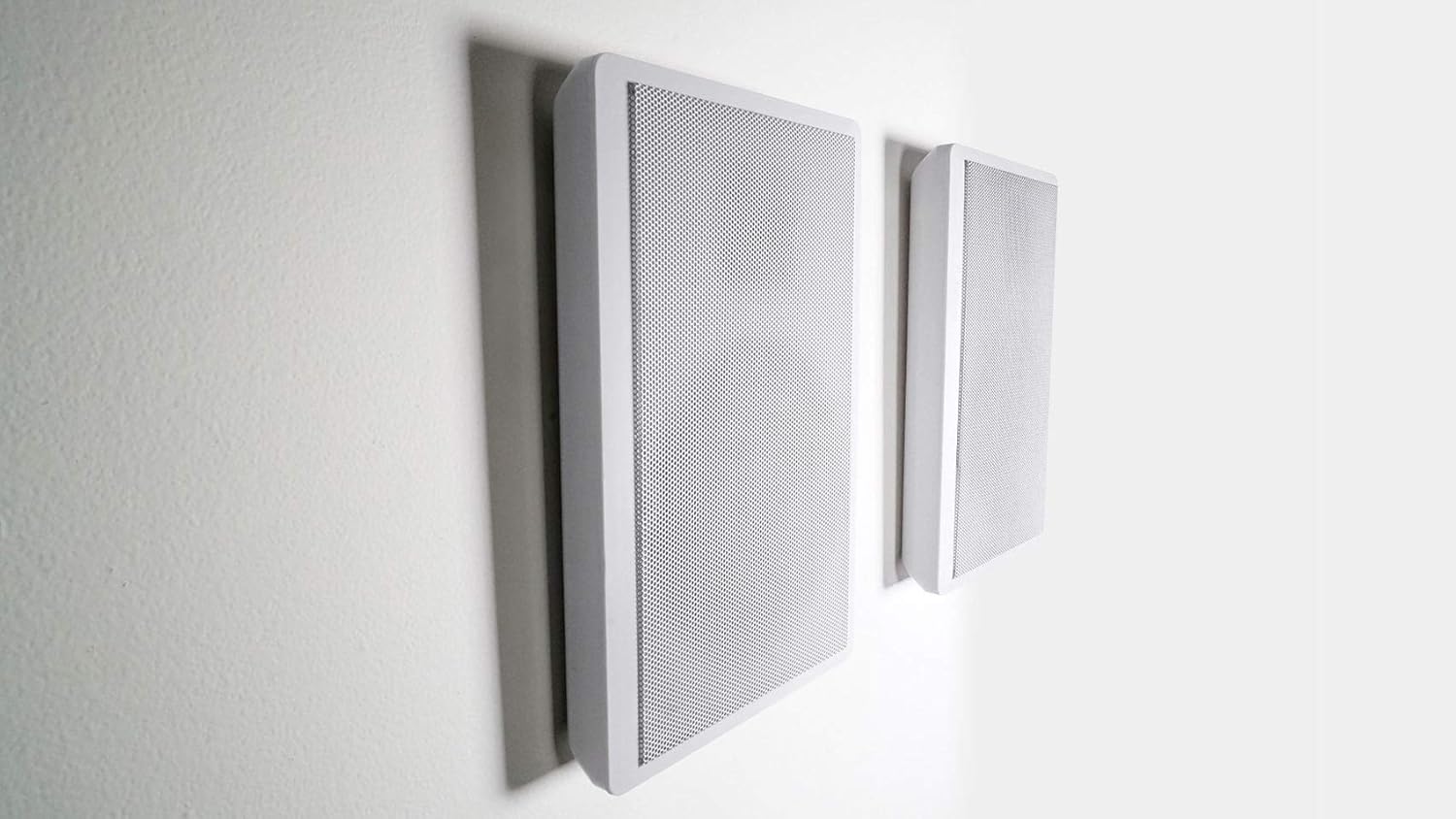
Figure 4.3: Rockville RockSlim speakers mounted on a wall.
- Muntatge: The speakers feature a molded hanging bracket for easy wall installation, similar to hanging a picture. Ensure the mounting surface is sturdy enough to support the speaker's weight (2 lbs per speaker).
- Cablejat: Use the recessed spring-loaded speaker wire terminals on the rear of each speaker. A molded speaker wire groove helps in routing wires discreetly behind the speaker. Connect the speaker wires to the corresponding terminals on the RX113BT ampmés viu.

Figure 4.4: Internal components of the Rockville RockSlim speaker.
5. Instruccions de funcionament
5.1 Funcionament bàsic
- Encès/apagat: Press the 'POWER' button on the front panel to turn the unit on or off.
- Control de volum: Rotate the large 'VOLUME' knob on the front panel to adjust the overall output volume.
- Selecció d'entrada: Use the 'TUNER', 'AUX', 'MP3', or 'DVD' buttons on the front panel to select your desired audio input source.
- Emparellament Bluetooth:
- Select 'Bluetooth' as the input source on the receiver.
- Activeu el Bluetooth al vostre dispositiu mòbil i cerqueu els dispositius disponibles.
- Select 'RX113BT' from the list to pair. Once paired, you can stream audio wirelessly.
- Sintonitzador FM: Use the 'FM SCAN' button to automatically scan and store available FM radio stations. The digital display will show frequency information.
5.2 Audio Adjustment
- Dual 10-Band Equalizer: Adjust the individual sliders on the dual 10-band equalizer to fine-tune the audio frequency response. Each band has an individual blue LED indicator for easy readout.
- Controls de graves i aguts: Use the dedicated 'BASS' and 'TREBLE' knobs for quick adjustments to low and high frequencies.
- Amplificador de baix: Activate the 'BASS BOOSTER' function for enhanced low-frequency output.
- So envoltant: The unit supports 5-channel surround sound. Ensure your speakers are connected correctly for an immersive audio experience.
5.3 Karaoke / DJ Features
- Entrades de micròfon: Plug microphones into the 'MIC1' or 'MIC2' inputs on the front panel.
- Volum del micròfon: Adjust the 'MIC VOL' knob to control the microphone's output level.
- Control d'eco: Use the 'ECHO' knob to add reverberation effects to the microphone audio.
- Microphone Treble: Adjust the 'MIC TREBLE' knob to control the high frequencies of the microphone audio.
- Retard del micròfon: Use the 'MICROPHONE DELAY' controls (50MS, 100MS, 150MS, 200MS) to adjust the delay effect for the microphones.
6. Manteniment
- Neteja: Desconnecteu l'alimentació abans de netejar. Feu servir un drap suau i sec per netejar les superfícies exteriors de l'aparell. amplifier and speakers. Do not use liquid cleaners or aerosol sprays.
- Ventilació: Periodically check that the ventilation openings on the amplifier are free from dust and obstructions. The built-in cooling speed fan helps maintain optimal operating temperature.
- Emmagatzematge: Si guardeu la unitat durant un període prolongat, desconnecteu-la de l'alimentació i guardeu-la en un lloc fresc i sec, allunyat de la llum solar directa i de temperatures extremes.
7. Solució De Problemes
| Problema | Causa possible | Solució |
|---|---|---|
| Sense poder | Power cord not securely connected; Power outlet not active; Unit is off. | Ensure power cord is fully inserted. Test outlet with another device. Press the 'POWER' button. |
| Sense sortida de so | Incorrect input source selected; Volume too low; Speaker wires disconnected or incorrectly connected; Mute function active. | Select the correct input source. Increase volume. Check all speaker wire connections for proper polarity. Ensure unit is not muted. |
| Error d'emparellament Bluetooth | Device too far from receiver; Bluetooth not enabled on device; Receiver not in pairing mode. | Move device closer to receiver. Ensure Bluetooth is enabled on your device. Select Bluetooth input on receiver and try pairing again. |
| Àudio distorsionat | Input signal too strong; Speaker impedance mismatch; Equalizer settings incorrect. | Reduce input source volume. Ensure speakers are 8 Ohm nominal impedance. Adjust equalizer settings. |
8. Especificacions
| Característica | Detall |
|---|---|
| Amplifier Peak Power | 1500 watts |
| Canals | So envoltant de 5 canals |
| Equalitzador | Dual 10-Band Equalizer with LED indicators |
| Connectivitat | Bluetooth, auxiliar, RCA |
| Entrades | RCA (3 audio sources), 1/8" (MP3), Dual Microphone (1/4") |
| Sortides | Terminal de connexió banana (2 altaveus), botó (altaveus de so envoltant), RCA (1 línia de gravació, 2 mono a subwoofer) |
| Speaker RMS Power (Per Speaker) | 40 watts |
| Speaker Peak Power (Per Speaker) | 120 watts |
| Altaveu altaveu | 5.25" Paper Cone |
| Altaveu Tweeter | 0.5" Mylar Dome |
| Sensibilitat de l'altaveu | 89 dB |
| Speaker Nominal Impedance | 8 ohms |
| Amplifier Dimensions (W x H x D) | 17" (19" w/ brackets) x 5" x 12.25" |
| Amplificador Pes | 15 lliures |
| Dimensions de l'altaveu (H x A x P) | 10.8" x 7.3" x 1.38" |
| Speaker Weight (Per Speaker) | 2 lliures |
| Voltage | 110-220V commutable |
9. Garantia i Suport
This product comes with a manufacturer's warranty. Please refer to the warranty card included in your package for specific terms and conditions. For technical support, troubleshooting assistance beyond this manual, or warranty claims, please contact Technical Pro customer service. Contact information can typically be found on the manufacturer's official weblloc web o a la documentació de la compra.
Per a més informació, podeu visitar el Botiga Technical Pro a Amazon.


