1. Introducció
L'altaveu Logitech Rally està dissenyat per a un rendiment d'àudio òptim a les sales de reunions, garantint que les veus s'escoltin clarament des de la seva font. Amb una carcassa antivibració, evita el tremolor de la càmera fins i tot a volums alts. Les tecnologies RightSound ofereixen àudio de gamma completa alhora que mantenen la sensibilitat del micròfon i la cancel·lació de l'eco.
2. Què hi ha a la caixa
- Portaveu del míting
- Cable mini XLR
- Documentació
3. Configuració
3.1 Col·locació
Els altaveus Rally estan dissenyats per col·locar-se a la part frontal de la sala per garantir un àudio de conversa natural i realista. Es poden muntar a la paret.
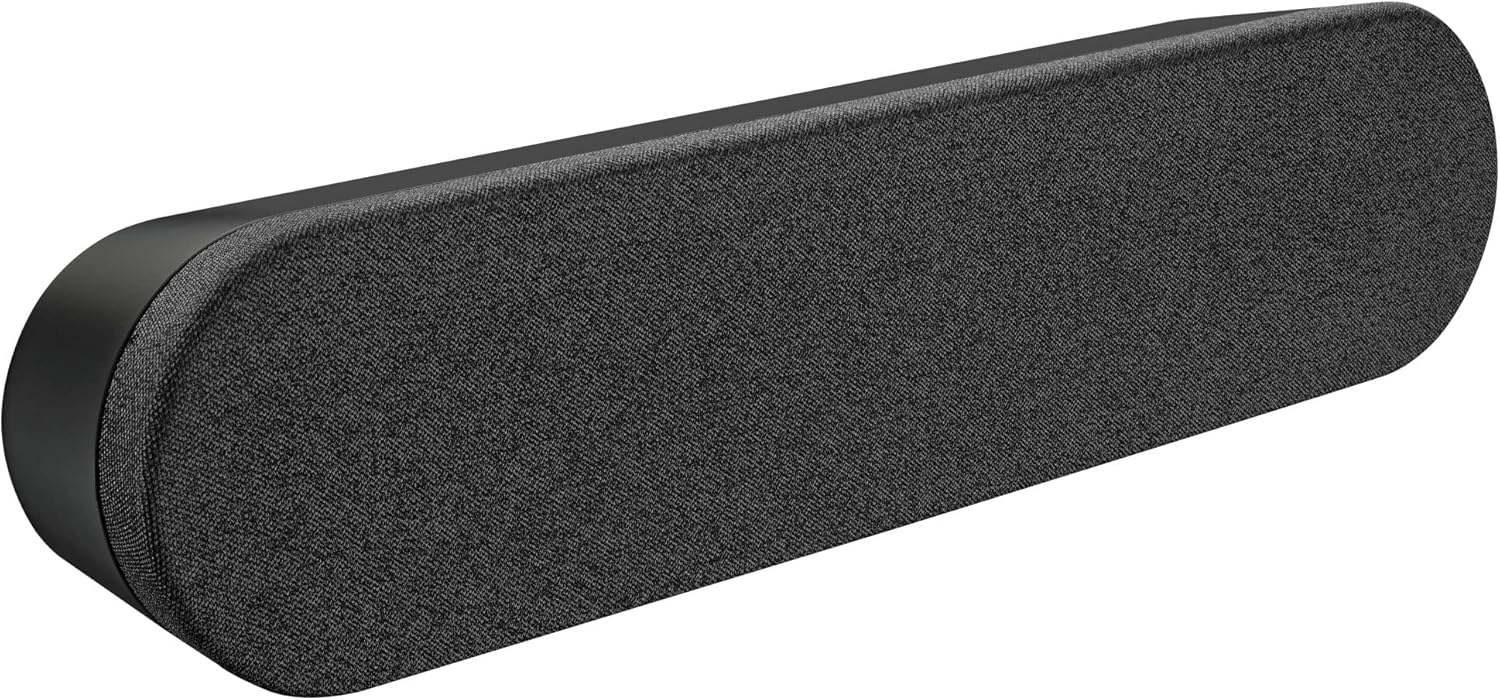
Davant view del Logitech Rally Speaker, exposicióasing el seu disseny elegant i la seva reixa de tela.
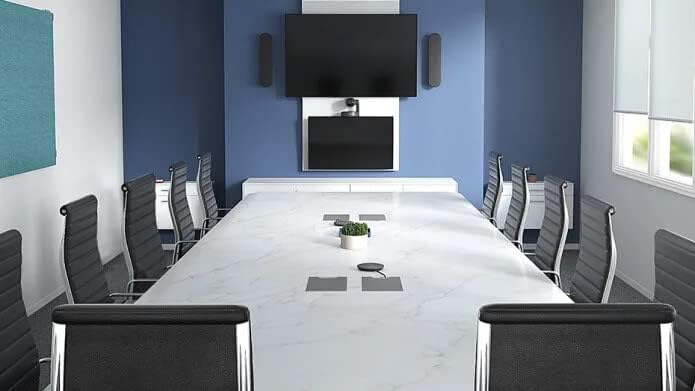
L'altaveu Rally muntat sota una pantalla en una sala de conferències moderna, mostrant una instal·lació típica.
3.2 Connexions
Connecteu l'altaveu Rally amb el cable mini XLR proporcionat al vostre sistema Logitech Rally. Assegureu-vos que l'altaveu estigui connectat a una font d'alimentació.

posterior view de l'altaveu Rally, que mostra l'entrada d'alimentació i el port de connexió Mini XLR.
4. Funcionament de l'altaveu
L'altaveu Rally s'integra perfectament a la configuració de la vostra sala de conferències. Les seves tecnologies RightSound gestionen activament l'àudio per oferir un so clar i suprimir l'eco, millorant la comunicació durant les reunions. La carcassa antivibració garanteix un rendiment estable, evitant qualsevol tremolor de la càmera induït per l'àudio.

Un intern view del Rally Speaker, que il·lustra els seus components acústics i el sistema de suspensió antivibracions.
5. Manteniment
Per mantenir un rendiment òptim, netegeu regularment l'exterior de l'altaveu amb un drap suau i sec. Eviteu utilitzar netejadors o dissolvents abrasius. Assegureu-vos que no entrin líquids a les reixetes de l'altaveu.
6. Solució De Problemes
6.1 Sense so
Comproveu totes les connexions dels cables, inclòs el cable Mini XLR i la font d'alimentació. Verifiqueu que la font d'àudio estigui activa i que els nivells de volum estiguin configurats correctament al dispositiu connectat.
6.2 Àudio distorsionat
Assegureu-vos que l'altaveu no estigui massa a prop d'altres dispositius electrònics que puguin causar interferències. Reduïu el volum si es produeix distorsió a nivells alts.
6.3 Eco o retroalimentació
L'altaveu Rally inclou cancel·lació d'eco integrada. Si els problemes persisteixen, comproveu la configuració d'àudio del vostre programari de conferències i assegureu-vos que no hi hagi altres micròfons que causin interferències.
7. Especificacions
| Marca | Logitech |
| Número de model | 960-001230 |
| Tipus de muntatge | Muntatge de paret |
| Material | Grafit |
| Tipus d'altaveu | Barra de so |
| Dimensions (A x A x P) | 4.1" x 17.7" x 3.1" |
| Pes | 4.4 lliures |
| Color | Negre |
| Font d'alimentació | Elèctric amb cable |
| Connectivitat | Mini XLR |
| Mode de sortida d'àudio | estèreo |
| Potència de sortida màxima dels altaveus | 20 watts |
| Resposta de freqüència | 300 Hz |
| Característiques | Cancel·lació d'eco, carcassa antivibracions, tecnologies RightSound |
| Ús recomanat | Sales de conferències, aules, grans espais |
| Resistència a l'aigua | No impermeable |
| UPC | 097855142962 |
8. Garantia i Suport
L'altaveu Logitech Rally inclou una garantia limitada de 2 anys. Per a assistència tècnica, resolució de problemes o reclamacions de garantia, visiteu el servei d'assistència oficial de Logitech. weblloc web o poseu-vos en contacte amb el seu servei d'atenció al client per obtenir informació detallada.


